
ആമുഖം
This instruction manual provides detailed guidance on the setup, operation, and maintenance of your DANFI AUDIO DF Vintage Bluetooth Suitcase Record Player. This versatile unit combines classic vinyl playback with modern connectivity options, including Bluetooth streaming, USB recording, and various audio inputs/outputs. Please read this manual thoroughly before use to ensure proper function and longevity of your device.

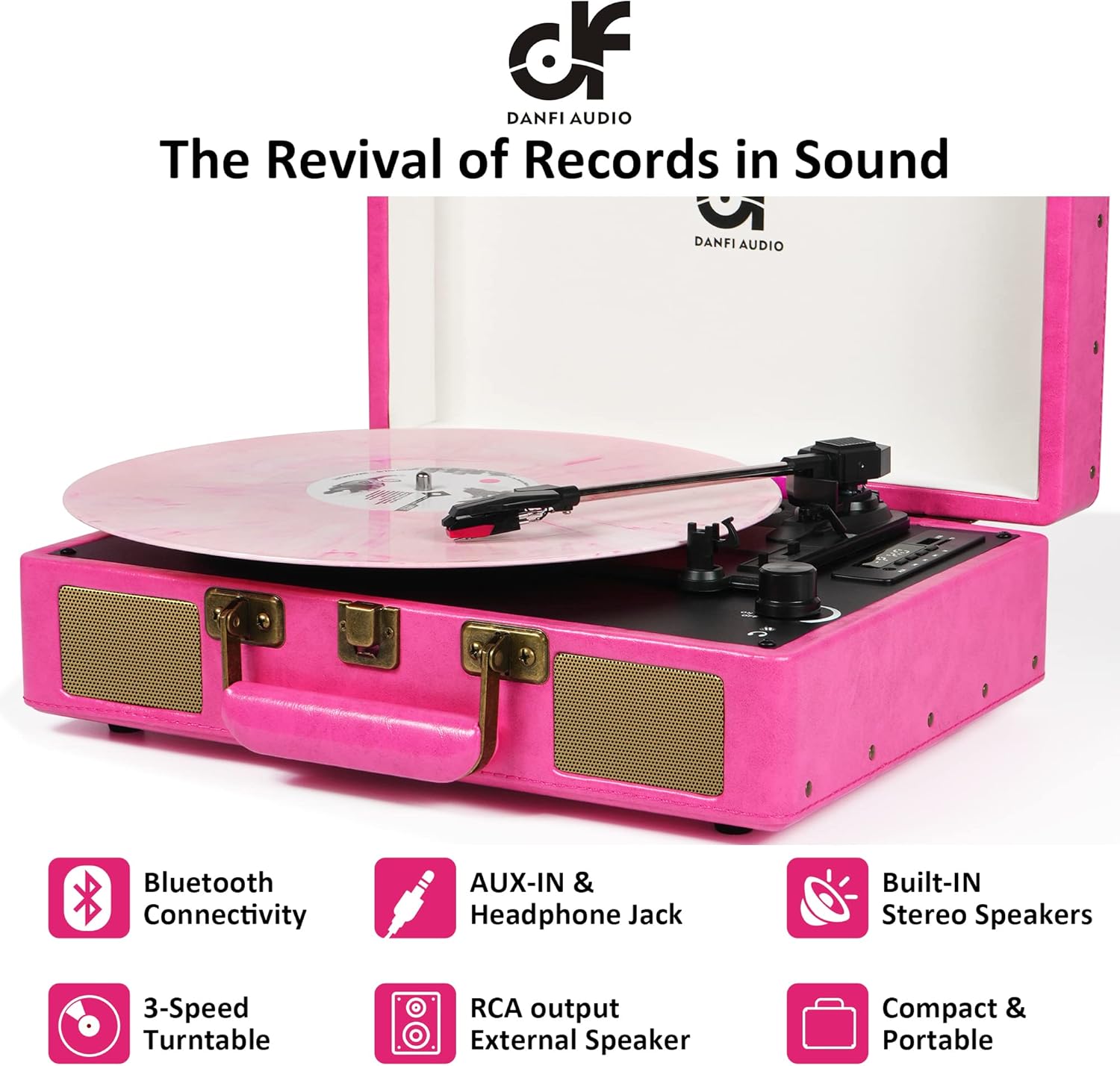
Image: The DANFI AUDIO DF Vintage Bluetooth Suitcase Record Player in pink, open with a pink vinyl record playing, set on a white bedspread.
ബോക്സിൽ എന്താണുള്ളത്
- Pink record player
- Power cord & Adapter (100v-240V)
- സ്ലിപ്പ്മാറ്റ്
- Extra replacement needle
- 45 ആർപിഎം അഡാപ്റ്റർ
ഉൽപ്പന്ന സവിശേഷതകൾ
- Premium Sound & Built-in Stereo Speakers: Enjoy clear and loud audio directly from the unit.
- 3-സ്പീഡ് ടേൺടേബിൾ: Supports 7", 10", and 12" records with adjustable speeds (33 1/3, 45, 78 rpm).
- ഓട്ടോ സ്റ്റോപ്പ് ഫംഗ്ഷൻ: Automatically stops the turntable at the end of a record to prevent wear.
- ബ്ലൂടൂത്ത് കണക്റ്റിവിറ്റി: Wirelessly stream music from your smartphone or other Bluetooth-enabled devices.
- USB Vinyl Audio Recorder: Convert your vinyl records into digital music files (MP3 format) via USB.
- ആർസിഎ putട്ട്പുട്ട്: മെച്ചപ്പെട്ട ശബ്ദത്തിനായി ബാഹ്യ സ്പീക്കറുകളിലേക്ക് കണക്റ്റുചെയ്യുക.
- AUX-in & Headphone Jack: Provides options for wired audio input and private listening.
- പോർട്ടബിൾ സ്യൂട്ട്കേസ് ഡിസൈൻ: Features an easy-carrying handle and compact size for transport.
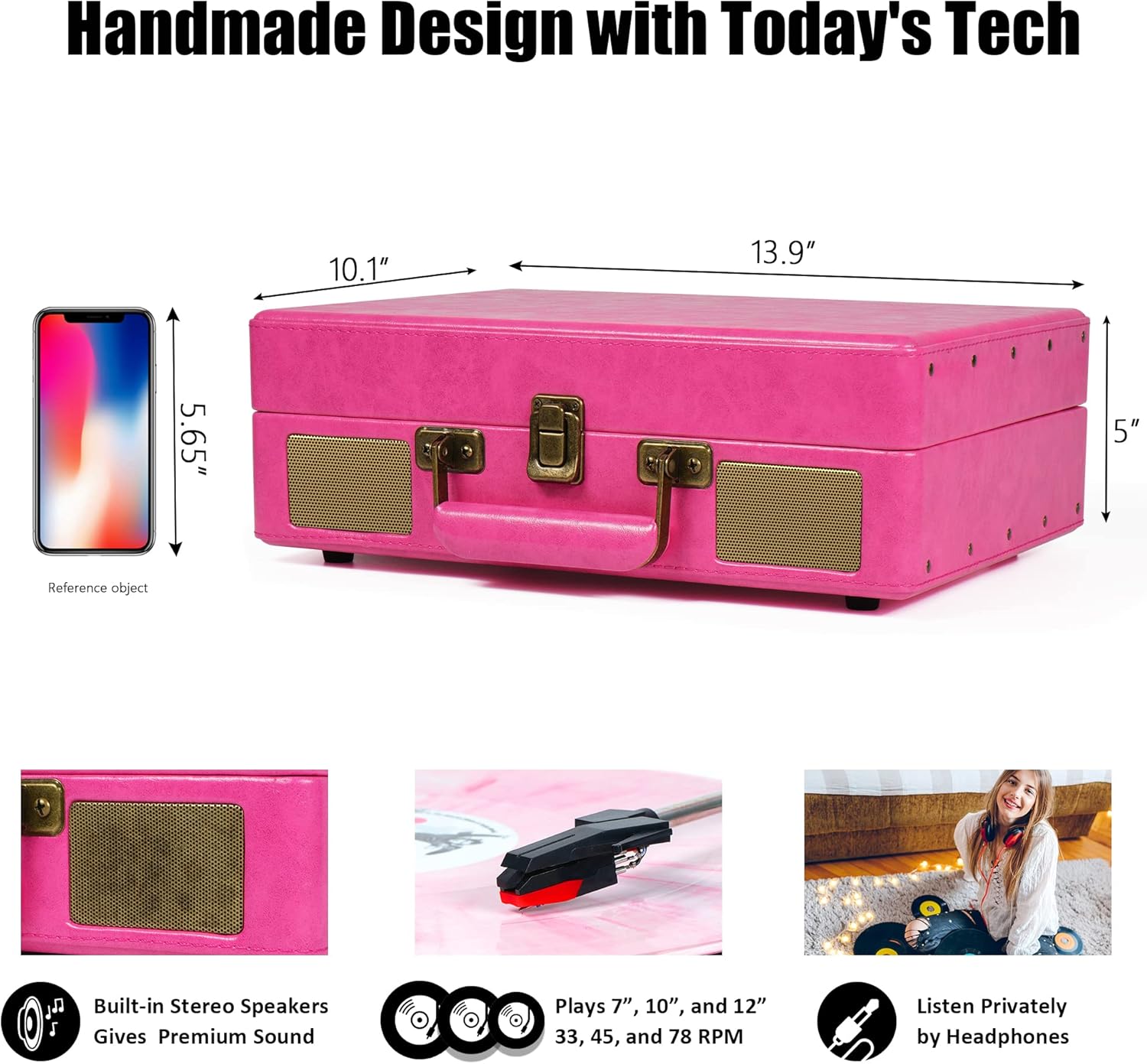
Image: A diagram illustrating the product dimensions (14 x 10 x 5 inches) and highlighting key features such as built-in stereo speakers, 3-speed playback (7", 10", 12" records), and a headphone jack.
സജ്ജീകരണ നിർദ്ദേശങ്ങൾ
- യൂണിറ്റ് അൺപാക്ക് ചെയ്യുക: Carefully remove all packaging materials. Ensure all components listed in 'What's in the Box' are present.
- പവർ കണക്ഷൻ: Connect the power cord to the DC 5V/1A power jack on the back of the unit and plug it into a wall outlet.
- Remove Needle Protection: Before first use, gently remove the white plastic needle protector from the stylus.
- Tone Arm Setup: Unlock the tone arm clip to release the tone arm.
- വേഗത തിരഞ്ഞെടുക്കൽ: Adjust the speed selection switch (33, 45, or 78 RPM) to match the record you intend to play. Use the included 45rpm adapter for 7-inch records.
- Auto Stop Control: The auto-stop switch can be set to ON or OFF. When ON, the turntable will stop spinning automatically at the end of a record. When OFF, it will continue spinning.
ചിത്രം: വിശദമായ ഒരു ചിത്രം view of the record player's control panel and rear connections, including RCA output, power input, tone arm lifter, LED display, speed selector, auto-stop switch, volume/power knob, and headphone jack.
പ്രവർത്തന നിർദ്ദേശങ്ങൾ
ഒരു വിനൈൽ റെക്കോർഡ് പ്ലേ ചെയ്യുന്നു
- Place a record on the turntable platter. If playing a 7-inch record, place the 45rpm adapter on the center spindle.
- Select the appropriate speed (33 1/3, 45, or 78 RPM) using the speed selection switch.
- Open the tone arm clip and push the lift lever backwards to raise the tone arm.
- Gently move the tone arm to the desired position over the record. The turntable will begin to spin.
- Push the lift lever forward to lower the tone arm onto the record.
- Adjust the volume using the ON/OFF/Volume control knob.
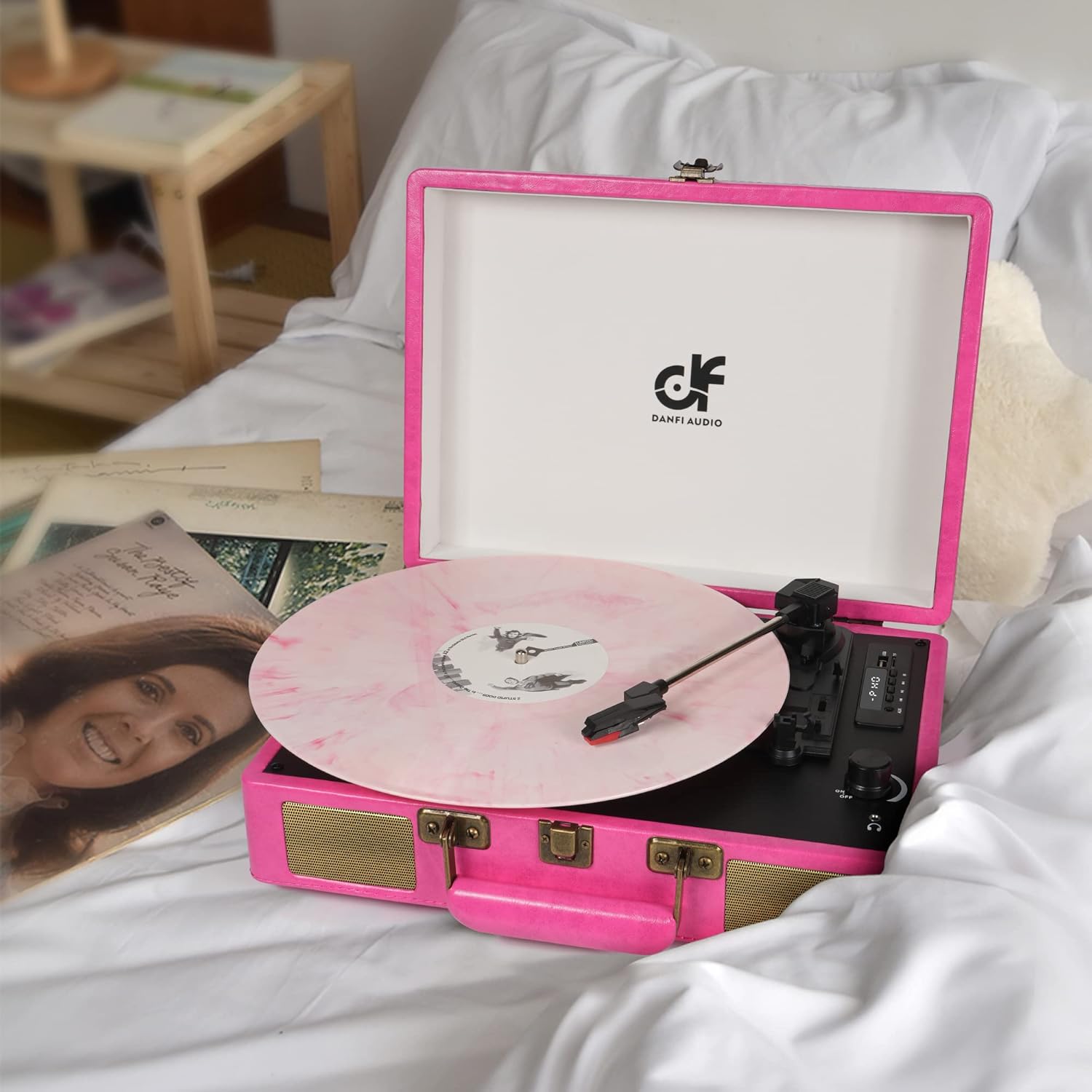
Image: The open pink record player with a pink vinyl record spinning on the platter, ready for playback.
ബ്ലൂടൂത്ത് മോഡ്
- റെക്കോർഡ് പ്ലെയർ ഓണാക്കുക.
- Press the 'M' button to switch to BT (Bluetooth) mode. The LED display will show 'BT' and a blue indicator light will flash, indicating it's ready for pairing.
- Enable Bluetooth on your external device (e.g., smartphone, tablet) and select 'DANFI AUDIO DF' from the list of available devices.
- Once paired, the blue indicator light will stop flashing and remain solid. You can now stream music wirelessly to the record player.

Image: A pink record player with a smartphone next to it, showing the Bluetooth pairing screen with the record player successfully connected.
USB റെക്കോർഡിംഗും പ്ലേബാക്കും
- റെക്കോർഡിംഗ്: Insert a USB flash drive (FAT32 format) into the USB port. Play a vinyl record. Press and hold the 'REC' button for approximately 1 second until it beeps. The unit will start recording the audio from the vinyl to the USB drive. Press 'REC' again to stop recording.
- പ്ലേബാക്ക്: MP3 ഉള്ള ഒരു USB ഫ്ലാഷ് ഡ്രൈവ് ചേർക്കുക files into the USB port. Press the 'M' button to switch to USB mode. Use the play/pause and skip buttons to navigate and play your recorded or stored music.

Image: A close-up of the record player's digital control panel, highlighting the USB port and recording functionality for converting vinyl to MP3.
AUX-in / Headphone Jack / RCA Output
- ഓക്സ്-ഇൻ: Connect an external audio device (e.g., MP3 player) to the AUX-in port using a 3.5mm audio cable. Switch the mode to AUX.
- ഹെഡ്ഫോൺ ജാക്ക്: For private listening, plug your headphones into the headphone jack. The built-in speakers will be muted.
- ആർസിഎ putട്ട്പുട്ട്: Connect the RCA output ports (L/R) to an external amplifier or powered speakers using RCA cables for a louder audio experience.
മെയിൻ്റനൻസ്
- യൂണിറ്റ് വൃത്തിയാക്കൽ: മൃദുവായതും ഉണങ്ങിയതുമായ തുണി ഉപയോഗിച്ച് പുറംഭാഗം തുടയ്ക്കുക. അബ്രാസീവ് ക്ലീനറുകളോ ലായകങ്ങളോ ഉപയോഗിക്കരുത്.
- സ്റ്റൈലസ് കെയർ: The stylus (needle) is delicate. Avoid touching it with your fingers. Clean it periodically with a soft brush, brushing from back to front. Replace the stylus if you notice a decrease in sound quality or visible damage.
- റെക്കോർഡ് കെയർ: നിങ്ങളുടെ വിനൈൽ റെക്കോർഡുകൾ വൃത്തിയായും പൊടി രഹിതമായും സൂക്ഷിക്കുക. വളച്ചൊടിക്കൽ തടയാൻ അവ സ്ലീവുകളിൽ ലംബമായി സൂക്ഷിക്കുക.
ട്രബിൾഷൂട്ടിംഗ്
| പ്രശ്നം | സാധ്യമായ കാരണം | പരിഹാരം |
|---|---|---|
| ശക്തിയില്ല | പവർ അഡാപ്റ്റർ ബന്ധിപ്പിച്ചിട്ടില്ല അല്ലെങ്കിൽ ഔട്ട്ലെറ്റ് പ്രവർത്തിക്കുന്നില്ല. | Ensure power adapter is securely connected and try a different power outlet. |
| സ്പീക്കറുകളിൽ നിന്ന് ശബ്ദമില്ല | ശബ്ദം വളരെ കുറവാണ്; തെറ്റായ മോഡ് തിരഞ്ഞെടുത്തു; ഹെഡ്ഫോണുകൾ കണക്റ്റ് ചെയ്തു. | Increase volume; ensure correct mode (PHONO, BT, AUX, USB) is selected; disconnect headphones. |
| റെക്കോർഡ് ഒഴിവാക്കൽ | Dirty or damaged record; stylus worn out; unit not on a stable surface. | Clean record; replace stylus; place unit on a flat, stable surface. |
| ബ്ലൂടൂത്ത് കണക്റ്റ് ചെയ്യുന്നില്ല | Not in BT mode; device too far; device already paired with another unit. | Ensure unit is in BT mode; move device closer; disconnect from other Bluetooth devices. |
സ്പെസിഫിക്കേഷനുകൾ
- ഉൽപ്പന്ന അളവുകൾ: 14 x 10 x 5 ഇഞ്ച്
- ഇനത്തിൻ്റെ ഭാരം: 5.5 പൗണ്ട്
- മോഡലിൻ്റെ പേര്: TE-2026
- ബ്രാൻഡ്: DANFI ഓഡിയോ ഡിഎഫ്
- പരമാവധി ഭ്രമണ വേഗത: 78 ആർപിഎം
- മെറ്റീരിയൽ: Engineered Wood, Vinyl
- പ്രത്യേക സവിശേഷതകൾ: Adjustable Speed, Built-in Speaker, Digital Recorder, Headphone Jack Output, Portable
- അനുയോജ്യമായ ഉപകരണങ്ങൾ: Headphone, MP3 Player, Smartphone, Speaker, Tablet
വാറൻ്റിയും പിന്തുണയും
For warranty information or technical support, please refer to the documentation included with your purchase or contact DANFI AUDIO DF customer service. Keep your purchase receipt as proof of purchase for any warranty claims.
കൂടുതൽ സഹായത്തിന്, ദയവായി സന്ദർശിക്കുക DANFI AUDIO DF Store on Amazon.