
ആമുഖം
This manual provides comprehensive instructions for the installation, operation, and maintenance of your Byron DBY-22311NP Wireless Doorbell Kit. Please read this manual carefully before using the product to ensure safe and efficient operation. Keep this manual for future reference.
The Byron DBY-22311NP wireless doorbell kit offers a maximum range of 150 meters and features 16 melodies with adjustable volume. Both the outdoor push button and the indoor chime unit are battery-operated, allowing for flexible placement anywhere in your home or garden.
സുരക്ഷാ വിവരങ്ങൾ
- Ensure all components are handled with care to prevent damage.
- Do not expose the push button or chime unit to extreme temperatures, direct sunlight for prolonged periods, or corrosive substances.
- ബാറ്ററികൾ കുട്ടികൾക്ക് ലഭ്യമാകാതെ സൂക്ഷിക്കുക. വിഴുങ്ങിയാൽ ഉടൻ വൈദ്യസഹായം തേടുക.
- ഉപയോഗിച്ച ബാറ്ററികൾ പ്രാദേശിക ചട്ടങ്ങൾക്കനുസൃതമായി നീക്കം ചെയ്യുക.
- Do not attempt to open or repair the units yourself. Refer to qualified personnel for service.
പാക്കേജ് ഉള്ളടക്കം
നിങ്ങളുടെ പാക്കേജിൽ എല്ലാ ഇനങ്ങളും ഉണ്ടെന്ന് ഉറപ്പാക്കുക:
- 1 x ഇൻഡോർ ചൈം യൂണിറ്റ്
- 1 x Outdoor Push Button
- 1 x CR2032 Battery (for outdoor push button)
- ഇരട്ട-വശങ്ങളുള്ള പശ ടേപ്പ്
- മൗണ്ടിംഗ് സ്ക്രൂകളും വാൾ പ്ലഗുകളും
- ഇൻസ്ട്രക്ഷൻ മാനുവൽ
ഉൽപ്പന്നം കഴിഞ്ഞുview

Figure 1: Byron DBY-22311NP Wireless Doorbell Kit, showing the indoor chime unit and outdoor push button.

Figure 2: Detailed dimensions of the indoor chime unit and outdoor push button for installation planning.

ചിത്രം 3: പിൻഭാഗം view of the indoor chime unit and outdoor push button, showing battery compartments and mounting points.
സജ്ജീകരണവും ഇൻസ്റ്റാളേഷനും
1. ബാറ്ററികൾ ഇൻസ്റ്റാൾ ചെയ്യുന്നു
- Outdoor Push Button: Open the battery compartment on the back of the push button. Insert the included CR2032 battery, ensuring correct polarity (+/-). Close the compartment securely.
- Indoor Chime Unit: Open the battery compartment on the back of the chime unit. Insert 3 x AA alkaline batteries (not included), ensuring correct polarity (+/-). Close the compartment securely.
2. Mounting the Outdoor Push Button
The outdoor push button can be mounted using either the double-sided adhesive tape or screws.
- പശ മൗണ്ടിംഗ്: Clean the desired mounting surface thoroughly. Peel off the protective film from one side of the double-sided adhesive tape and apply it to the back of the push button. Peel off the remaining film and firmly press the push button onto the wall or door frame.
- സ്ക്രൂ മൗണ്ടിംഗ്: Mark the desired position for the push button. Drill two small pilot holes. Insert the wall plugs (if necessary) and secure the push button with the provided screws.

Figure 4: The outdoor push button is designed to be weather-resistant and includes a nameplate for personalization.
3. Placing the Indoor Chime Unit
The indoor chime unit is portable and can be placed anywhere within the 150-meter wireless range of the push button. Consider placing it in a central location or where you are most likely to hear it.

Figure 5: The indoor chime unit can be easily placed on a wall or flat surface.
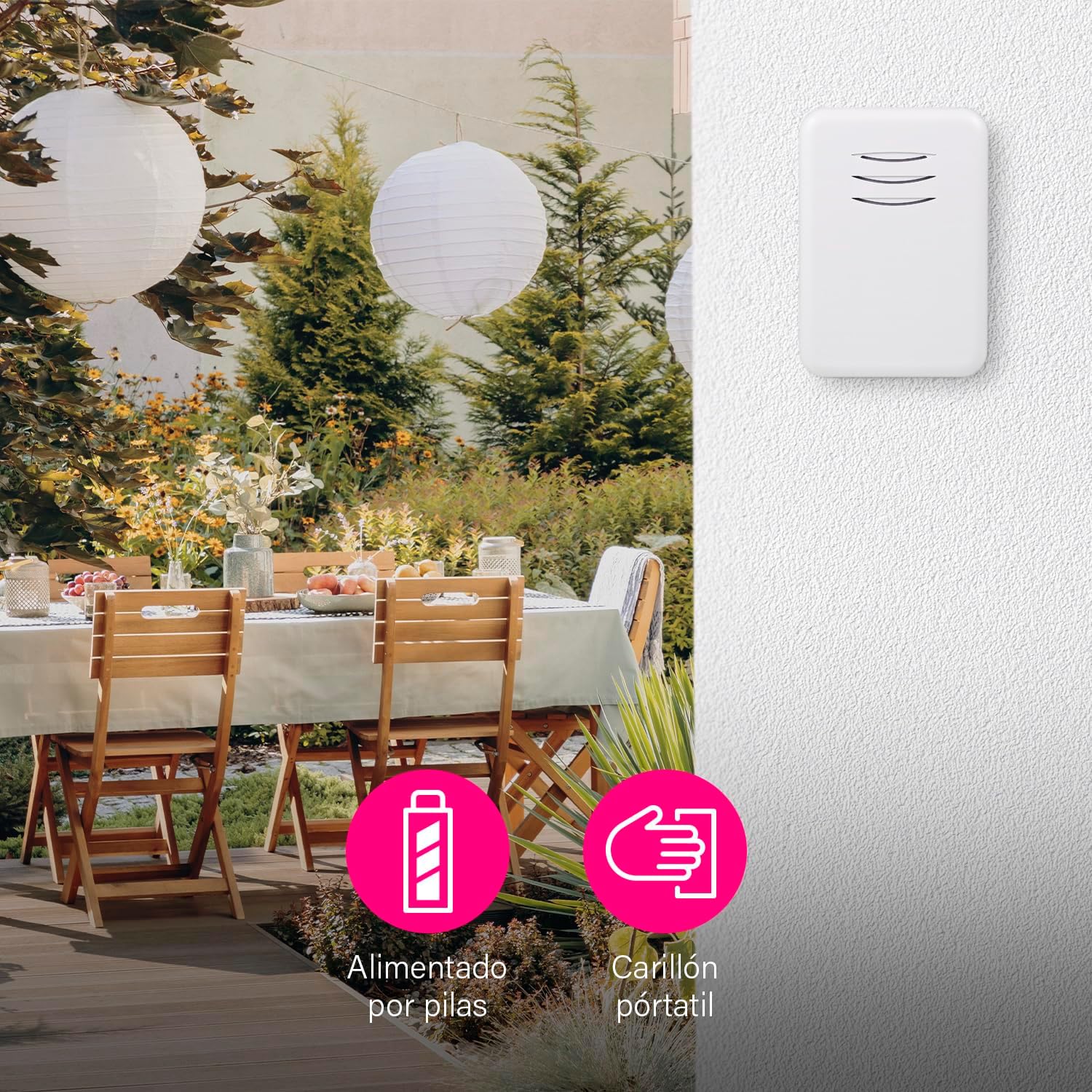
Figure 6: The portable chime unit allows for flexible placement, even in outdoor areas like a garden patio.
4. Pairing (Synchronization)
The units are typically pre-paired at the factory. If they do not work immediately, follow these steps to re-pair them:
- Press and hold the pairing button on the indoor chime unit for approximately 5 seconds until it emits a short beep or flashes.
- Within 10 seconds, press the outdoor push button. The chime unit should ring, indicating successful pairing.
- Test the doorbell by pressing the push button.
You can pair multiple chimes with one push button or multiple push buttons with one chime. This is ideal if you want a chime in several rooms or an additional push button in the garden or at the back door.
പ്രവർത്തന നിർദ്ദേശങ്ങൾ
1. മാറ്റുന്ന ഈണങ്ങൾ
The chime unit offers 16 selectable melodies. To change the melody:
- Locate the melody selection button on the indoor chime unit.
- Press the button repeatedly to cycle through the available melodies. The chime will play each melody as you select it.
- Stop pressing when you hear your desired melody.
2. വോളിയം ക്രമീകരിക്കുന്നു
The volume of the chime can be adjusted up to 80 dB, with multiple levels available.
- Locate the volume control button on the indoor chime unit.
- Press the button to cycle through the volume levels.
- You can also set the chime to silent mode if you do not wish to be disturbed, for example, when a baby is sleeping.
Figure 7: The chime unit features controls for selecting from 16 melodies and adjusting between 5 volume levels.
മെയിൻ്റനൻസ്
1. ബാറ്ററി മാറ്റിസ്ഥാപിക്കൽ
- Outdoor Push Button: When the push button's LED indicator no longer lights up or the range decreases significantly, replace the CR2032 battery.
- Indoor Chime Unit: If the chime unit's sound becomes weak or it stops working, replace the 3 x AA alkaline batteries.
2. വൃത്തിയാക്കൽ
മൃദുവായതും ഉണങ്ങിയതുമായ തുണി ഉപയോഗിച്ച് യൂണിറ്റുകൾ തുടയ്ക്കുക. അബ്രാസീവ് ക്ലീനറുകളോ ലായകങ്ങളോ ഉപയോഗിക്കരുത്.
ട്രബിൾഷൂട്ടിംഗ്
| പ്രശ്നം | സാധ്യമായ കാരണം | പരിഹാരം |
|---|---|---|
| ഡോർബെൽ മുഴങ്ങുന്നില്ല. | ബാറ്ററികൾ തീർന്നിരിക്കുന്നു അല്ലെങ്കിൽ തെറ്റായി ചേർത്തിരിക്കുന്നു. | Replace batteries in both units, ensuring correct polarity. |
| Doorbell range is poor. | Obstructions or interference. | Ensure no large metal objects or thick walls are between the units. Replace batteries if low. |
| Chime unit not responding to push button. | യൂണിറ്റുകൾ ജോടിയാക്കില്ല. | Follow the pairing instructions in the Setup section. |
| Chime unit rings unexpectedly. | മറ്റ് വയർലെസ് ഉപകരണങ്ങളിൽ നിന്നുള്ള ഇടപെടൽ. | Re-pair the units to reset the wireless code. |
സ്പെസിഫിക്കേഷനുകൾ
| ഫീച്ചർ | വിശദാംശങ്ങൾ |
|---|---|
| മോഡൽ നമ്പർ | DBY-22311NP |
| അളവുകൾ (ഉൽപ്പന്നം) | 15 x 9.5 x 4.5 സെ.മീ |
| ഭാരം (ഉൽപ്പന്നം) | 90 ഗ്രാം |
| നിറം | വെള്ള |
| മെറ്റീരിയൽ | പ്ലാസ്റ്റിക് |
| പവർ ഉറവിടം | ബാറ്ററി |
| വാല്യംtage | 4.5 Volts (Indoor Chime) |
| Outdoor Push Button Battery | 1 x CR2032 (ഉൾപ്പെടുത്തിയിരിക്കുന്നു) |
| Indoor Chime Unit Battery | 3 x AA Alkaline (not included) |
| വയർലെസ് ശ്രേണി | Up to 150 m (open air) |
| മെലഡികൾ | 16 |
| വോളിയം ലെവലുകൾ | ക്രമീകരിക്കാവുന്നത്, 80 dB വരെ |
| Weather Resistance (Push Button) | അതെ (പുറത്ത് ഉപയോഗിക്കുന്നതിന് അനുയോജ്യം) |
ഉൽപ്പന്ന വീഡിയോ
വീഡിയോ 1: കഴിഞ്ഞുview of the Byron DBY-22311 Wireless Doorbell, demonstrating its features and ease of use. Note: This video is for a similar model (DBY-22311) and provides a general product demonstration.
വാറൻ്റിയും പിന്തുണയും
For warranty information and customer support, please refer to the contact details provided on the product packaging or the official Byron webസൈറ്റ്. ഏതെങ്കിലും വാറന്റി ക്ലെയിമുകൾക്ക് നിങ്ങളുടെ വാങ്ങലിന്റെ തെളിവ് സൂക്ഷിക്കുക.