
Beghelli 0589180
Beghelli Salvavita Pocket Portable Emergency Telecare Device User Manual
മോഡൽ: 0589180
1. ആമുഖം
The Beghelli Salvavita Pocket is a compact, portable emergency telecare device designed to provide personal safety and peace of mind. It integrates GSM communication for rapid emergency calls and SMS, GPS for precise location tracking, and an automatic fall detection sensor. This manual provides essential instructions for setting up, operating, and maintaining your device.

Image 1.1: The Beghelli Salvavita Pocket device, a compact black square with a red emergency button.
2. പാക്കേജ് ഉള്ളടക്കം
പാക്കേജിൽ എല്ലാ ഇനങ്ങളും ഉണ്ടെന്ന് ദയവായി പരിശോധിക്കുക:
- Beghelli Salvavita Pocket Device
- Rechargeable Lithium Battery (pre-installed)
- മാഗ്നെറ്റിക് ചാർജിംഗ് കേബിൾ
- യുഎസ്ബി വാൾ അഡാപ്റ്റർ
- Multi-purpose Lanyard
- ഉപയോക്തൃ മാനുവൽ (ഈ പ്രമാണം)
Note: A Nano SIM card with voice and SMS traffic is required for the device to function and is NOT included in the package.
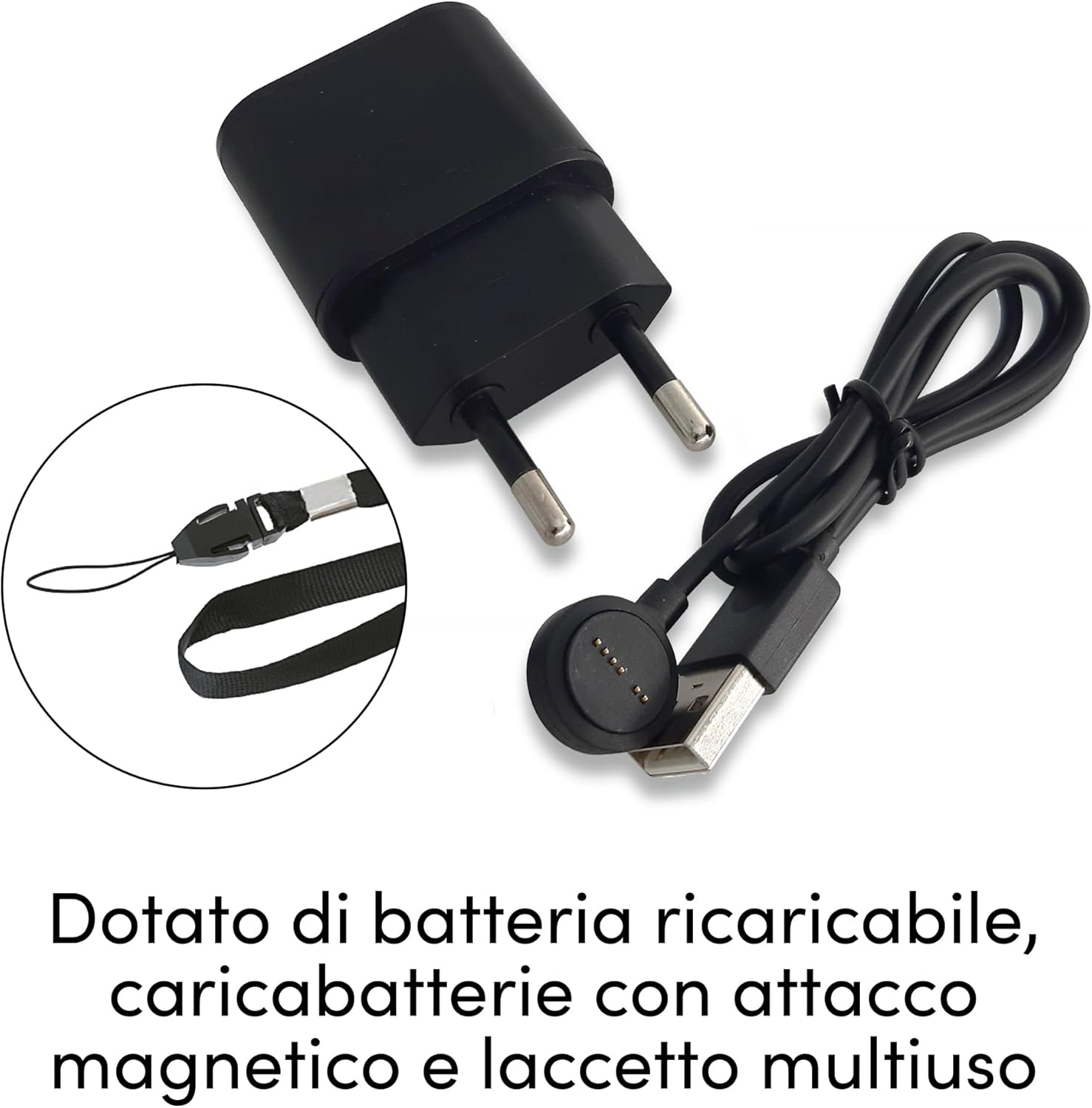
Image 2.1: Included accessories: magnetic charging cable, USB wall adapter, and multi-purpose lanyard.
3. സജ്ജീകരണം
3.1. സിം കാർഡ് ഇൻസ്റ്റാളേഷൻ
- ഉപകരണം ഓഫാണെന്ന് ഉറപ്പാക്കുക.
- ഉപകരണത്തിന്റെ വശത്ത് സിം കാർഡ് സ്ലോട്ട് കണ്ടെത്തുക.
- Insert a Nano SIM card (not included) with active voice and SMS services into the slot, ensuring correct orientation.
- Close the SIM card slot cover securely to maintain water and dust resistance.

Image 3.1: The device requires a Nano SIM card for communication, which is not supplied.
3.2. പ്രാരംഭ ചാർജിംഗ്
- Connect the magnetic charging cable to the charging port on the device. The magnetic connector will snap into place.
- Connect the USB end of the cable to the provided USB wall adapter, then plug the adapter into a power outlet.
- Allow the device to charge fully before first use. The LED indicator will show charging status.
3.3 ഉപകരണ കോൺഫിഗറേഷൻ
The device is configured by sending specific SMS commands from a registered phone number to the device's SIM card number. Refer to the detailed instructions provided in the quick start guide for a list of commands to:
- Set emergency contact numbers (up to 3-5 numbers typically).
- Adjust fall sensor sensitivity.
- Check device status (battery level, GPS signal).
For assistance with configuration, contact Beghelli customer support.
4. പ്രവർത്തന നിർദ്ദേശങ്ങൾ
4.1. Emergency Call Activation
അടിയന്തിര സാഹചര്യത്തിൽ:
- Press and hold the large red emergency button on the device for approximately 2 seconds.
- The device will automatically initiate calls to the pre-programmed emergency numbers in sequence until an answer is received.
- Simultaneously, an SMS message containing the device's GPS location will be sent to all emergency contacts.

Image 4.1: Pressing the red button activates emergency calls and notifications.
4.2. ഹാൻഡ്സ് ഫ്രീ കമ്മ്യൂണിക്കേഷൻ
Once an emergency call is established, the device functions as a hands-free speakerphone, allowing two-way communication with the emergency contact.

Image 4.2: The device supports hands-free communication during emergency calls.
4.3. GPS Localization
The integrated GPS module allows the device to determine its precise location. In an emergency, this location data is sent via SMS to your pre-set contacts, enabling rapid assistance.

Image 4.3: GPS localization allows emergency contacts to view the device's position on a map.
4.4. Fall Sensor
The device features an automatic fall detection sensor. If a fall is detected, the device will automatically trigger an emergency alert, initiating calls and sending location SMS to your contacts without requiring manual activation.
- The sensitivity of the fall sensor can be adjusted via SMS commands (refer to configuration section).
- False alarms can occur; adjust sensitivity as needed.

Image 4.4: The device's fall sensor automatically detects falls and triggers an alert.
5. പരിപാലനം
5.1 ബാറ്ററി ചാർജ് ചെയ്യുന്നു
The device is powered by a rechargeable lithium battery with an autonomy of up to 5 days. Regular charging is recommended to ensure continuous operation.
- Connect the magnetic charging cable as described in Section 3.2.
- A low battery LED indicator will alert you when charging is required.

Image 5.1: The device features a magnetic charging port for easy recharging.
5.2. വൃത്തിയാക്കലും പരിചരണവും
The device is resistant to water and dust, but it is not suitable for immersion. To clean the device:
- സോഫ്റ്റ്, ഡി ഉപയോഗിച്ച് ഉപകരണം തുടയ്ക്കുകamp തുണി.
- കഠിനമായ രാസവസ്തുക്കളോ ഉരച്ചിലുകൾ ഉപയോഗിക്കരുത്.
- Ensure the SIM card slot cover is always securely closed.
6. പ്രശ്നപരിഹാരം
| പ്രശ്നം | സാധ്യമായ കാരണം | പരിഹാരം |
|---|---|---|
| Device not making calls/sending SMS | No active SIM card; SIM card incorrectly inserted; No GSM network coverage; Incorrectly programmed emergency numbers. | Ensure SIM card is active and correctly inserted. Check for GSM network signal. Verify emergency numbers via SMS commands or Beghelli support. |
| കൃത്യമല്ലാത്ത GPS ലൊക്കേഷൻ | Poor GPS signal (indoors, dense urban areas); Device not outdoors. | തെളിഞ്ഞ ആകാശമുള്ള ഒരു തുറസ്സായ സ്ഥലത്തേക്ക് മാറുക view. GPS accuracy can vary. |
| False fall alarms | Fall sensor sensitivity too high; Sudden movements misinterpreted as falls. | Adjust fall sensor sensitivity to a lower setting via SMS commands. |
| ഉപകരണം ചാർജ് ചെയ്യുന്നില്ല | Magnetic connector not making proper contact; Faulty cable/adapter; Device malfunction. | Ensure magnetic connector is firmly attached. Try a different USB port or adapter. Contact Beghelli support if problem persists. |
| ചെറിയ ബാറ്ററി ലൈഫ് | Frequent emergency calls/GPS requests; Old battery; Constant searching for signal. | Ensure device is in an area with good signal. Reduce frequency of manual GPS requests. Battery degradation is normal over time. |
If you encounter issues not listed here or require further assistance, please contact Beghelli customer support.
7 സ്പെസിഫിക്കേഷനുകൾ
- മോഡൽ: 0589180
- Dimensions (Device): ഏകദേശം 45 x 45 x 14 മിമി
- ഭാരം (ഉപകരണം): 130 ഗ്രാം
- കണക്റ്റിവിറ്റി: GSM (for calls/SMS), GPS (for location)
- സിം കാർഡ് തരം: നാനോ സിം (ഉൾപ്പെടുത്തിയിട്ടില്ല)
- ബാറ്ററി: Rechargeable Lithium, up to 5 days standby
- ചാർജിംഗ്: കാന്തിക യുഎസ്ബി കേബിൾ
- ഫീച്ചറുകൾ: Emergency button, Hands-free speakerphone, GPS tracking, Automatic fall sensor, Water and dust resistant (not suitable for immersion).
- അനുയോജ്യമായ പെരിഫറലുകൾ: Smartphone (for receiving alerts and managing settings via SMS)
8. വാറൻ്റിയും പിന്തുണയും
For warranty information and technical support, please refer to the official Beghelli webസൈറ്റിൽ ബന്ധപ്പെടുകയോ അവരുടെ ഉപഭോക്തൃ സേവനവുമായി നേരിട്ട് ബന്ധപ്പെടുകയോ ചെയ്യുക. വാറന്റി ക്ലെയിമുകൾക്കായി നിങ്ങളുടെ വാങ്ങിയതിന്റെ തെളിവ് സൂക്ഷിക്കുക.
Beghelli Customer Support: Visit Beghelli Contact Page
For issues related to your purchase on Amazon, please refer to Amazon's return and support policies.
Ask a question about this manual
Ask about setup, troubleshooting, compatibility, parts, safety, or missing instructions. Manuals+ will review the question and use this page’s manual context to help answer it.