
1. ആമുഖം
This manual provides detailed instructions for the assembly, operation, and maintenance of your Sauder Palladia L-Shaped Desk. Please read all instructions carefully before beginning assembly and retain this manual for future reference. This desk is designed to provide a functional and organized workspace for your home office.
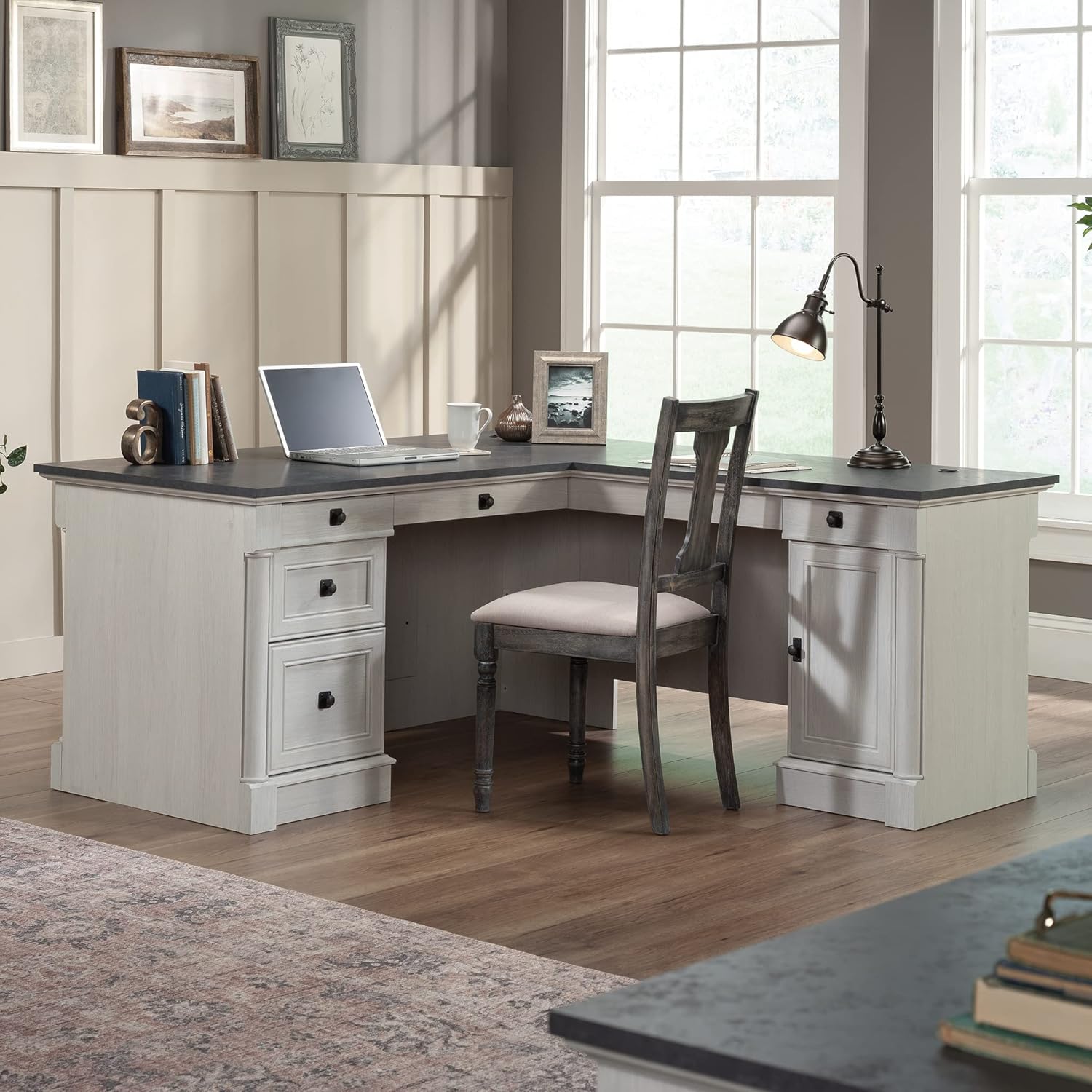
Image 1.1: The Sauder Palladia L-Shaped Desk in a typical office environment, showcasing അതിന്റെ രൂപകൽപ്പനയും പ്രവർത്തനക്ഷമതയും.
2 സുരക്ഷാ വിവരങ്ങൾ
ഉൽപ്പന്നത്തിന് പരിക്കുകളും കേടുപാടുകളും തടയുന്നതിന് ഈ സുരക്ഷാ മാർഗ്ഗനിർദ്ദേശങ്ങൾ പാലിക്കുന്നത് നിർണായകമാണ്.
- Assemble the desk on a stable, level surface to ensure proper construction and stability.
- Exercise caution due to the heavy components. It is recommended to have at least two people for assembly and moving the desk.
- Secure the desk to the wall using appropriate anchoring hardware (if provided) to prevent tipping, especially in households with children or pets.
- Do not use power tools for assembly unless explicitly instructed, as this can strip screws or damage engineered wood components. A manual screwdriver is generally recommended.
- ശ്വാസംമുട്ടൽ അപകടങ്ങൾ തടയാൻ ചെറിയ ഭാഗങ്ങളും ഹാർഡ്വെയറുകളും കുട്ടികളിൽ നിന്ന് അകറ്റി നിർത്തുക.
3. പാക്കേജ് ഉള്ളടക്കം
Your Sauder Palladia L-Shaped Desk is shipped in multiple packages. Please verify that all components and hardware are present before beginning assembly. A detailed parts list and hardware inventory are included within the product packaging. Refer to this list to identify each piece.
4. സജ്ജീകരണവും അസംബ്ലിയും
4.1 നിങ്ങൾ ആരംഭിക്കുന്നതിന് മുമ്പ്
- Clear a spacious area (at least 10x10 feet) for assembly.
- Organize all parts and hardware. It is helpful to lay out and identify each piece according to the included parts list.
- Review ആരംഭിക്കുന്നതിന് മുമ്പ് മുഴുവൻ നിർദ്ദേശ ലഘുലേഖയും.
4.2 ടൂളുകൾ ആവശ്യമാണ്
- Phillips Head Screwdriver (ensure appropriate bit size)
- ചുറ്റിക
- Optional: Furniture slides for easier positioning after assembly.
4.3 അസംബ്ലി ഘട്ടങ്ങൾ
Assembly of this L-shaped desk involves numerous steps and can take several hours. Patience is key. It is highly recommended to have a second person assist, especially during the final stages of connecting the two main sections.
- Follow the step-by-step instructions provided in the product's assembly manual. Pay close attention to diagrams and part labels.
- When attaching components, ensure screws are tightened securely but do not overtighten, as this can damage the material.
- For connecting the two L-shaped sections, align them carefully. The wood is designed to allow for slight adjustments during connection.
- Once assembled, consider using furniture slides under the desk legs to facilitate moving it into its final position.

Image 4.1: Dimensional diagram of the Sauder Palladia L-Shaped Desk, providing measurements for planning your space.
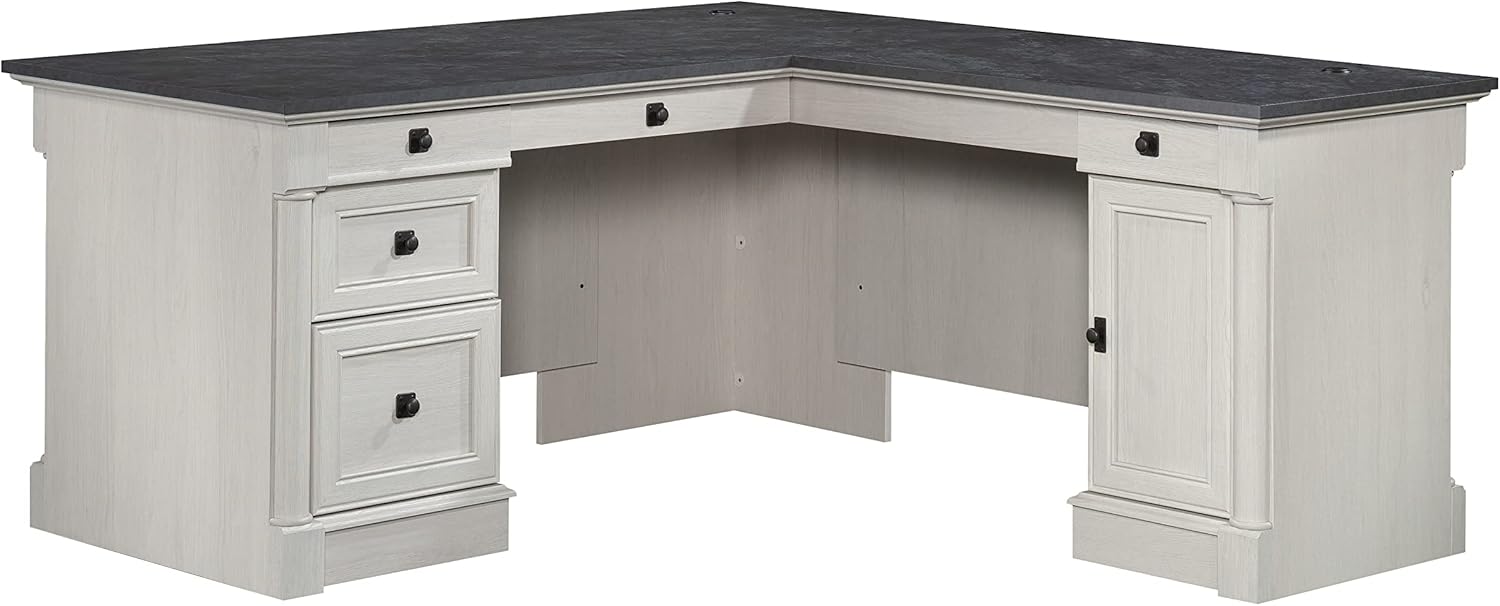
ചിത്രം 4.2: മുൻഭാഗം view of the assembled desk, highlighting its L-shape and storage components.
5. പ്രവർത്തന നിർദ്ദേശങ്ങൾ
5.1 കീബോർഡ് ട്രേ
The desk features a drawer/shelf with a flip-down panel designed to accommodate a keyboard or laptop. Gently pull the tray forward and flip down the front panel for use. Push it back in and flip the panel up to conceal it when not in use.
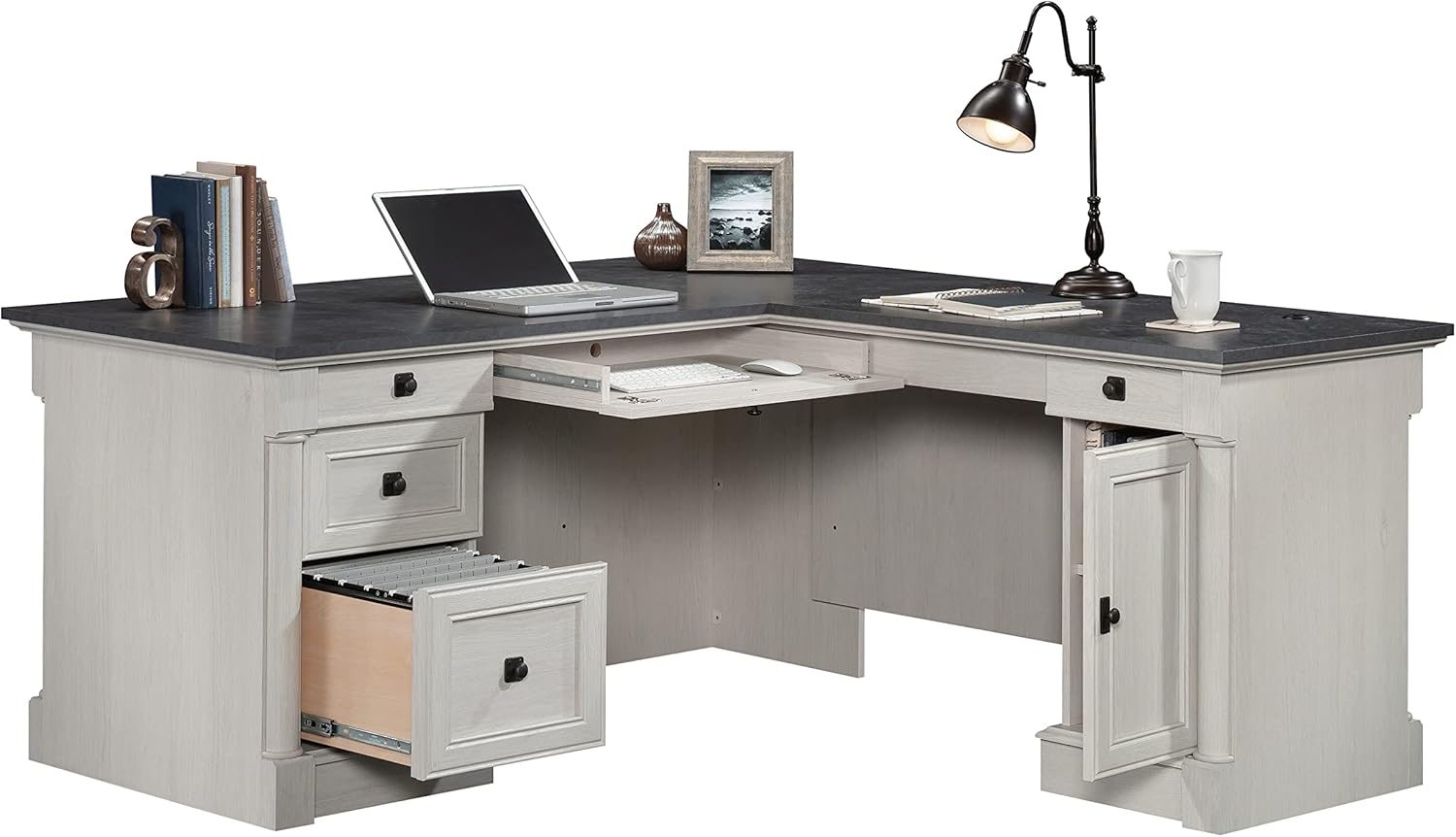
Image 5.1: The desk with its keyboard tray extended and a file drawer open, demonstrating functional storage.
5.2 ഡ്രോയറുകൾ
The desk includes multiple drawers for storage:
- File ഡ്രോയർ: Located on the left side, this drawer features full extension slides and is designed to hold letter or legal-size hanging files.
- Additional Drawers: Three additional drawers are provided for general office supply storage. These drawers operate on smooth metal runners.
5.3 കേബിൾ മാനേജ്മെന്റ്
Two desktop grommet holes are integrated into the desk surface to help manage and route cables, reducing clutter and tangles. While suitable for standard USB-type cables, larger connectors like HDMI or DisplayPort may not fit through the grommets.
5.4 CPU Tower Storage
Behind the door on the right side of the desk, there is an area designed to hold a vertical CPU tower. This section includes an adjustable shelf, allowing you to customize the storage space to fit your needs or other office equipment.

Image 5.2: The desk's cabinet with the door open, showing a CPU tower and an adjustable shelf for versatile storage.
6. പരിപാലനം
To maintain the appearance and longevity of your Sauder Palladia L-Shaped Desk, follow these simple care instructions:
- പരസ്യം ഉപയോഗിച്ച് ഉപരിതലങ്ങൾ തുടയ്ക്കുകamp തുണി. കഠിനമായ രാസവസ്തുക്കളോ ഉരച്ചിലുകളുള്ള ക്ലീനറുകളോ ഒഴിവാക്കുക.
- Promptly clean up spills to prevent staining or damage to the finish.
- ചൂടുള്ള വസ്തുക്കൾ നേരിട്ട് ഉപരിതലത്തിൽ വയ്ക്കുന്നത് ഒഴിവാക്കുക; കോസ്റ്ററുകളോ സംരക്ഷണ പാഡുകളോ ഉപയോഗിക്കുക.
- Protect the desk from direct sunlight and extreme temperature changes to prevent warping or fading.
7. പ്രശ്നപരിഹാരം
അസംബ്ലി ചെയ്യുമ്പോഴോ ഉപയോഗിക്കുമ്പോഴോ എന്തെങ്കിലും പ്രശ്നങ്ങൾ നേരിടുകയാണെങ്കിൽ, ഇനിപ്പറയുന്ന പൊതുവായ പരിഹാരങ്ങൾ പരിശോധിക്കുക:
- Unlabeled Parts: If some parts are not clearly labeled, refer to the diagrams in the instruction manual and visually match the components. Similar parts may have subtle differences that are important for correct assembly.
- Drawer Stiffness or Misalignment: If drawers are stiff or do not align properly, check the drawer slides. They may need minor adjustment. Ensure all screws are securely fastened but not overtightened.
- L-Section Alignment: A slight ridge or unevenness where the two L-sections join can occur. While a connecting plate is provided underneath, ensure both sections are fully pushed together and secured. This is often a characteristic of modular furniture.
- Cable Grommet Size: The desktop cable grommets are designed for standard cables. If larger cable connectors (e.g., HDMI, DisplayPort) do not fit, alternative cable management solutions may be required.
8 സ്പെസിഫിക്കേഷനുകൾ
| ഫീച്ചർ | വിശദാംശങ്ങൾ |
|---|---|
| ബ്രാൻഡ് | Sauder |
| മോഡൽ നമ്പർ | 432725 |
| ഉൽപ്പന്ന അളവുകൾ (D x W x H) | 65.12" x 68.74" x 29.61" |
| നിറം | Glacier Oak |
| ഫിനിഷ് തരം | Glacier Oak finish |
| അടിസ്ഥാന മെറ്റീരിയൽ | എഞ്ചിനീയറിംഗ് വുഡ് |
| മികച്ച മെറ്റീരിയൽ തരം | എഞ്ചിനീയറിംഗ് വുഡ് |
| ഇനത്തിൻ്റെ ഭാരം | 250 പൗണ്ട് |
| ഡ്രോയറുകളുടെ എണ്ണം | 5 (including 1 file ഡ്രോയർ) |
| ഷെൽഫുകളുടെ എണ്ണം | 1 (adjustable, behind door) |
| പ്രത്യേക സവിശേഷതകൾ | Adjustable Shelf, Cable Management, Keyboard Tray |
| ആവശ്യമായ അസംബ്ലി | അതെ |
9. വാറൻ്റി വിവരങ്ങൾ
The Sauder Palladia L-Shaped Desk comes with a 5 വർഷത്തെ പരിമിത വാറൻ്റി on parts. This warranty covers manufacturing defects and ensures the quality of components under normal use. Please retain your proof of purchase for warranty claims.
10. ഉപഭോക്തൃ പിന്തുണ
For assistance with assembly, replacement parts, or any other inquiries, Sauder offers various support channels:
- തത്സമയ ചാറ്റ്: On-demand support for immediate assistance.
- Assembly Tip Videos: Helpful visual guides for complex steps.
- മാറ്റിസ്ഥാപിക്കുന്ന ഭാഗങ്ങൾ: Quick shipping for any missing or damaged components.
- Domestic Call Center: Ready to assist with your questions.
- ഗുണമേന്മ: Ensuring peace of mind with product quality.
Visit the official Sauder website or refer to the contact information provided in your product packaging for specific support details.