
1. ആമുഖം
വാങ്ങിയതിന് നന്ദി.asing the YOUTHINK Portable Shortwave Radio. This manual provides essential information for the safe and efficient operation of your device. Please read it thoroughly before use and retain it for future reference.
This portable radio offers AM/FM tuning, MP3 playback, and multiple power options, making it suitable for various listening environments.
2 സുരക്ഷാ വിവരങ്ങൾ
- തീവ്രമായ താപനില, നേരിട്ടുള്ള സൂര്യപ്രകാശം, ഉയർന്ന ഈർപ്പം എന്നിവയ്ക്ക് റേഡിയോ വിധേയമാക്കരുത്.
- ശക്തമായ ആഘാതങ്ങൾക്ക് ഉപകരണം ഇടുകയോ ഇടുകയോ ചെയ്യുന്നത് ഒഴിവാക്കുക.
- റേഡിയോ ഡിസ്അസംബ്ലിംഗ് ചെയ്യാനോ പരിഷ്ക്കരിക്കാനോ ശ്രമിക്കരുത്. ഇത് വാറന്റി അസാധുവാക്കുകയും കേടുപാടുകൾക്ക് കാരണമാവുകയും ചെയ്യും.
- Use only the specified battery type and charging methods.
- ഉപകരണം വെള്ളത്തിൽ നിന്നും മറ്റ് ദ്രാവകങ്ങളിൽ നിന്നും അകറ്റി നിർത്തുക.
- മൃദുവായതും ഉണങ്ങിയതുമായ തുണി ഉപയോഗിച്ച് റേഡിയോ വൃത്തിയാക്കുക. അബ്രാസീവ് ക്ലീനറുകളോ ലായകങ്ങളോ ഉപയോഗിക്കരുത്.
3. പാക്കേജ് ഉള്ളടക്കം
നിങ്ങളുടെ പാക്കേജിൽ എല്ലാ ഇനങ്ങളും ഉണ്ടെന്ന് ഉറപ്പാക്കുക:
- YOUTHINK Portable Shortwave Radio
- യുഎസ്ബി ചാർജിംഗ് കേബിൾ
- Power Cord (if applicable, please check your product packaging)
- ഉപയോക്തൃ മാനുവൽ (ഈ പ്രമാണം)
Note: The 18650 lithium battery is typically included or sold separately. Please check your product packaging for confirmation.
4. ഉൽപ്പന്നം കഴിഞ്ഞുview
റേഡിയോയുടെ ഘടകങ്ങളും നിയന്ത്രണങ്ങളും പരിചയപ്പെടുക.

ചിത്രം 4.1: മുൻഭാഗം view of the YOUTHINK Portable Shortwave Radio with antenna extended, showing the speaker, LCD display, and control buttons.

ചിത്രം 4.2: വിശദമായി view of the radio's control panel. Labels indicate: On/Off/Pause button, Previous Song button, Next Song button, Numeric keys (0-9), Volume Down (V-), Volume Up (V+), and Mode/Circulation (M) button.
നിയന്ത്രണ ബട്ടണുകൾ:
- On/Off/Pause Button: Press to power on/off the radio. During playback, press to pause/resume.
- സംഖ്യാ കീകൾ (0-9): Used for direct frequency input or track selection in MP3 mode.
- Prev Song Button: Skips to the previous track in MP3 mode or tunes to the previous station.
- അടുത്ത ഗാന ബട്ടൺ: Skips to the next track in MP3 mode or tunes to the next station.
- Volume Down (V-): ഓഡിയോ വോളിയം കുറയ്ക്കുന്നു.
- Volume Up (V+): ഓഡിയോ വോളിയം വർദ്ധിപ്പിക്കുന്നു.
- Mode/Circulation (M) Button: Switches between radio modes (AM/FM) and MP3 playback. May also control playback circulation (repeat modes).
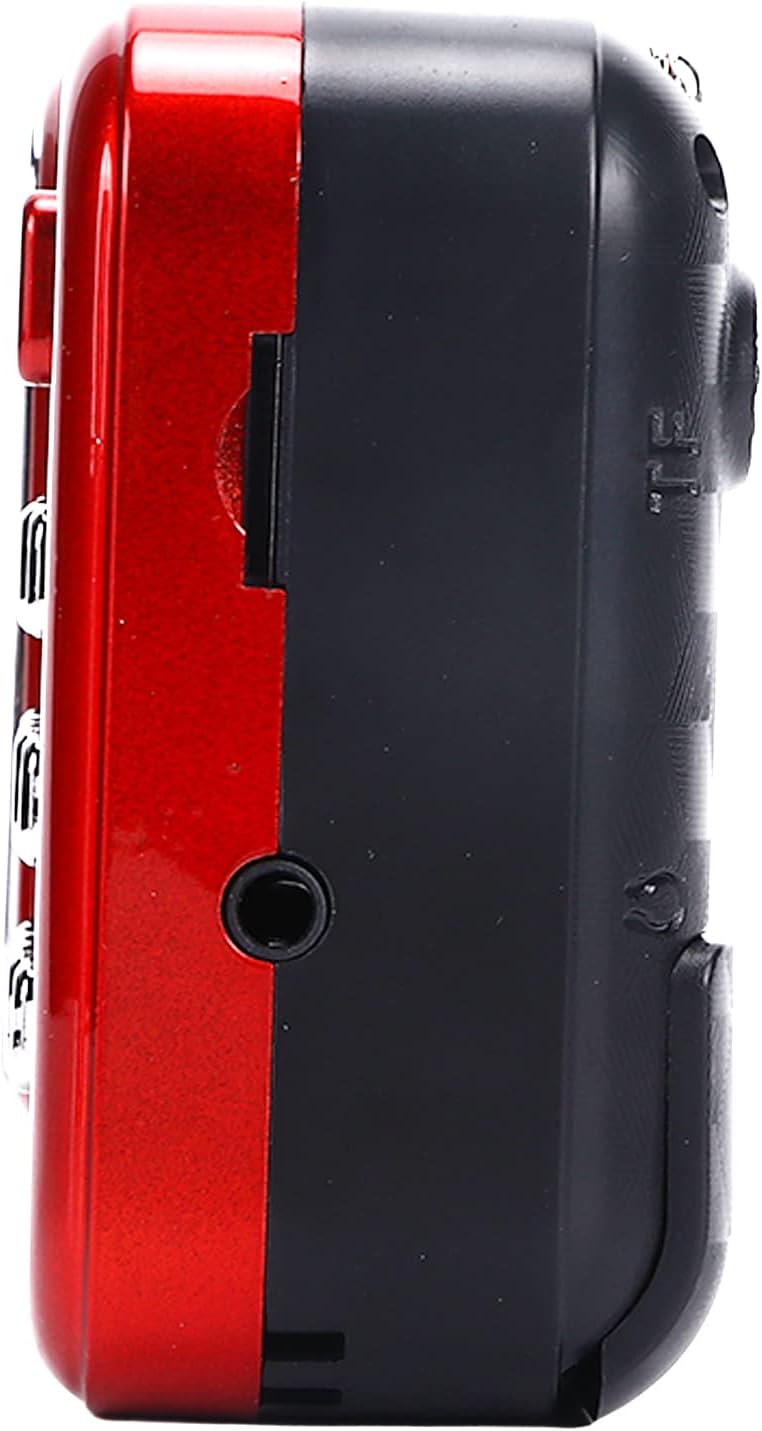
ചിത്രം 4.3: വശം view of the radio, highlighting the headphone jack for private listening.
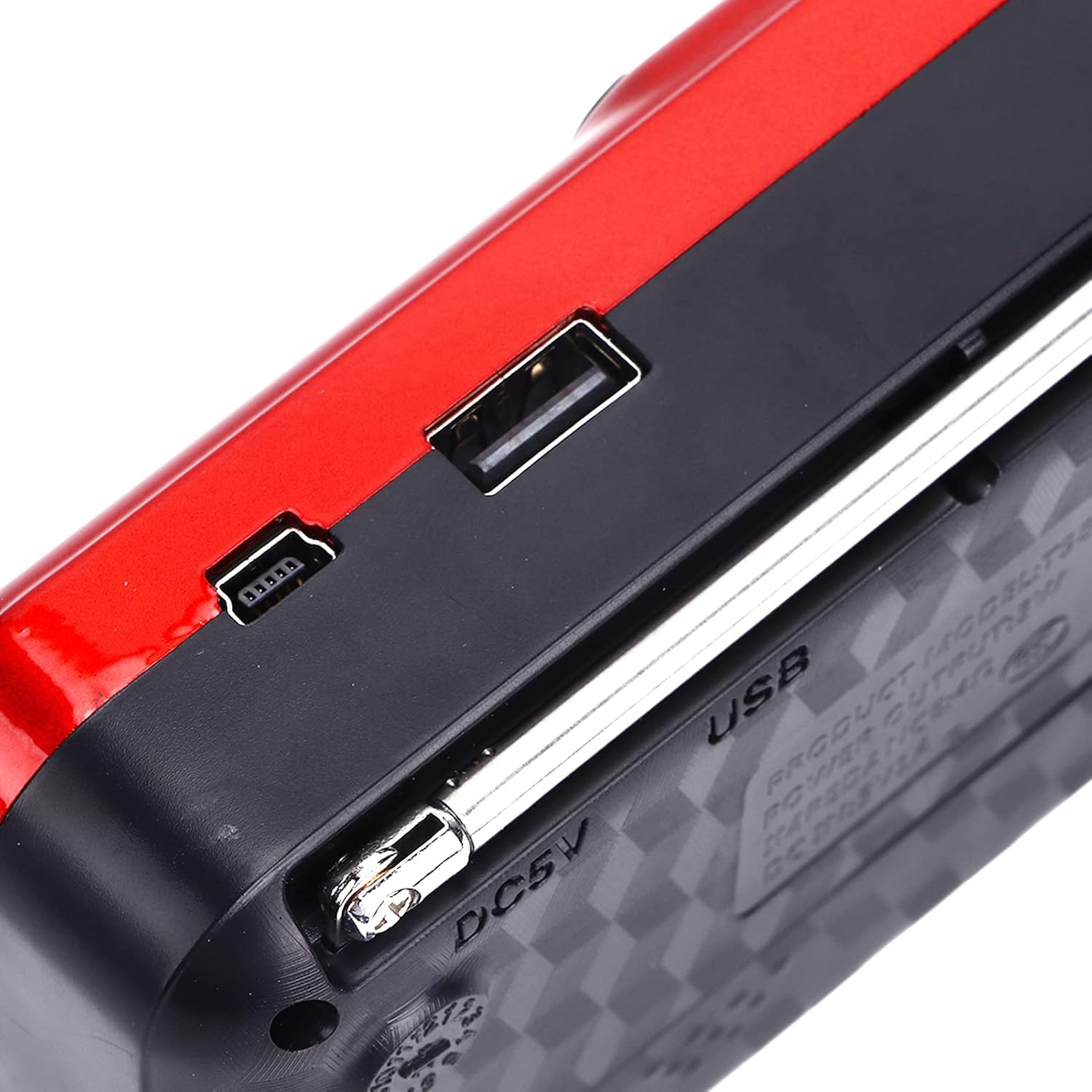
ചിത്രം 4.4: മുകളിൽ view of the radio, showing the USB port and DC 5V charging port.
5. സജ്ജീകരണം
5.1 ബാറ്ററി ഇൻസ്റ്റാളേഷൻ
- റേഡിയോയുടെ പിൻഭാഗത്ത് ബാറ്ററി കമ്പാർട്ട്മെന്റ് കവർ കണ്ടെത്തുക.
- കമ്പാർട്ട്മെന്റ് തുറക്കാൻ കവർ സ്ലൈഡ് ചെയ്യുകയോ ഉയർത്തുകയോ ചെയ്യുക.
- Insert one 18650 lithium battery, ensuring correct polarity (+/-) as indicated inside the compartment.
- ബാറ്ററി കമ്പാർട്ട്മെൻ്റ് കവർ സുരക്ഷിതമായി അടയ്ക്കുക.

Figure 5.1: Open battery compartment showing the insertion of an 18650 lithium battery.
The radio can operate for approximately 6-8 hours on a fully charged 18650 lithium battery.
5.2 ബാറ്ററി ചാർജ് ചെയ്യുന്നു
- Connect the provided USB charging cable to the DC 5V port on the radio.
- Connect the other end of the USB cable to a compatible USB power source (e.g., computer, USB wall adapter, power bank, car charger).
- The LCD display may indicate charging status. Disconnect the charger once the battery is fully charged.
ചാർജ് ചെയ്യുന്നു വോളിയംtagഇ: DC 5V 1A.
6. പ്രവർത്തന നിർദ്ദേശങ്ങൾ
6.1 പവർ ഓൺ/ഓഫ്
- അമർത്തിപ്പിടിക്കുക ഓൺ/ഓഫ്/താൽക്കാലികമായി നിർത്തുക button to power on the radio.
- Press and hold the same button again to power off.
6.2 വോളിയം ക്രമീകരിക്കൽ
- അമർത്തുക V+ വോളിയം വർദ്ധിപ്പിക്കുന്നതിനുള്ള ബട്ടൺ.
- അമർത്തുക V- ശബ്ദം കുറയ്ക്കുന്നതിനുള്ള ബട്ടൺ.
6.3 Radio Mode (AM/FM)
- മികച്ച സ്വീകരണത്തിനായി ടെലിസ്കോപ്പിക് ആന്റിന നീട്ടുക.
- അമർത്തുക മോഡ് (എം) button to switch to FM or AM radio mode. The current mode will be displayed on the LCD screen.
- യാന്ത്രിക സ്കാൻ: റേഡിയോ മോഡിൽ, അമർത്തിപ്പിടിക്കുക പ്ലേ/താൽക്കാലികമായി നിർത്തുക button (often doubles as scan) to automatically scan and save available stations.
- സ്വമേധയാലുള്ള ട്യൂണിംഗ്: ഉപയോഗിക്കുക മുൻ ഗാനം or അടുത്ത ഗാനം buttons to manually tune to the desired frequency.
- ഡയറക്ട് ഫ്രീക്വൻസി ഇൻപുട്ട്: Use the numeric keys (0-9) to directly enter a radio frequency.
6.4 MP3 പ്ലേബാക്ക്
The radio supports MP3 format playback from a USB drive or TF (MicroSD) card (not included).
- Insert a USB drive into the USB port or a TF card into the TF card slot.
- അമർത്തുക മോഡ് (എം) button to switch to MP3 playback mode. The radio will automatically detect and begin playing MP3 files.
- ഉപയോഗിക്കുക മുൻ ഗാനം ഒപ്പം അടുത്ത ഗാനം ട്രാക്കുകൾക്കിടയിൽ നാവിഗേറ്റ് ചെയ്യാനുള്ള ബട്ടണുകൾ.
- അമർത്തുക ഓൺ/ഓഫ്/താൽക്കാലികമായി നിർത്തുക പ്ലേബാക്ക് താൽക്കാലികമായി നിർത്തുന്നതിനോ പുനരാരംഭിക്കുന്നതിനോ ഉള്ള ബട്ടൺ.
- Use the numeric keys (0-9) to directly select a track number.
6.5 ഫ്ലാഷ്ലൈറ്റ് ഉപയോഗിക്കുന്നു

Figure 6.1: The radio's integrated LED flashlight illuminating a dark area, useful for emergencies or low-light conditions.
The radio includes an integrated LED flashlight. To activate or deactivate the flashlight, locate the dedicated flashlight button or switch, usually on the side of the device.
6.6 ഹെഡ്ഫോണുകൾ ഉപയോഗിക്കുന്നു
For private listening, plug standard 3.5mm headphones into the headphone jack located on the side of the radio.
7. പരിപാലനം
- വൃത്തിയാക്കൽ: Wipe the radio with a soft, dry cloth. Do not use liquid cleaners or aerosols.
- സംഭരണം: When not in use for extended periods, store the radio in a cool, dry place. If using a removable battery, consider removing it to prevent leakage.
- ബാറ്ററി കെയർ: Recharge the battery regularly, even if not in use, to maintain its lifespan. Avoid fully discharging the battery frequently.
8. പ്രശ്നപരിഹാരം
| പ്രശ്നം | സാധ്യമായ കാരണം | പരിഹാരം |
|---|---|---|
| റേഡിയോ ഓൺ ചെയ്യുന്നില്ല. | ബാറ്ററി തീർന്നു അല്ലെങ്കിൽ തെറ്റായി ഇൻസ്റ്റാൾ ചെയ്തിട്ടുണ്ട്. | Charge the battery or ensure it is installed with correct polarity. |
| മോശം റേഡിയോ സ്വീകരണം. | ആന്റിന നീട്ടിയിട്ടില്ല അല്ലെങ്കിൽ ദുർബലമായ സിഗ്നൽ. | Fully extend the telescopic antenna. Try repositioning the radio. |
| സ്പീക്കറിൽ നിന്ന് ശബ്ദമില്ല. | Volume is too low or headphones are connected. | Increase the volume. Disconnect headphones if not desired. |
| MP3 fileകളിക്കുന്നില്ല. | തെറ്റായ മോഡ്, പിന്തുണയ്ക്കുന്നില്ല file format, or faulty USB/TF card. | Ensure radio is in MP3 mode. Verify files are in MP3 format. Try a different USB drive or TF card. |
9 സ്പെസിഫിക്കേഷനുകൾ
- മോഡൽ: YOUTHINKmxkn0ugipz
- ബ്രാൻഡ്: നിങ്ങൾ ചിന്തിക്കുക
- ട്യൂണർ സാങ്കേതികവിദ്യ: എഎം, എഫ്എം
- പിന്തുണയ്ക്കുന്ന റേഡിയോ ബാൻഡുകൾ: എഎം, എഫ്എം
- കണക്റ്റിവിറ്റി ടെക്നോളജി: USB
- ഊർജ്ജ സ്രോതസ്സ്: ബാറ്ററി പവർ (18650 ലിഥിയം ബാറ്ററി)
- ചാർജ് ചെയ്യുന്നു വോളിയംtage: DC 5V 1A
- ഔട്ട്പുട്ട് പവർ: 3W
- പ്രതികരണ ആവൃത്തി: 100Hz-18KHz
- സിഗ്നൽ ടു നോയിസ് റേഷ്യോ: ≤70dB
- സംഗീത പ്ലേബാക്ക്: Supports MP3 Format
- ഉൽപ്പന്ന അളവുകൾ: 4.65"L x 2.76"W x 1.38"H (Approx. 11.8 x 7 x 3.5 cm)
- ഇനത്തിൻ്റെ ഭാരം: 5.9 ഔൺസ് (ഏകദേശം 167 ഗ്രാം)
- പ്രത്യേക സവിശേഷത: Portable, LCD Display, MP3 Player, Flashlight
10. വാറൻ്റിയും പിന്തുണയും
For warranty information or technical support, please refer to the documentation provided with your purchase or contact YOUTHINK customer service through the retailer where the product was purchased.
വാറൻ്റി ക്ലെയിമുകൾക്കായി നിങ്ങളുടെ വാങ്ങിയതിൻ്റെ തെളിവ് സൂക്ഷിക്കുക.