
1. ആമുഖം
Thank you for choosing the SHARP KCP70UW Smart Air Purifier with Humidifier Combo. This device is designed to improve your indoor air quality by combining advanced air purification with effective humidification. It features a triple filtration system, Plasmacluster Ion Technology, and smart home compatibility for convenient control.
Please read this manual thoroughly before operating the unit to ensure safe and optimal performance. Keep this manual for future reference.

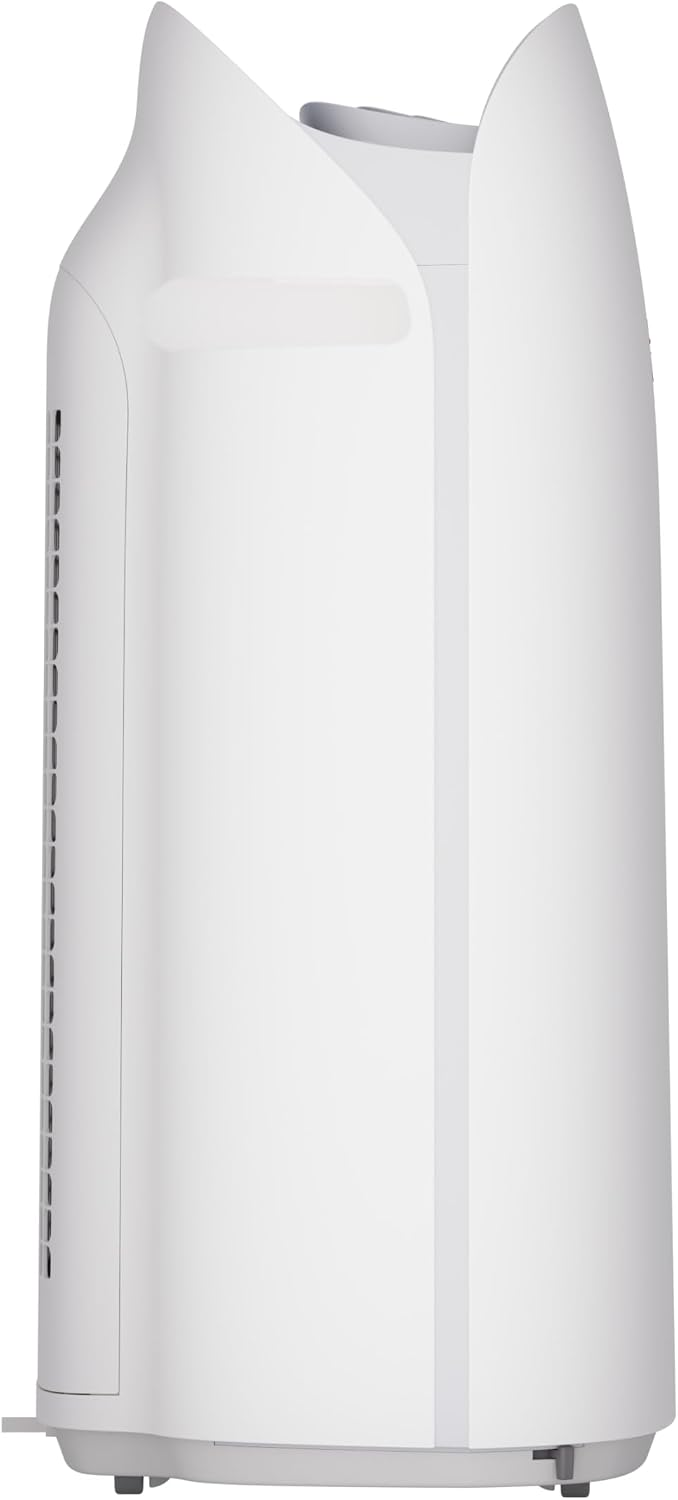
ചിത്രം 1: മുൻഭാഗം view of the SHARP KCP70UW unit, illustrating its key features.
2 സുരക്ഷാ വിവരങ്ങൾ
തീപിടുത്തം, വൈദ്യുതാഘാതം, വ്യക്തികൾക്ക് പരിക്കേൽക്കൽ എന്നിവ കുറയ്ക്കുന്നതിന് വൈദ്യുത ഉപകരണങ്ങൾ ഉപയോഗിക്കുമ്പോൾ എല്ലായ്പ്പോഴും അടിസ്ഥാന സുരക്ഷാ മുൻകരുതലുകൾ പാലിക്കുക.
- എയർ ഇൻലെറ്റുകളോ ഔട്ട്ലെറ്റുകളോ തടയരുത്.
- വെള്ളത്തിനടുത്തോ നനഞ്ഞ അന്തരീക്ഷത്തിലോ ഉപയോഗിക്കരുത്.
- വൃത്തിയാക്കുന്നതിനോ അറ്റകുറ്റപ്പണികൾ നടത്തുന്നതിനോ മുമ്പ് യൂണിറ്റ് അൺപ്ലഗ് ചെയ്യുക.
- കുട്ടികൾക്കും വളർത്തുമൃഗങ്ങൾക്കും ലഭ്യമാകാതെ സൂക്ഷിക്കുക.
- നിർദ്ദിഷ്ട വോള്യത്തിൽ മാത്രം ഉപയോഗിക്കുകtage.
3. സജ്ജീകരണം
3.1 Unpacking and Filter Preparation
Before first use, it is crucial to remove all protective plastic bags from the air filters. Operating the unit with filters still in plastic bags will prevent proper air purification and may cause unusual noises.
- Carefully open the back panel of the air purifier.
- Remove the air filters from their compartments.
- Cut and remove all plastic packaging from both the True HEPA filter and the Activated Carbon deodorizing filter.
- Reinsert the filters into the unit, ensuring they are correctly oriented.
- Close the back panel securely.
Video 1: Instructions on how to properly set up the air purifier by removing plastic bags from filters.

Figure 2: The air purifier with its back panel open, showing the filters being removed for plastic bag removal.
3.2 പ്ലേസ്മെൻ്റ്
Place the air purifier on a flat, stable surface in the room where air purification is desired. Ensure there is adequate space around the unit for proper airflow. The KCP70UW is effective for rooms up to 1,913 sq. ft. at one air change per hour, or 396 sq. ft. with 4.8 air changes per hour (AHAM Suggested Room Size).

Figure 3: The air purifier positioned in a spacious living area, highlighting its capacity for large rooms.
3.3 പവർ കണക്ഷൻ
പവർ കോർഡ് ഒരു സ്റ്റാൻഡേർഡ് ഇലക്ട്രിക്കൽ ഔട്ട്ലെറ്റിലേക്ക് പ്ലഗ് ചെയ്യുക. യൂണിറ്റ് ഇപ്പോൾ പ്രവർത്തനത്തിന് തയ്യാറാണ്.
4. പ്രവർത്തന നിർദ്ദേശങ്ങൾ
4.1 കൺട്രോൾ പാനൽ ഓവർview
The control panel is located on the top of the unit and features various buttons and indicators for easy operation.
ചിത്രം 4: വിശദമായി view of the control panel with its intuitive buttons and digital display.
4.2 അടിസ്ഥാന പ്രവർത്തനം
- പവർ ഓൺ/ഓഫ്: അമർത്തുക ഓൺ/ഓഫ് യൂണിറ്റ് ഓണാക്കാനോ ഓഫാക്കാനോ ഉള്ള ബട്ടൺ.
- ഫാൻ വേഗത: Cycle through fan speeds (Low, Medium, Max) using the ഫാൻ ബട്ടൺ.
- യാന്ത്രിക മോഡ്: അമർത്തുക ഓട്ടോ button. In Auto mode, the unit automatically adjusts fan speed and humidification based on detected air quality and humidity levels.
4.3 Smart Features (SHARP AIR App, Alexa, Google Assistant)
The SHARP KCP70UW is compatible with the SHARP AIR App (available for Apple and Android devices), Amazon Alexa, and Google Assistant for enhanced control and monitoring.
- വിദൂര പ്രവർത്തനം: Use the SHARP AIR App to adjust settings, monitor air quality, and set schedules from your smartphone.
- ശബ്ദ നിയന്ത്രണം: Connect your unit to Amazon Alexa or Google Assistant-enabled devices (sold separately) to use voice commands for operation.
- അധിക മോഡുകൾ: Access modes like Sleep, Pollen, and Express Clean exclusively through the SHARP AIR App.

Figure 5: The SHARP AIR App provides comprehensive control and monitoring features for your air purifier.
വീഡിയോ 2: കഴിഞ്ഞുview of the SHARP KCP70UW Smart Air Purifier with Humidifier, highlighting its smart features and filtration system.
5. പരിപാലനം
5.1 Filter Care and Replacement
The KCP70UW features long-life filters designed to last up to 2 years, depending on the environment and usage. Regular cleaning and timely replacement are essential for maintaining optimal performance.
- പ്രീ-ഫിൽട്ടർ: The washable microscreen pre-filter traps large particles. Clean it regularly by vacuuming or rinsing with water.
- സജീവമാക്കിയ കാർബൺ ഡിയോഡറൈസിംഗ് ഫിൽട്ടർ: Helps reduce common household odors. Replace every 2 years or as indicated by the filter replacement indicator.
- യഥാർത്ഥ HEPA ഫിൽട്ടർ: Captures 99.97% of particles 0.3 microns and larger. Replace every 2 years or as indicated by the filter replacement indicator.
- ഹ്യുമിഡിഫൈയിംഗ് ഫിൽട്ടർ: This filter is also designed for long life and can be cleaned. Refer to the app for replacement status.

ചിത്രം 6: പൊട്ടിത്തെറിച്ചു view of the triple filtration system, showing each filter component.

Figure 7: The True HEPA filter, designed for extended use up to 2 years.
5.2 Humidifier Maintenance
The humidifier function requires regular attention to ensure clean and effective humidification.
- വാട്ടർ ടാങ്ക്: Refill the water tank with clean tap water as needed. Avoid using distilled water as the unit is designed for tap water.
- Humidifying Filter Cleaning: Periodically clean the humidifying filter to prevent mineral buildup. Refer to the full instruction manual for detailed cleaning steps.

Figure 8: The humidifying filter and its tray, easily accessible for maintenance.
6. പ്രശ്നപരിഹാരം
If you encounter issues with your SHARP KCP70UW, refer to the following common problems and solutions:
| പ്രശ്നം | സാധ്യമായ കാരണം | പരിഹാരം |
|---|---|---|
| Loud flapping sound / Poor air purification | Air filters still in plastic bags. | Remove all plastic packaging from filters before use (refer to Section 3.1). |
| Humidifier not increasinഗ്രാം ഈർപ്പം | Water tank empty; Humidifying filter dirty or calcified. | Refill water tank; Clean or replace humidifying filter. |
| Unit not responding to app/voice commands | Wi-Fi connection issue; App not properly configured; Device not linked to Alexa/Google Assistant. | Check Wi-Fi connection; Reconfigure app settings; Ensure proper linking with smart assistant. |
| Auto mode not adjusting fan speed | Dust/odor sensors are obstructed or dirty. | Clean the dust and odor sensors. |
7 സ്പെസിഫിക്കേഷനുകൾ
Key technical specifications for the SHARP KCP70UW:
| ഫീച്ചർ | വിശദാംശങ്ങൾ |
|---|---|
| മോഡൽ നമ്പർ | KCP70UW |
| നിറം | വെള്ള |
| ഉൽപ്പന്ന അളവുകൾ (D x W x H) | 12.4" x 15.8" x 28.6" |
| ഇനത്തിൻ്റെ ഭാരം | 22.3 പൗണ്ട് |
| ഫ്ലോർ ഏരിയ കവറേജ് | 1913 Square Feet (1x/hr air change) / 396 Square Feet (4.8x/hr AHAM) |
| ശബ്ദ നില | 21 Decibels (Low Fan Speed) |
| ഫിൽട്ടർ ക്ലാസ് | HEPA, സജീവമാക്കിയ കാർബൺ |
| കണിക നിലനിർത്തൽ വലിപ്പം | 0.3 Micrometer (True HEPA) |
| കൺട്രോളർ തരം | ആമസോൺ അലക്സ, ആൻഡ്രോയിഡ്, ഗൂഗിൾ അസിസ്റ്റന്റ് |
| പ്രത്യേക ഫീച്ചർ | പ്രോഗ്രാമബിൾ |
| സർട്ടിഫിക്കേഷനുകൾ | AHAM സർട്ടിഫൈഡ്, CARB സർട്ടിഫൈഡ്, എനർജി സ്റ്റാർ സർട്ടിഫൈഡ് |
| യു.പി.സി | 074000701663 |

Figure 9: The unit's quiet operation makes it suitable for bedrooms.

Figure 10: AHAM Verifide CADR ratings for effective pollutant removal.

ചിത്രം 11: പ്ലാൻ പ്ലാൻ ചെയ്യുന്നതിനുള്ള ഉൽപ്പന്ന അളവുകൾ.
8. വാറൻ്റിയും പിന്തുണയും
വാറന്റി വിവരങ്ങൾക്കും ഉപഭോക്തൃ പിന്തുണയ്ക്കും, ദയവായി നിങ്ങളുടെ ഉൽപ്പന്നത്തിനൊപ്പം ഉൾപ്പെടുത്തിയിരിക്കുന്ന വാറന്റി കാർഡ് പരിശോധിക്കുകയോ ഔദ്യോഗിക ഷാർപ്പ് സന്ദർശിക്കുകയോ ചെയ്യുക. website. You can also contact Sharp customer service for assistance with product registration, troubleshooting, or replacement parts.
ഓൺലൈൻ ഉറവിടങ്ങൾ: For additional information, FAQs, and support, visit the Sharp website or the SHARP AIR App support section.