
Andoer NDB7090303116798WD
Andoer Portable Digital Camera User Manual
Model: NDB7090303116798WD | Brand: Andoer
ആമുഖം
Thank you for choosing the Andoer Portable Digital Camera. This compact and lightweight camera is designed for ease of use, allowing you to capture high-quality photos and videos. Featuring a CMOS image sensor, it supports up to 1080P video resolution and 16MP (interpolation) image resolution, along with 16X digital zoom and a 2.7-inch rotatable LCD screen. It includes functions such as digital anti-shake, white balance adjustment, exposure control, and built-in speaker and microphone for a versatile shooting experience.

The Andoer Digital Camera offers a range of features including 48 Megapixel photos, 2.7K video recording, 16X powerful zoom, anti-shaking technology, self-timer options, a 2.88-inch IPS screen, 128GB extended memory support, and face detection.
ബോക്സിൽ എന്താണുള്ളത്
എല്ലാ ഇനങ്ങളും ഉണ്ടെന്ന് ഉറപ്പാക്കാൻ പാക്കേജ് ഉള്ളടക്കങ്ങൾ പരിശോധിക്കുക:
- ഡിജിറ്റൽ ക്യാമറ
- USB കേബിൾ
- ഹാൻഡ് സ്ട്രാപ്പ്
- ക്യാരി പൗച്ച്
- 2 x ബാറ്ററികൾ
- ഉപയോക്തൃ മാനുവൽ
The complete package includes the digital camera, USB cable, hand strap, carry pouch, two rechargeable batteries, and the user manual.
സജ്ജമാക്കുക
1. ബാറ്ററി ഇൻസ്റ്റാളേഷൻ
The camera uses a BL-5C Li-ion Battery. Ensure the battery is charged before first use.
- ക്യാമറയുടെ അടിയിൽ സ്ഥിതിചെയ്യുന്ന ബാറ്ററി കമ്പാർട്ട്മെന്റ് കവർ തുറക്കുക.
- Insert the BL-5C battery into the compartment, ensuring the correct polarity.
- ബാറ്ററി കമ്പാർട്ട്മെൻ്റ് കവർ സുരക്ഷിതമായി അടയ്ക്കുക.

The camera uses a 700 mAh rechargeable lithium battery. Insert it into the designated compartment at the bottom of the camera.
2. മെമ്മറി കാർഡ് ഇൻസ്റ്റാളേഷൻ
The camera supports memory cards up to 32GB. A Class 10 or higher memory card is highly recommended for optimal performance.
- സാധാരണയായി ബാറ്ററി കമ്പാർട്ടുമെന്റിന് അടുത്തായി, SD കാർഡ് സ്ലോട്ട് കണ്ടെത്തുക.
- Insert the memory card into the slot with the metal contacts facing the correct direction until it clicks into place.
- നീക്കം ചെയ്യാൻ, കാർഡ് പുറത്തേക്ക് വരുന്നത് വരെ സൌമ്യമായി അകത്തേക്ക് തള്ളുക.
3 ബാറ്ററി ചാർജ് ചെയ്യുന്നു
നൽകിയിരിക്കുന്ന USB കേബിൾ ഉപയോഗിച്ച് ബാറ്ററി ചാർജ് ചെയ്യുക.
- Connect one end of the USB cable to the camera's USB port.
- Connect the other end to a USB power adapter (not included) or a computer's USB port.
- ചാർജിംഗ് ഇൻഡിക്കേറ്റർ ലൈറ്റ് പ്രകാശിക്കും. ചാർജിംഗ് പൂർത്തിയായിക്കഴിഞ്ഞാൽ അത് ഓഫാകും അല്ലെങ്കിൽ നിറം മാറും.
ക്യാമറ പ്രവർത്തിപ്പിക്കുന്നത്
1. പവർ ഓൺ/ഓഫ്
Press and hold the power button (usually marked with a circle and a vertical line) to turn the camera on or off.
2. അടിസ്ഥാന നിയന്ത്രണങ്ങൾ
Familiarize yourself with the camera's buttons and their functions:
- ഷട്ടർ ബട്ടൺ: ഫോക്കസ് ചെയ്യാൻ പകുതി അമർത്തുക, ഫോട്ടോ എടുക്കാൻ പൂർണ്ണമായും അമർത്തുക അല്ലെങ്കിൽ വീഡിയോ റെക്കോർഡിംഗ് ആരംഭിക്കുക/നിർത്തുക.
- മോഡ് ബട്ടൺ (M): ഫോട്ടോ, വീഡിയോ, പ്ലേബാക്ക് മോഡുകൾക്കിടയിൽ മാറുന്നു.
- സൂം ലിവർ (പ/വാട്ട്): Adjusts the digital zoom (Wide/Telephoto).
- Directional Pad/OK Button: മെനുകളിലൂടെ നാവിഗേറ്റ് ചെയ്ത് തിരഞ്ഞെടുപ്പുകൾ സ്ഥിരീകരിക്കുന്നു.
- മെനു ബട്ടൺ: ക്യാമറ ക്രമീകരണങ്ങൾ ആക്സസ് ചെയ്യുന്നു.
- ഇല്ലാതാക്കുക ബട്ടൺ: തിരഞ്ഞെടുത്തവ ഇല്ലാതാക്കുന്നു fileപ്ലേബാക്ക് മോഡിൽ.
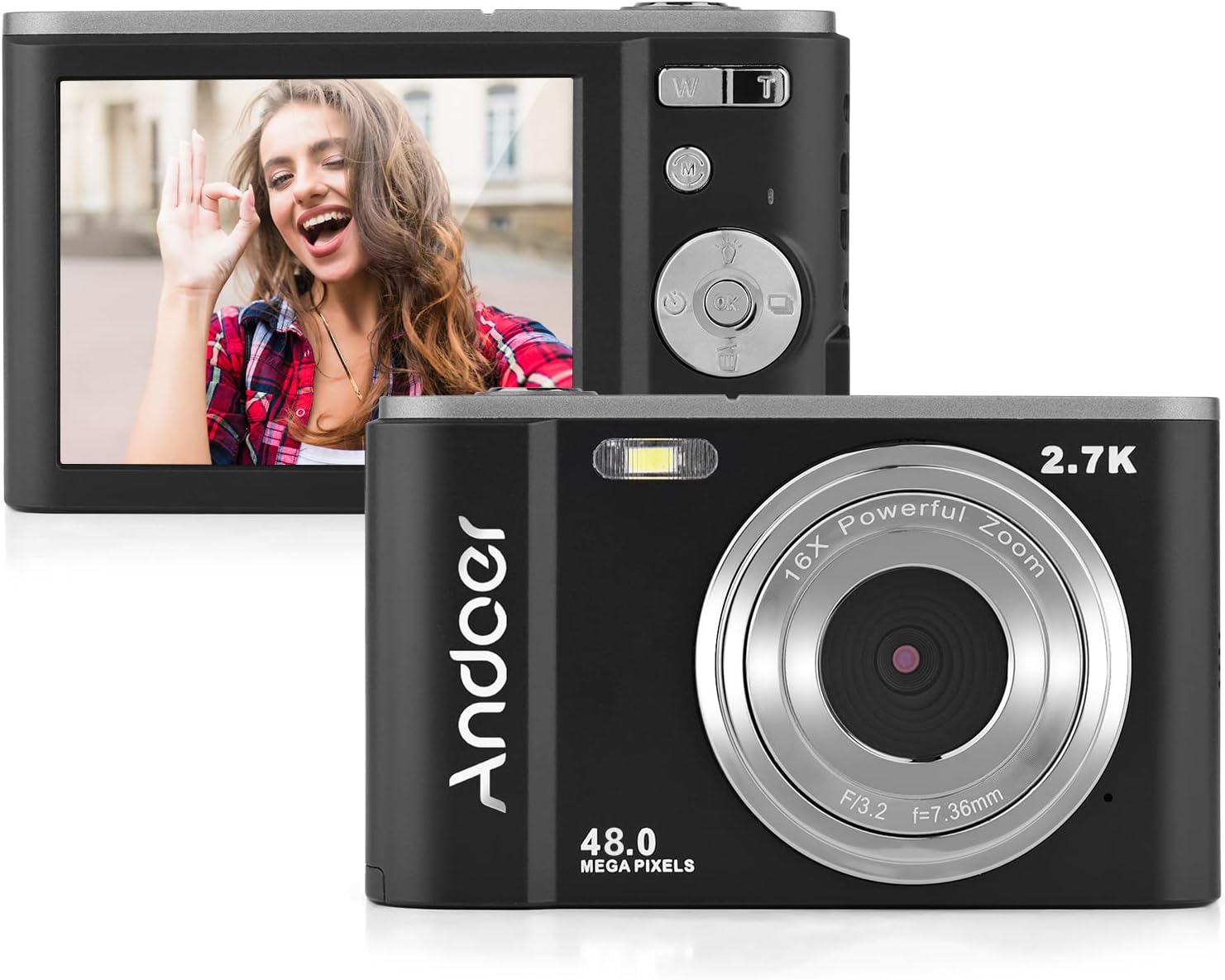
The camera features a 2.7-inch IPS screen and intuitive controls on the back for easy operation.
3. ഫോട്ടോ എടുക്കൽ
In photo mode, frame your shot using the LCD screen. Press the shutter button halfway to focus, then fully to capture the image. Photos are saved in JPEG format with resolutions up to 16MP (interpolation).
4. വീഡിയോകൾ റെക്കോർഡുചെയ്യുന്നു
Switch to video mode using the Mode button. Press the shutter button to start recording, and press it again to stop. Videos are saved in AVI format with resolutions including 1080P, 720P, and VGA.

The camera supports both 2.7K video recording and 48 Megapixel photo capture for high-quality media.
5. സൂം ഫംഗ്ഷൻ
Use the W/T lever to adjust the 16X digital zoom. 'T' (Telephoto) zooms in, and 'W' (Wide) zooms out.

The 16X powerful zoom allows for detailed close-up shots.
6. സ്വയം-ടൈമർ
Access the self-timer option in the camera's menu. Available settings include off, 2 seconds, 5 seconds, and 10 seconds.
7. Smart Detection (Face Detection, Smile Capture)
The camera features smart detection capabilities, including face detection and smile capture, to assist in taking better portraits.
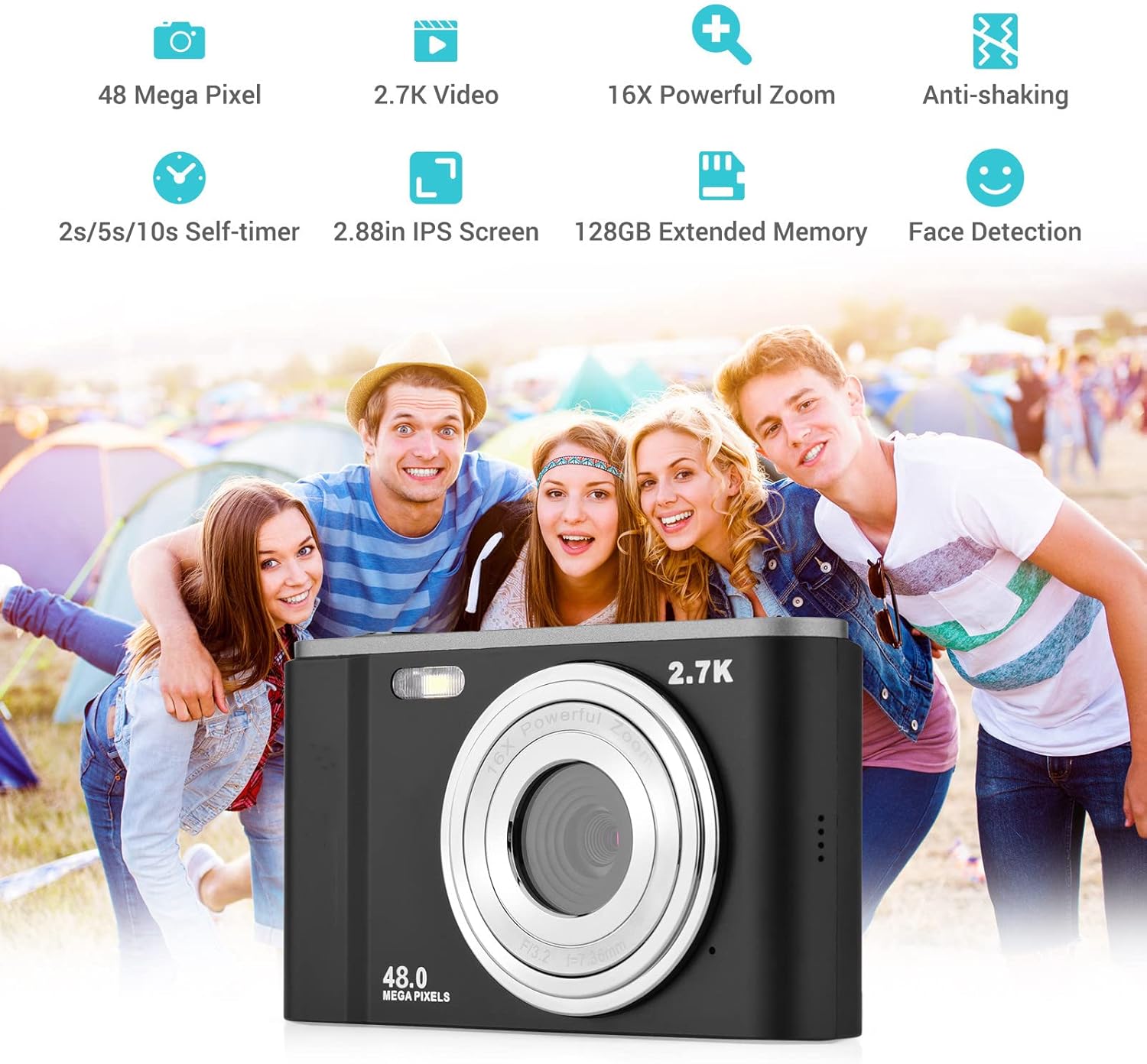
Smart detection features like face detection and smile capture enhance portrait photography.
8. ആൻ്റി-ഷേക്കിംഗ്
The digital anti-shake function helps reduce blur caused by camera movement, resulting in clearer images and videos.
9. ഒരു കമ്പ്യൂട്ടറിലേക്ക് ബന്ധിപ്പിക്കുന്നു
Use the provided USB cable to connect the camera to a computer for transferring photos and videos.
- യുഎസ്ബി കേബിൾ ഉപയോഗിച്ച് നിങ്ങളുടെ കമ്പ്യൂട്ടറിലേക്ക് ക്യാമറ ബന്ധിപ്പിക്കുക.
- നിങ്ങളുടെ കമ്പ്യൂട്ടറിൽ നീക്കം ചെയ്യാവുന്ന ഒരു ഡിസ്ക് ഡ്രൈവായി ക്യാമറ ദൃശ്യമാകും.
- You can then access and transfer your files.
മെയിൻ്റനൻസ്
1. ക്യാമറ വൃത്തിയാക്കൽ
- ക്യാമറ ബോഡി വൃത്തിയാക്കാൻ മൃദുവായതും ഉണങ്ങിയതുമായ തുണി ഉപയോഗിക്കുക.
- ലെൻസിന്, ഒരു പ്രത്യേക ലെൻസ് ക്ലീനിംഗ് തുണിയും ലായനിയും ഉപയോഗിക്കുക. നിങ്ങളുടെ വിരലുകൾ കൊണ്ട് ലെൻസിൽ തൊടുന്നത് ഒഴിവാക്കുക.
- കഠിനമായ രാസവസ്തുക്കളോ ഉരച്ചിലുകൾ ഉപയോഗിക്കരുത്.
2. ബാറ്ററി പരിചരണം
- ഉപയോഗത്തിലില്ലാത്തപ്പോൾ തണുത്തതും ഉണങ്ങിയതുമായ സ്ഥലത്ത് ബാറ്ററികൾ സൂക്ഷിക്കുക.
- ബാറ്ററിയുടെ ആയുസ്സ് വർദ്ധിപ്പിക്കുന്നതിന് ഇടയ്ക്കിടെ പൂർണ്ണമായും ഡിസ്ചാർജ് ചെയ്യുന്നത് ഒഴിവാക്കുക.
- ക്യാമറ കൂടുതൽ നേരം ഉപയോഗിക്കില്ലെങ്കിൽ, ബാറ്ററി നീക്കം ചെയ്യുക.
3. സംഭരണം
- Store the camera in its carry pouch or a protective case to prevent scratches and dust accumulation.
- Keep the camera away from extreme temperatures, high humidity, and direct sunlight.
ട്രബിൾഷൂട്ടിംഗ്
നിങ്ങളുടെ ക്യാമറയിൽ പ്രശ്നങ്ങൾ നേരിടുകയാണെങ്കിൽ, താഴെ പറയുന്ന പൊതുവായ പ്രശ്നങ്ങളും പരിഹാരങ്ങളും പരിശോധിക്കുക:
| പ്രശ്നം | സാധ്യമായ കാരണം | പരിഹാരം |
|---|---|---|
| Camera won't turn on | ബാറ്ററി തീർന്നു അല്ലെങ്കിൽ തെറ്റായി ചേർത്തിരിക്കുന്നു. | ബാറ്ററി പൂർണ്ണമായും ചാർജ് ചെയ്യുക. ശരിയായ പോളാരിറ്റിയോടെ ബാറ്ററി ചേർത്തിട്ടുണ്ടെന്ന് ഉറപ്പാക്കുക. |
| മോശം ബാറ്ററി ലൈഫ് | ബാറ്ററിയുടെ തകരാറ് അല്ലെങ്കിൽ പവർ-ഇന്റൻസീവ് ഫീച്ചറുകളുടെ പതിവ് ഉപയോഗം. | Ensure battery is fully charged. Reduce use of flash or prolonged video recording. Consider replacing the battery if it's old. |
| ചിത്രങ്ങൾ അവ്യക്തമാണ് | Camera shake, dirty lens, or incorrect focus. | Hold the camera steady. Clean the lens. Ensure the camera has focused before taking the shot. |
| മെമ്മറി കാർഡ് പിശക് | Card not inserted correctly, incompatible card, or corrupted card. | Reinsert the card. Ensure it's a compatible SD card (up to 32GB, Class 10 recommended). Try formatting the card (this will erase all data). |
സ്പെസിഫിക്കേഷനുകൾ
Detailed technical specifications for the Andoer Portable Digital Camera:
| ഫീച്ചർ | സ്പെസിഫിക്കേഷൻ |
|---|---|
| സെൻസർ | CMOS സെൻസർ |
| പരമാവധി. ചിത്ര മിഴിവ് | 16MP (interpolation) |
| വീഡിയോ റെസല്യൂഷൻ | 1080പി / 720പി / വിജിഎ |
| സ്ക്രീൻ | 2.7 inch LCD (rotatable) |
| സൂം ചെയ്യുക | 16X ഡിജിറ്റൽ സൂം |
| ഫോക്കസ് ഡിസ്റ്റൻസ് | അനന്തതയിലേക്ക് 1.2 മീ |
| മെമ്മറി കാർഡ് കപ്പാസിറ്റി | Max. 32GB (Not included, Class 10 or above recommended) |
| ഫോട്ടോ ഫോർമാറ്റ് | JPEG |
| വീഡിയോ ഫോർമാറ്റ് | എ.വി.ഐ |
| സമ്പർക്കം | E 2.0EV |
| സ്വയം ടൈമർ | ഓഫ്, 2സെ, 5സെ, 10സെ |
| USB പോർട്ട് | USB2.0 |
| വൈദ്യുതി വിതരണം | 1 * BL-5C Li-ion Battery |
| ഉൽപ്പന്ന അളവുകൾ | 0.98 x 3.78 x 2.2 ഇഞ്ച് |
| ഇനത്തിൻ്റെ ഭാരം | 3.28 ഔൺസ് |

Physical dimensions of the camera for reference.
വാറൻ്റിയും പിന്തുണയും
For warranty information and customer support, please refer to the documentation provided with your purchase or contact Andoer customer service through their official webസൈറ്റ്. ഏതെങ്കിലും വാറന്റി ക്ലെയിമുകൾക്ക് നിങ്ങളുടെ വാങ്ങലിന്റെ തെളിവ് സൂക്ഷിക്കുക.
Ask a question about this manual
Ask about setup, troubleshooting, compatibility, parts, safety, or missing instructions. Manuals+ will review the question and use this page’s manual context to help answer it.