
1. ഉൽപ്പന്നം കഴിഞ്ഞുview
The truke BTG Alpha True Gaming in Ear Earbuds are designed for an immersive audio experience, featuring low latency for gaming, environmental noise cancellation, and a unique RGB LED case design. This manual provides instructions for setup, operation, and maintenance.
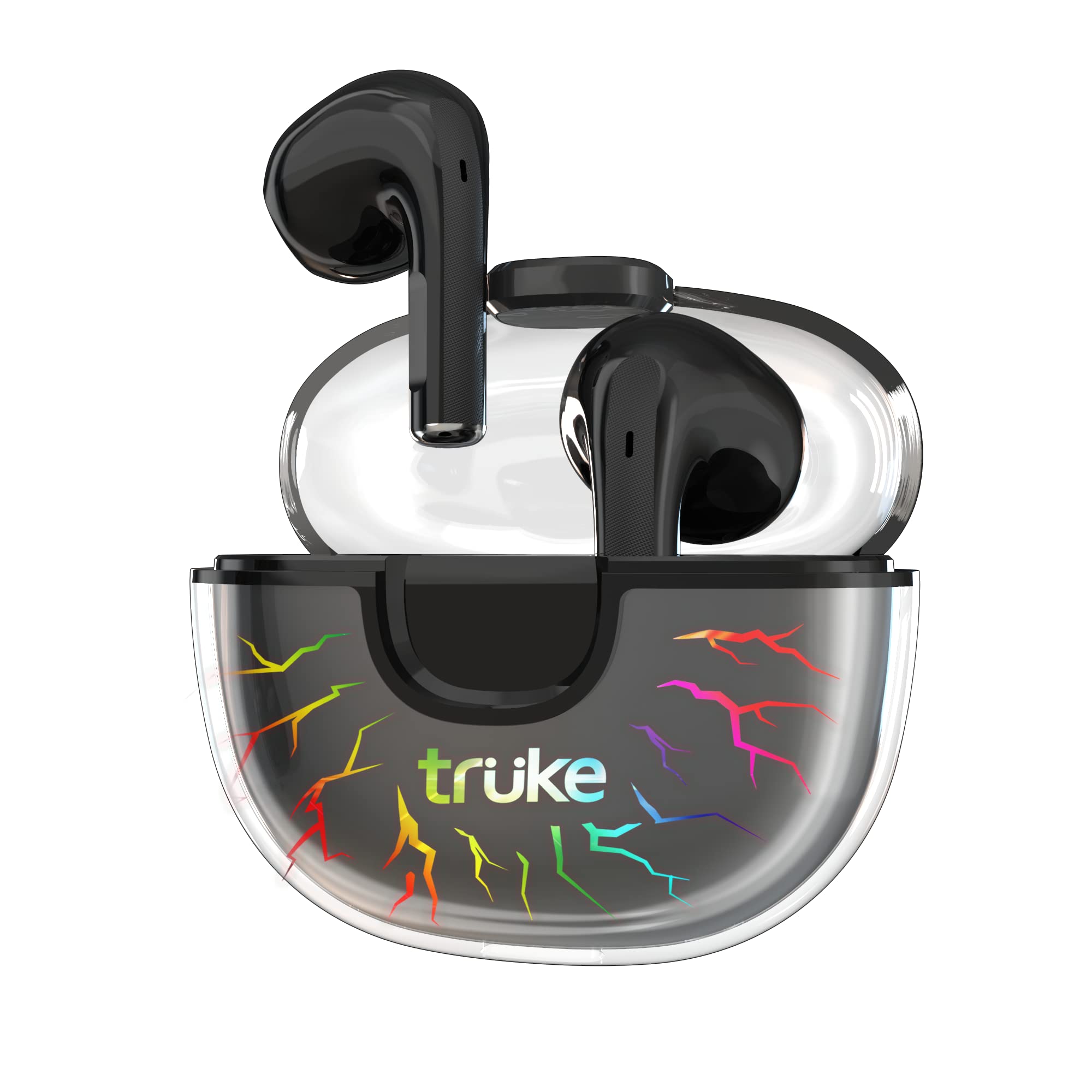
Image: truke BTG Alpha Earbuds and Charging Case.
2. ബോക്സിൽ എന്താണുള്ളത്?
- 2 x Bluetooth Earbuds (Left and Right)
- 1 x ചാർജിംഗ് കേസ്
- 1 x ടൈപ്പ്-സി കേബിൾ
- 1 x ഉപയോക്തൃ മാനുവൽ
- 1 x വാറൻ്റി കാർഡ്
3. സജ്ജീകരണ നിർദ്ദേശങ്ങൾ
3.1 ഇയർബഡുകളും കേസും ചാർജ് ചെയ്യുന്നു
Before first use, fully charge the earbuds and charging case. Connect the provided Type-C cable to the charging port on the case and a power source. The case features 7 RGB LEDs that indicate charging status and add to the gaming aesthetic.
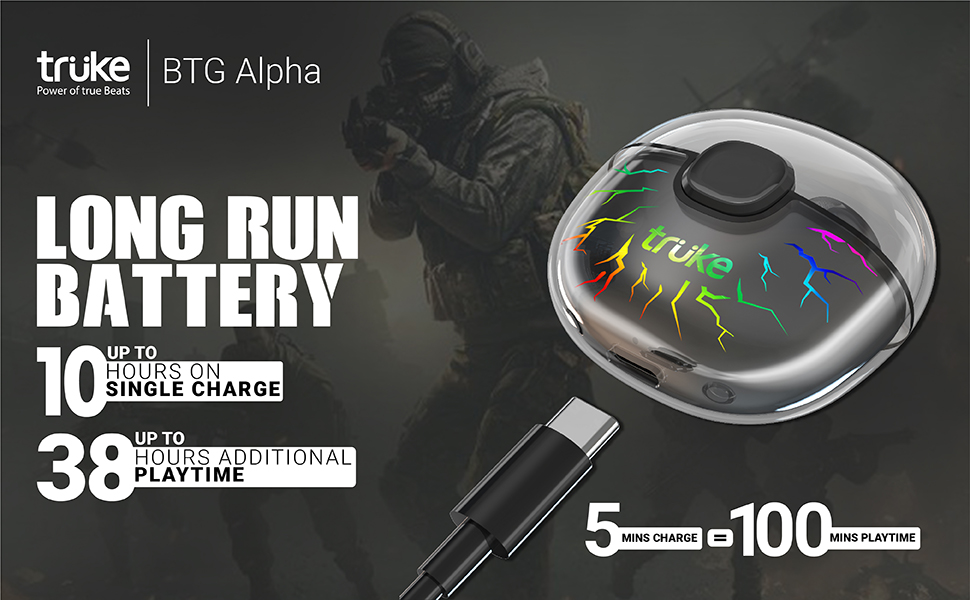
Image: Charging case with RGB LEDs and Type-C cable. A 5-minute charge provides approximately 100 minutes of playtime.
3.2 ഒരു ഉപകരണവുമായി ജോടിയാക്കൽ
The truke BTG Alpha earbuds utilize Open-to-Pair technology for quick connection. Simply open the charging case, and the earbuds will automatically enter pairing mode and connect to the last paired device. For a new device, ensure Bluetooth is enabled on your device and select 'truke BTG Alpha' from the available devices list.

Image: Earbuds in charging case with 'Instant Pairing' text, highlighting Bluetooth 5.3 connectivity.
4. പ്രവർത്തന നിർദ്ദേശങ്ങൾ
4.1 ടച്ച് നിയന്ത്രണങ്ങൾ
The earbuds feature a high-quality touch panel for easy control of music playback, calls, and voice assistants. The touch panel is designed to minimize accidental touches.
- പ്ലേ/താൽക്കാലികമായി നിർത്തുക: ഏതെങ്കിലും ഇയർബഡിൽ രണ്ടുതവണ ടാപ്പ് ചെയ്യുക.
- മറുപടി കോൾ: ഏതെങ്കിലും ഇയർബഡിൽ രണ്ടുതവണ ടാപ്പ് ചെയ്യുക.
- അടുത്ത ഗാനം: Touch and hold the right earbud for 2 seconds.
- മുൻ ഗാനം: Touch and hold the left earbud for 2 seconds.
- Voice Assistant (Google Assistant/Apple Siri): ഇടതുവശത്തെ ഇയർബഡിൽ മൂന്ന് തവണ ടാപ്പ് ചെയ്യുക.
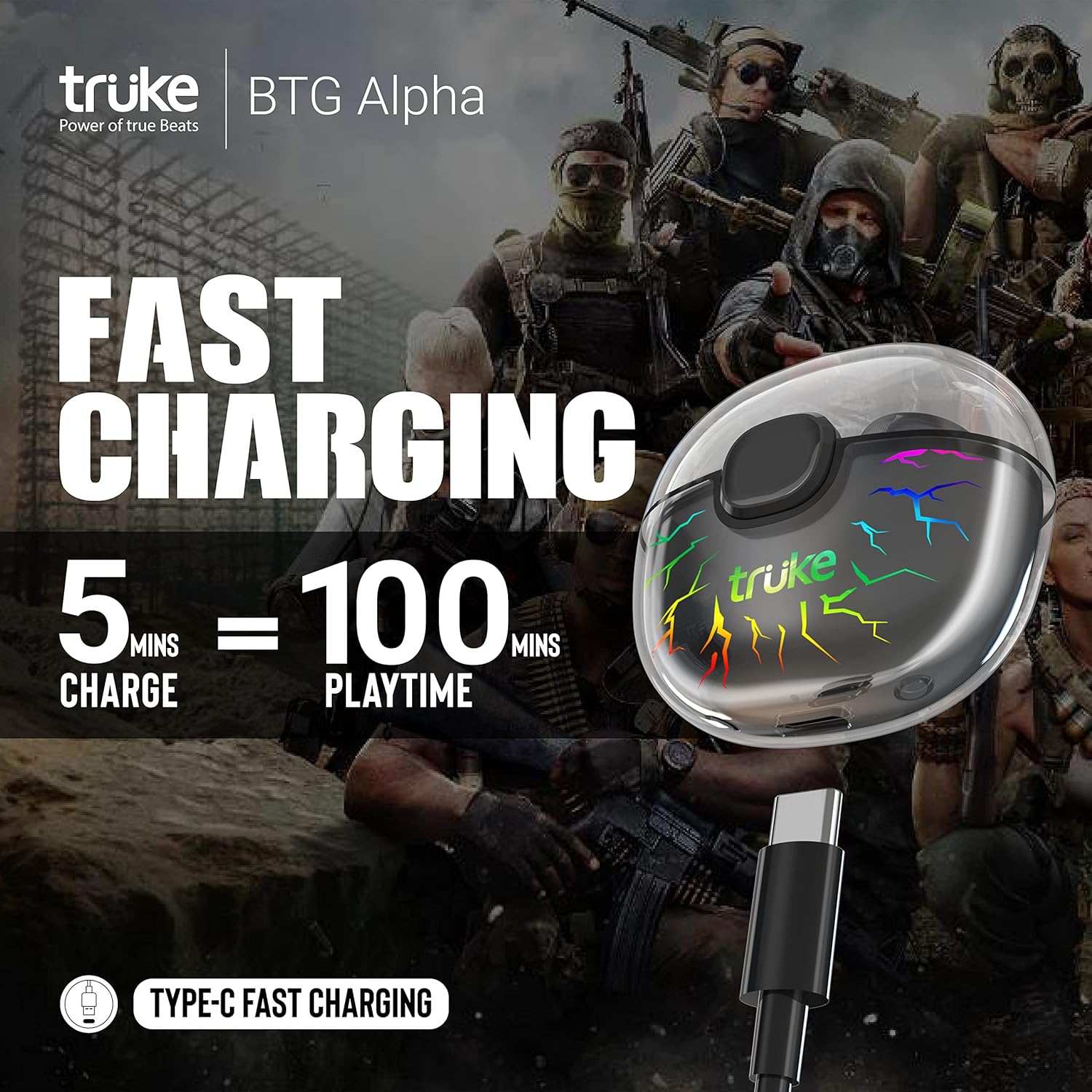
Image: Diagram illustrating the touch control area on the earbud and corresponding functions.
4.2 Gaming Mode (40ms Ultra Low Latency)
Activate Gaming Mode for an ultra-low latency experience, reducing audio delay to as low as 40ms. This mode enhances sound effects like footsteps and gunshots, providing a competitive edge in gaming.
- ഗെയിമിംഗ് മോഡ് സജീവമാക്കുക: വലതുവശത്തെ ഇയർബഡിൽ മൂന്ന് തവണ ടാപ്പ് ചെയ്യുക.

Image: Earbuds with '40ms Ultra Low Latency' text, indicating the gaming mode feature.
4.3 പരിസ്ഥിതി ശബ്ദ റദ്ദാക്കൽ (ENC)
The earbuds are equipped with Dual MEMS Microphones and Deep Neural Network Call Noise Cancellation Technology. This system accurately identifies and filters out environmental noise using AI, ensuring clear call quality.
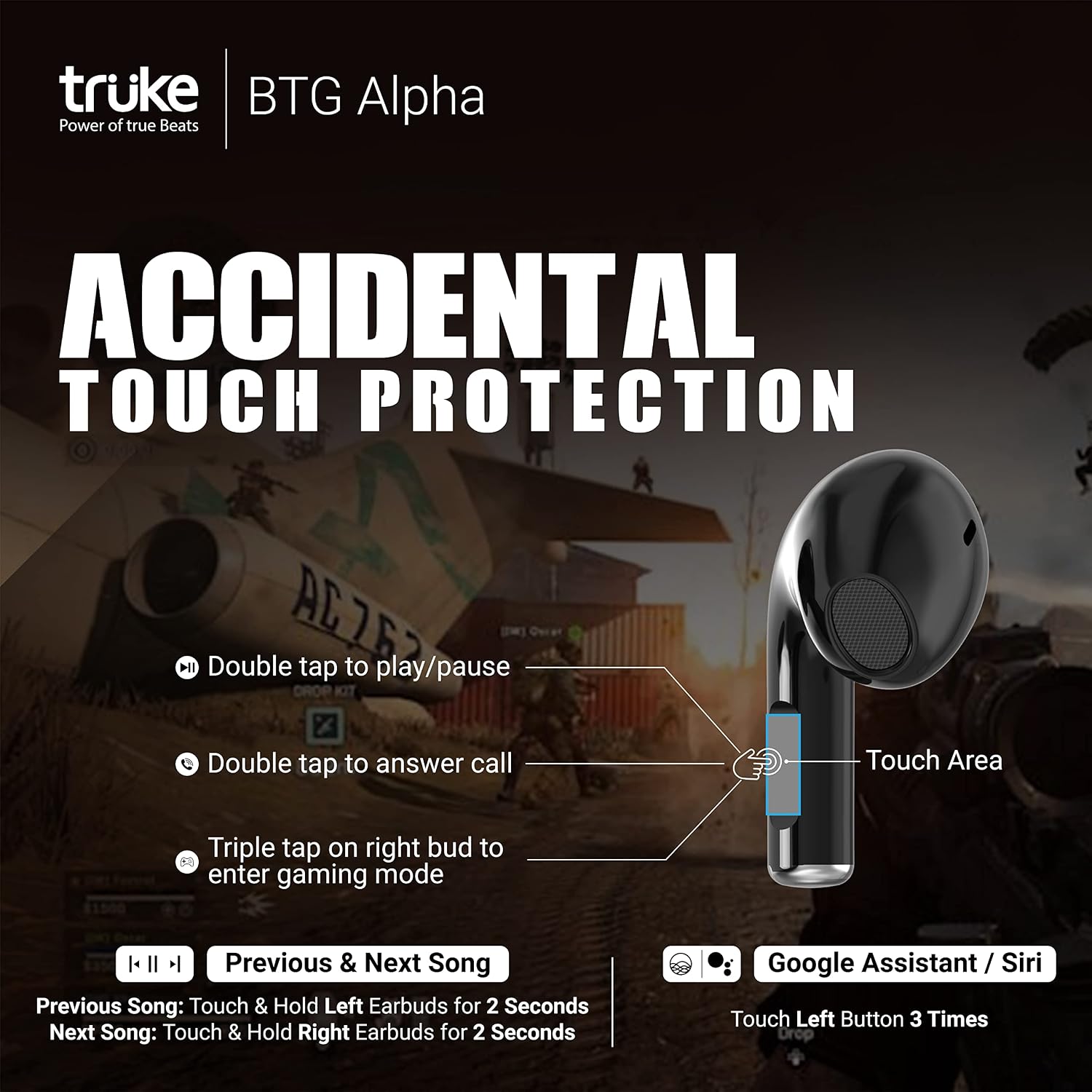
Image: Diagram illustrating how Environmental Noise Cancellation (ENC) works with dual microphones to filter ambient sound.
4.4 ഓഡിയോ പ്ലേബാക്ക്
Experience powerful deep bass and cinematic sound in Music mode, delivered by 10mm Dynamic Driver Speakers. The earbuds support both SBC and AAC audio codecs.
5. പരിപാലനവും പരിചരണവും
- മൃദുവായതും ഉണങ്ങിയതുമായ തുണി ഉപയോഗിച്ച് ഇയർബഡുകളും ചാർജിംഗ് കേസും പതിവായി വൃത്തിയാക്കുക.
- കഠിനമായ രാസവസ്തുക്കളോ ഉരച്ചിലുകളോ ഉപയോഗിക്കുന്നത് ഒഴിവാക്കുക.
- ഇയർബഡുകളിലും കേസിനുള്ളിലും ചാർജിംഗ് കോൺടാക്റ്റുകൾ വൃത്തിയായും വരണ്ടതുമായി സൂക്ഷിക്കുക.
- ഇയർബഡുകൾ സംരക്ഷിക്കാനും ബാറ്ററി ലൈഫ് നിലനിർത്താനും ഉപയോഗിക്കാത്തപ്പോൾ അവയുടെ ചാർജിംഗ് കെയ്സിൽ സൂക്ഷിക്കുക.
- The earbuds are water-resistant (IPX4), but avoid submerging them in water.
6. പ്രശ്നപരിഹാരം
| ഇഷ്യൂ | സാധ്യമായ പരിഹാരം |
|---|---|
| ഇയർബഡുകൾ ജോടിയാക്കുന്നില്ല | Ensure earbuds are charged. Turn off and on Bluetooth on your device. Place earbuds back in case, close, then open to re-enter pairing mode. |
| ഒരു ഇയർബഡ് മാത്രമേ പ്രവർത്തിക്കൂ | Ensure both earbuds are charged. Try resetting the earbuds (refer to manufacturer's website for specific reset instructions if needed). Re-pair with your device. |
| കുറഞ്ഞ ശബ്ദം അല്ലെങ്കിൽ മോശം ശബ്ദ നിലവാരം | Check device volume. Ensure earbuds are clean and properly seated in your ears. Try different ear tips if available. |
| ചാർജിംഗ് പ്രശ്നങ്ങൾ | Verify the Type-C cable and power adapter are working. Clean the charging contacts on the earbuds and case. |
7 സ്പെസിഫിക്കേഷനുകൾ
- മോഡലിൻ്റെ പേര്: truke BTG Alpha
- മോഡൽ നമ്പർ: E215
- ബ്രാൻഡ്: ട്രക്ക്
- നിറം: കറുപ്പ്
- ചെവി സ്ഥാപിക്കൽ: ചെവിയിൽ
- ഫോം ഘടകം: ചെവിയിൽ
- പ്രതിരോധം: 32 ഓം
- ഓഡിയോ ഡ്രൈവർ തരം: ഡൈനാമിക് ഡ്രൈവർ (10mm)
- ബ്ലൂടൂത്ത് പതിപ്പ്: 5.3
- Wireless Technology Type: ബ്ലൂടൂത്ത്
- Battery Average Life (Earbuds): 8 മണിക്കൂർ
- Total Playtime (with Case): 38 മണിക്കൂർ വരെ
- ചാർജിംഗ്: Type-C, Fast Charging (5 mins charge = 100 mins playtime)
- പാരിസ്ഥിതിക ശബ്ദ റദ്ദാക്കൽ: Dual MEMS Mic with Deep Neural Network Call Noise Cancellation Technology
- കുറഞ്ഞ ലേറ്റൻസി: 40ms (ഗെയിമിംഗ് മോഡ്)
- കേസ് ഡിസൈൻ: Transparent with 7 RGB LEDs
- ജല പ്രതിരോധ നില: വാട്ടർ റെസിസ്റ്റന്റ് (IPX4)
- നിയന്ത്രണ രീതി: സ്പർശിക്കുക, ശബ്ദം
- അനുയോജ്യമായ ഉപകരണങ്ങൾ: Android, Cellphones, Laptops, Tablets, iPhone
- ഇനത്തിൻ്റെ ഭാരം: 34 ഗ്രാം
- എൻക്ലോഷർ മെറ്റീരിയൽ: പ്ലാസ്റ്റിക്, റബ്ബർ
8. വാറൻ്റിയും പിന്തുണയും
The truke BTG Alpha Truly Wireless Earphones come with a 1 വർഷത്തെ വാറൻ്റി from the date of purchase. Mandatory registration is required on the truke website within 10 days of purchase to activate the warranty. For support or warranty claims, please visit the official truke webസൈറ്റ് അല്ലെങ്കിൽ അവരുടെ ഉപഭോക്തൃ സേവനവുമായി ബന്ധപ്പെടുക.
9. ഉൽപ്പന്ന വീഡിയോകൾ
വീഡിയോ: കഴിഞ്ഞുview of truke BTG Alpha features, including low latency, battery life, and design. This video highlights key selling points of the earbuds.
Video: Demonstration of the 7 RGB LED lighting effects on the truke BTG Alpha charging case, showcasing അതിന്റെ അതുല്യമായ ഡിസൈൻ.