
ErGear EGESD5V
ErGear Height Adjustable Electric Standing Desk User Manual
Model: EGESD5V
Brand: ErGear
1. ആമുഖവും അവസാനവുംview
The ErGear Height Adjustable Electric Standing Desk is designed to provide a versatile and ergonomic workspace, allowing users to seamlessly switch between sitting and standing positions. This manual provides comprehensive instructions for assembly, operation, maintenance, and troubleshooting to ensure optimal performance and longevity of your desk.
പ്രധാന സവിശേഷതകൾ:
- മികച്ച സ്ഥിരത: Features a sturdy solid steel frame with aerospace-grade lifting column connectors, ensuring stability even at full height.
- സുഗമമായ ഉയര ക്രമീകരണം: Electric adjustment from 28.35" to 46.77" with memory settings.
- Uprated Motor: Powerful and reliable lifting performance, tested for durability.
- Safe Low-VOC Materials: Constructed with materials meeting US federal and state safe air standards.
2. സജ്ജീകരണവും അസംബ്ലിയും
Carefully unpack all components and verify against the parts list in the included assembly instructions. Assembly typically takes about 30 minutes. A Philips head screwdriver is required (not included).

Image: Desk components and assembly instructions. All parts are clearly labeled for easy identification.
Follow the step-by-step instructions provided in the manual. Ensure all bolts are securely fastened. The desktop comes in two pieces, which align seamlessly once assembled.
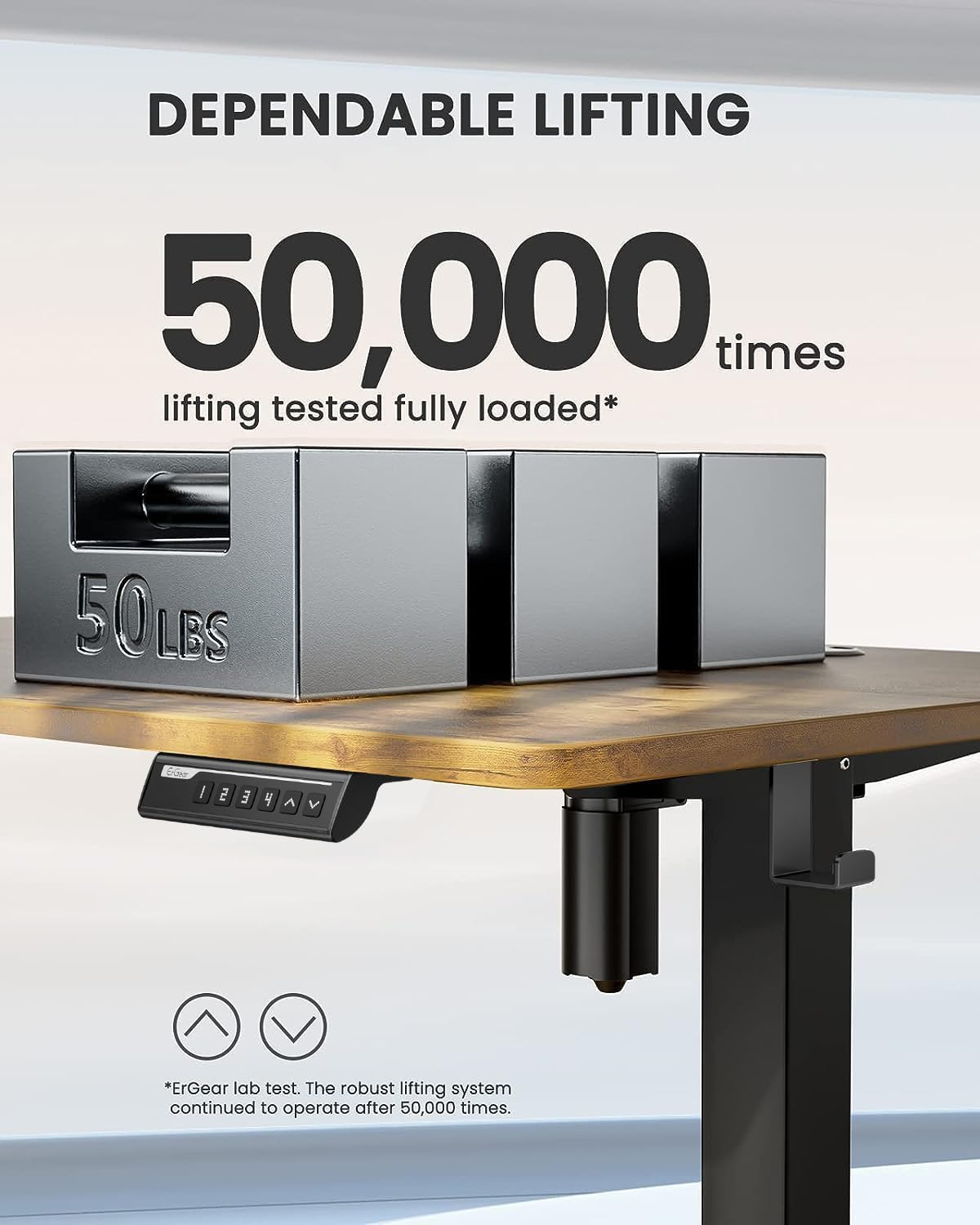
Image: Desk dimensions showing 24"D x 48"W x 46.46"H (max height) and 28.35"H (min height).
അസംബ്ലി ടിപ്പ്:
The included Allen wrenches are sufficient, but an electric drill with appropriate bits can expedite the process. Ensure the desk is properly anchored for stability.
Official Assembly Video:
വീഡിയോ: ഒരു സമഗ്രമായ അവലോകനംview of the assembly process and features of the ErGear Electric Standing Desk. (Source: Influencer)
3. പ്രവർത്തന നിർദ്ദേശങ്ങൾ
The ErGear Electric Standing Desk features an intuitive control panel for easy height adjustment and memory presets.

Image: Close-up of the control panel with digital display, up/down arrows, and memory preset buttons (1, 2, 3, 4).
ഉയരം ക്രമീകരിക്കൽ:
- ഉപയോഗിക്കുക മുകളിലേക്ക് (▲) ഒപ്പം താഴേക്ക് (▼) arrows to manually adjust the desk height. The current height is displayed on the digital screen.
- The desk can be adjusted from a minimum height of 28.35 inches to a maximum height of 46.77 inches.
മെമ്മറി പ്രീസെറ്റുകൾ:
- To save a preferred height: Adjust the desk to the desired height. Press and hold the 'എസ്' button until the display blinks, then press one of the numbered preset buttons (1, 2, 3, അല്ലെങ്കിൽ 4) to save the height.
- To recall a saved height: Simply press the corresponding numbered preset button (1, 2, 3, അല്ലെങ്കിൽ 4). ഡെസ്ക് സ്വയമേവ സംരക്ഷിച്ച സ്ഥാനത്തേക്ക് നീങ്ങും.

Image: The desk demonstrating its wide height range, suitable for both sitting and standing positions.
4. പരിപാലനം
Regular maintenance ensures the longevity and smooth operation of your ErGear standing desk.
- വൃത്തിയാക്കൽ: ഡെസ്ക്ടോപ്പും ഫ്രെയിമും ഒരു സോഫ്റ്റ്, ഡി ക്ലീനർ ഉപയോഗിച്ച് തുടയ്ക്കുക.amp തുണി. ഫിനിഷിനെ തകരാറിലാക്കുന്ന ഉരച്ചിലുകളുള്ള ക്ലീനറുകളോ കഠിനമായ രാസവസ്തുക്കളോ ഒഴിവാക്കുക.
- കേബിൾ മാനേജുമെന്റ്: Periodically check and organize cables to prevent tangling and damage. The desk includes integrated cable management features at the rear.
- മോട്ടോർ കെയർ: The motor is designed for long-term reliability. Avoid overloading the desk beyond its maximum weight capacity of 176 pounds.
- സ്ഥിരത പരിശോധന: Ensure all screws and connections remain tight. Re-tighten if any wobbling is observed.
5. പ്രശ്നപരിഹാരം
If you encounter any issues with your desk, refer to the common troubleshooting tips below:
| പ്രശ്നം | സാധ്യമായ കാരണം | പരിഹാരം |
|---|---|---|
| Desk not moving / No power | Power cable disconnected; Control panel malfunction. | Check all power connections. Unplug the desk for a few minutes and plug it back in to reset the control system. |
| മേശ ആടുന്നു | Loose connections; Uneven floor. | Ensure all assembly bolts are tightened. Adjust foot pads for stability on uneven surfaces. |
| പ്രവർത്തന സമയത്ത് അസാധാരണമായ ശബ്ദം | Friction in moving parts; Power adapter noise. | Ensure no obstructions are in the lifting path. If power adapter makes noise, contact customer support for a replacement. |
| മെമ്മറി പ്രീസെറ്റുകൾ പ്രവർത്തിക്കുന്നില്ല | Incorrect programming; Control panel issue. | Re-program the memory presets following the operating instructions. If issue persists, reset the desk by unplugging it. |
For further assistance, please refer to the contact information in the Warranty & Support section.
6 സ്പെസിഫിക്കേഷനുകൾ
- ബ്രാൻഡ്: എർഗിയർ
- മോഡൽ നമ്പർ: EGESD5V
- ഉൽപ്പന്ന അളവുകൾ: 24"D x 48"W x 46.46"H
- നിറം: വിൻtagഇ ബ്രൗൺ
- അടിസ്ഥാന മെറ്റീരിയൽ: അലോയ് സ്റ്റീൽ
- മികച്ച മെറ്റീരിയൽ തരം: എഞ്ചിനീയറിംഗ് വുഡ്
- ഉയരം ക്രമീകരിക്കൽ ശ്രേണി: 28.35" മുതൽ 46.77" വരെ
- പരമാവധി ഭാരം ശുപാർശ: 176 പൗണ്ട്
- ഉയരമുള്ള സ്ഥാനങ്ങളുടെ എണ്ണം: 3 (മെമ്മറി പ്രീസെറ്റുകൾ)
- പ്രത്യേക സവിശേഷത: Sit and standing desk
- ഉൾപ്പെടുത്തിയ ഘടകങ്ങൾ: Assembly Instructions with Diagram (1), Standing Desk, Storage Hook (2pcs), Basic Assembly Tools (including spare parts)
7. വാറണ്ടിയും പിന്തുണയും
The ErGear Height Adjustable Electric Standing Desk comes with a പരിമിത വാറൻ്റി. For detailed warranty information, please refer to the documentation included with your product or visit the official ErGear webസൈറ്റ്.
For customer support, technical assistance, or to inquire about replacement parts, please contact ErGear customer service through their official channels. You can also refer to the ഇൻസ്റ്റലേഷൻ മാനുവൽ (PDF) കൂടുതൽ വിശദാംശങ്ങൾക്ക്.
Important Safety Information: Always follow the assembly instructions carefully. Ensure the desk is properly anchored to the floor for stability. Do not exceed the maximum weight limit of 176 pounds. Keep the work surface clear of items that could fall or cause obstruction when adjusting the desk height.
Ask a question about this manual
Ask about setup, troubleshooting, compatibility, parts, safety, or missing instructions. Manuals+ will review the question and use this page’s manual context to help answer it.