
ഉൽപ്പന്നം കഴിഞ്ഞുview
The YUNLEX Motion Sensor Night Light is a versatile, battery-powered lighting solution designed for various indoor spaces. It features dual light sources, offering three distinct lighting modes, stepless dimming, and smart motion sensing to provide convenient and energy-efficient illumination.
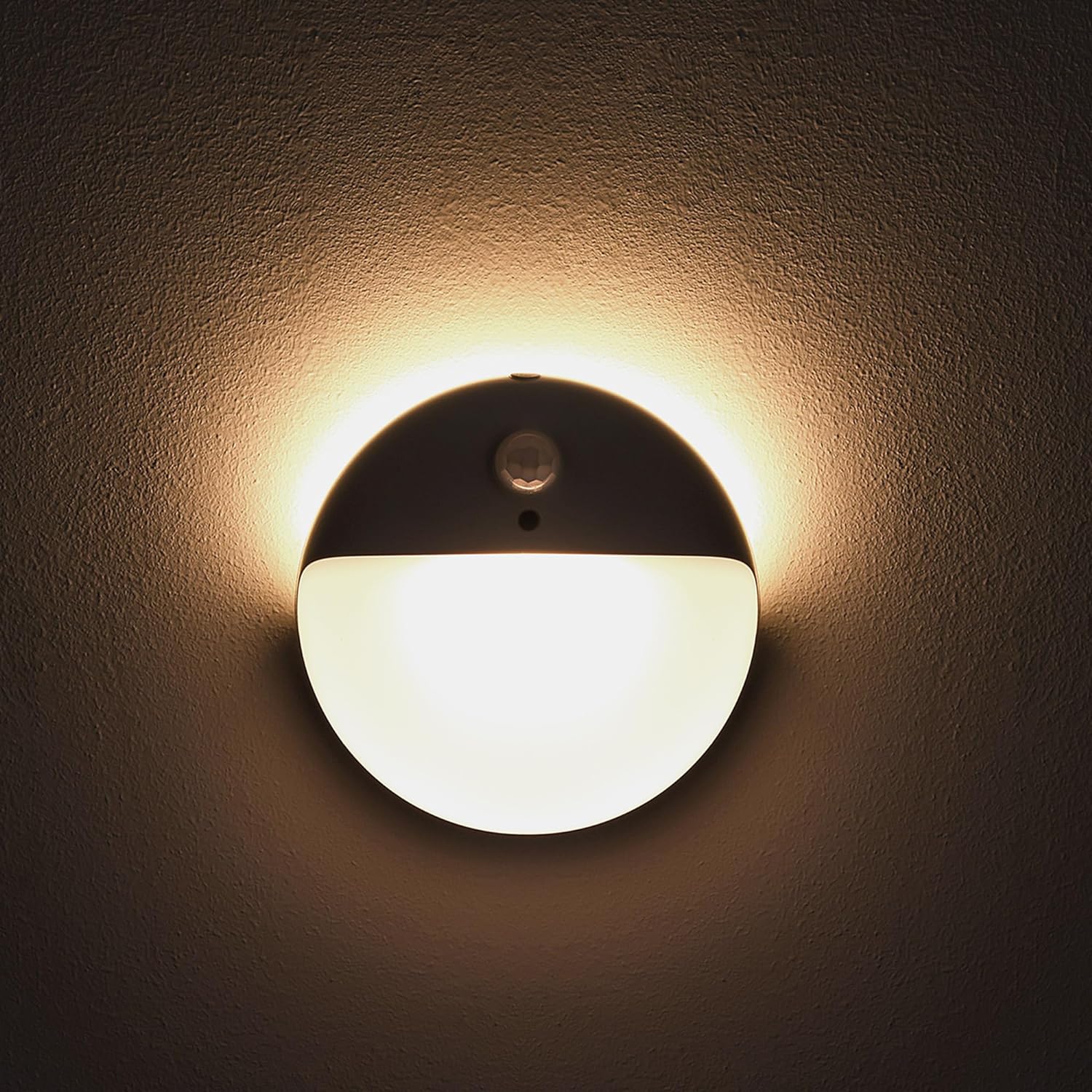
പ്രധാന സവിശേഷതകൾ
- 3 ലൈറ്റിംഗ് മോഡുകൾ: Choose between main light only, backlight only, or dual lights for varied illumination needs.
- തെളിച്ചം ക്രമീകരിക്കാവുന്ന: Stepless dimming from 10% to 100% for all three lighting modes, allowing precise control over light intensity.
- സ്മാർട്ട് മോഷൻ സെൻസർ: Automatically activates when motion is detected within 12ft and 120°, turning off after 15 seconds of inactivity to conserve power.
- ബാറ്ററി പവർ: Operates on 3 AAA batteries (not included), offering flexible placement without the need for electrical outlets.
- ഒതുക്കമുള്ളതും വൈവിധ്യമാർന്നതും: Durable ABS construction, ideal for kitchens, hallways, bathrooms, staircases, closets, and other dark areas.


സജ്ജീകരണവും ഇൻസ്റ്റാളേഷനും
ബാറ്ററി ഇൻസ്റ്റാളേഷൻ
To power your night light, open the back cover and insert 3 AAA batteries, ensuring correct polarity. Close the cover securely.
മൗണ്ടിംഗ് ഓപ്ഷനുകൾ
The YUNLEX night light offers two convenient installation methods:
- സ്റ്റിക്ക്-ഓൺ: Peel off the protective film from the adhesive pad on the back of the mounting plate. Press firmly onto a clean, smooth surface.
- Screw-in: Use the provided screws to secure the mounting plate to the wall.
Once the mounting plate is secured, align the night light with the plate and twist to lock it into place. This design allows for easy removal for battery replacement.

നൈറ്റ് ലൈറ്റ് പ്രവർത്തിപ്പിക്കുന്നു
ലൈറ്റിംഗ് മോഡുകൾ
The night light offers three distinct lighting modes. Short press the button located on the top of the light to cycle through these modes:
- Main Light On: Illuminates forward, ideal for hallways or areas requiring direct light.
- ബാക്ക്ലൈറ്റ് ഓൺ: Provides a soft, ambient glow from behind the unit, suitable for bedrooms or light-sensitive environments.
- Dual Lights On: Both main and backlight are active, offering maximum illumination.
തെളിച്ചം ക്രമീകരിക്കൽ
To adjust the brightness, long press the button on the top of the light. The brightness will seamlessly transition between 10% and 100%. Release the button when the desired brightness level is reached. This stepless dimming function is available for all three lighting modes.
മോഷൻ സെൻസർ പ്രവർത്തനം
The integrated motion sensor automatically turns the light on when it detects movement within its sensing range (up to 12 feet and 120°). The light will remain on as long as motion is detected. After 15 seconds of no activity, the light will automatically turn off to conserve battery life.

പരിചരണവും പരിപാലനവും
- ബാറ്ററി മാറ്റിസ്ഥാപിക്കൽ: When the light dims significantly or stops functioning, it's time to replace the 3 AAA batteries. Carefully remove the light from its mounting plate, open the battery compartment, replace the old batteries with new ones, and reassemble.
- വൃത്തിയാക്കൽ: Wipe the surface of the night light with a soft, dry cloth. Avoid using abrasive cleaners or solvents, as they may damage the finish.
- സംഭരണം: If storing the night light for an extended period, remove the batteries to prevent leakage and corrosion. Store in a cool, dry place.
പൊതുവായ പ്രശ്നങ്ങൾ പരിഹരിക്കുന്നു
| ഇഷ്യൂ | പരിഹാരം |
|---|---|
| ലൈറ്റ് ഓണാക്കുന്നില്ല | Check if batteries are correctly installed and have sufficient charge. Ensure the environment is dark enough for the sensor to activate. Check for any obstructions blocking the motion sensor. |
| വെളിച്ചം തുടർച്ചയായി പ്രകാശിക്കുന്നു | Verify there is no continuous motion within the sensing range. Check for strong ambient light sources that might interfere with the sensor. |
| വെളിച്ചം വളരെ മങ്ങിയതോ വളരെ തെളിച്ചമുള്ളതോ ആണ് | Long press the button on the top of the light to adjust the brightness to your desired level. |
ഉൽപ്പന്ന സവിശേഷതകൾ
- മോഡൽ നമ്പർ: NLS26
- അളവുകൾ: 0.7"D x 2.65"W x 2.65"H
- ഇനത്തിൻ്റെ ഭാരം: 3.53 ഔൺസ്
- ഊർജ്ജ സ്രോതസ്സ്: 3 x AAA ബാറ്ററികൾ (ഉൾപ്പെടുത്തിയിട്ടില്ല)
- പ്രകാശ സ്രോതസ്സ് തരം: എൽഇഡി
- മെറ്റീരിയൽ: Plastic (Acrylonitrile Butadiene Styrene shade)
- പ്രത്യേക സവിശേഷത: Motion Sensor, Dimmable
- ഇൻസ്റ്റലേഷൻ തരം: Wall Mount (Stick-on or Screw-in)
- ഇൻഡോർ/ഔട്ട്ഡോർ ഉപയോഗം: ഇൻഡോർ
- പ്രകാശ സ്രോതസ്സുകളുടെ എണ്ണം: 2
- വാല്യംtage: 1.5 വോൾട്ട്
വാറൻ്റിയും ഉപഭോക്തൃ പിന്തുണയും
YUNLEX products are manufactured with quality and customer satisfaction in mind. For specific warranty details regarding your Motion Sensor Night Light, please refer to the packaging or contact YUNLEX customer support directly.
If you encounter any issues or have questions about your product, please reach out to our dedicated customer support team. Contact information can typically be found on our official webസൈറ്റ് അല്ലെങ്കിൽ നിങ്ങളുടെ വാങ്ങൽ പ്ലാറ്റ്ഫോം വഴി.