
1. ഉൽപ്പന്നം കഴിഞ്ഞുview
The Kittyhok CY3 PTZ Wireless Security Camera is designed for comprehensive home surveillance, offering 2K Full HD resolution, 360-degree viewing, and advanced features like auto-tracking and color night vision. This manual provides instructions for setup, operation, and maintenance to ensure optimal performance.
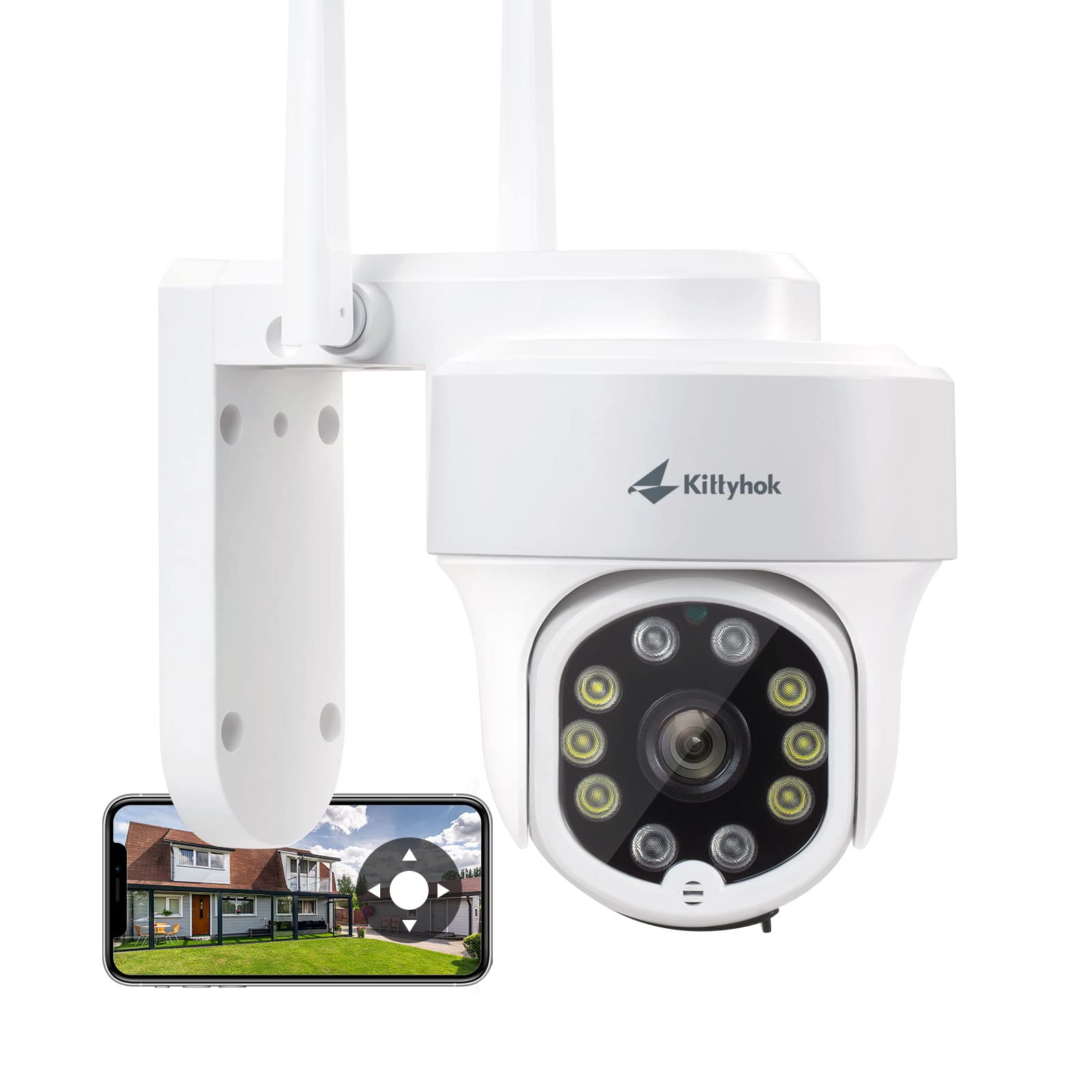
Image: Kittyhok CY3 PTZ Wireless Security Camera, front view.
2. പാക്കേജ് ഉള്ളടക്കം
പാക്കേജിൽ എല്ലാ ഇനങ്ങളും ഉണ്ടെന്ന് ഉറപ്പാക്കുക:
- 1x PTZ WiFi Security Camera
- 1x 12V 1A പവർ അഡാപ്റ്റർ
- 1x ഉപയോക്തൃ മാനുവൽ (ഈ പ്രമാണം)
- മൗണ്ടിംഗ് ആക്സസറികൾ (സ്ക്രൂകൾ, വാൾ ആങ്കറുകൾ)
3. സജ്ജീകരണ ഗൈഡ്
3.1 ക്യാമറയിൽ പവർ ചെയ്യൽ
Connect the provided 12V 1A power adapter to the camera's power input port and then plug it into a standard electrical outlet. The camera will initiate its startup sequence.

Image: The Kittyhok CY3 camera connected to its AC power adapter for continuous operation.
3.2 ആപ്പ് ഇൻസ്റ്റാളേഷനും അക്കൗണ്ട് രജിസ്ട്രേഷനും
നിയന്ത്രിക്കാനും view your camera remotely, download the KittyhokPro APP from the App Store (for iOS devices) or Google Play Store (for Android devices). After installation, launch the app and register a new user account, then log in.

Image: The Kittyhok app interface displayed across multiple smartphones, showing various camera views and controls.
3.3 ആപ്പിലേക്ക് ക്യാമറ ചേർക്കൽ
Follow the in-app instructions to add your camera. Typically, this involves tapping the "+" or "Add Device" icon and scanning the QR code located on the camera or its packaging. Ensure your smartphone is connected to a 2.4GHz Wi-Fi network during the initial setup process.
Video: User Manual for Kittyhok Plug-in Wireless Security System. This video demonstrates the process of setting up the Kittyhok security system, including app installation and device pairing.
3.4 ക്യാമറ മൗണ്ടിംഗ്
The Kittyhok CY3 camera supports ceiling or wall mounting. Choose a location that provides optimal viewing coverage and a stable Wi-Fi signal. Use the provided screws and wall anchors to securely fasten the camera's mounting bracket. Adjust the camera's position as needed after installation.

Image: The Kittyhok CY3 camera mounted outdoors, demonstrating its weather-resistant design during rainfall.
4. പ്രവർത്തന നിർദ്ദേശങ്ങൾ
4.1 Pan-Tilt-Zoom (PTZ) Control and 360° Viewing
Utilize the KittyhokPro app to remotely control the camera's pan (horizontal), tilt (vertical), and digital zoom functions. The camera offers 355° horizontal pan and 90° vertical tilt, providing a full 360° viewing angle to eliminate blind spots. You can set preset viewing points for quick navigation.

Image: Diagram illustrating the Kittyhok CY3 camera's 355° pan and 90° tilt capabilities, providing 360° viewing with preset points.
Video: Kittyhok PTZ Wireless Security Camera 360 Viewing. This video demonstrates the camera's ability to pan and tilt for a full 360-degree view.
4.2 ഓട്ടോ ട്രാക്കിംഗ്
When motion is detected, the camera can automatically pan and tilt to follow the moving object. After the object leaves the camera's field of view, it will return to its designated "Home Point" to await further activity.

Image: A security camera demonstrating its auto-tracking feature, following a person walking across a driveway.
4.3 മനുഷ്യ കണ്ടെത്തൽ
The camera's intelligent human detection feature helps minimize false notifications by distinguishing human shapes from other moving objects. You will receive alerts only for relevant events on the KittyhokPro app.

Image: A smartphone displaying a notification from the Kittyhok app indicating human detection by the security camera.
4.4 Active Deterrence and Two-Way Talk
The camera features a motion-activated LED warning light and a remotely triggered siren to deter unwanted visitors. Additionally, the built-in microphone and speaker enable two-way audio communication through the app, allowing you to speak to individuals near the camera.

Image: A person receiving a package, with the Kittyhok camera and a smartphone displaying the two-way talk function.

Image: A security camera with an activated spotlight and siren icon, deterring an individual in a dark environment.
4.5 കളർ നൈറ്റ് വിഷൻ
The camera provides full-color video even in low-light conditions, thanks to its integrated spotlight and advanced imaging technology. This allows for clearer identification of details at night compared to traditional black-and-white infrared night vision.
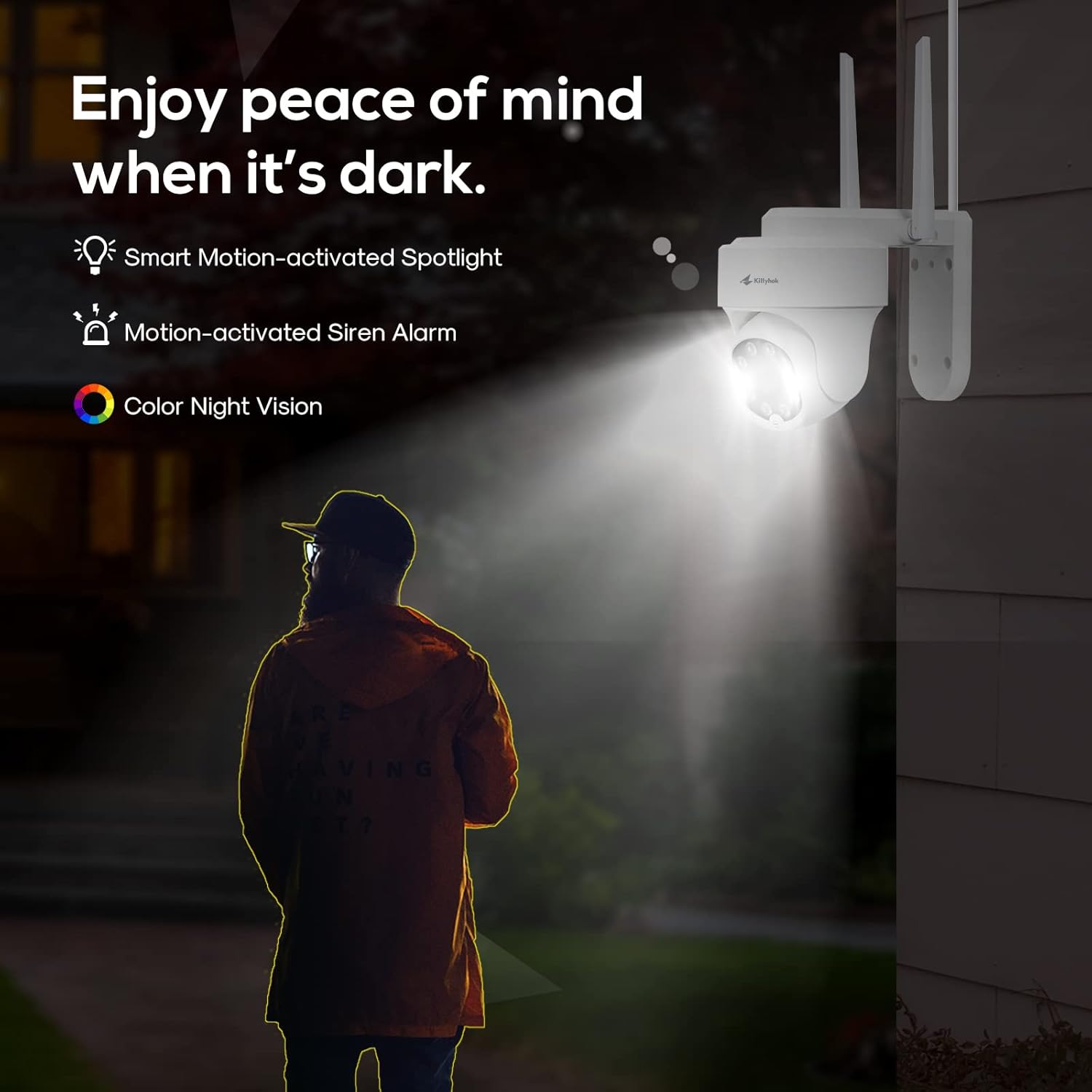
Image: The Kittyhok CY3 camera with its spotlight illuminated, providing color night vision in a dark outdoor setting.
Video: PT Camera IR Night Vision Demo. This video demonstrates the camera's night vision capabilities, showing clear footagകുറഞ്ഞ വെളിച്ചത്തിൽ ഇ.
4.6 Remote Access and NVR Integration
തത്സമയ ഫീഡുകളും റെക്കോർഡുചെയ്ത foo ആക്സസ്സുചെയ്യുകtage from your Kittyhok CY3 camera anytime, anywhere using the KittyhokPro app on your smartphone or tablet. The camera is also compatible with Kittyhok NVR systems for centralized recording and management.
വീഡിയോ: View the Kittyhok 2K PTZ Wireless Security Cameras on Phone Anytime and Anywhere. This video illustrates how to access and control the camera remotely using a smartphone application.
വീഡിയോ: View Kittyhok 2K PTZ Wireless Security Cameras with 360 degree on NVR. This video demonstrates viewing and controlling Kittyhok PTZ cameras through an NVR system.
5. പരിപാലനം
5.1 കാലാവസ്ഥാ പ്രതിരോധം
The Kittyhok CY3 camera is designed with an IP66 waterproof rating, ensuring reliable operation in various outdoor weather conditions, including rain and dust.

Image: A weatherproof IP security camera, highlighting its robust construction for outdoor use.
5.2 സ്റ്റോറേജ് മാനേജ്മെൻ്റ്
The camera supports local storage via a Micro SD card, with a maximum supported size of 256 GB. Regularly check the storage status through the app and back up important footage as needed. The camera will typically overwrite the oldest footagകാർഡ് നിറയുമ്പോൾ.
5.3 വൃത്തിയാക്കൽ
To maintain clear image quality, periodically clean the camera lens with a soft, dry cloth. Avoid using harsh chemicals or abrasive materials that could scratch the lens or housing.
6. പ്രശ്നപരിഹാരം
6.1 കണക്റ്റിവിറ്റി പ്രശ്നങ്ങൾ
- വൈഫൈ കണക്ഷൻ ഇല്ല: Ensure the camera is within range of your 2.4GHz Wi-Fi router. Obstacles like thick walls can weaken the signal. Consider relocating the camera or using a Wi-Fi extender.
- ക്യാമറ ഓഫ്ലൈൻ: Check the power connection. If using an NVR, ensure the NVR is powered on and connected to the network. Restarting both the camera and your router can often resolve temporary network glitches.
6.2 App Related Problems
- ആപ്പ് പ്രതികരിക്കുന്നില്ല: Close the app completely and reopen it. If the issue persists, try reinstalling the KittyhokPro app.
- Android App Availability: If you encounter issues finding the Kittyhok app on the Google Play Store for Android devices, please contact Kittyhok customer support for alternative download methods or solutions.
6.3 ഇമേജ്, വീഡിയോ നിലവാരം
- മങ്ങിയ ചിത്രം: Clean the camera lens. Ensure there are no obstructions in front of the lens.
- മോശം രാത്രി കാഴ്ച: Ensure the camera's spotlight is not obstructed. Check for strong light sources directly facing the camera at night, which can interfere with night vision.
7 സ്പെസിഫിക്കേഷനുകൾ
| ഫീച്ചർ | വിശദാംശങ്ങൾ |
|---|---|
| ബ്രാൻഡ് | കിറ്റിഹോക്ക് |
| മോഡലിൻ്റെ പേര് | CY3 |
| കണക്റ്റിവിറ്റി ടെക്നോളജി | വൈഫൈ |
| പ്രത്യേക സവിശേഷതകൾ | 2-Way Audio, 360 Viewing, Built-In Light, Night Vision, PTZ Technology |
| ഇൻഡോർ/ഔട്ട്ഡോർ ഉപയോഗം | ഇൻഡോർ, ഔട്ട്ഡോർ |
| അനുയോജ്യമായ ഉപകരണങ്ങൾ | Kittyhok NVR, KittyhokPro APP, Smartphone, Tablet |
| മൌണ്ട് തരം | സീലിംഗ് / വാൾ മ .ണ്ട് |
| നിറം | വെള്ള |
| ജല പ്രതിരോധ നില | വാട്ടർപ്രൂഫ് (IP66) |
| അലേർട്ട് തരം | ഓഡിയോയും ചലനവും |
| ഫലപ്രദമായ സ്റ്റിൽ റെസല്യൂഷൻ | 5 എം.പി |
| വീഡിയോ ക്യാപ്ചർ റെസല്യൂഷൻ | 2K |
| Viewing ആംഗിൾ | 110 ഡിഗ്രി |
| ഒപ്റ്റിക്കൽ സൂം | 8x |
| ഡിജിറ്റൽ സൂം | 8x |
| ഫ്ലാഷ് മെമ്മറി തരം | മൈക്രോ എസ്.ഡി |
| പരമാവധി ഫ്ലാഷ് മെമ്മറി പിന്തുണയ്ക്കുന്നു | 256 ജിബി |
| പവർ ഉറവിടം | കോർഡഡ് ഇലക്ട്രിക് (12V AC) |
| നൈറ്റ് വിഷൻ റേഞ്ച് | 33 അടി |
| നൈറ്റ് വിഷൻ തരം | കളർ നൈറ്റ് വിഷൻ |
| ഇനത്തിൻ്റെ അളവുകൾ | 7.9 x 3.9 x 3.9 ഇഞ്ച് |
8. വാറൻ്റിയും പിന്തുണയും
Kittyhok is committed to providing reliable products and excellent customer service.
- 1 വർഷത്തെ മാറ്റിസ്ഥാപിക്കൽ: In case of product defects within one year of purchase, Kittyhok offers a replacement policy.
- 30 ദിവസത്തെ പണം തിരികെ നൽകൽ ഗ്യാരണ്ടി: നിങ്ങളുടെ വാങ്ങലിൽ നിങ്ങൾ തൃപ്തനല്ലെങ്കിൽ, 30 ദിവസത്തിനുള്ളിൽ നിങ്ങൾക്ക് മുഴുവൻ റീഫണ്ടിനും അർഹതയുണ്ടായിരിക്കാം.
- 24/7 ഓൺലൈൻ പിന്തുണ: For technical assistance or inquiries, please contact Kittyhok customer support.
- പ്രതിമാസ ഫീസ് ഇല്ല: Enjoy all camera features without recurring subscription costs.

Image: Kittyhok support details, emphasizing customer service availability.