
1. ഉൽപ്പന്നം കഴിഞ്ഞുview
This manual provides instructions for the VENTION USB C to 2 RCA Audio Cable, designed to convert audio signals from USB-C enabled devices to 2 RCA (left and right channel) outputs. This allows for connection to various audio systems such as speakers, amplifiers, and home theater setups.

Image 1.1: VENTION USB C to 2 RCA Audio Cable. This image shows the cable with its USB-C connector and two RCA connectors (red and white/black).
2 പ്രധാന സവിശേഷതകൾ
- USB-C to 2 RCA Conversion: Converts digital audio from USB-C devices into analog stereo audio for RCA inputs.
- വിശാലമായ അനുയോജ്യത: Supports various USB-C devices including smartphones, tablets, and laptops.
- Versatile Audio Applications: Connects to a range of RCA-enabled audio equipment such as TVs, receivers, amplifiers, DVD players, and speakers.
- Integrated Audio Decoder Chip: Features a built-in JieLi Audio Decoder Chip for improved sound quality and compatibility.
- നീണ്ടുനിൽക്കുന്ന നിർമ്മാണം: Equipped with gold-plated connectors for stable, corrosion-resistant connections, an aluminum alloy shell for durability, and an enamelled copper conductor for reliable signal transmission.

Image 2.1: Gold-plated Interface. This image highlights the gold-plated RCA connectors, indicating enhanced durability and signal stability.
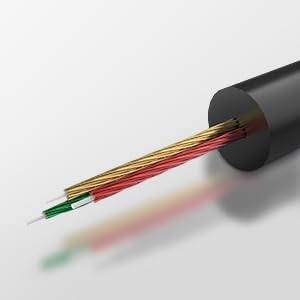
Image 2.2: High-end Audio Decoder Chip. This image provides a visual representation of the internal audio decoding chip within the USB-C connector.
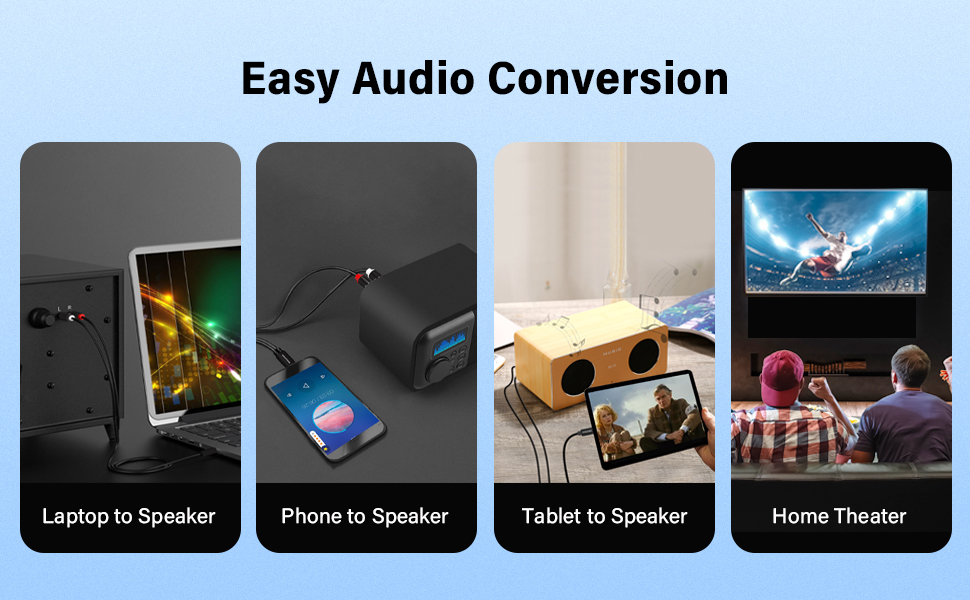
Image 2.3: Multiple Shielding Processes. This image illustrates the internal construction of the cable, showing its multi-layered shielding for signal integrity.
3. സജ്ജീകരണ നിർദ്ദേശങ്ങൾ
Follow these steps to connect your VENTION USB C to 2 RCA Audio Cable:
- തുറമുഖങ്ങൾ തിരിച്ചറിയുക: Locate the USB-C port on your source device (e.g., smartphone, tablet, laptop) and the RCA input ports (typically red for right channel, white or black for left channel) on your audio receiving device (e.g., speaker, ampലിഫയർ, ടിവി).
- USB-C ബന്ധിപ്പിക്കുക: Insert the USB-C end of the cable firmly into the USB-C port of your source device.
- Connect RCA: Connect the red RCA plug to the right audio input and the white/black RCA plug to the left audio input on your audio receiving device. Ensure both RCA plugs are fully inserted.
- സുരക്ഷിത കണക്ഷൻ: എല്ലാ കണക്ഷനുകളും സുരക്ഷിതവും ശരിയായ ഇരിപ്പിടവുമാണെന്ന് പരിശോധിക്കുക.
Video 3.1: VENTION USB C to 2 RCA Audio Cable Usage. This video demonstrates the connection process of the cable to various devices and highlights its features.

Image 3.1: Tablet Connected to Speaker. This image shows a tablet connected to a speaker using the USB C to 2 RCA audio cable.
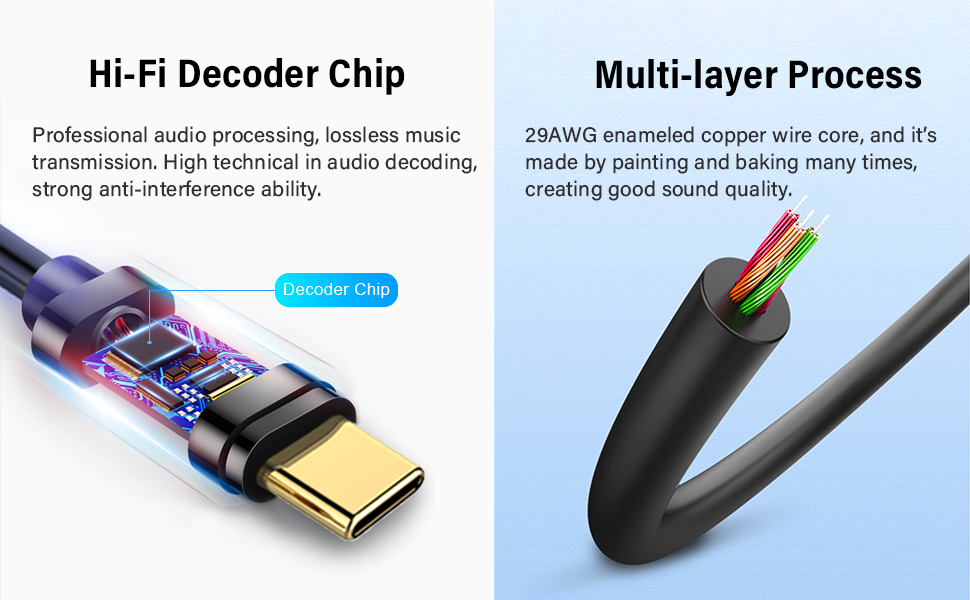
Image 3.2: Phone Connected to Power Amplifier. This image illustrates a smartphone connected to a power ampഓഡിയോ കേബിൾ വഴി ലൈഫയർ.

Image 3.3: PC Connected to Speaker. This image displays a laptop connected to a speaker, demonstrating the cable's use with computers.
4. പ്രവർത്തന നിർദ്ദേശങ്ങൾ
Once the cable is connected, it operates as a plug-and-play audio solution:
- ഇൻപുട്ട് തിരഞ്ഞെടുക്കുക: On your audio receiving device, select the appropriate input source (e.g., "AUX," "Line In," or the specific RCA input).
- ഓഡിയോ പ്ലേ ചെയ്യുക: Begin playing audio content from your USB-C source device.
- വോളിയം ക്രമീകരിക്കുക: Adjust the volume levels on both your source device and the audio receiving device to your desired listening level.
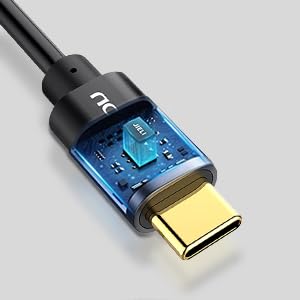
Image 4.1: Hi-Fi Noise Cancelling. This graphic illustrates the cable's ability to reduce noise and deliver clear sound, showing a comparison of fluctuated sound before conversion and clear sound after conversion.
5. പരിപാലനം
To ensure the longevity and optimal performance of your audio cable, follow these maintenance guidelines:
- വൃത്തിയായി സൂക്ഷിക്കു: പൊടിയും അവശിഷ്ടങ്ങളും നീക്കം ചെയ്യുന്നതിനായി മൃദുവായതും ഉണങ്ങിയതുമായ തുണി ഉപയോഗിച്ച് കേബിളും കണക്ടറുകളും പതിവായി തുടയ്ക്കുക.
- വളയുന്നത് ഒഴിവാക്കുക: Do not excessively bend or kink the cable, especially near the connectors, as this can damage internal wiring.
- ശരിയായ സംഭരണം: ഉപയോഗത്തിലില്ലാത്തപ്പോൾ നേരിട്ടുള്ള സൂര്യപ്രകാശത്തിൽ നിന്നും കടുത്ത താപനിലയിൽ നിന്നും മാറി തണുത്തതും വരണ്ടതുമായ സ്ഥലത്ത് കേബിൾ സൂക്ഷിക്കുക.
- സൗമ്യമായ കൈകാര്യം ചെയ്യൽ: Always insert and remove connectors gently to prevent damage to the cable plugs or device ports.
6. പ്രശ്നപരിഹാരം
If you encounter issues with your VENTION USB C to 2 RCA Audio Cable, refer to the following troubleshooting steps:
| ഇഷ്യൂ | പരിഹാരം |
|---|---|
| ഓഡിയോ ഔട്ട്പുട്ട് ഇല്ല |
|
| Poor sound quality (static, distortion) |
|
| USB-C connector feels warm during use |
|
| Source device does not recognize the cable |
|
7 സ്പെസിഫിക്കേഷനുകൾ
| ഫീച്ചർ | വിശദാംശങ്ങൾ |
|---|---|
| ബ്രാൻഡ് | വെൻഷൻ |
| മോഡൽ | BGDB |
| കണക്റ്റർ തരം | USB Type-C to 2 RCA |
| കേബിൾ തരം | ഓഡിയോ കേബിൾ |
| നീളം | 2 മീ (6.5 അടി) |
| നിറം | കറുപ്പ് |
| കണ്ടക്ടർ മെറ്റീരിയൽ | Enamelled Copper |
| ഷെൽ മെറ്റീരിയൽ | അലുമിനിയം അലോയ് |
| Interface Process | സ്വർണ്ണം പൂശി |
| പ്രത്യേക ഫീച്ചർ | Built-in JieLi Audio Decoder Chip |
| അനുയോജ്യമായ ഉപകരണങ്ങൾ | Laptop, Television, Tablet, Smartphone, Speaker, Amplifier, DVD Player, Car Stereo |
| ഇനത്തിൻ്റെ ഭാരം | 1.76 ഔൺസ് (0.05 കിലോഗ്രാം) |
| സർട്ടിഫിക്കേഷൻ | CE |
8. വാറൻ്റിയും പിന്തുണയും
VENTION products typically come with a standard manufacturer's warranty. For specific warranty terms and conditions, please refer to the product packaging or the official VENTION webസൈറ്റ്.
For technical assistance, customer service, or to report any issues, please visit the official VENTION webസൈറ്റിൽ ബന്ധപ്പെടുകയോ അവരുടെ ഉപഭോക്തൃ പിന്തുണാ ടീമിനെ നേരിട്ട് ബന്ധപ്പെടുകയോ ചെയ്യുക.
VENTION Official Store: സ്റ്റോർ സന്ദർശിക്കുക