
Cellularline BTCRYSTALTWSK
Crystal Bluetooth 5.0 Wireless Earbuds User Manual
Model: BTCRYSTALTWSK
1. ഉൽപ്പന്നം കഴിഞ്ഞുview
The Cellularline Crystal TWS Bluetooth 5.0 Wireless Earbuds offer a high-quality audio experience with the convenience of wireless connectivity. Designed for comfort and stability, these earbuds feature Environmental Noise Cancellation (ENC) technology to ensure clear calls and immersive listening. The compact charging case provides extended battery life, making them ideal for daily use, music, and video games.

Image: The Crystal TWS wireless earbuds, one in the charging case and one outside, showcasing their sleek black design and the charging case with its indicator light.
2. പ്രാരംഭ സജ്ജീകരണവും ജോടിയാക്കലും
2.1 ഇയർബഡുകളും കേസും ചാർജ് ചെയ്യുന്നു
Before first use, ensure both the earbuds and the charging case are fully charged. The charging time for the earbuds is approximately 1.5 hours.
- ചാർജിംഗ് കെയ്സിലേക്ക് ഇയർബഡുകൾ സ്ഥാപിക്കുക.
- നൽകിയിരിക്കുന്ന USB കേബിൾ ഉപയോഗിച്ച് ചാർജിംഗ് കേസ് ഒരു പവർ സ്രോതസ്സിലേക്ക് ബന്ധിപ്പിക്കുക.
- The indicator light on the case will show charging status and turn off when fully charged.
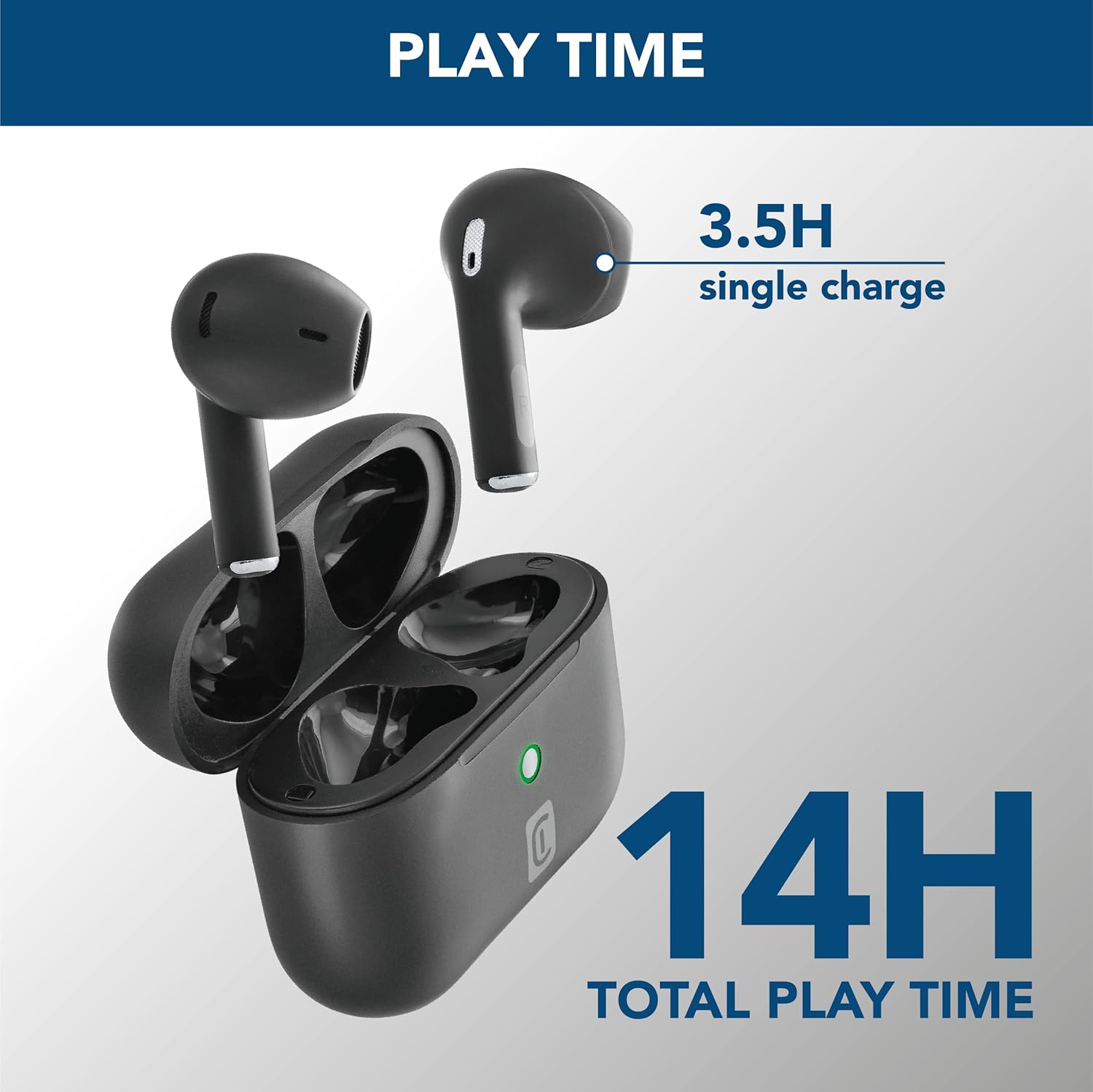
Image: The earbuds are shown inside their open charging case, with text indicating "3.5H single charge" and "14H total play time," illustrating the battery performance.
2.2 ബ്ലൂടൂത്ത് ജോടിയാക്കൽ
Follow these steps to pair your Crystal TWS earbuds with your device:
- ചാർജിംഗ് കേസ് തുറക്കുക. ഇയർബഡുകൾ സ്വയമേവ ജോടിയാക്കൽ മോഡിലേക്ക് പ്രവേശിക്കും.
- നിങ്ങളുടെ ഉപകരണത്തിൽ (സ്മാർട്ട്ഫോൺ, ടാബ്ലെറ്റ്, ലാപ്ടോപ്പ്), ബ്ലൂടൂത്ത് പ്രവർത്തനക്ഷമമാക്കുക.
- ഇതിനായി തിരയുക available Bluetooth devices and select "Crystal TWS" from the list.
- Once connected, the earbuds will indicate successful pairing (e.g., a voice prompt or LED change).
Note: The earbuds have a wireless range of up to 10 meters. For optimal connection, keep your device within this range.
3. പ്രവർത്തന നിർദ്ദേശങ്ങൾ
3.1 ഇയർബഡുകൾ ധരിക്കൽ
Insert the earbuds into your ears, ensuring a comfortable and secure fit. The ergonomic design provides comfort and stability for various activities.

Image: A person is shown wearing the Crystal TWS earbuds, demonstrating their comfortable and stable fit during use in a public setting.
3.2 ടച്ച് നിയന്ത്രണങ്ങൾ
The Crystal TWS earbuds feature touch controls for easy management of audio and calls:
| ആക്ഷൻ | ഫംഗ്ഷൻ |
|---|---|
| ഒറ്റ ടാപ്പ് (ഇടത്/വലത് ഇയർബഡ്) | സംഗീതം പ്ലേ ചെയ്യുക/താൽക്കാലികമായി നിർത്തുക, കോൾ സ്വീകരിക്കുക/അവസാനിപ്പിക്കുക |
| ഡബിൾ ടാപ്പ് (വലത് ഇയർബഡ്) | അടുത്ത ട്രാക്ക് |
| ഡബിൾ ടാപ്പ് (ഇടത് ഇയർബഡ്) | മുമ്പത്തെ ട്രാക്ക് |
| ട്രിപ്പിൾ ടാപ്പ് (ഇടത്/വലത് ഇയർബഡ്) | വോയ്സ് അസിസ്റ്റൻ്റ് സജീവമാക്കുക |
| ദീർഘനേരം അമർത്തുക (ഇടത്/വലത് ഇയർബഡ്) | കോൾ നിരസിക്കുക |
3.3 പരിസ്ഥിതി ശബ്ദ റദ്ദാക്കൽ (ENC)
The built-in ENC technology actively reduces ambient noise during calls, ensuring your voice is clear to the person on the other end. This feature is automatically active during phone calls.

Image: A visual representation of Environmental Noise Cancellation, showing sound waves being reduced around the earbuds during a phone call displayed on a smartphone screen.
3.4 Low Latency for Video and Gaming
These earbuds are optimized for low latency, providing synchronized audio with video content and games. This ensures a smooth and immersive experience without noticeable delays between visuals and sound.
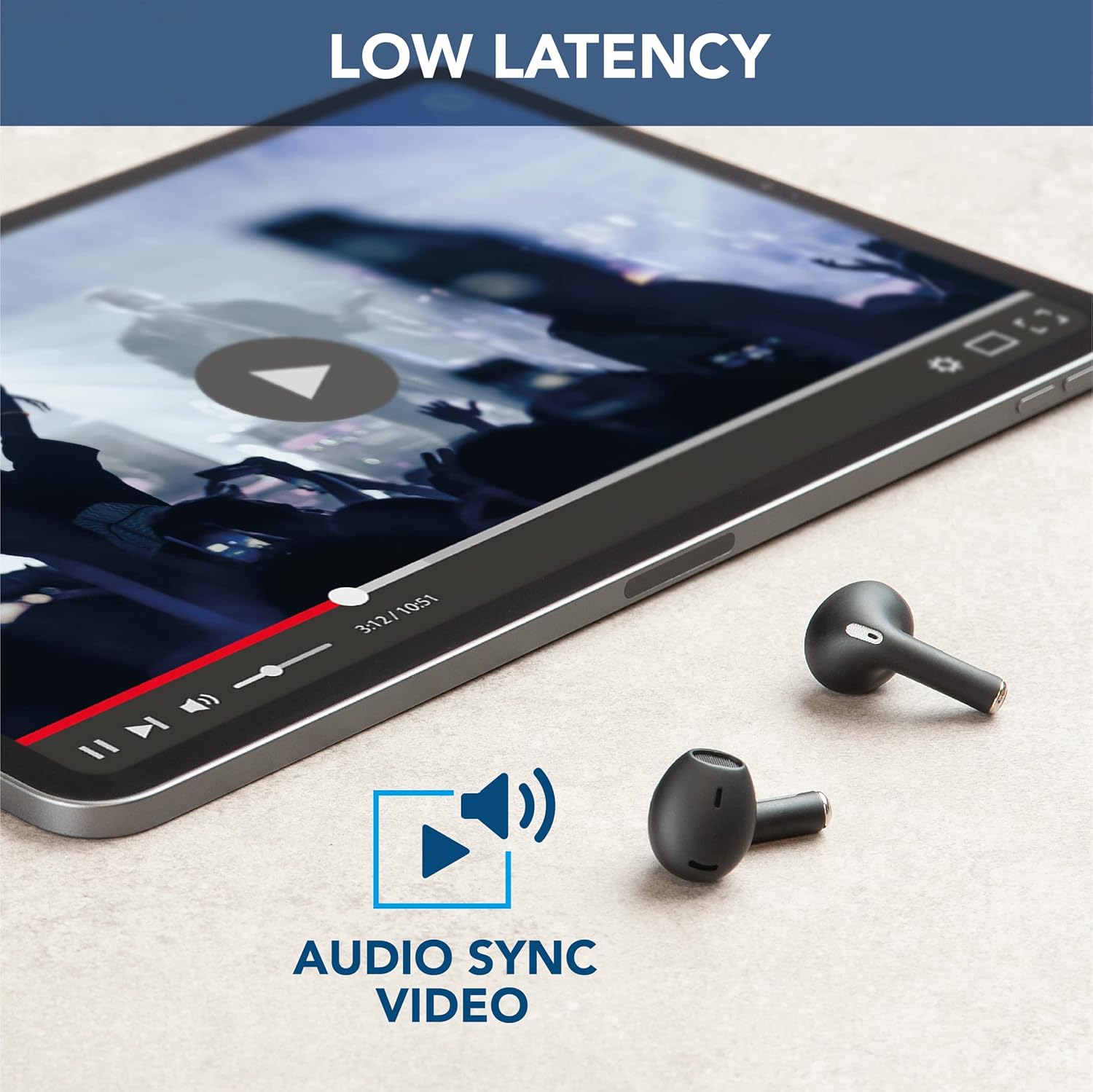
Image: The earbuds are placed next to a tablet displaying a video, accompanied by an "Audio Sync Video" icon, highlighting the low latency feature for synchronized audio and video playback.
4. പരിചരണവും പരിപാലനവും
- വൃത്തിയാക്കൽ: ഇയർബഡുകളും ചാർജിംഗ് കെയ്സും മൃദുവായതും ഉണങ്ങിയതും ലിന്റ് രഹിതവുമായ തുണി ഉപയോഗിച്ച് പതിവായി വൃത്തിയാക്കുക. കഠിനമായ രാസവസ്തുക്കളോ ഉരച്ചിലുകളോ ഉള്ള വസ്തുക്കൾ ഉപയോഗിക്കരുത്.
- സംഭരണം: ഉപയോഗത്തിലില്ലാത്തപ്പോൾ, പൊടിയിൽ നിന്നും കേടുപാടുകളിൽ നിന്നും സംരക്ഷിക്കാൻ ഇയർബഡുകൾ അവയുടെ ചാർജിംഗ് കേസിൽ സൂക്ഷിക്കുക.
- ബാറ്ററി കെയർ: ബാറ്ററി ലൈഫ് വർദ്ധിപ്പിക്കാൻ, ഇയർബഡുകളും കെയ്സും ഇടയ്ക്കിടെ പൂർണ്ണമായും ഡിസ്ചാർജ് ചെയ്യുന്നത് ഒഴിവാക്കുക. തുടർച്ചയായ ഉപയോഗത്തിലല്ലെങ്കിൽ പോലും അവ പതിവായി ചാർജ് ചെയ്യുക.
- ജല പ്രതിരോധം: ഈ ഇയർബഡുകൾ വെള്ളത്തെ പ്രതിരോധിക്കുന്നില്ല. വെള്ളം, ഈർപ്പം, അല്ലെങ്കിൽ അമിതമായ ഈർപ്പം എന്നിവയുമായി സമ്പർക്കം പുലർത്തുന്നത് ഒഴിവാക്കുക.
- താപനില: Do not expose the product to extreme temperatures (hot or cold) as this can affect battery performance and product lifespan.
5. പ്രശ്നപരിഹാരം
| പ്രശ്നം | സാധ്യമായ കാരണം | പരിഹാരം |
|---|---|---|
| ഇയർബഡുകൾ ജോടിയാക്കുന്നില്ല | Bluetooth off on device, earbuds not in pairing mode, out of range. | Ensure Bluetooth is on. Place earbuds in case, close, then open to re-enter pairing mode. Move device closer to earbuds. |
| ഇയർബഡുകളിൽ നിന്ന് ശബ്ദമില്ല | Low battery, not connected, volume too low. | Charge earbuds. Reconnect to device. Increase volume on both earbuds and device. |
| Poor call quality / Noise during calls | Weak signal, excessive ambient noise. | Move to an area with less interference. Ensure earbuds are properly seated. ENC is active during calls to minimize noise. |
| ഇയർബഡുകൾ ചാർജ് ചെയ്യുന്നില്ല | Charging cable faulty, dirty charging contacts, case battery empty. | Try a different USB cable. Clean charging contacts on earbuds and case. Charge the charging case. |
6. ഉൽപ്പന്ന സവിശേഷതകൾ
| ഫീച്ചർ | വിശദാംശങ്ങൾ |
|---|---|
| മോഡലിൻ്റെ പേര് | Crystal TWS |
| മോഡൽ നമ്പർ | BTCRYSTALTWSK |
| കണക്റ്റിവിറ്റി ടെക്നോളജി | വയർലെസ്സ് (ബ്ലൂടൂത്ത് 5.0) |
| വയർലെസ് ശ്രേണി | 10 മീറ്റർ വരെ |
| ഹെഡ്ഫോൺ ഫോം ഫാക്ടർ | ഇൻ-ഇയർ |
| ശബ്ദ നിയന്ത്രണം | പരിസ്ഥിതി ശബ്ദം റദ്ദാക്കൽ (ENC) |
| ബാറ്ററി ചാർജിംഗ് സമയം | 1.5 മണിക്കൂർ |
| Talk Time (Single Charge) | 3.5 മണിക്കൂർ |
| ആകെ കളി സമയം (കേസോടുകൂടി) | 14 മണിക്കൂർ വരെ |
| ഫ്രീക്വൻസി റേഞ്ച് | 20 ഹെർട്സ് - 20,000 ഹെർട്സ് |
| മെറ്റീരിയൽ തരം | പ്ലാസ്റ്റിക് |
| ഇനത്തിൻ്റെ ഭാരം | 100 ഗ്രാം |
| നിറം | കറുപ്പ് |
| ഉൾപ്പെടുത്തിയ ഘടകങ്ങൾ | വയർലെസ് ചാർജിംഗ് കേസ് |
| ജല പ്രതിരോധ നില | വാട്ടർ റെസിസ്റ്റൻ്റ് അല്ല |
7. വാറൻ്റിയും പിന്തുണയും
For warranty information and customer support, please refer to the official Cellularline webസൈറ്റിൽ ബന്ധപ്പെടുകയോ അവരുടെ ഉപഭോക്തൃ സേവനവുമായി നേരിട്ട് ബന്ധപ്പെടുകയോ ചെയ്യുക. ഏതെങ്കിലും വാറന്റി ക്ലെയിമുകൾക്കായി നിങ്ങളുടെ വാങ്ങലിന്റെ തെളിവ് സൂക്ഷിക്കുക.
ഓൺലൈൻ പിന്തുണ: സന്ദർശിക്കുക www.cellularline.com for FAQs, product registration, and contact details.
സംരക്ഷണ പദ്ധതികൾ: Extended warranty options may be available from authorized retailers. For example, 1-year and 2-year extended protection plans are offered by Salama.
- • 1-Year Extended Warranty by Salama (Email Delivery)
- • 2-Year Extended Warranty by Salama (Email Delivery)
Ask a question about this manual
Ask about setup, troubleshooting, compatibility, parts, safety, or missing instructions. Manuals+ will review the question and use this page’s manual context to help answer it.