
ആമുഖം
The TechniSat DIGITRADIO 371 IR is a comprehensive audio system designed for versatile listening experiences. It combines traditional radio reception (DAB+, FM) with modern internet radio capabilities, Bluetooth audio streaming, and USB playback. Additionally, it features a convenient wireless charging function for compatible smartphones and a clear color display. This manual provides essential information for setting up, operating, and maintaining your device to ensure optimal performance and enjoyment.
പ്രധാന സവിശേഷതകൾ
- Digital Radio Reception: Enjoy clear, noise-free radio via DAB+ and traditional FM radio with RDS and PLL.
- ഇൻ്റർനെറ്റ് റേഡിയോ: Access thousands of radio stations worldwide via integrated Wi-Fi connectivity.
- ബ്ലൂടൂത്ത് ഓഡിയോ സ്ട്രീമിംഗ്: നിങ്ങളുടെ സ്മാർട്ട്ഫോണിൽ നിന്നോ ടാബ്ലെറ്റിൽ നിന്നോ വയർലെസ് ആയി സംഗീതം സ്ട്രീം ചെയ്യുക.
- വയർലെസ് ചാർജിംഗ്: Conveniently charge compatible smartphones using the integrated wireless charging pad.
- USB Playback & Charging: MP3 പ്ലേ ചെയ്യുക files from a USB stick and charge external devices via the USB port.
- ഓക്സ്-ഇൻ: Connect external audio sources using the auxiliary input.
- കളർ ഡിസ്പ്ലേ: A 2.4-inch TFT color display provides clear information and is adjustable for brightness.
- സ്റ്റീരിയോ സൗണ്ട്: Equipped with 2 x 5 Watt stereo speakers and an equalizer for fine-tuning audio.
- നിയന്ത്രണ ഓപ്ഷനുകൾ: Operate the device using the on-unit buttons, rotary knobs, included remote control, or the UNDOK/OKTIV app.
- അലാറം ക്ലോക്ക് പ്രവർത്തനങ്ങൾ: Features a comprehensive alarm clock with alarm, sleep timer, and snooze functions.
സജ്ജമാക്കുക
അൺപാക്കിംഗും പ്രാരംഭ പരിശോധനയും
Carefully remove all components from the packaging. Verify that all items listed in the 'Scope of Delivery' are present: the DIGITRADIO 371 IR unit, remote control, and user manual. Inspect the device for any signs of damage during transit. If any components are missing or damaged, contact your retailer.
പവർ കണക്ഷൻ
Connect the provided power cable to the DC IN port on the rear of the radio and then to a suitable wall outlet. Ensure the power supply matches the voltage requirements specified on the device.
ആൻ്റിന പ്ലേസ്മെൻ്റ്
Extend the telescopic antenna located at the rear of the unit for optimal DAB+ and FM radio reception. Adjust its position to achieve the best signal quality.
ആദ്യ തവണ സജ്ജീകരണ വിസാർഡ്
Upon first power-on, the device will guide you through an initial setup wizard. Follow the on-screen prompts to:
- നിങ്ങൾ ഇഷ്ടപ്പെടുന്ന ഭാഷ തിരഞ്ഞെടുക്കുക.
- Configure Wi-Fi network settings to enable Internet radio and app control.
- തീയതിയും സമയവും സജ്ജമാക്കുക.

ചിത്രം: പിൻഭാഗം view of the DIGITRADIO 371 IR, highlighting the telescopic antenna, USB port, headphone jack, and AUX-in port for various connections.
റേഡിയോ പ്രവർത്തിക്കുന്നു
നിയന്ത്രിക്കുന്നുview
The DIGITRADIO 371 IR can be controlled via the buttons and rotary knobs on the front panel, the included remote control, or the UNDOK/OKTIV smartphone app.
- പവർ ബട്ടൺ: യൂണിറ്റ് ഓൺ/ഓഫ് ചെയ്യുന്നു അല്ലെങ്കിൽ സ്റ്റാൻഡ്ബൈയിൽ ഇടുന്നു.
- മോഡ് ബട്ടൺ: Cycles through available audio sources (DAB+, FM, Internet Radio, Bluetooth, USB, AUX-in).
- പ്രീസെറ്റ് ബട്ടണുകൾ: Access stored favorite radio stations.
- വോളിയം നോബുകൾ: ഓഡിയോ ഔട്ട്പുട്ട് ലെവൽ ക്രമീകരിക്കുക.
- Tuning/Navigation Knobs: Navigate menus, tune radio stations, and confirm selections.
- വിവരം/മെനു ബട്ടൺ: Access system settings and display additional information.
- Scan/Play/Pause Button: Initiates station scans or controls media playback.
- ബാക്ക് ബട്ടൺ: മുമ്പത്തെ മെനുവിലേക്കോ സ്ക്രീനിലേക്കോ മടങ്ങുന്നു.
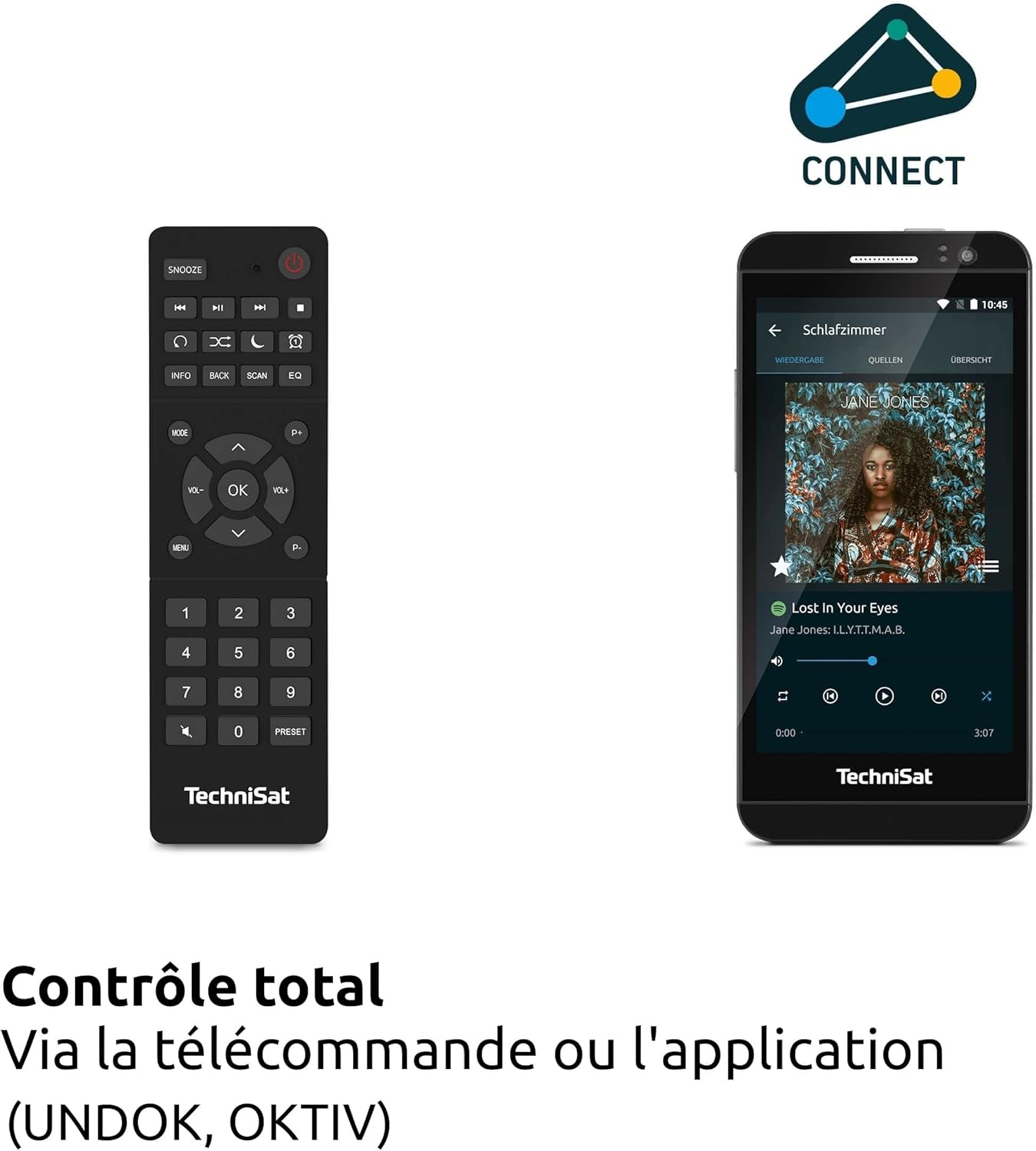
ചിത്രം: The remote control and a smartphone showing the UNDOK app, illustrating the various control options for the radio.
Radio Modes (DAB+, FM, Internet Radio)
അമർത്തുക മോഡ് button to select your desired radio source. For DAB+ and FM, the radio will automatically scan for available stations. For Internet Radio, navigate through the menu to browse stations by genre, location, or search for specific stations.

ചിത്രം: Visual representation of the radio's ability to receive DAB+, Internet Radio, and FM broadcasts, offering a wide range of listening options.
ബ്ലൂടൂത്ത് ഓഡിയോ സ്ട്രീമിംഗ്
Select Bluetooth mode. On your smartphone or tablet, enable Bluetooth and search for 'DIGITRADIO 371 IR'. Pair the devices. Once connected, you can stream audio from your device to the radio.

ചിത്രം: A smartphone wirelessly connected to the DIGITRADIO 371 IR, demonstrating the Bluetooth audio streaming feature for playing music from personal devices.
യുഎസ്ബി പ്ലേബാക്കും ചാർജിംഗും
Insert a USB stick containing MP3 files into the USB port. Select USB mode to browse and play your music. The USB port also functions as a charging port for external devices like smartphones.
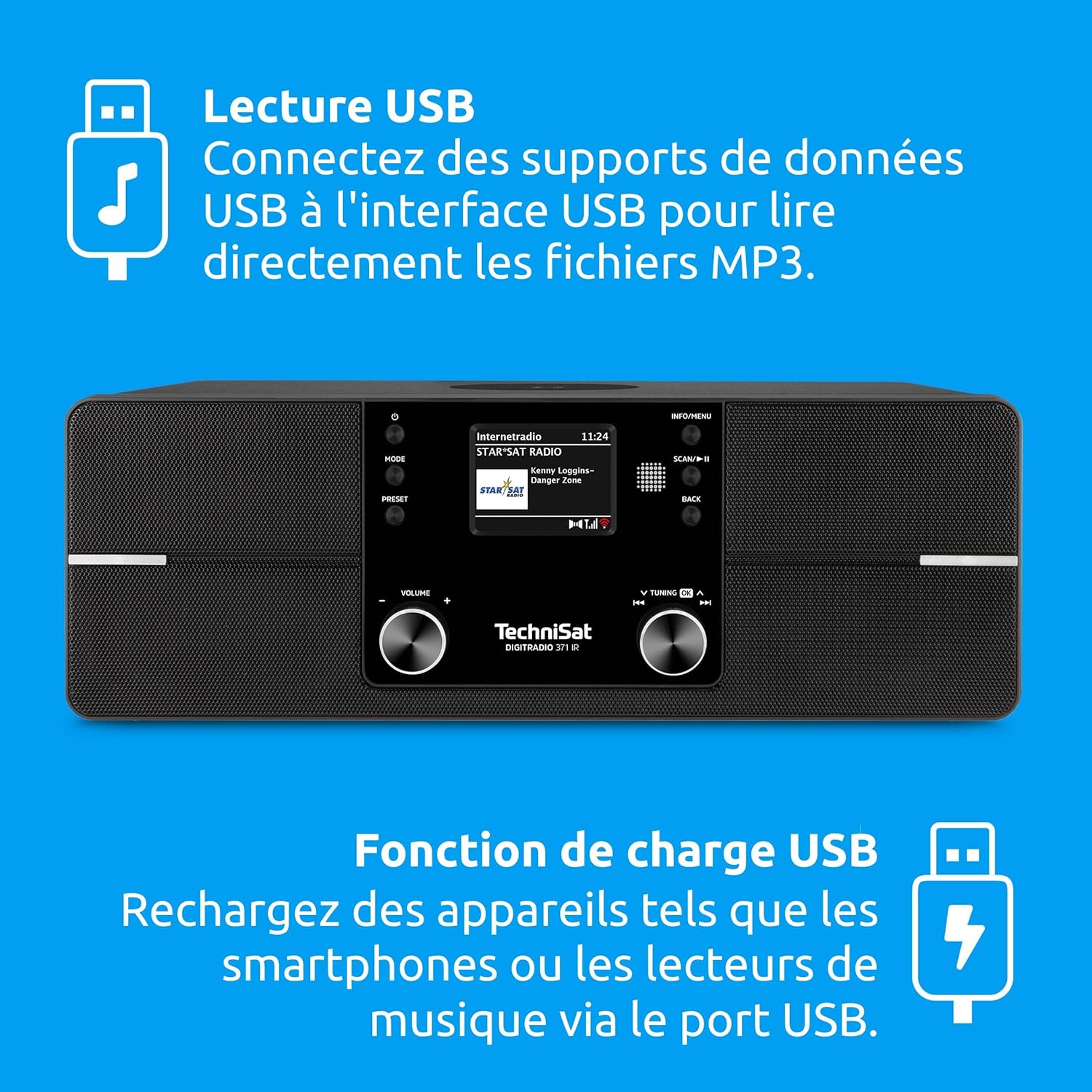
ചിത്രം: Icons indicating USB playback and charging capabilities, showing how the radio supports playing MP3s from a USB drive and charging devices.
ഓക്സ്-ഇൻ കണക്ഷൻ
Connect an external audio device (e.g., an MP3 player) to the AUX-in port on the rear of the radio using a 3.5mm audio cable. Select AUX-in mode to play audio from the connected device.
വയർലെസ് ചാർജിംഗ് പ്രവർത്തനം
Place your Qi-compatible smartphone on the designated wireless charging area on top of the radio. Ensure the phone is centered for optimal charging. The radio will automatically begin charging the device.

ചിത്രം: A hand placing a smartphone on the radio's top surface, demonstrating the wireless charging feature for compatible devices.
അലാറം ക്ലോക്കും സ്ലീപ്പ് ടൈമറും
Access the alarm settings through the menu to set multiple alarms with customizable sources (e.g., buzzer, radio station). The sleep timer allows you to set a duration after which the radio will automatically turn off.
മെയിൻ്റനൻസ്
വൃത്തിയാക്കൽ
റേഡിയോ വൃത്തിയാക്കാൻ, മൃദുവായതോ, ഉണങ്ങിയതോ, അല്ലെങ്കിൽ ചെറുതായി ഡി-ടാപ്പിംഗ് മെഷീനോ ഉപയോഗിച്ച് പ്രതലങ്ങൾ സൌമ്യമായി തുടയ്ക്കുക.amp cloth. Do not use abrasive cleaners, solvents, or chemical sprays, as these can damage the finish. Ensure the device is unplugged before cleaning.
സോഫ്റ്റ്വെയർ അപ്ഡേറ്റുകൾ
The DIGITRADIO 371 IR may receive software updates to improve performance or add new features. Check the system settings menu for available updates and follow the on-screen instructions to install them. Ensure a stable internet connection during the update process.
ട്രബിൾഷൂട്ടിംഗ്
| പ്രശ്നം | സാധ്യമായ കാരണം | പരിഹാരം |
|---|---|---|
| ശക്തിയില്ല | പവർ കേബിൾ ബന്ധിപ്പിച്ചിട്ടില്ല; പവർ ഔട്ട്ലെറ്റ് തകരാറിലാണ്. | പവർ കേബിൾ കണക്ഷൻ പരിശോധിക്കുക; മറ്റൊരു ഔട്ട്ലെറ്റ് പരീക്ഷിക്കുക. |
| മോശം DAB+/FM റിസപ്ഷൻ | Antenna not extended or poorly positioned; weak signal area. | Fully extend and adjust the telescopic antenna; try relocating the radio. |
| Wi-Fi-യിലേക്ക് കണക്റ്റുചെയ്യാൻ കഴിയില്ല | Incorrect password; router too far; Wi-Fi network issues. | Verify Wi-Fi password; move radio closer to router; restart router. |
| ബ്ലൂടൂത്ത് ജോടിയാക്കൽ പരാജയപ്പെടുന്നു | Bluetooth not enabled on device; radio not in pairing mode. | Ensure Bluetooth is active on your device; select Bluetooth mode on radio. |
| വയർലെസ് ചാർജിംഗ് പ്രവർത്തിക്കുന്നില്ല | Phone not Qi-compatible; phone not centered; foreign objects on pad. | Check phone compatibility; reposition phone; remove any obstructions. |
| ശബ്ദമില്ല | Volume too low; mute activated; incorrect source selected. | Increase volume; check mute status; ensure correct audio source is selected. |
സ്പെസിഫിക്കേഷനുകൾ
| ഫീച്ചർ | വിശദാംശങ്ങൾ |
|---|---|
| ബ്രാൻഡ് | ടെക്നിസാറ്റ് |
| മോഡൽ നമ്പർ | 0000/2971 |
| നിറം | കറുപ്പ് |
| കണക്റ്റിവിറ്റി ടെക്നോളജി | Auxiliary, Bluetooth, USB, Wi-Fi |
| പ്രത്യേക സവിശേഷതകൾ | DAB+ Digital Radio, FM Radio with RDS and PLL, Internet Radio, 2.4" TFT Color Display, 20 DAB+/20 FM Station Presets, USB Interface (charging & MP3 playback), Wireless Charging, Integrated Wi-Fi, Bluetooth Audio Streaming |
| മൊത്തം USB പോർട്ടുകൾ | 1 |
| അനുയോജ്യമായ ഉപകരണങ്ങൾ | Headphones, Smartphone, Tablet |
| പവർ ഉറവിടം | കോർഡഡ് ഇലക്ട്രിക് |
| പിന്തുണയ്ക്കുന്ന റേഡിയോ ബാൻഡുകൾ | DAB+, FM, ഇന്റർനെറ്റ് റേഡിയോ |
| ട്യൂണിംഗ് സാങ്കേതികവിദ്യ | FM/DAB+/Internet |
| ഉൽപ്പന്ന അളവുകൾ (L x W x H) | 35 x 21 x 12 സെൻ്റീമീറ്റർ |
| ഉൾപ്പെടുത്തിയ ഘടകങ്ങൾ | DIGITRADIO 371 IR unit, User Manual, Remote Control |
| ബാറ്ററികൾ ആവശ്യമാണ് | 2 AAA (for remote control) |
വാറൻ്റിയും പിന്തുണയും
The TechniSat DIGITRADIO 371 IR comes with a 2-year manufacturer's warranty (Gewährleistung). For warranty claims or technical support, please contact your retailer or visit the official TechniSat website for further assistance. Information regarding spare parts availability and guaranteed software updates is not explicitly provided.