
ആമുഖം
Thank you for choosing the Glorious Gaming Model O Wireless Mouse. This manual provides essential information for setting up, operating, maintaining, and troubleshooting your new gaming mouse. Designed for competitive gaming, the Model O Wireless combines a superlight honeycomb design with lag-free 2.4GHz wireless technology and customizable RGB lighting to enhance your gaming experience.
ഉൽപ്പന്ന സവിശേഷതകൾ
- Superlight Design: Weighing only 69 grams, the honeycomb shell reduces weight while maintaining structural integrity and improving airflow.
- Lag-Free 2.4GHz Wireless: Experience ultra-low wireless latency for responsive and crisp clicks, ensuring no unexpected double-clicking.
- വിപുലീകരിച്ച ബാറ്ററി ലൈഫ്: Up to 71 hours of playtime with RGB lighting off, allowing for prolonged gaming sessions without frequent recharging.
- Wired & Wireless Modes: Includes a flexible USB-C Ascended charging cable for continuous performance even while charging.
- Ambidextrous Shape: Ergonomically designed for comfortable use by both left and right-handed users.
- ഇഷ്ടാനുസൃതമാക്കാവുന്ന RGB ലൈറ്റിംഗ്: Personalize your mouse with various lighting effects and colors via the Glorious CORE software.
- ഉയർന്ന കൃത്യതയുള്ള ഒപ്റ്റിക്കൽ സെൻസർ: Equipped with a Glorious BAMF sensor, offering up to 19,000 DPI and 400 IPS tracking speed for pinpoint accuracy.
- ഈടുനിൽക്കുന്ന സ്വിച്ചുകൾ: Features switches rated for 80 million clicks, ensuring long-lasting performance.
- G-Skates Premium PTFE Mouse Feet: Provides smooth gliding across any surface with minimal friction.

ചിത്രം: മുകളിൽ നിന്ന് താഴേക്ക് view of the Glorious Model O Wireless Gaming Mouse, showcasing its honeycomb shell and vibrant RGB lighting.
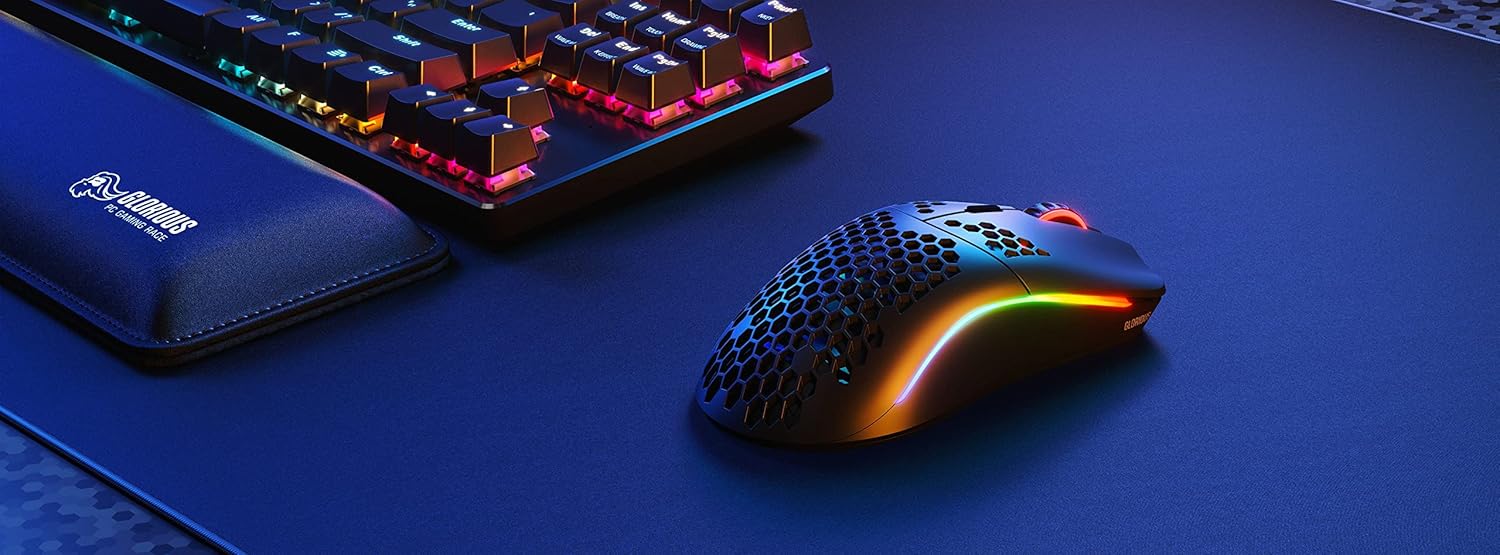
Image: Technical diagram illustrating the dimensions and key specifications of the Glorious Model O Wireless Gaming Mouse.
സജ്ജമാക്കുക
- അൺബോക്സിംഗ്: Carefully remove the mouse, USB-C Ascended charging cable, and wireless dongle from the packaging.
- Connect Wireless Dongle: Plug the 2.4GHz wireless USB dongle into an available USB port on your computer.
- മൗസ് പവർ ഓൺ ചെയ്യുക: Locate the power switch on the underside of the mouse and slide it to the 'ON' position. The mouse should automatically connect to the dongle.
- പ്രാരംഭ ചാർജ് (ഓപ്ഷണൽ): For optimal performance, it is recommended to fully charge the mouse before first use. Connect the USB-C Ascended cable to the front of the mouse and the other end to a USB port on your computer or a USB charger.
- Install Glorious CORE Software: Download and install the Glorious CORE software from the official Glorious webസൈറ്റ് (www.gloriousgaming.com/pages/glorious-core) to customize settings, RGB lighting, and button assignments.
Video: A seller demonstrates the unboxing and initial setup of the Glorious Model O Wireless mouse, highlighting its lightweight design and flexible cable.
പ്രവർത്തന നിർദ്ദേശങ്ങൾ
The Glorious Model O Wireless mouse features 6 programmable buttons for versatile control during gaming and general use.
- ഇടത് ക്ലിക്ക് (ബട്ടൺ 1): പ്രാഥമിക പ്രവർത്തന ബട്ടൺ.
- വലത് ക്ലിക്ക് (ബട്ടൺ 2): ദ്വിതീയ പ്രവർത്തന ബട്ടൺ.
- Scroll Wheel Click (Button 3): Often used for middle-click functions or opening new tabs.
- DPI Button (Button 4): Cycles through preset DPI settings. Default settings can be customized via Glorious CORE.
- Side Buttons (Buttons 5 & 6): Typically used for forward/backward navigation in browsers or assigned to in-game actions. These are fully programmable.
For advanced customization of button functions, macros, and DPI levels, refer to the Glorious CORE software.
ഇഷ്ടാനുസൃതമാക്കൽ
The Glorious Model O Wireless offers extensive customization options through the Glorious CORE software:
- RGB ലൈറ്റിംഗ്: Choose from various effects (e.g., Seamless Breathing, Glorious Mode, Single Color) and adjust brightness and speed. You can set different lighting for wired and wireless modes.
- DPI ക്രമീകരണങ്ങൾ: Create and save multiple DPI profiles, allowing you to switch sensitivity on the fly using the dedicated DPI button.
- ബട്ടൺ അസൈൻമെന്റ്: Remap any of the 6 buttons to perform mouse functions, keyboard commands, custom macros, or multimedia controls.
- പോളിംഗ് നിരക്ക്: ഒപ്റ്റിമൽ പ്രതികരണശേഷിക്കായി പോളിംഗ് നിരക്ക് (1000 Hz വരെ) ക്രമീകരിക്കുക.
- ലിഫ്റ്റ്-ഓഫ് ദൂരം (LOD): മൗസ് ഉയർത്തുമ്പോൾ സെൻസർ ട്രാക്കിംഗ് നിർത്തുന്ന ദൂരം ഫൈൻ-ട്യൂൺ ചെയ്യുക.

Image: Screenshot of the Glorious CORE software, displaying options for customizing RGB lighting effects and colors for the mouse.
മെയിൻ്റനൻസ്
- വൃത്തിയാക്കൽ: Use a soft, dry cloth to wipe down the mouse. For the honeycomb shell, a can of compressed air can help remove dust and debris. Avoid using harsh chemicals or abrasive materials.
- കേബിൾ കെയർ: Handle the Ascended cable gently to prevent fraying or damage. Avoid sharp bends or excessive pulling.
- സംഭരണം: ഉപയോഗത്തിലില്ലാത്തപ്പോൾ, കടുത്ത താപനിലയിൽ നിന്ന് മാറി വൃത്തിയുള്ളതും വരണ്ടതുമായ ഒരു സ്ഥലത്ത് മൗസ് സൂക്ഷിക്കുക.
ട്രബിൾഷൂട്ടിംഗ്
| ഇഷ്യൂ | സാധ്യമായ പരിഹാരം |
|---|---|
| മൗസ് പ്രതികരിക്കുന്നില്ല (വയർലെസ്) | Ensure the mouse is powered on and the wireless dongle is securely plugged into a USB port. Try a different USB port. Re-pair the mouse if necessary (refer to Glorious CORE software for pairing instructions). |
| മൗസ് പ്രതികരിക്കുന്നില്ല (വയേർഡ്) | USB-C കേബിൾ മൗസിലേക്കും കമ്പ്യൂട്ടറിലേക്കും സുരക്ഷിതമായി ബന്ധിപ്പിച്ചിട്ടുണ്ടെന്ന് ഉറപ്പാക്കുക. മറ്റൊരു USB പോർട്ട് പരീക്ഷിക്കുക. |
| Lag or stuttering | Ensure the mouse is fully charged. Reduce wireless interference by moving the dongle closer to the mouse or away from other wireless devices. Update mouse firmware via Glorious CORE. |
| RGB ലൈറ്റിംഗ് പ്രവർത്തിക്കുന്നില്ല | Check RGB settings in Glorious CORE. Ensure brightness is not set to 0. Update mouse firmware. |
| ബട്ടണുകൾ ശരിയായി പ്രവർത്തിക്കുന്നില്ല | Verify button assignments in Glorious CORE. Reset to default settings if needed. Update mouse firmware. |
സ്പെസിഫിക്കേഷനുകൾ
| ഫീച്ചർ | വിശദാംശങ്ങൾ |
|---|---|
| ബ്രാൻഡ് | ഗ്ലോറിയസ് |
| മോഡൽ | മോഡൽ ഒ വയർലെസ് |
| നിറം | മാറ്റ് ബ്ലാക്ക് |
| കണക്റ്റിവിറ്റി | 2.4GHz Wireless, USB-C Wired |
| സെൻസർ | Glorious BAMF Optical Sensor |
| ഡിപിഐ | 19,000 വരെ |
| Tracking Speed (IPS) | 400 |
| പോളിംഗ് നിരക്ക് | 1000 Hz (Dual Wired/Wireless) |
| Click Latency | 2.08ms (Internal Testing) |
| ഭാരം | 69 grams (+/- 1.5g) |
| ബാറ്ററി ലൈഫ് | Up to 71 Hours (RGB off) |
| ബട്ടണുകൾ | 6 (പ്രോഗ്രാം ചെയ്യാവുന്നത്) |
| കൈ ഓറിയൻ്റേഷൻ | ഉഭയകക്ഷി |
| മ ouse സ് അടി | G-Skates Premium PTFE |
| അനുയോജ്യമായ ഉപകരണങ്ങൾ | വിൻഡോസ്, മാക്, ലിനക്സ് |
വാറൻ്റിയും പിന്തുണയും
The Glorious Gaming Model O Wireless Mouse comes with a 90 ദിവസത്തെ പരിമിത വാറൻ്റി. For warranty claims or technical support, please visit the official Glorious Gaming webസൈറ്റിൽ ബന്ധപ്പെടുക അല്ലെങ്കിൽ അവരുടെ ഉപഭോക്തൃ സേവനവുമായി ബന്ധപ്പെടുക. വാറന്റി സാധൂകരണത്തിനായി നിങ്ങളുടെ വാങ്ങിയതിന്റെ തെളിവ് സൂക്ഷിക്കുക.
Video: A seller provides a quick overview of the Glorious Model O Wireless mouse, highlighting its features and suitability for gaming.