
ആമുഖം
This manual provides essential information for the proper use and maintenance of your CLABEL 1"x1" Thermal Sticker Label Paper. These self-adhesive thermal labels are designed for compatibility with thermal label printers, including the CLABEL CT221D model, and are suitable for various applications such as address labels, logos, shipping labels, barcodes, and QR codes.
ഉൽപ്പന്ന സവിശേഷതകൾ
- വലിപ്പം: 1"x1" (25.4x25.4mm) labels, 1000 labels per roll.
- മെറ്റീരിയൽ: High-quality thermal label material.
- ഈട്: Water-resistant, oil-resistant, strong adhesion, and abrasion-resistant for long-lasting prints.
- അനുയോജ്യത: Designed for use with CLABEL CT221D and other compatible desktop thermal label printers.
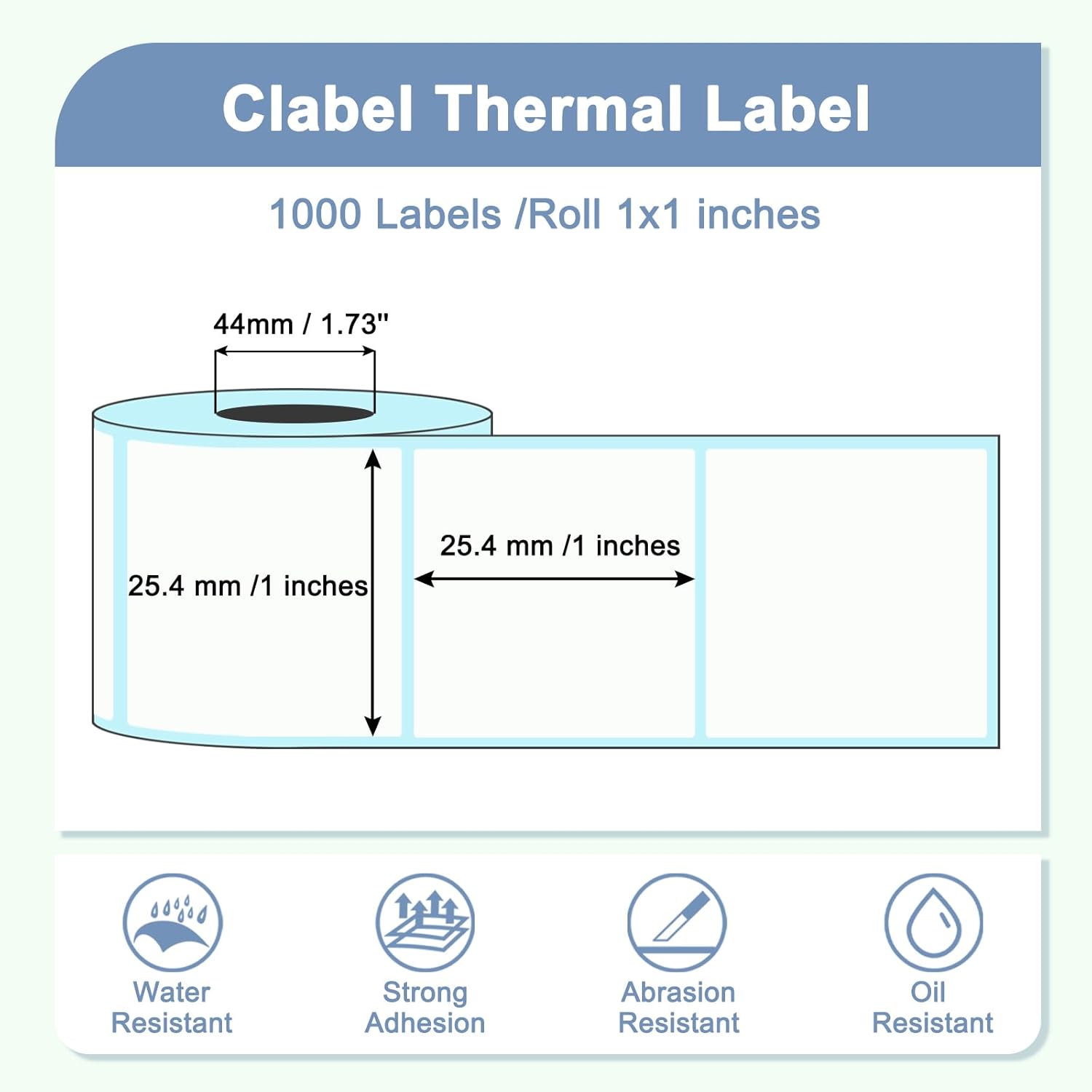
Image: CLABEL 1"x1" Thermal Label dimensions and key features.
സ്പെസിഫിക്കേഷനുകൾ
| ബ്രാൻഡ് | ക്ലാബെൽ |
| മോഡൽ നമ്പർ | LAB-HC11-1000 |
| ലേബൽ വലിപ്പം | 1"x1" (25.4x25.4 മിമി) |
| ഓരോ റോളിലുമുള്ള ലേബലുകൾ | 1000 |
| മെറ്റീരിയൽ തരം | Thermal Label Material |
| നിറം | വെള്ള |
| ഇനത്തിൻ്റെ ഭാരം | 4.2 ഔൺസ് |
| പാക്കേജ് അളവുകൾ | 3.5 x 3.46 x 1.46 ഇഞ്ച് |
സജ്ജീകരണവും ഇൻസ്റ്റാളേഷനും
To ensure optimal printing performance, follow these steps for loading the thermal label roll into your compatible thermal label printer:
- പ്രിന്റർ കവർ തുറക്കുക: Gently open the cover of your thermal label printer according to its specific instructions.
- ലേബൽ റോൾ ചേർക്കുക: Place the CLABEL thermal label roll onto the spindle or into the designated compartment. Ensure the labels feed from the bottom of the roll and the leading edge is aligned correctly.
- ഗൈഡുകൾ ക്രമീകരിക്കുക: Adjust the label guides to fit snugly against the edges of the label roll, preventing misalignment during printing.
- കവർ അടയ്ക്കുക: പ്രിൻ്റർ കവർ സുരക്ഷിതമായി അടയ്ക്കുക.
- കാലിബ്രേറ്റ് ചെയ്യുക (ആവശ്യമെങ്കിൽ): Some printers may require calibration after loading new labels. Refer to your printer's manual for calibration procedures.

Image: CLABEL thermal labels are compatible with many desktop thermal printers.

Image: Thermal paper specifically designed for CLABEL CT221D Label Printer.
പ്രവർത്തന നിർദ്ദേശങ്ങൾ
Once the labels are loaded, you can begin printing. The process generally involves:
- നിങ്ങളുടെ ലേബൽ രൂപകൽപ്പന ചെയ്യുക: Use your printer's software or a compatible label design application to create your desired label content (text, barcodes, QR codes, images).
- പ്രിന്റർ തിരഞ്ഞെടുക്കുക: Ensure your thermal label printer is selected as the output device in your software.
- ക്രമീകരണങ്ങൾ പരിശോധിക്കുക: Confirm that the label size settings in your software match the 1"x1" dimensions of the CLABEL thermal paper. Incorrect settings can lead to misprints or wasted labels.
- പ്രിൻ്റ്: Send the print job to your thermal label printer.
പരിപാലനവും സംഭരണവും
To maintain the quality and longevity of your CLABEL thermal labels:
- സംഭരണം: Store label rolls in a cool, dry place away from direct sunlight and excessive heat. High temperatures can cause premature darkening of thermal labels.
- കൈകാര്യം ചെയ്യൽ: Avoid touching the thermal printing surface with bare hands, as oils and dirt can affect print quality.
- പ്രിന്റർ ക്ലീനിംഗ്: Regularly clean your thermal printer's print head and platen roller as recommended by the printer manufacturer to prevent debris buildup and ensure clear prints.
ട്രബിൾഷൂട്ടിംഗ്
If you encounter issues while using your CLABEL thermal labels, consider the following:
- Labels Not Printing Correctly/Too Small:
- Verify that the label size settings in your printing software precisely match the 1"x1" (25.4x25.4mm) dimensions of the CLABEL labels.
- Ensure the label roll is loaded correctly and the guides are adjusted properly.
- Perform a printer calibration if available.
- Faint or Missing Prints:
- Check if the thermal print head is clean. Refer to your printer's manual for cleaning instructions.
- Ensure the labels are loaded with the correct side facing the print head (the thermal sensitive side).
- Labels Jamming:
- പേപ്പർ പാതയിൽ എന്തെങ്കിലും തടസ്സങ്ങൾ ഉണ്ടോ എന്ന് പരിശോധിക്കുക.
- Ensure the label roll is not too tight or too loose.
- Verify that the label guides are not too tight against the roll.
അപേക്ഷകൾ
CLABEL 1"x1" thermal labels are versatile and can be used for a wide range of labeling needs:
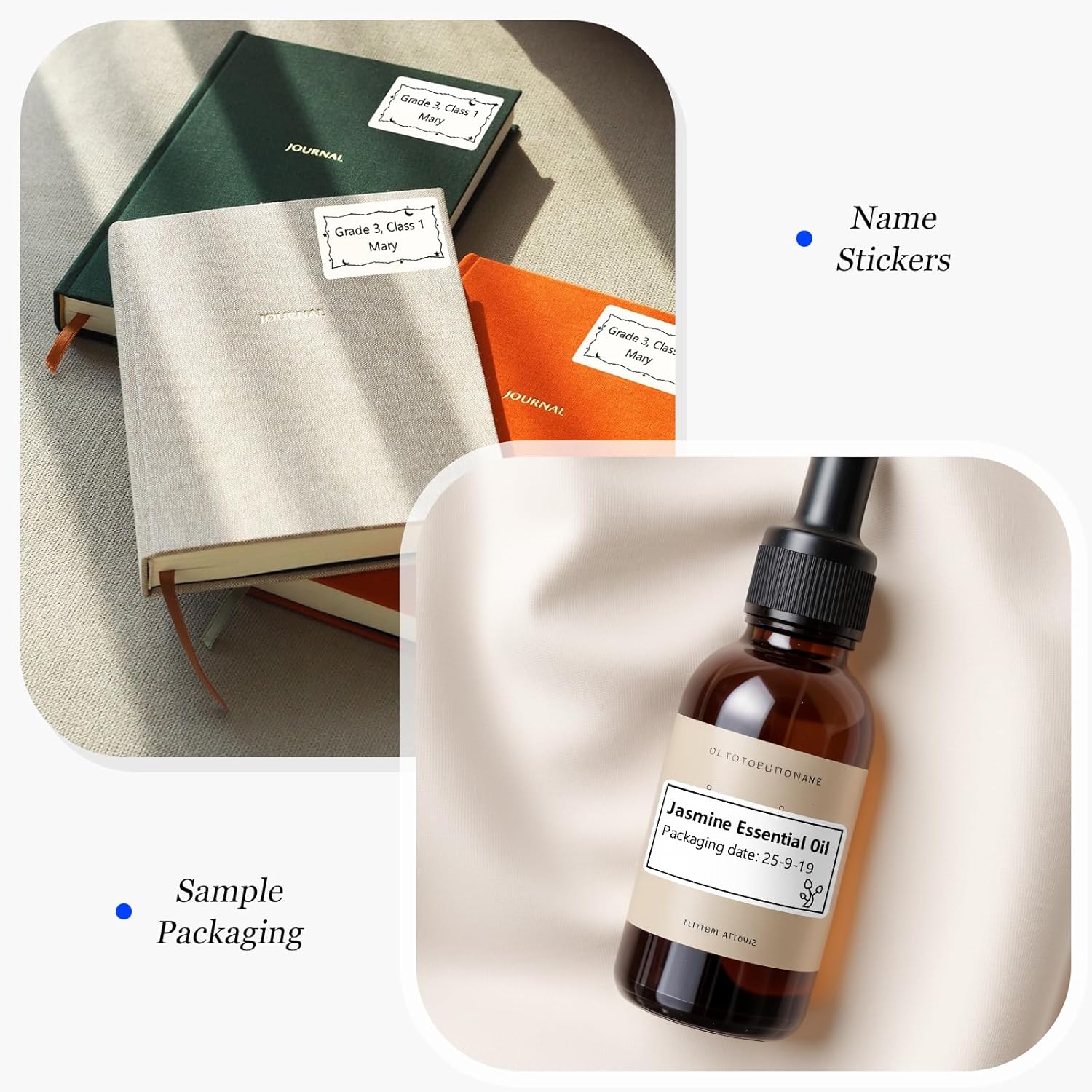
Name Stickers & Sample Packaging

Ideal for personalizing items or labeling small product sampലെസ്.
Food Categories & Office Labels
Organize pantry items or categorize office fileകൾ കാര്യക്ഷമമായി.
വില Tags & Food Labels
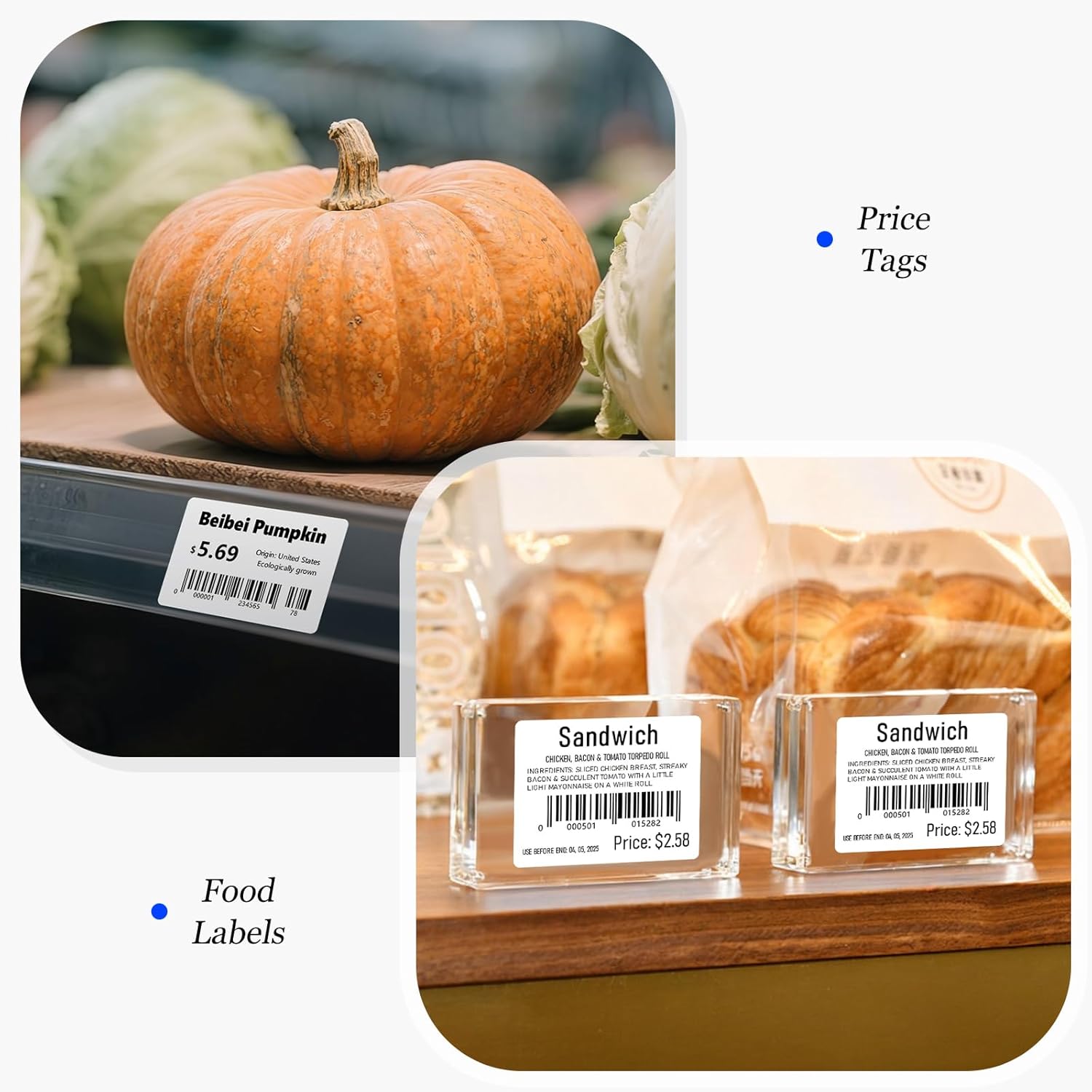
Suitable for retail pricing and detailed food product information. Example barcodes: 0000501015282, 0000001234565.
Flower & Cake Labels

Perfect for small businesses to brand floral arrangements or baked goods. Exampബാർകോഡ്: 12345678.
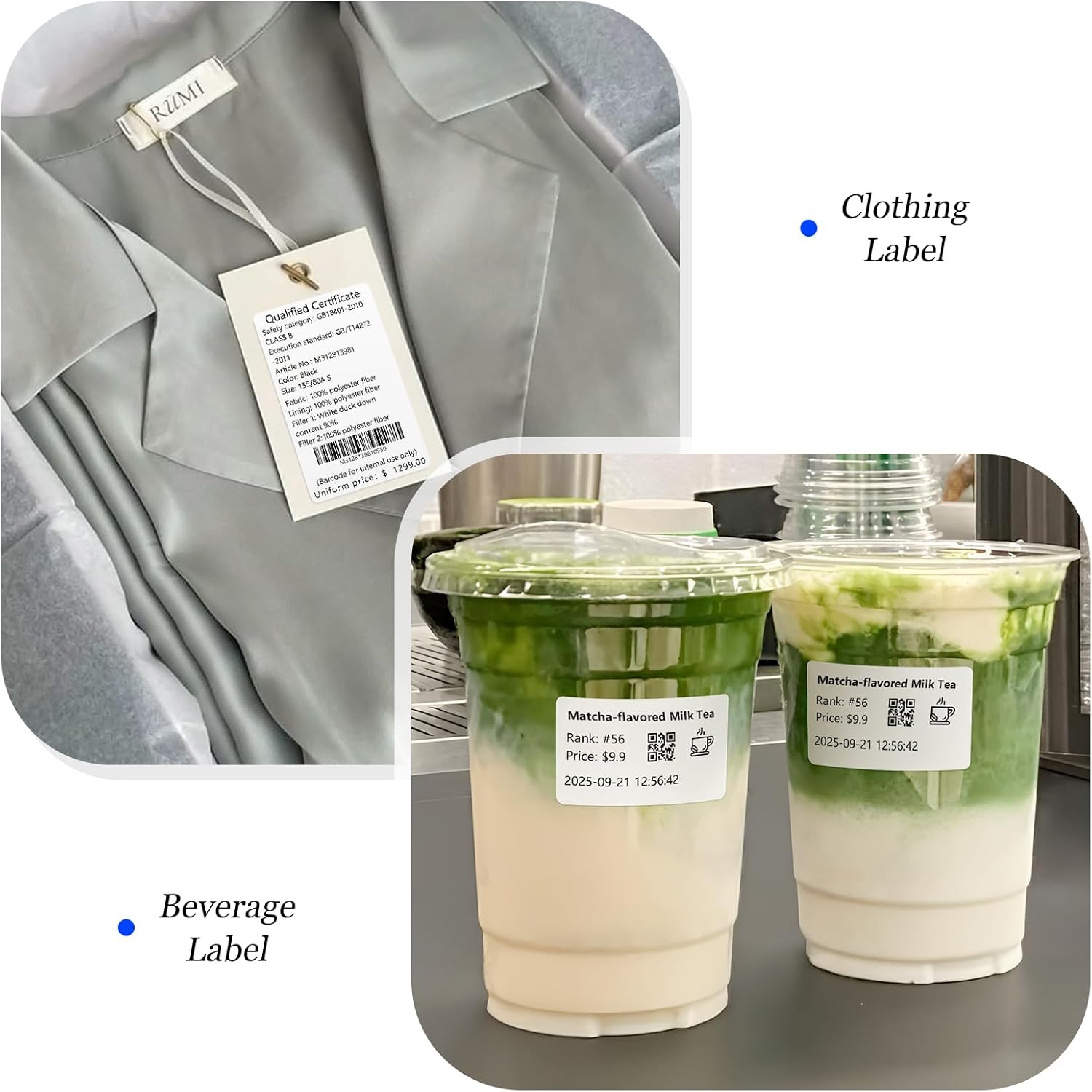
Clothing & Beverage Labels
Versatile for product identification on apparel or custom beverage labeling. Example QR code: 562973923.
വാറൻ്റിയും പിന്തുണയും
CLABEL thermal label paper is manufactured to high-quality standards. For any questions regarding product compatibility, performance, or support, please contact CLABEL customer service through the retailer where the product was purchased or visit the official CLABEL webസഹായത്തിനുള്ള സൈറ്റ്.
While specific warranty details for consumable label paper are not typically provided, CLABEL stands behind the quality of its products. Please retain your proof of purchase for any inquiries.