
MUSIC HERO 8018417407475
Music Hero NUBOX Wireless Stereo Earphones User Manual
Model: NUBOX (8018417407475)
ആമുഖം
This manual provides instructions for the proper use and maintenance of your Music Hero NUBOX Wireless Stereo Earphones. Please read this manual carefully before using the product to ensure optimal performance and longevity.
The Music Hero NUBOX wireless stereo earphones offer convenient audio for music and calls. They connect wirelessly to smartphones, tablets, and laptops. Featuring True Wireless Stereo technology, they automatically pair when removed from their charging case. Touch controls on the earbuds allow for call management, music playback, and voice assistant activation. The compact, semi in-ear design ensures comfort and portability.
പാക്കേജ് ഉള്ളടക്കം
- Music Hero NUBOX Wireless Earbuds (Left and Right)
- ചാർജിംഗ് കേസ്
- USB-C ചാർജിംഗ് കേബിൾ
- ഉപയോക്തൃ മാനുവൽ
ഉൽപ്പന്നം കഴിഞ്ഞുview
The Music Hero NUBOX earphones are designed for ease of use and reliable wireless audio. Key features include:
- ട്രൂ വയർലെസ് സ്റ്റീരിയോ (TWS) സാങ്കേതികവിദ്യ: For automatic pairing between earbuds.
- ടച്ച് നിയന്ത്രണങ്ങൾ: Manage music playback, calls, and voice assistant.
- ഓട്ടോമാറ്റിക് പവർ ഓൺ/ഓഫ്: Earbuds power on when removed from the case and off when returned.
- കോംപാക്റ്റ് ചാർജിംഗ് കേസ്: Provides portable charging for the earbuds.
- വിശാലമായ അനുയോജ്യത: Connects with various smartphones, tablets, and laptops.

ചിത്ര വിവരണം: A pair of white Music Hero NUBOX wireless earbuds are shown, one suspended above its open charging case, and the other partially visible within the case. The charging case is also white and features the "MUSIC HERO" brand name on its lid. This image illustrates the product's design and how the earbuds are stored and presented with their charging case.
സജ്ജമാക്കുക
1. പ്രാരംഭ ചാർജിംഗ്
- Before first use, ensure the charging case and earbuds are fully charged.
- രണ്ട് ഇയർബഡുകളും ചാർജിംഗ് കേസിൽ വയ്ക്കുക.
- USB-C ചാർജിംഗ് കേബിൾ കേസിലെ ചാർജിംഗ് പോർട്ടിലേക്കും മറ്റേ അറ്റം ഒരു USB പവർ സ്രോതസ്സിലേക്കും (ഉദാ: വാൾ അഡാപ്റ്റർ, കമ്പ്യൂട്ടർ USB പോർട്ട്) ബന്ധിപ്പിക്കുക.
- The indicator light on the case will show charging status. Once fully charged, disconnect the cable.

ചിത്ര വിവരണം: The Music Hero NUBOX earbuds are shown inside their open white charging case. Text overlays indicate "Recharge them quickly and conveniently," "1h CHARGE TIME," "TWS TECHNOLOGY," and "TOUCH CONTROLS." This image highlights the charging function and key features.
2. നിങ്ങളുടെ ഉപകരണവുമായി ജോടിയാക്കുന്നു
- Open the charging case and remove both earbuds. They will automatically power on and pair with each other (True Wireless Stereo technology).
- നിങ്ങളുടെ സ്മാർട്ട്ഫോണിലോ ടാബ്ലെറ്റിലോ ലാപ്ടോപ്പിലോ ബ്ലൂടൂത്ത് പ്രവർത്തനക്ഷമമാക്കുക.
- ഇതിനായി തിരയുക available Bluetooth devices and select "NUBOX" from the list.
- കണക്റ്റ് ചെയ്തുകഴിഞ്ഞാൽ, നിങ്ങൾക്ക് ഒരു ഓഡിയോ പ്രോംപ്റ്റ് കേൾക്കാൻ കഴിയും, ഇയർബഡുകൾ ഉപയോഗത്തിന് തയ്യാറാകും.
- If pairing fails, place the earbuds back into the case, close it, and repeat the steps.
പ്രവർത്തന നിർദ്ദേശങ്ങൾ
പവർ ഓൺ/ഓഫ്
- പവർ ഓൺ: ചാർജിംഗ് കെയ്സിൽ നിന്ന് ഇയർബഡുകൾ നീക്കം ചെയ്യുക. അവ സ്വയമേവ പവർ ഓൺ ആകും.
- പവർ ഓഫ്: ഇയർബഡുകൾ തിരികെ ചാർജിംഗ് കെയ്സിലേക്ക് വയ്ക്കുക, ലിഡ് അടയ്ക്കുക. അവ യാന്ത്രികമായി ഓഫാകുകയും ചാർജ് ചെയ്യാൻ തുടങ്ങുകയും ചെയ്യും.
Music Control (Touch Controls)
- പ്ലേ/താൽക്കാലികമായി നിർത്തുക: ഇയർബഡുകളിൽ ഏതെങ്കിലുമൊന്നിലെ ടച്ച് സെൻസറിൽ ഒരിക്കൽ ടാപ്പ് ചെയ്യുക.
Call Management (Touch Controls)
- ഉത്തരം/അവസാന കോൾ: ഇയർബഡുകളിൽ ഏതെങ്കിലുമൊന്നിലെ ടച്ച് സെൻസറിൽ ഒരിക്കൽ ടാപ്പ് ചെയ്യുക.
- കോൾ നിരസിക്കുക: Press and hold the touch sensor on either earbud.
- അവസാന നമ്പർ വീണ്ടും ഡയൽ ചെയ്യുക: (Specific tap pattern not detailed in product description. Please refer to product packaging or manufacturer's website for exact instructions.)
വോയ്സ് അസിസ്റ്റന്റ് ആക്റ്റിവേഷൻ
- വോയ്സ് അസിസ്റ്റന്റിനെ സജീവമാക്കുക: Quickly tap the touch sensor on either earbud twice. This works for both iPhone (Siri) and Android (Google Assistant) devices.
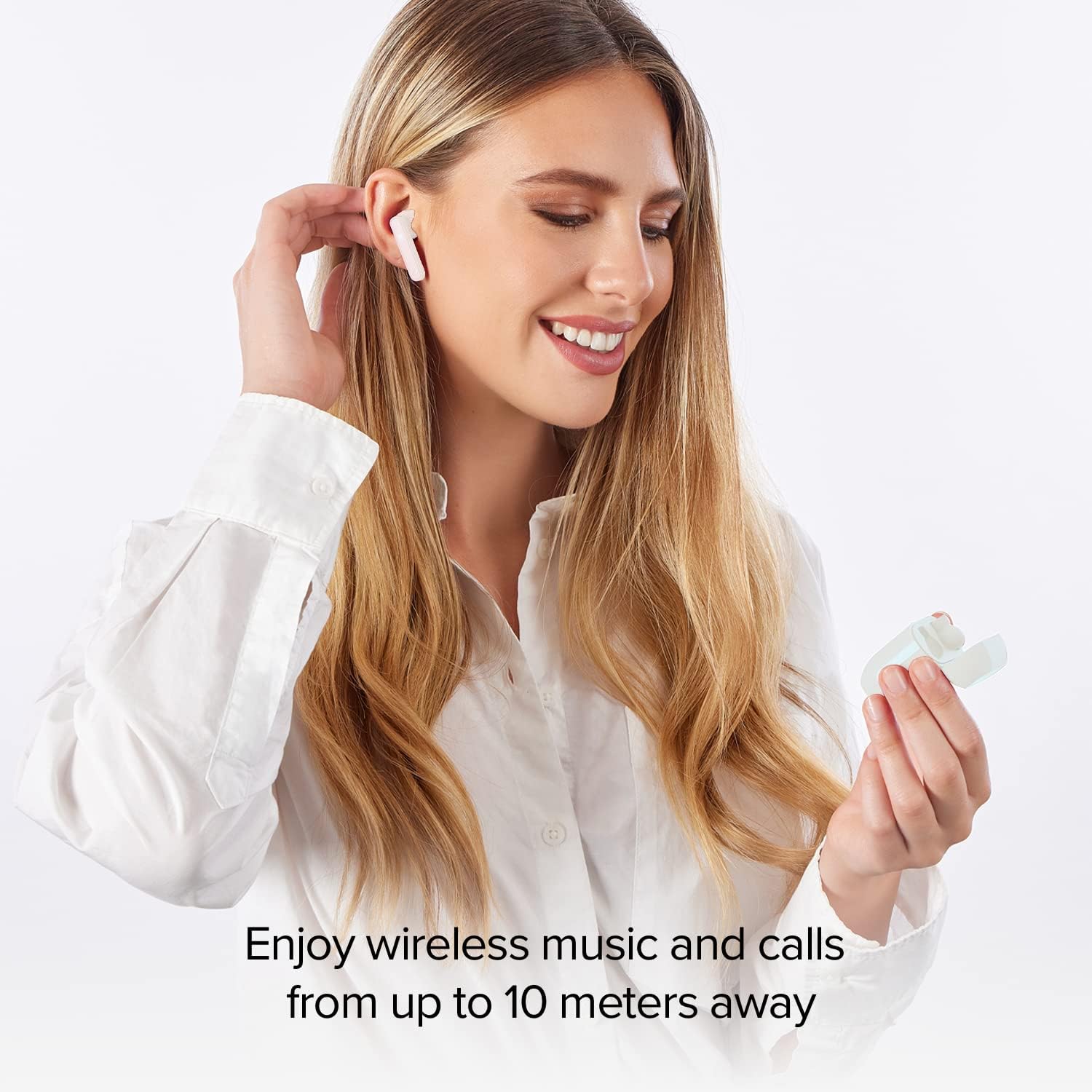
ചിത്ര വിവരണം: A woman is smiling while wearing the white Music Hero NUBOX wireless earbuds. She is holding the open charging case in her hand. Text overlay states, "Enjoy wireless music and calls from up to 10 meters away." This image demonstrates the earbuds in use and highlights their wireless range.
മെയിൻ്റനൻസ്
- വൃത്തിയാക്കൽ: ഇയർബഡുകളും ചാർജിംഗ് കെയ്സും വൃത്തിയാക്കാൻ മൃദുവായതും ഉണങ്ങിയതും ലിന്റ് രഹിതവുമായ തുണി ഉപയോഗിക്കുക. കഠിനമായ രാസവസ്തുക്കളോ ഉരച്ചിലുകളുള്ള വസ്തുക്കളോ ഉപയോഗിക്കരുത്.
- വാട്ടർ എക്സ്പോഷർ: The earbuds are not water-resistant. Avoid exposure to water, sweat, or moisture to prevent damage.
- സംഭരണം: When not in use, always store the earbuds in their charging case to protect them and conserve battery life.
- താപനില: Avoid exposing the product to extreme temperatures (hot or cold) or direct sunlight.
ട്രബിൾഷൂട്ടിംഗ്
| പ്രശ്നം | പരിഹാരം |
|---|---|
| ഇയർബഡുകൾ ഓണാകുന്നില്ല. | Ensure the earbuds are charged. Place them in the charging case, close the lid, and then remove them again. |
| ഇയർബഡുകൾ പരസ്പരം ജോടിയാക്കുന്നില്ല. | Place both earbuds back into the charging case, close the lid, wait a few seconds, then remove them simultaneously. This should re-initiate TWS pairing. |
| ഇയർബഡുകൾ ഉപകരണത്തിലേക്ക് കണക്റ്റ് ചെയ്യുന്നില്ല. |
|
| ഒരു ഇയർബഡ് മാത്രമാണ് പ്രവർത്തിക്കുന്നത്. | Place both earbuds back into the charging case, close the lid, and then remove them together. This often resolves individual earbud connection issues. Ensure both earbuds are charged. |
| മോശം ഓഡിയോ നിലവാരം അല്ലെങ്കിൽ കണക്ഷൻ വിച്ഛേദിക്കൽ. |
|
സ്പെസിഫിക്കേഷനുകൾ
| ഫീച്ചർ | വിശദാംശങ്ങൾ |
|---|---|
| മോഡലിൻ്റെ പേര് | NUBOX |
| ഉൽപ്പന്ന മോഡൽ നമ്പർ | 8018417407475 |
| ബ്രാൻഡ് | സംഗീത നായകൻ |
| നിർമ്മാതാവ് | എസ്.ബി.എസ് |
| കണക്റ്റിവിറ്റി ടെക്നോളജി | Wireless (Bluetooth Compatible) |
| ചെവി പ്ലേസ്മെൻ്റ് | ചെവിയിൽ |
| ഫോം ഫാക്ടർ | ചെവിയിൽ |
| നിയന്ത്രണ തരം | ടച്ച് നിയന്ത്രണം |
| ശബ്ദ നിയന്ത്രണം | ഒന്നുമില്ല |
| മൈക്രോഫോൺ | Built-in microphone included |
| വോയ്സ് അസിസ്റ്റൻ്റ് | Activation supported |
| ജല പ്രതിരോധ നില | ജല പ്രതിരോധം അല്ല |
| ചാർജിംഗ് കേസ് ബാറ്ററി | 300 mAh |
| Average Earbud Battery Life | 2.5 മണിക്കൂർ |
| ബാറ്ററികൾ | 3 Lithium Polymer batteries (included, rechargeable) |
| ഉൽപ്പന്ന ഭാരം | 80 ഗ്രാം |
| നിറം | വെള്ള |
| ഉൾപ്പെടുത്തിയ ഘടകങ്ങൾ | ഇയർബഡുകൾ, ചാർജിംഗ് കേസ്, USB-C ചാർജിംഗ് കേബിൾ |

ചിത്ര വിവരണം: ഒരു ക്ലോസപ്പ് view of the two white Music Hero NUBOX earbuds, highlighting their semi in-ear design. Text overlays state "Semi in-ear design for comfort and perfect fit" and "2.5h OF LISTENING." This image emphasizes the ergonomic design and battery life per charge.
സുരക്ഷാ വിവരങ്ങൾ
- ഉൽപ്പന്നം ഡിസ്അസംബ്ലിംഗ് ചെയ്യരുത്, നന്നാക്കരുത് അല്ലെങ്കിൽ പരിഷ്ക്കരിക്കുക.
- Keep the product away from extreme temperatures, direct sunlight, and moisture.
- ഉൽപ്പന്നം ശക്തമായ ആഘാതങ്ങൾക്ക് വിധേയമാക്കുകയോ ഉപേക്ഷിക്കുകയോ ചെയ്യരുത്.
- കുട്ടികൾക്കും വളർത്തുമൃഗങ്ങൾക്കും ലഭ്യമാകാതെ സൂക്ഷിക്കുക.
- പ്രാദേശിക നിയന്ത്രണങ്ങൾ അനുസരിച്ച് ബാറ്ററികളും ഇലക്ട്രോണിക് ഘടകങ്ങളും ഉത്തരവാദിത്തത്തോടെ നിർമാർജനം ചെയ്യുക.
വാറൻ്റിയും പിന്തുണയും
For warranty information or technical support, please refer to the documentation included with your purchase or visit the official MUSIC HERO webസൈറ്റ്. വാറന്റി ക്ലെയിമുകൾക്കായി നിങ്ങളുടെ വാങ്ങലിന്റെ തെളിവ് സൂക്ഷിക്കുക.
Ask a question about this manual
Ask about setup, troubleshooting, compatibility, parts, safety, or missing instructions. Manuals+ will review the question and use this page’s manual context to help answer it.