
1. ആമുഖം
This manual provides detailed instructions for the NEWDERY ZHX-NS06 Switch Docking Station. Please read this manual carefully before using the product to ensure proper operation and to prevent damage. Keep this manual for future reference.
Important Note: This docking station is compatible with Nintendo Switch and Nintendo Switch OLED models only. It is NOT compatible with Nintendo Switch Lite. A 15V/2.6A power adapter and HDMI cable are NOT included and must be purchased separately.
2. ഉൽപ്പന്നം കഴിഞ്ഞുview
The NEWDERY ZHX-NS06 is a portable multiport hub adapter designed to replace the official Nintendo Switch dock. It allows you to connect your Nintendo Switch or Switch OLED console to a TV or monitor, charge your console, and connect USB peripherals.
2.1 പാക്കേജ് ഉള്ളടക്കം
- 1 x NEWDERY ZHX-NS06 Switch Docking Station
- 1 x ഉപയോക്തൃ മാനുവൽ (ഈ പ്രമാണം)
Please ensure all items are present and in good condition. If any items are missing or damaged, contact customer support.
2.2 ഉൽപ്പന്ന സവിശേഷതകൾ
- ഒതുക്കമുള്ളതും പോർട്ടബിൾ ഡിസൈൻ: Smaller and lighter than the official dock, ideal for travel.
- One-Key Switching: Easily switch between console screen and TV display with a single button press.
- 4K HD Video Output: Supports 4K HD game video output for an enhanced gaming experience.
- USB 3.0 High-Speed Port: Includes one USB 3.0 port for high-speed data transfer.
- ഒന്നിലധികം USB പോർട്ടുകൾ: Features two USB 2.0 ports for connecting additional peripherals.
- Charge While Playing: Allows the Switch to charge in both TV and tabletop modes.
- വിപുലമായ സുരക്ഷാ പരിരക്ഷ: Built-in smart chip provides short-circuit, over-power, recovery, and overheating protection.
- സ്ക്രീൻ പരിരക്ഷണം: Designed to prevent scratching the console screen when docking.
- ആന്റി-സ്ലിപ്പ് മാറ്റുകൾ: Equipped with anti-slip mats for stability.
2.3 പോർട്ട് ഡയഗ്രം

Image: Diagram showing the various ports on the NEWDERY ZHX-NS06 Switch Docking Station, including USB-C Output, Mode Switch Key, USB-3.0 Output, USB-A 2.0 Output, HDMI Output, and USB-C Charging Port.
- USB-C ഇൻപുട്ട് പോർട്ട്: For connecting the power adapter (15V/2.6A recommended).
- HDMI ഔട്ട്പുട്ട്: For connecting to a TV or monitor.
- USB-A 3.0 Output: അതിവേഗ പെരിഫെറലുകൾക്ക്.
- USB-A 2.0 Output (x2): For connecting controllers or other accessories.
- USB-C ഔട്ട്പുട്ട്: For docking the Nintendo Switch/Switch OLED console.
- മോഡ് സ്വിച്ച് കീ: Button to toggle between console display and TV display.
- LED ഇൻഡിക്കേറ്റർ ലൈറ്റ്: Indicates TV mode (green light on) or tabletop mode (light off).
3. സജ്ജീകരണ നിർദ്ദേശങ്ങൾ
Follow these steps to set up your NEWDERY ZHX-NS06 Switch Docking Station:
- പവർ ബന്ധിപ്പിക്കുക: Plug a 15V/2.6A USB-C power adapter (not included) into the USB-C Input Port on the docking station.
- എച്ച്ഡിഎംഐ കണക്റ്റുചെയ്യുക: Connect one end of an HDMI cable (not included) to the HDMI Output port on the docking station and the other end to an HDMI input on your TV or monitor.
- പെരിഫറലുകൾ ബന്ധിപ്പിക്കുക (ഓപ്ഷണൽ): If desired, connect USB peripherals such as controllers or a LAN adapter to the USB-A 3.0 or USB-A 2.0 ports.
- Dock Your Console: Carefully slide your Nintendo Switch or Switch OLED console onto the USB-C Output connector on the docking station. Ensure it is securely seated.
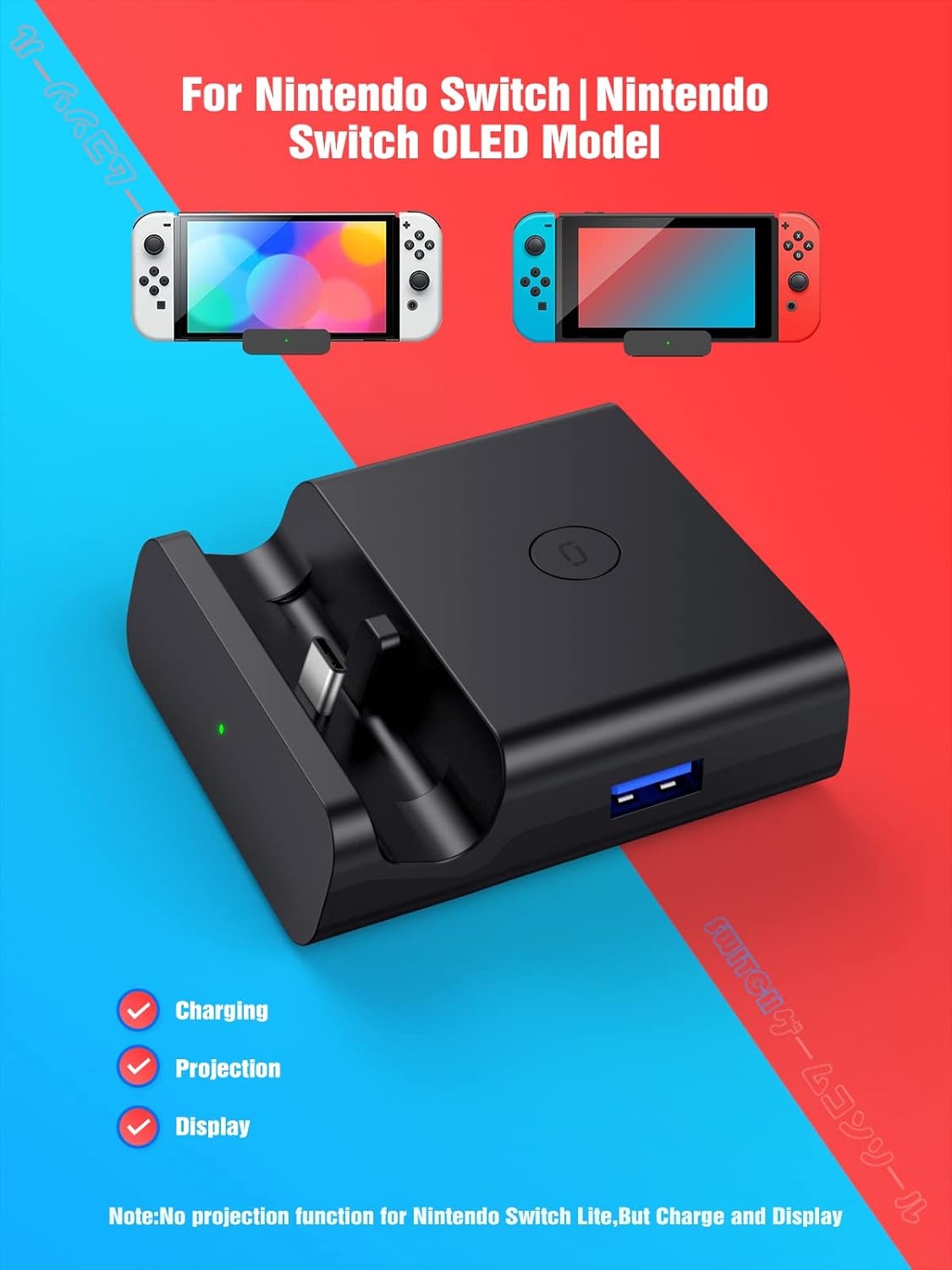
Image: The NEWDERY ZHX-NS06 Switch Docking Station with a Nintendo Switch OLED console docked, illustrating its compact size and connection points for charging, projection, and display.
Once connected, the console should begin charging, and if the TV is on the correct input, the display should automatically switch to TV mode (green LED indicator will light up).
4. പ്രവർത്തന നിർദ്ദേശങ്ങൾ
4.1 Switching Display Modes
The docking station features a one-key switching mode:
- When the console is docked and connected to a TV, press the മോഡ് സ്വിച്ച് കീ (located on the side/top of the dock) to toggle between displaying on the TV and displaying on the console's screen.
- A green LED indicator light will illuminate when the light is on, indicating TV mode. When the light is off, the console is in tabletop mode, displaying on its own screen.

Image: Illustration demonstrating the one-key switch function to toggle between tabletop mode (console screen) and TV mode (external display) using the dock's button and LED indicator.
4.2 Charging While Playing
The docking station allows your Nintendo Switch or Switch OLED console to charge simultaneously while you are playing in either TV mode or tabletop mode. Ensure a compatible 15V/2.6A power adapter is connected to the dock's USB-C Input Port.

Image: A Nintendo Switch console docked and connected to a power adapter, illustrating the "Charge While Playing" feature.
4.3 യുഎസ്ബി പെരിഫറലുകൾ ബന്ധിപ്പിക്കുന്നു
Use the available USB-A ports to connect various accessories:
- The USB 3.0 port offers higher data transfer speeds, suitable for devices like external hard drives (if supported by Switch) or high-speed LAN adapters.
- The two USB 2.0 ports are ideal for connecting wired controllers, charging cables for wireless controllers, or other standard USB accessories.

Image: Two people playing a Nintendo Switch game on a TV, with the console docked and controllers connected via USB, demonstrating multiplayer support.
5. സുരക്ഷാ വിവരങ്ങളും മുൻകരുതലുകളും
To ensure safe and optimal use of your NEWDERY ZHX-NS06 Switch Docking Station, please observe the following:
- Use only a 15V/2.6A power adapter for stable power delivery and to prevent damage to the console or dock.
- ഉപകരണം വെള്ളം, ഈർപ്പം അല്ലെങ്കിൽ തീവ്രമായ താപനില എന്നിവയിൽ തുറന്നുകാട്ടരുത്.
- ശക്തമായ ആഘാതങ്ങൾക്ക് ഉപകരണം ഇടുകയോ ഇടുകയോ ചെയ്യുന്നത് ഒഴിവാക്കുക.
- ഉപകരണം വേർപെടുത്താനോ പരിഷ്ക്കരിക്കാനോ ശ്രമിക്കരുത്. ഇത് വാറന്റി അസാധുവാക്കുകയും കേടുപാടുകൾക്ക് കാരണമാവുകയും ചെയ്തേക്കാം.
- കുട്ടികൾക്ക് ലഭ്യമാകാതെ സൂക്ഷിക്കുക.
- The built-in smart chip provides protection against short-circuit, over-power, recovery issues, and overheating. However, always ensure proper ventilation around the dock and console during extended use.
- Ensure the console is properly seated in the USB-C output to avoid connection issues or damage to the port. The dock features a spring buffer function to protect the port.

ചിത്രം: പൊട്ടിത്തെറിച്ച ഒരു view of the NEWDERY ZHX-NS06 Switch Docking Station, highlighting the internal circuit board and icons representing overvoltage, overheating, recovery, and short-circuit protection features.
6. പ്രശ്നപരിഹാരം
നിങ്ങളുടെ ഡോക്കിംഗ് സ്റ്റേഷനിൽ പ്രശ്നങ്ങൾ നേരിടുകയാണെങ്കിൽ, ഇനിപ്പറയുന്ന പൊതുവായ പ്രശ്നങ്ങളും പരിഹാരങ്ങളും പരിശോധിക്കുക:
| പ്രശ്നം | സാധ്യമായ കാരണം | പരിഹാരം |
|---|---|---|
| ടിവി/മോണിറ്ററിൽ ഡിസ്പ്ലേ ഇല്ല. |
|
|
| Console not charging. |
|
|
| USB peripherals not working. |
|
|
| Dock feels warm during use. | Normal operation, or poor ventilation. |
|
7 സ്പെസിഫിക്കേഷനുകൾ
| ഫീച്ചർ | വിശദാംശങ്ങൾ |
|---|---|
| മോഡൽ നമ്പർ | ZHX-NS06 |
| ബ്രാൻഡ് | ന്യൂഡെറി |
| അനുയോജ്യമായ ഉപകരണങ്ങൾ | Nintendo Switch, Nintendo Switch OLED |
| ഇൻപുട്ട് വോളിയംtage | 5 Volts (via USB-C power adapter) |
| Ampഉന്മേഷം | 3.6 Amps (recommended power adapter) |
| കണക്റ്റർ തരം | USB Type C (Input/Output), HDMI (Output), USB Type A (Output) |
| USB പോർട്ടുകൾ | 1 x യുഎസ്ബി 3.0, 2 x യുഎസ്ബി 2.0 |
| വീഡിയോ ഔട്ട്പുട്ട് | Up to 4K HD |
| ഉൽപ്പന്ന അളവുകൾ (LxWxH) | 2.95 x 2.76 x 0.91 ഇഞ്ച് |
| ഇനത്തിൻ്റെ ഭാരം | 3.49 ഔൺസ് |
| നിറം | കറുപ്പ് |
| പ്രത്യേക സവിശേഷതകൾ | Fast Charging, Lightweight Design, Short Circuit Protection, Travel-friendly |
8. പരിപാലനം
To maintain the performance and longevity of your docking station:
- വൃത്തിയാക്കൽ: Use a soft, dry cloth to clean the exterior of the dock. Do not use liquid cleaners or abrasive materials.
- സംഭരണം: ഉപയോഗത്തിലില്ലാത്തപ്പോൾ, നേരിട്ടുള്ള സൂര്യപ്രകാശവും കടുത്ത താപനിലയും ഏൽക്കാത്ത ഒരു തണുത്തതും വരണ്ടതുമായ സ്ഥലത്ത് ഡോക്ക് സൂക്ഷിക്കുക.
- പോർട്ട് കെയർ: പോർട്ടുകളിലേക്ക് കണക്ടറുകൾ നിർബന്ധിച്ച് ചേർക്കുന്നത് ഒഴിവാക്കുക. ശരിയായ ഓറിയന്റേഷനും മൃദുവായ ഇൻസേർഷനും ഉറപ്പാക്കുക.
9. വാറൻ്റിയും പിന്തുണയും
NEWDERY products come with a standard warranty. For specific warranty terms and conditions, please refer to the warranty card included with your purchase or visit the official NEWDERY website. If you require technical support or have questions not covered in this manual, please contact NEWDERY customer service through the retailer where you purchased the product or via the contact information provided on the NEWDERY webസൈറ്റ്.
ഓൺലൈൻ പിന്തുണ: കൂടുതൽ ഉറവിടങ്ങൾക്കും പതിവുചോദ്യങ്ങൾക്കും, ദയവായി സന്ദർശിക്കുക NEWDERY Store on Amazon.
10. ഉൽപ്പന്ന പ്രദർശന വീഡിയോ
Watch this video for a visual guide on setting up and using your NEWDERY ZHX-NS06 Switch Docking Station:
Video: A demonstration of the NEWDERY ZHX-NS06 Switch Docking Station, showcasing its features, port connections, one-key switching between console and TV display, 4K HD support, and charging capabilities while playing.