
ആമുഖം
The KIDYWOLF KIDYALARM is an innovative alarm clock designed to assist children in learning to read both analog and digital time. It features a dual display, two independent alarm systems, and is equipped with a backlight for visibility in low-light conditions. The device is rechargeable via a universal USB-C port and is designed to operate without emitting radio waves during sleep periods.
സുരക്ഷാ വിവരങ്ങൾ
- മുന്നറിയിപ്പ്: ചെറിയ ഭാഗങ്ങൾ കാരണം 3 വയസ്സിന് താഴെയുള്ള കുട്ടികൾക്ക് അനുയോജ്യമല്ല.
- Always supervise children when they are interacting with electronic devices.
- ഉപകരണം വെള്ളത്തിലോ അമിതമായ ഈർപ്പത്തിലോ തുറന്നുകാട്ടരുത്.
- ചാർജ് ചെയ്യുന്നതിന് നൽകിയിരിക്കുന്ന USB-C കേബിളോ സാക്ഷ്യപ്പെടുത്തിയ തത്തുല്യമായതോ മാത്രം ഉപയോഗിക്കുക.
- തീവ്രമായ താപനില ഒഴിവാക്കുക.
പാക്കേജ് ഉള്ളടക്കം
പാക്കേജിൽ ഇനിപ്പറയുന്ന ഇനങ്ങൾ ഉണ്ടോ എന്ന് പരിശോധിക്കുക:
- 1x KIDYALARM Analog and Digital Alarm Clock
- 2x Interchangeable Dials
- 1x USB-C ചാർജിംഗ് കേബിൾ
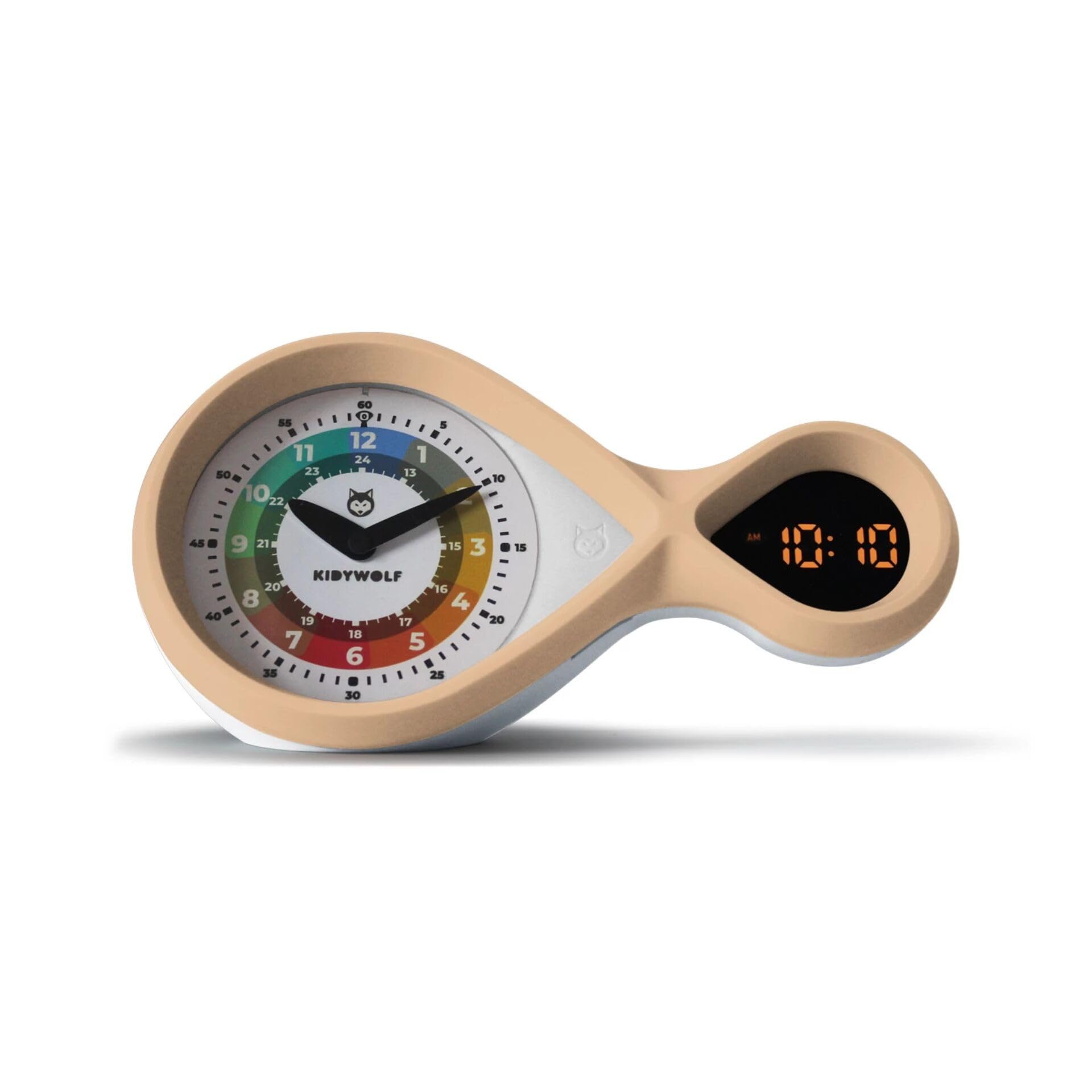
ചിത്രം: മുൻഭാഗം view of the KIDYWOLF KIDYALARM, showing both analog and digital displays.
സജ്ജമാക്കുക
1 ഉപകരണം ചാർജ് ചെയ്യുന്നു
- Connect the provided USB-C charging cable to the charging port located on the back or side of the alarm clock.
- USB-C കേബിളിന്റെ മറ്റേ അറ്റം അനുയോജ്യമായ ഒരു USB പവർ അഡാപ്റ്ററിലേക്ക് (ഉൾപ്പെടുത്തിയിട്ടില്ല) അല്ലെങ്കിൽ ഒരു കമ്പ്യൂട്ടർ USB പോർട്ടിലേക്ക് പ്ലഗ് ചെയ്യുക.
- ചാർജ് ചെയ്യുമ്പോൾ ചാർജിംഗ് ഇൻഡിക്കേറ്റർ ലൈറ്റ് പ്രകാശിക്കുകയും പൂർണ്ണമായി ചാർജ് ചെയ്യുമ്പോൾ അത് ഓഫാകുകയോ നിറം മാറുകയോ ചെയ്യും.
2. Inserting/Changing Dials
- Gently remove the current dial from the front of the clock.
- Select one of the two provided dials.
- Align the chosen dial with the clock face and carefully press it into place until it sits securely.

Image: A child's hand near the KIDYALARM, illustrating interaction with the clock face.
പ്രവർത്തന നിർദ്ദേശങ്ങൾ
1. സമയം ക്രമീകരിക്കുന്നു
The KIDYALARM features both analog and digital time displays. The digital time is typically set first, and the analog hands will synchronize or can be manually adjusted.
- Locate the control buttons on the back or bottom of the clock. These typically include "SET", "UP", and "DOWN" buttons.
- Press and hold the "SET" button until the digital time display begins to flash.
- Use the "UP" and "DOWN" buttons to adjust the hours. Press "SET" again to confirm and move to minutes.
- Adjust minutes using "UP" and "DOWN" buttons. Press "SET" to confirm.
- Some models may allow manual adjustment of analog hands via a small knob or by rotating the hands directly. Refer to the specific markings on your device.
2. അലാറങ്ങൾ സജ്ജീകരിക്കൽ (അലാറം 1 & അലാറം 2)
ക്ലോക്ക് രണ്ട് സ്വതന്ത്ര അലാറങ്ങളെ പിന്തുണയ്ക്കുന്നു.
- Press the "ALARM" button (or "SET" repeatedly until alarm setting mode is reached).
- The alarm time for Alarm 1 will flash. Use "UP" and "DOWN" to set the desired hour and then minutes. Press "ALARM" (or "SET") to confirm each step.
- After setting Alarm 1, you may be prompted to set Alarm 2. Repeat the process.
- To activate/deactivate an alarm, press the "ALARM" button briefly. An alarm icon (e.g., bell symbol) will appear on the digital display when an alarm is active.
3. സ്നൂസ് ഫംഗ്ഷൻ
When an alarm sounds, press the large button on top of the clock (or designated snooze button) to activate the snooze function. The alarm will temporarily stop and sound again after a set interval (e.g., 5-10 minutes).
4. Disabling an Alarm
To completely turn off a sounding alarm, press any button other than the snooze button, or flip the alarm switch to the OFF position if available. To deactivate an alarm for the next day, refer to step 2 for activating/deactivating alarms.
5. Backlight / Night Light
The clock features a backlight for easy reading in the dark. This may be activated automatically in low light conditions or by pressing a specific button (e.g., "LIGHT" or the snooze button briefly).

ചിത്രം: സൈഡ് പ്രോfile of the KIDYWOLF KIDYALARM, highlighting its unique design.
മെയിൻ്റനൻസ്
- വൃത്തിയാക്കൽ: മൃദുവായതും ഉണങ്ങിയതുമായ തുണി ഉപയോഗിച്ച് ക്ലോക്ക് തുടയ്ക്കുക. അബ്രസീവ് ക്ലീനറുകളോ ലായകങ്ങളോ ഉപയോഗിക്കരുത്.
- സംഭരണം: When not in use for extended periods, store the clock in a cool, dry place.
- ബാറ്ററി കെയർ: Recharge the device regularly to maintain battery health. Avoid fully discharging the battery frequently.
ട്രബിൾഷൂട്ടിംഗ്
| പ്രശ്നം | സാധ്യമായ കാരണം | പരിഹാരം |
|---|---|---|
| ക്ലോക്ക് ഓണാകുന്നില്ല. | കുറഞ്ഞ ബാറ്ററി അല്ലെങ്കിൽ പവർ ഇല്ല. | Charge the clock using the USB-C cable. Ensure the power source is active. |
| അലാറം മുഴങ്ങുന്നില്ല. | അലാറം സജീവമാക്കിയിട്ടില്ല അല്ലെങ്കിൽ തെറ്റായി സജ്ജീകരിച്ചിട്ടില്ല. | Verify alarm settings and ensure the alarm icon is displayed. Check volume settings if applicable. |
| Digital display is dim or unreadable. | Low battery or backlight setting. | Charge the device. Check if there's a brightness setting or if the backlight needs manual activation. |
| Analog hands not matching digital time. | Synchronization issue or manual adjustment needed. | Some models require manual adjustment of analog hands after setting digital time. Refer to operating instructions. |
സ്പെസിഫിക്കേഷനുകൾ
- മോഡൽ: KIDYALARM
- അളവുകൾ (L x W x H): 12 x 22 x 7 സെ.മീ
- ഭാരം: 530 ഗ്രാം
- ഡിസ്പ്ലേ തരം: അനലോഗും ഡിജിറ്റലും
- ഊർജ്ജ സ്രോതസ്സ്: Rechargeable via USB-C Cable (Electric)
- പ്രത്യേക സവിശേഷതകൾ: Temperature Display, Two Alarm Systems, Backlight, Interchangeable Dials
- മെറ്റീരിയലുകൾ: പ്ലാസ്റ്റിക്, മരം
- ചലന തരം: ക്വാർട്സ്
- ബാറ്ററികൾ ഉൾപ്പെടുന്നു: ഇല്ല (ആന്തരിക റീചാർജ് ചെയ്യാവുന്ന ബാറ്ററി)
- കണക്റ്റിവിറ്റി: USB-C

ചിത്രം: പിൻഭാഗം view of the KIDYWOLF KIDYALARM, indicating the USB-C charging port and control buttons.
വാറൻ്റിയും പിന്തുണയും
For warranty information and technical support, please contact the manufacturer:
- നിർമ്മാതാവ്: NESPART SPRL
- ഇമെയിൽ: info@nespart.com
വാറൻ്റി ക്ലെയിമുകൾക്കായി നിങ്ങളുടെ വാങ്ങിയതിൻ്റെ തെളിവ് സൂക്ഷിക്കുക.


