
1. ആമുഖം
This manual provides essential information for the proper use and maintenance of your Forever ForeVive 2 Slim SB-325 Smartwatch. Please read it carefully before operating the device to ensure optimal performance and longevity.
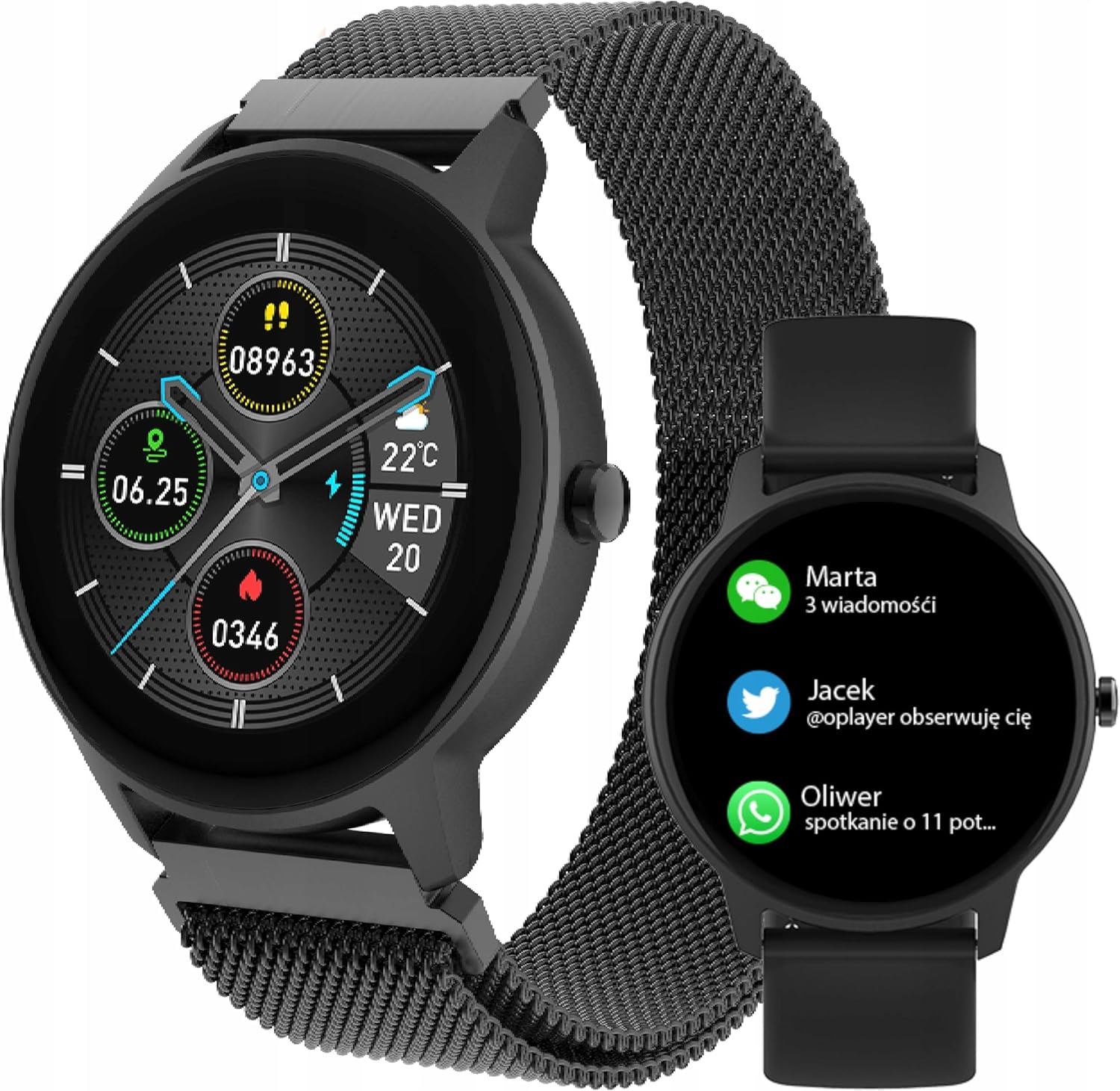
Image: The Forever ForeVive 2 Slim SB-325 Smartwatch in black with a mesh strap, displaying a digital watch face with weather, steps, and heart rate information.
2. ബോക്സിൽ എന്താണുള്ളത്?
പാക്കേജിൽ എല്ലാ ഘടകങ്ങളും ഉണ്ടെന്ന് ഉറപ്പാക്കുക:
- Forever ForeVive 2 Slim SB-325 Smartwatch
- യുഎസ്ബി ചാർജിംഗ് കേബിൾ
- Additional Strap (Silicone)
- ഉപയോക്തൃ മാനുവൽ (ഈ പ്രമാണം)
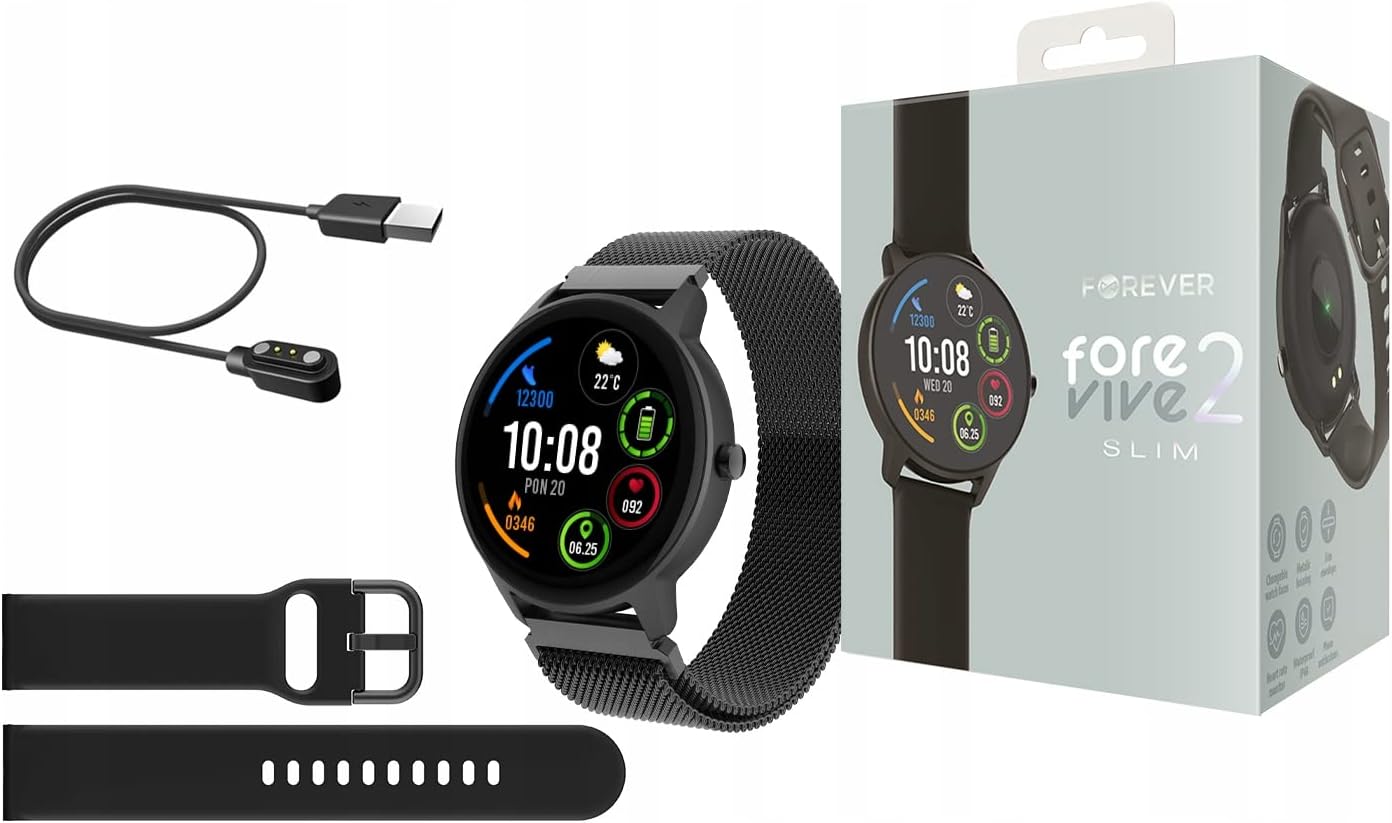
Image: Contents of the Smartwatch package, including the smartwatch with a mesh strap, a USB charging cable, an additional silicone strap, and the product box.
3. സജ്ജീകരണം
3.1 ഉപകരണം ചാർജ് ചെയ്യുന്നു
Before first use, fully charge your smartwatch. Connect the magnetic charging cable to the charging pins on the back of the watch and plug the USB end into a power adapter (not included) or a computer's USB port. The watch display will indicate charging status.
3.2. പവർ ഓൺ/ഓഫ്
- പവർ ഓണാക്കാൻ: സ്ക്രീൻ പ്രകാശിക്കുന്നത് വരെ സൈഡ് ബട്ടൺ കുറച്ച് സെക്കൻഡ് അമർത്തിപ്പിടിക്കുക.
- പവർ ഓഫ് ചെയ്യാൻ: സൈഡ് ബട്ടൺ അമർത്തിപ്പിടിക്കുക, തുടർന്ന് സ്ക്രീനിൽ 'പവർ ഓഫ്' ഓപ്ഷൻ തിരഞ്ഞെടുക്കുക.
3.3. ആപ്പ് ഇൻസ്റ്റാളേഷനും ജോടിയാക്കലും
To unlock the full potential of your smartwatch, download the dedicated application on your smartphone. ഇതിനായി തിരയുക the 'Forever Smart' app (or similar, as specified in the quick start guide) in your device's app store (Google Play Store for Android, Apple App Store for iOS).
- നിങ്ങളുടെ സ്മാർട്ട്ഫോണിൽ ആപ്പ് ഇൻസ്റ്റാൾ ചെയ്യുക.
- നിങ്ങളുടെ സ്മാർട്ട്ഫോണിൽ ബ്ലൂടൂത്ത് പ്രവർത്തനക്ഷമമാക്കുക.
- Open the app and follow the on-screen instructions to create an account and pair your smartwatch via Bluetooth.
- Ensure the smartwatch is close to your phone during the pairing process.

Image: A smartphone screen displaying the companion application interface for the smartwatch, showing activity data and sleep tracking.
4. സ്മാർട്ട് വാച്ച് പ്രവർത്തിപ്പിക്കൽ
4.1. അടിസ്ഥാന നാവിഗേഷൻ
- ടച്ച് സ്ക്രീൻ: മെനുകളിലൂടെയും സവിശേഷതകളിലൂടെയും നാവിഗേറ്റ് ചെയ്യാൻ ഇടത്തേക്ക്/വലത്തേക്ക്, മുകളിലേക്കും താഴേക്കും സ്വൈപ്പ് ചെയ്യുക. തിരഞ്ഞെടുക്കാൻ ടാപ്പ് ചെയ്യുക.
- സൈഡ് ബട്ടൺ: ഹോം സ്ക്രീനിലേക്ക് മടങ്ങാൻ അമർത്തുക അല്ലെങ്കിൽ ഉപകരണം സജീവമാക്കുക. പവർ ഓപ്ഷനുകൾക്കായി ദീർഘനേരം അമർത്തുക.
4.2. അറിയിപ്പുകൾ
Once paired with your smartphone, the smartwatch can display notifications from calls, messages, and various applications. Ensure notification permissions are granted in the companion app.

Image: The smartwatch screen showing incoming notifications from messaging apps and social media.
4.3. ഹൃദയമിടിപ്പ് നിരീക്ഷിക്കൽ
The smartwatch features a built-in heart rate monitor. To measure your heart rate, navigate to the heart rate function on the watch. Ensure the watch is snug on your wrist for accurate readings.

Image: The smartwatch display showing a heart rate reading of 125 beats per minute (BPM) and calories burned.
4.4. പ്രവർത്തന ട്രാക്കിംഗ്
The ForeVive 2 Slim tracks your daily activity, including steps taken, distance covered, and calories burned. This data can be viewed on the watch and synchronized with the companion app for detailed analysis.
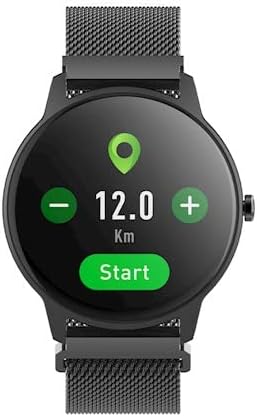
Image: The smartwatch display showing activity metrics such as distance in kilometers, steps, and calories burned.
4.5. Sport Modes
Select from various sport modes to track specific workouts more accurately. The watch can monitor data relevant to activities like running, cycling, football, basketball, and volleyball.

Image: The smartwatch display showing icons for various sport modes, including football, basketball, and volleyball.
4.6. ഉറക്ക നിരീക്ഷണം
Wear the smartwatch to bed to automatically track your sleep patterns. The companion app provides detailed insights into your sleep quality, including deep sleep, light sleep, and awake times.
4.7. ജല പ്രതിരോധം
The smartwatch is designed with a degree of water resistance, making it suitable for daily use and exposure to splashes. However, it is not recommended for swimming or diving. Refer to the specifications for the exact IP rating.

Image: Two smartwatches, one black and one pink, partially submerged in water with splashes, demonstrating water resistance.
5. പരിപാലനം
5.1. വൃത്തിയാക്കൽ
Regularly clean your smartwatch and strap. Use a soft, damp cloth to wipe the screen and body. For the strap, follow the manufacturer's recommendations based on the material. Avoid using harsh chemicals or abrasive materials.
5.2. ബാറ്ററി പരിചരണം
- ബാറ്ററി ഇടയ്ക്കിടെ പൂർണ്ണമായും ഡിസ്ചാർജ് ചെയ്യുന്നത് ഒഴിവാക്കുക.
- ഉപകരണത്തെ അങ്ങേയറ്റത്തെ താപനിലയിൽ തുറന്നുകാട്ടരുത്.
- നൽകിയിരിക്കുന്ന ചാർജിംഗ് കേബിൾ മാത്രം ഉപയോഗിക്കുക.
5.3. സംഭരണം
When not in use for extended periods, store the smartwatch in a cool, dry place. Charge it periodically to prevent deep discharge.
6. പ്രശ്നപരിഹാരം
6.1. ഉപകരണം ഓണാക്കുന്നില്ല
- ഉപകരണം പൂർണ്ണമായി ചാർജ്ജ് ചെയ്തിട്ടുണ്ടെന്ന് ഉറപ്പാക്കുക.
- Try pressing and holding the side button for a longer duration (10-15 seconds).
6.2. സ്മാർട്ട്ഫോണുമായി ജോടിയാക്കാൻ കഴിയില്ല.
- നിങ്ങളുടെ സ്മാർട്ട്ഫോണിൽ ബ്ലൂടൂത്ത് പ്രവർത്തനക്ഷമമാക്കിയിട്ടുണ്ടെന്ന് ഉറപ്പാക്കുക.
- സ്മാർട്ട് വാച്ച് ബ്ലൂടൂത്ത് പരിധിക്കുള്ളിലാണെന്ന് ഉറപ്പാക്കുക (സാധാരണയായി 10 മീറ്റർ).
- സ്മാർട്ട് വാച്ചും നിങ്ങളുടെ സ്മാർട്ട്ഫോണും പുനരാരംഭിക്കുക.
- Clear the Bluetooth cache on your phone (Android) or forget the device and try pairing again.
6.3. കൃത്യമല്ലാത്ത വായനകൾ
- വാച്ച് നിങ്ങളുടെ കൈത്തണ്ടയിൽ നന്നായി ധരിക്കുന്നുണ്ടെന്ന് ഉറപ്പാക്കുക, അധികം അയഞ്ഞതോ അധികം ഇറുകിയതോ അല്ല.
- വാച്ചിന്റെ പിൻഭാഗത്തുള്ള സെൻസറുകൾ വൃത്തിയാക്കുക.
- Avoid excessive movement during measurements (e.g., heart rate).
6.4. സ്ക്രീൻ പ്രതികരിക്കുന്നില്ല
- ഉപകരണം പുനരാരംഭിക്കുക.
- സ്ക്രീൻ വൃത്തിയുള്ളതും വരണ്ടതുമാണെന്ന് ഉറപ്പാക്കുക.
7 സ്പെസിഫിക്കേഷനുകൾ
| ഫീച്ചർ | വിശദാംശങ്ങൾ |
|---|---|
| ബ്രാൻഡ് | എന്നേക്കും |
| മോഡൽ | എസ്ബി-325 |
| നിറം | നീഗ്രോ (കറുപ്പ്) |
| ആകൃതി | വൃത്താകൃതി |
| ഓപ്പറേറ്റിംഗ് സിസ്റ്റം | ആസ്റ്ററോയിഡ് ഒഎസ് |
| മെമ്മറി സ്റ്റോറേജ് കപ്പാസിറ്റി | 25 MB |
| പ്രത്യേക ഫീച്ചർ | ഹൃദയമിടിപ്പ് മോണിറ്റർ |
| ബാറ്ററി ശേഷി | 180 mAh (ലിഥിയം അയോൺ) |
| കണക്റ്റിവിറ്റി ടെക്നോളജി | USB, ബ്ലൂടൂത്ത് |
| ജിപിഎസ് | GPS ഇല്ല |
| അടച്ചുപൂട്ടൽ | ബക്കിൾ ക്ലാപ്പ് |
8. വാറൻ്റിയും പിന്തുണയും
8.1. വാറൻ്റി വിവരങ്ങൾ
Your Forever ForeVive 2 Slim SB-325 Smartwatch is covered by a manufacturer's warranty. Please refer to the warranty card included in your product packaging or visit the official FOREVER webവാറന്റി കവറേജും കാലാവധിയും സംബന്ധിച്ച വിശദമായ നിബന്ധനകൾക്കും വ്യവസ്ഥകൾക്കും സൈറ്റ് സന്ദർശിക്കുക.
8.2. ഉപഭോക്തൃ പിന്തുണ
For technical assistance, troubleshooting not covered in this manual, or service inquiries, please contact FOREVER customer support. Contact details can typically be found on the official FOREVER webസൈറ്റ് അല്ലെങ്കിൽ ഉൽപ്പന്ന പാക്കേജിംഗിൽ.