
1. ഉൽപ്പന്നം കഴിഞ്ഞുview
The TechniSat DIGITRADIO 50 SE is a compact alarm clock radio designed for versatile audio reception and convenient alarm functions. It supports both DAB+ digital radio and FM analog radio, allowing access to a wide range of stations. Key features include a dimmable LCD display, dual programmable alarms, snooze, and sleep timer functions. Additionally, it offers a USB port for charging external devices and a headphone jack for private listening.

ചിത്രം 1.1: മുൻഭാഗം view of the TechniSat DIGITRADIO 50 SE.
2. പാക്കേജ് ഉള്ളടക്കം
പാക്കേജിൽ എല്ലാ ഇനങ്ങളും ഉണ്ടോ എന്ന് ദയവായി പരിശോധിക്കുക:
- TechniSat DIGITRADIO 50 SE unit
- വയർ ആൻ്റിന
- Power adapter (cable length 1.80 m)
- User manual (English version)
3. സജ്ജീകരണം
3.1 ബന്ധിപ്പിക്കുന്ന പവർ
- പവർ അഡാപ്റ്റർ കണക്റ്റുചെയ്യുക DC 5.5V/2.0A ൽ റേഡിയോയുടെ പിൻഭാഗത്തുള്ള പോർട്ട്.
- ഒരു സാധാരണ മതിൽ ഔട്ട്ലെറ്റിലേക്ക് പവർ അഡാപ്റ്റർ പ്ലഗ് ചെയ്യുക.
3.2 ആന്റിന കണക്ഷൻ
Extend the wire antenna for optimal DAB+ and FM radio reception. Position the antenna away from other electronic devices to minimize interference.
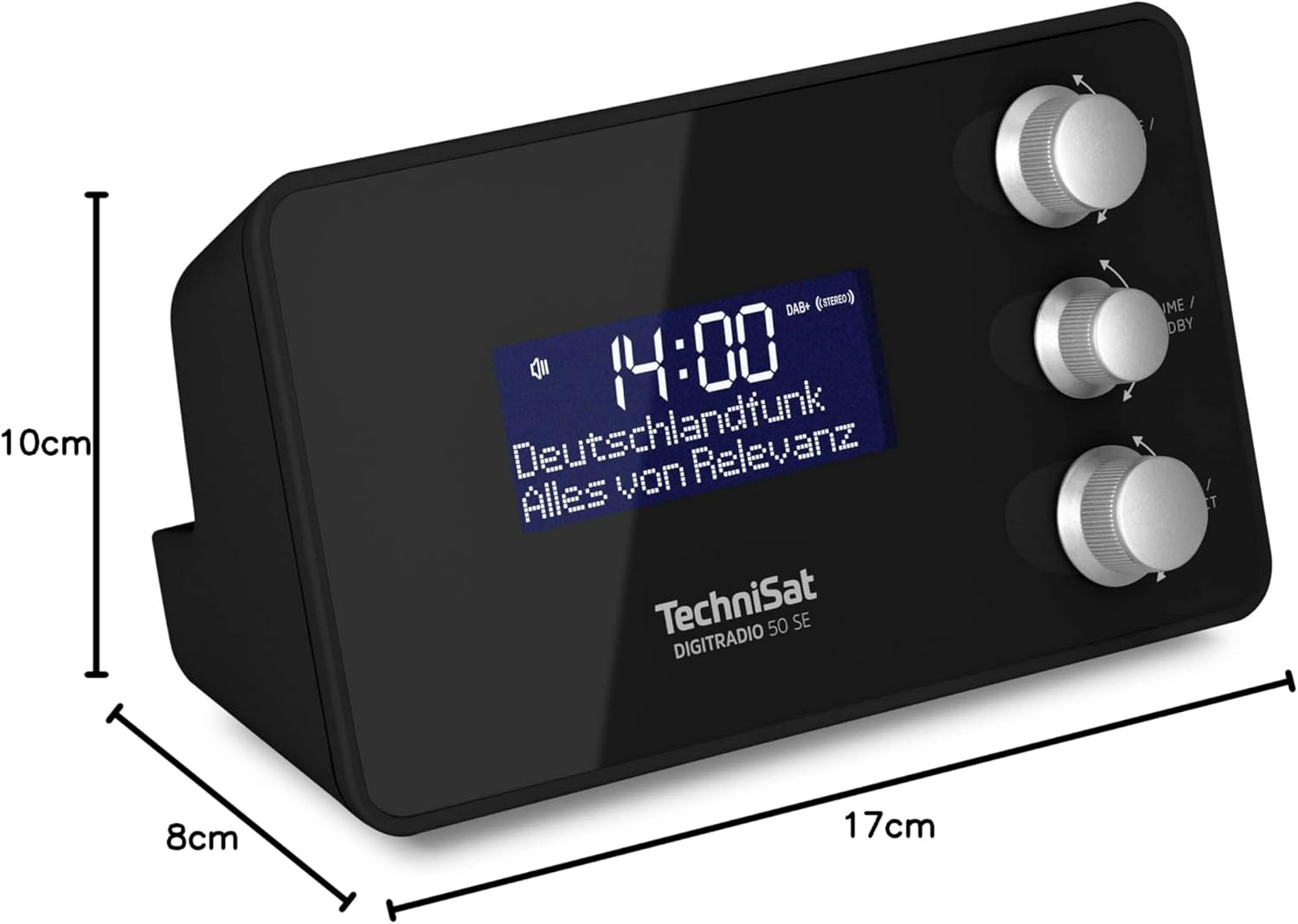
Image 3.1: Rear panel connections including DC IN, Headphone Jack, and USB OUT.
3.3 പ്രാരംഭ പവർ ഓണും ഭാഷാ തിരഞ്ഞെടുപ്പും
- അമർത്തുക MODE / MENU റേഡിയോ ഓണാക്കാനുള്ള ബട്ടൺ.
- Upon first use, the device may prompt you to select a language. Use the ട്യൂൺ / തിരഞ്ഞെടുക്കുക knob to navigate and press to confirm your choice. Available OSD languages include English, German, French, Italian, Danish, and Slovenian.
- The radio will automatically scan for DAB+ stations and set the time.
4. പ്രവർത്തന നിർദ്ദേശങ്ങൾ
4.1 പവർ ഓൺ/ഓഫ്, സ്റ്റാൻഡ്ബൈ
- റേഡിയോ ഓണാക്കാൻ, അമർത്തുക MODE / MENU ബട്ടൺ.
- To put the radio into standby mode, press the VOLUME / STANDBY ബട്ടൺ.
4.2 Radio Tuning (DAB+/FM)
The DIGITRADIO 50 SE supports both DAB+ and FM radio reception.
- അമർത്തുക MODE / MENU button repeatedly to switch between DAB+ and FM modes.
- In DAB+ mode, the radio will automatically scan for available stations. Use the ട്യൂൺ / തിരഞ്ഞെടുക്കുക knob to browse the station list and press to select.
- FM മോഡിൽ, ഉപയോഗിക്കുക ട്യൂൺ / തിരഞ്ഞെടുക്കുക knob to manually tune to a frequency or press and hold to auto-scan for the next available station.

Image 4.1: Display showing DAB+ radio reception.
4.3 Storing and Recalling Favorite Stations
You can store up to 20 favorite stations (10 for DAB+ and 10 for FM) for quick access.
- ആവശ്യമുള്ള സ്റ്റേഷനിലേക്ക് ട്യൂൺ ചെയ്യുക.
- അമർത്തിപ്പിടിക്കുക ട്യൂൺ / തിരഞ്ഞെടുക്കുക knob until "Preset Store" appears on the display.
- തിരിക്കുക ട്യൂൺ / തിരഞ്ഞെടുക്കുക knob to choose a preset number (1-10) and press to confirm.
- To recall a favorite station, briefly press the ട്യൂൺ / തിരഞ്ഞെടുക്കുക knob, then rotate to select the desired preset and press to confirm.

Image 4.2: Storing a favorite radio station.
4.4 അലാറങ്ങൾ സജ്ജീകരിക്കൽ
The radio features two independent programmable alarms.
- സ്റ്റാൻഡ്ബൈ മോഡിൽ, അമർത്തിപ്പിടിക്കുക MODE / MENU മെനുവിൽ പ്രവേശിക്കാനുള്ള ബട്ടൺ.
- Navigate to "Alarm" using the ട്യൂൺ / തിരഞ്ഞെടുക്കുക knob and press to select.
- Choose "Alarm 1" or "Alarm 2".
- Set the alarm time, alarm source (Buzzer, DAB+, or FM), alarm rhythm (Once, Daily, Weekdays, Weekends), and alarm volume.
- അലാറം സജീവമാക്കുന്നതിന് ക്രമീകരണങ്ങൾ സ്ഥിരീകരിക്കുക.

ചിത്രം 4.3: കഴിഞ്ഞുview of alarm and comfort functions.
4.5 Snooze and Sleep Timer
- സ്നൂസ്: When an alarm sounds, press the large button on top of the unit to activate snooze. The alarm will pause for a set period (e.g., 9 minutes) and then sound again.
- സ്ലീപ്പ് ടൈമർ: ഒരു സ്ലീപ്പ് ടൈമർ സജ്ജീകരിക്കാൻ, അമർത്തുക MODE / MENU button to enter the menu, navigate to "Sleep", and select the desired duration (e.g., 15, 30, 60 minutes). The radio will play for the set time and then automatically switch to standby.
4.6 ഡിസ്പ്ലേ ബ്രൈറ്റ്നസ് അഡ്ജസ്റ്റ്മെന്റ്
The LCD display brightness can be adjusted to suit your preference, especially for bedroom use.
- In operating mode or standby, briefly press the large button on top of the unit to cycle through brightness levels (High, Medium, Low, Off).
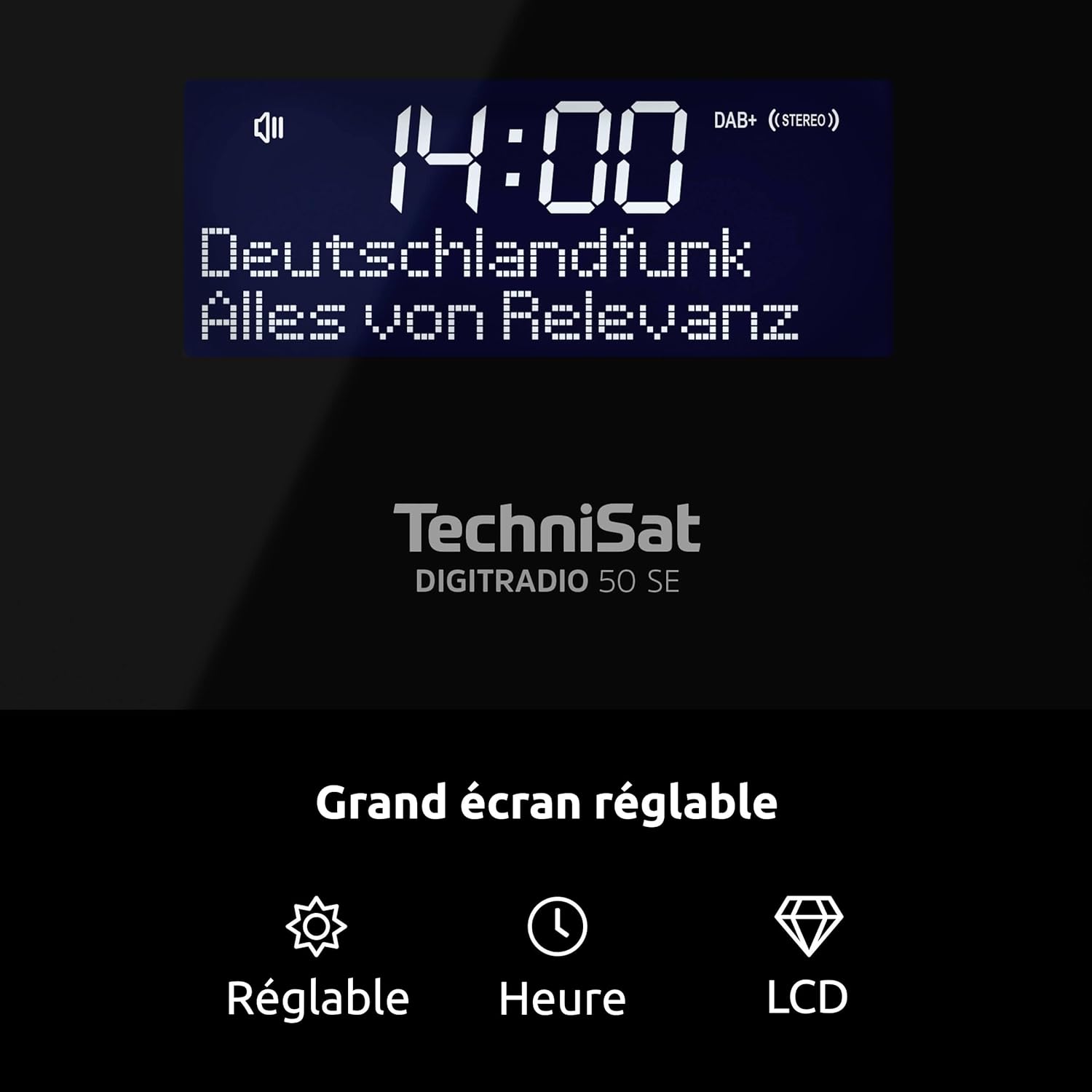
Image 4.4: Dimmable LCD display with time and date.
4.7 യുഎസ്ബി ചാർജിംഗ് പ്രവർത്തനം
The DIGITRADIO 50 SE features a USB charging port (DC OUT 5V/1A) on the rear panel.
- Connect your smartphone or other compatible USB-powered device to the DC OUT 5V/1A port using a suitable USB cable.
- The device will begin charging. Note that charging speed may vary depending on the connected device.
4.8 ഹെഡ്ഫോൺ ഉപയോഗം
For private listening, connect standard 3.5mm stereo headphones to the headphone jack on the rear of the unit. The internal speaker will be muted automatically.
5. പരിപാലനം
- വൃത്തിയാക്കൽ: Use a soft, dry cloth to clean the exterior of the radio. Do not use abrasive cleaners, waxes, or solvents as they may damage the finish.
- പ്ലേസ്മെൻ്റ്: Place the radio on a stable, flat surface. Avoid placing it in direct sunlight, near heat sources, or in areas with high humidity or dust.
- ആൻ്റിന: Handle the wire antenna carefully to avoid damage.
6. പ്രശ്നപരിഹാരം
| പ്രശ്നം | സാധ്യമായ കാരണം | പരിഹാരം |
|---|---|---|
| ഒരു പവറും / യൂണിറ്റും ഓണാകുന്നില്ല. | പവർ അഡാപ്റ്റർ ബന്ധിപ്പിച്ചിട്ടില്ല അല്ലെങ്കിൽ തകരാറുണ്ട്. | പവർ അഡാപ്റ്റർ റേഡിയോയിലേക്കും പ്രവർത്തിക്കുന്ന ഒരു പവർ ഔട്ട്ലെറ്റിലേക്കും സുരക്ഷിതമായി ബന്ധിപ്പിച്ചിട്ടുണ്ടെന്ന് ഉറപ്പാക്കുക. മറ്റൊരു ഔട്ട്ലെറ്റ് പരീക്ഷിക്കുക. |
| മോശം റേഡിയോ റിസപ്ഷൻ (DAB+/FM). | Antenna not extended or poorly positioned. Interference from other electronics. Weak signal in the area. | Fully extend and adjust the wire antenna. Move the radio away from other electronic devices. Try repositioning the radio. |
| അലാറം മുഴങ്ങുന്നില്ല. | Alarm not activated or incorrectly set. Alarm volume too low. | Check alarm settings (time, source, rhythm, volume). Ensure the alarm is enabled. |
| ഡിസ്പ്ലേ വളരെ തെളിച്ചമുള്ളതാണ്/മങ്ങിയതാണ്. | തെളിച്ച ക്രമീകരണം ക്രമീകരിക്കേണ്ടതുണ്ട്. | Briefly press the large button on top of the unit to cycle through brightness levels. |
| യുഎസ്ബി ചാർജിംഗ് പ്രവർത്തിക്കുന്നില്ല. | USB cable faulty. Device not compatible or requires more power. | മറ്റൊരു USB കേബിൾ പരീക്ഷിക്കുക. നിങ്ങളുടെ ഉപകരണം 5V/1A ചാർജിംഗുമായി പൊരുത്തപ്പെടുന്നുണ്ടെന്ന് ഉറപ്പാക്കുക. |
7 സ്പെസിഫിക്കേഷനുകൾ
- ബ്രാൻഡ്: ടെക്നിസാറ്റ്
- മോഡൽ നമ്പർ: 0000/3979
- നിറം: കറുപ്പ്
- കണക്റ്റിവിറ്റി ടെക്നോളജി: USB (ചാർജ്ജുചെയ്യുന്നതിന്)
- പ്രത്യേക സവിശേഷതകൾ: 2 Alarms, USB Charging, Dimmable Display
- അനുയോജ്യമായ ഉപകരണങ്ങൾ: Headphones, USB-chargeable devices
- ഉൽപ്പന്ന അളവുകൾ (L x W x H): 17 സെ.മീ x 8 സെ.മീ x 9.5 സെ.മീ
- ട്യൂണിംഗ് സാങ്കേതികവിദ്യ: DAB+/FM
- ഊർജ്ജ സ്രോതസ്സ്: Corded Electric (External Power Supply DC 5.5V/2.0A)
- പിന്തുണയ്ക്കുന്ന റേഡിയോ ബാൻഡുകൾ: DAB+, FM
- ഉൾപ്പെടുത്തിയ ഘടകങ്ങൾ: DIGITRADIO 50 SE unit, Power adapter, User manual, Wire antenna
- OSD ഭാഷകൾ: English, German, French, Italian, Danish, Slovenian
- നിർമ്മാതാവ്: ടെക്നിസാറ്റ്
- മാതൃരാജ്യം: ചൈന
8. വാറൻ്റിയും പിന്തുണയും
The TechniSat DIGITRADIO 50 SE comes with a manufacturer's warranty of 2 years.
For technical support, warranty claims, or further assistance, please contact TechniSat customer service. Refer to the official TechniSat website or the contact information provided in your product packaging for details.
Note: The availability of spare parts is indicated as 1 year. Software updates are not guaranteed beyond the initial purchase.