
ഉൽപ്പന്നം കഴിഞ്ഞുview
The JXBS-3001-TR-I20 is a high-precision sensor designed to measure both soil temperature and humidity. It features a robust design suitable for various environmental monitoring applications, including agriculture, horticulture, and scientific research. This sensor provides reliable data for optimizing plant growth and managing soil conditions.
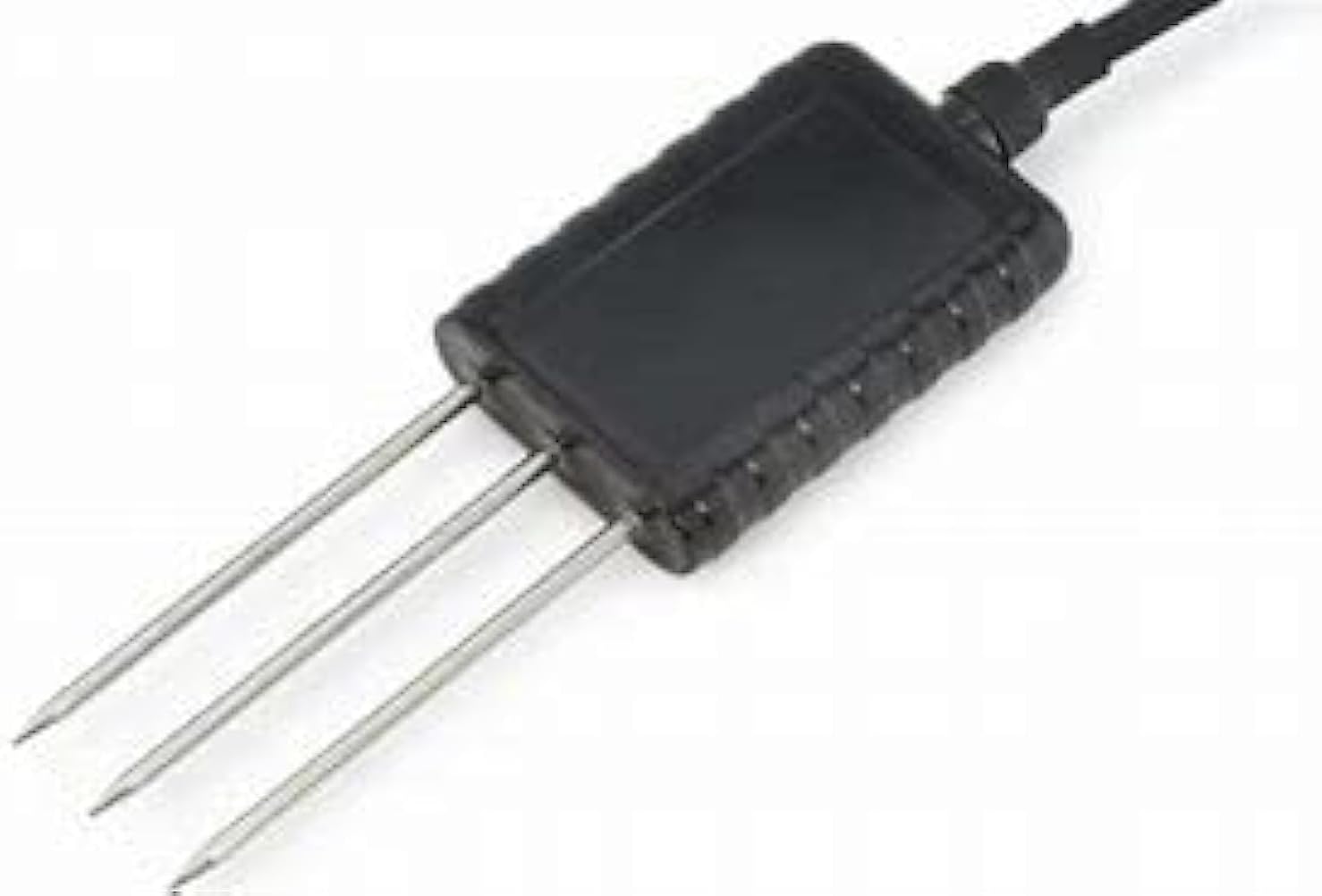
Image: The JXBS-3001-TR-I20 sensor, showing its black rectangular body and three metal probes extending from one end, with a cable connected at the other end. This design allows for direct insertion into soil for accurate measurements.
പ്രധാന സവിശേഷതകൾ
- Dual Measurement: Simultaneously measures soil temperature and humidity.
- വിശാലമായ പ്രവർത്തന ശ്രേണി: Temperature range from -11°C to 135°C, humidity range from 0-100%.
- അനലോഗ് put ട്ട്പുട്ട്: Provides a 4-20 mA analog output signal for easy integration with control systems.
- ബ്ലൂടൂത്ത് കണക്റ്റിവിറ്റി: Enables wireless data transmission and configuration.
- നീണ്ടുനിൽക്കുന്ന നിർമ്മാണം: Designed for long-term use in various soil conditions.
സ്പെസിഫിക്കേഷനുകൾ
| പരാമീറ്റർ | മൂല്യം |
|---|---|
| മോഡൽ | JXBS-3001-TR-I20 |
| വൈദ്യുതി വിതരണം | 12-24 വി ഡിസി |
| ഔട്ട്പുട്ട് സിഗ്നൽ | അനലോഗ് 4-20 mA |
| താപനില പരിധി | -11°C മുതൽ 135°C വരെ |
| താപനില കൃത്യത | ±11°C |
| ഈർപ്പം പരിധി | 0-100% RH |
| ആപേക്ഷിക ആർദ്രത കൃത്യത | ±3% (0-53% RH); ±5% (53-100% RH) |
| കണക്റ്റിവിറ്റി | ബ്ലൂടൂത്ത് (വയർലെസ്) |
| നിറം | കറുപ്പ് |
സജ്ജീകരണവും ഇൻസ്റ്റാളേഷനും
- അൺപാക്ക് ചെയ്യുന്നു: Carefully remove the sensor from its packaging. Inspect for any visible damage.
- പവർ കണക്ഷൻ: Connect the sensor to a 12-24V DC power source. Ensure correct polarity to prevent damage. The sensor uses a 4-20 mA output, so connect the output wires to your data acquisition system or controller accordingly. Refer to the wiring diagram provided with your specific system for detailed connections.
- പ്ലേസ്മെൻ്റ്:
- Select a representative location in the soil where measurements are needed.
- Avoid areas with standing water or extreme compaction.
- For best results, insert the probes vertically into the soil, ensuring the entire probe length is submerged.
- ഉൾപ്പെടുത്തൽ: Gently push the three metal probes into the soil. Do not force the sensor, as this may bend or damage the probes. If the soil is too hard, pre-drill a small pilot hole.
- സുരക്ഷിതമാക്കുന്നു: Ensure the sensor body is stable and the cable is routed safely to prevent accidental dislodgement or damage.
- ബ്ലൂടൂത്ത് ജോടിയാക്കൽ (ബാധകമെങ്കിൽ): If using the Bluetooth feature, refer to your Bluetooth receiver's manual for pairing instructions. The sensor should appear as "JXBS-3001-TR-I20" or similar in your device's Bluetooth scan.
പ്രവർത്തന നിർദ്ദേശങ്ങൾ
Once installed and powered, the JXBS-3001-TR-I20 sensor will continuously measure soil temperature and humidity. The data is transmitted via its 4-20 mA analog output. For systems utilizing the Bluetooth feature, data can be accessed wirelessly.
- ഡാറ്റ റീഡിംഗ്: Connect the 4-20 mA output to a compatible data logger, PLC, or microcontroller. The current output corresponds to the measured temperature and humidity values according to the sensor's calibration.
- Interpretation of Analog Output:
- The 4 mA signal typically represents the minimum value of the measurement range (e.g., -11°C or 0% RH).
- The 20 mA signal typically represents the maximum value of the measurement range (e.g., 135°C or 100% RH).
- Linear interpolation can be used to convert the current signal to the actual temperature or humidity value.
- Bluetooth Data Access: If your system supports Bluetooth, use the manufacturer's recommended application or software to connect to the sensor and view real-time data. This may also allow for configuration adjustments.
മെയിൻ്റനൻസ്
Regular maintenance ensures the longevity and accuracy of your JXBS-3001-TR-I20 sensor.
- ക്ലീനിംഗ് പ്രോബ്സ്: Periodically clean the metal probes to remove any accumulated soil, debris, or mineral deposits. Use a soft cloth and clean water. Avoid abrasive materials or harsh chemicals that could damage the probe surface.
- കേബിൾ പരിശോധന: Regularly inspect the sensor cable for any signs of wear, cuts, or damage. Ensure connections remain secure.
- പരിസ്ഥിതി സംരക്ഷണം: While durable, protect the sensor's main body and cable connections from extreme physical impact or prolonged exposure to corrosive substances.
- റീകാലിബ്രേഷൻ: If you suspect inaccurate readings, consider recalibrating the sensor according to the manufacturer's guidelines or consulting a professional.
ട്രബിൾഷൂട്ടിംഗ്
| പ്രശ്നം | സാധ്യമായ കാരണം | പരിഹാരം |
|---|---|---|
| No readings or erratic data |
|
|
| കൃത്യമല്ലാത്ത വായനകൾ |
|
|
| ബ്ലൂടൂത്ത് കണക്ഷൻ പ്രശ്നങ്ങൾ |
|
|
വാറൻ്റിയും പിന്തുണയും
മെറ്റീരിയലുകളിലെയും വർക്ക്മാൻഷിപ്പിലെയും പിഴവുകൾക്കെതിരെ നിർമ്മാതാവിന്റെ ഒരു സ്റ്റാൻഡേർഡ് വാറണ്ടി ഈ ഉൽപ്പന്നത്തിന് ബാധകമാണ്. നിർദ്ദിഷ്ട വാറന്റി നിബന്ധനകൾക്കും വ്യവസ്ഥകൾക്കും, വാങ്ങുന്ന സമയത്ത് നൽകിയിരിക്കുന്ന ഡോക്യുമെന്റേഷൻ പരിശോധിക്കുകയോ നിങ്ങളുടെ റീട്ടെയിലറെ ബന്ധപ്പെടുകയോ ചെയ്യുക.
For technical support, troubleshooting assistance, or inquiries regarding replacement parts, please contact the vendor or manufacturer through their official support channels. Always provide your product model number (JXBS-3001-TR-I20) and a detailed description of the issue when seeking support.