
SUMUP Solo
SumUp Solo + Printer Bundle Instruction Manual
Credit Card Payment Reader with Integrated Printer
1. ആമുഖം
The SumUp Solo + Printer Bundle is a comprehensive solution for accepting credit card payments and issuing receipts. This device features a full touch-screen interface, free SIM card with mobile data, and a portable printer that also functions as a charging dock. This manual provides essential information for setup, operation, maintenance, and troubleshooting to ensure optimal performance of your device.

Image 1.1: SumUp Solo card reader with integrated printer.
2. പാക്കേജ് ഉള്ളടക്കം
Verify that all items are present in your SumUp Solo + Printer Bundle package:
- SumUp Solo Card Reader
- SumUp Printer
- USB-C ചാർജിംഗ് കേബിൾ
- Thermal Receipt Paper Rolls (typically 3 rolls)
- ദ്രുത ആരംഭ ഗൈഡ് (ഈ മാനുവലിൽ ഉൾപ്പെടുത്തിയിട്ടില്ല)

Image 2.1: Unboxed SumUp Solo + Printer Bundle components.
3. ആരംഭിക്കൽ (സജ്ജീകരണം)
Follow these steps to set up your SumUp Solo + Printer Bundle and begin accepting payments:
- Download the SumUp App: Download the free SumUp mobile application from the App Store (iOS) or Google Play Store (Android) on your smartphone or tablet.
- നിങ്ങളുടെ അക്കൗണ്ട് സൃഷ്ടിക്കുക: Open the SumUp app and follow the on-screen instructions to create your SumUp account. This process includes providing business details and undergoing an approval process.
- Register Your Card Reader: Once your account is approved, register your SumUp Solo card reader within the app.
- വൈഫൈയിലേക്ക് കണക്റ്റുചെയ്യുക: On your SumUp Solo device, navigate to the settings and connect to a stable Wi-Fi network. The device also includes a free, unlimited data service via an integrated SIM card for connectivity when Wi-Fi is unavailable.
- പ്രിന്ററുമായി ജോടിയാക്കുക: Ensure your Solo reader is correctly docked in the printer. The devices are designed to work together seamlessly.
- Start Accepting Payments: Your device is now ready to process transactions.

Image 3.1: Initial setup steps displayed on the SumUp Solo screen.

Image 3.2: Inserting a card for payment, illustrating the ease of use.
4. നിങ്ങളുടെ ഉപകരണം പ്രവർത്തിപ്പിക്കുന്നു
4.1 Accepting Payments
The SumUp Solo + Printer Bundle supports various payment methods:
- ചിപ്പ് കാർഡ് പേയ്മെന്റുകൾ: Insert the customer's chip card into the slot at the bottom of the Solo reader.
- Contactless Payments (NFC): Tap the customer's contactless card or mobile device (e.g., Apple Pay, Google Pay) near the top of the Solo reader where the NFC symbol is located.

Image 4.1: Processing a contactless payment with the SumUp Solo.
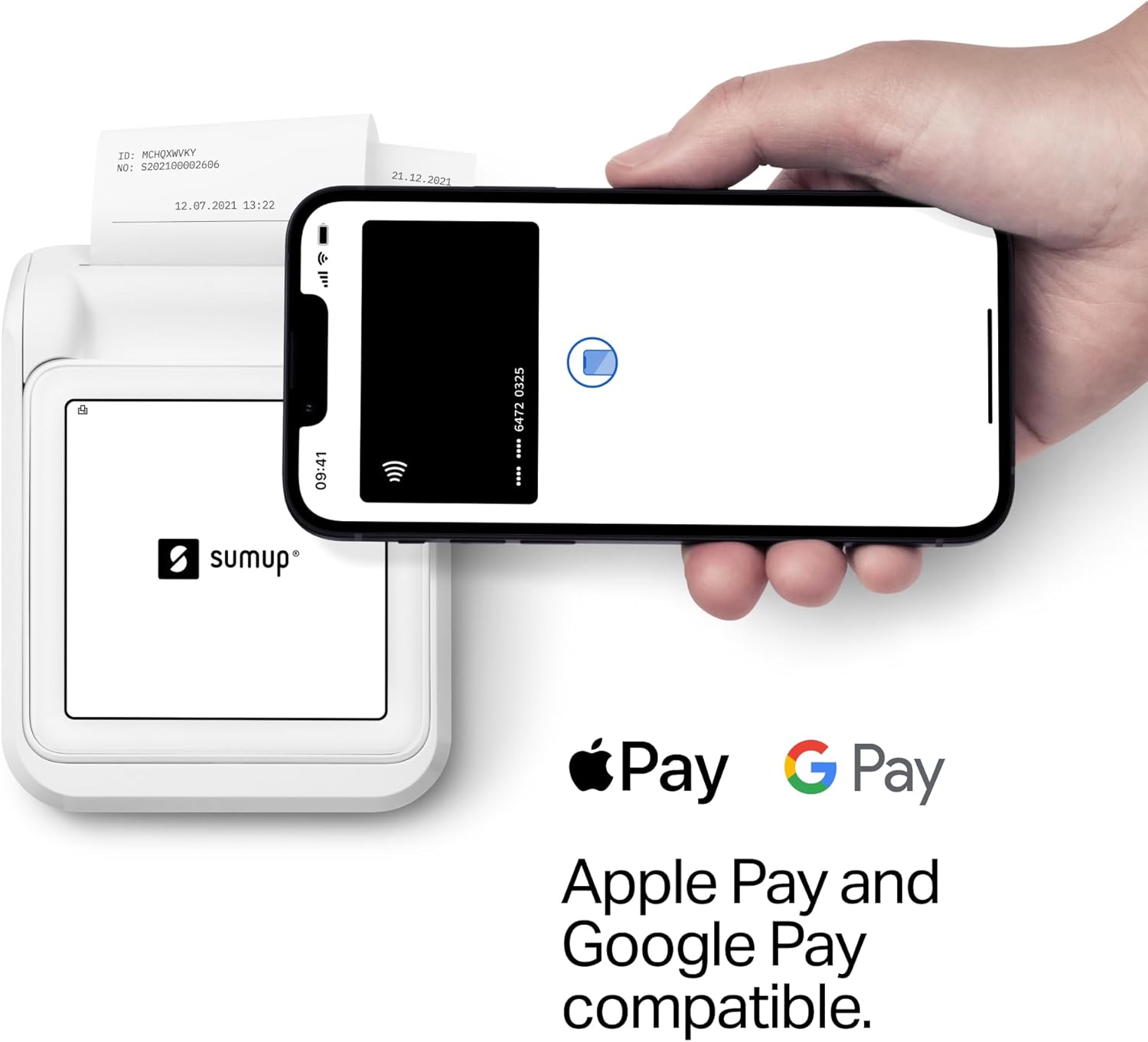
Image 4.2: SumUp Solo compatibility with Apple Pay and Google Pay.
4.2 രസീതുകൾ അച്ചടിക്കൽ
The integrated printer allows for instant receipt generation. The printer uses thermal inkless technology and can print up to 800 receipts on a single charge.
- After a successful transaction, the device will prompt you to print a receipt. Confirm to print.
- To load new receipt paper, open the printer cover, insert the new roll, and close the cover, ensuring a small portion of paper extends from the slot.

Image 4.3: Issuing a physical receipt to a customer.
4.3 Transaction Management
The SumUp Solo device and accompanying app provide tools for managing your transactions:
- View ഇടപാട് ചരിത്രം: Access past transactions directly on the device or through the SumUp app.
- Issue Refunds: Process refunds for transactions directly from the device interface.
- Enable Smart Tipping: Configure tipping options for your customers.

Image 4.4: SumUp Solo's intuitive touchscreen interface for managing functions.
5. ചാർജിംഗും ബാറ്ററി ലൈഫും
The SumUp Solo + Printer Bundle is designed for extended use:
- The printer unit doubles as a power bank for the Solo card reader, providing additional battery life.
- When docked in the printer, both devices charge simultaneously using the provided USB-C cable.
- The Solo reader alone can process up to 50 transactions on a single charge when undocked.

Image 5.1: The Solo printer serving as a charging station.

Image 5.2: SumUp Solo in its charging dock.
6. പരിപാലനം
To ensure the longevity and optimal performance of your SumUp Solo + Printer Bundle, follow these maintenance guidelines:
- വൃത്തിയാക്കൽ: Use a soft, dry, lint-free cloth to clean the exterior of the device. Do not use abrasive cleaners, solvents, or spray directly onto the device.
- സംഭരണം: നേരിട്ടുള്ള സൂര്യപ്രകാശത്തിൽ നിന്നും കടുത്ത താപനിലയിൽ നിന്നും മാറി തണുത്തതും വരണ്ടതുമായ സ്ഥലത്ത് ഉപകരണം സൂക്ഷിക്കുക.
- Receipt Paper: Use only approved thermal receipt paper rolls. Ensure the paper is loaded correctly to prevent jams.
- സോഫ്റ്റ്വെയർ അപ്ഡേറ്റുകൾ: The device receives automatic software updates when connected to Wi-Fi or mobile data. Ensure your device is regularly connected to receive these updates for improved functionality and security.
7. പ്രശ്നപരിഹാരം
If you encounter issues with your SumUp Solo + Printer Bundle, consider the following common solutions:
- ഉപകരണം ഓണാക്കുന്നില്ല: ഉപകരണം പൂർണ്ണമായും ചാർജ് ചെയ്തിട്ടുണ്ടെന്ന് ഉറപ്പാക്കുക. ചാർജിംഗ് കേബിളുമായി ബന്ധിപ്പിച്ച് വീണ്ടും പവർ ചെയ്യാൻ ശ്രമിക്കുന്നതിന് മുമ്പ് കുറഞ്ഞത് 30 മിനിറ്റെങ്കിലും ചാർജ് ചെയ്യാൻ അനുവദിക്കുക.
- പേയ്മെന്റ് പ്രോസസ്സ് ചെയ്യുന്നില്ല:
- Check your internet connection (Wi-Fi or mobile data). A stable connection is required for transactions.
- കാർഡ് ശരിയായി ചേർത്തിട്ടുണ്ടെന്നോ ടാപ്പ് ചെയ്തിട്ടുണ്ടെന്നോ ഉറപ്പാക്കുക.
- Verify that your SumUp account is active and approved.
- പ്രിന്റർ പ്രിന്റ് ചെയ്യുന്നില്ല:
- Check if the receipt paper is loaded correctly and if there is enough paper.
- Ensure the Solo reader is securely docked in the printer.
- Verify the printer has sufficient battery charge.
- കണക്റ്റിവിറ്റി പ്രശ്നങ്ങൾ: If using Wi-Fi, try reconnecting to the network or restarting your router. If using mobile data, ensure you are in an area with network coverage.
- Account Approval Delays: If your account approval is taking longer than expected, contact SumUp customer support for assistance.
8. ഉൽപ്പന്ന സവിശേഷതകൾ
| ഫീച്ചർ | സ്പെസിഫിക്കേഷൻ |
|---|---|
| മോഡലിൻ്റെ പേര് | സോളോ |
| ബ്രാൻഡ് | SUMUP |
| കണക്റ്റിവിറ്റി ടെക്നോളജി | Wi-Fi, Free Mobile Data (via integrated SIM) |
| പ്രിൻ്റിംഗ് ടെക്നോളജി | തെർമൽ (മഷിയില്ലാത്തത്) |
| പ്രിൻ്റർ ഔട്ട്പുട്ട് | മോണോക്രോം |
| പരമാവധി ഇൻപുട്ട് ഷീറ്റ് ശേഷി | 800 receipts per charge |
| ഷീറ്റ് വലിപ്പം | 2.24 ഇഞ്ച് (വീതി) |
| അനുയോജ്യമായ ഉപകരണങ്ങൾ | Smartphones (via SumUp App) |
| നിയന്ത്രണ രീതി | ടച്ച് സ്ക്രീൻ |
| ഇനത്തിൻ്റെ ഭാരം | 1 pound (approx. 16 ounces) |
| പാക്കേജ് അളവുകൾ | 7.05 x 6.97 x 3.9 ഇഞ്ച് |
| മെമ്മറി സ്റ്റോറേജ് കപ്പാസിറ്റി | 1 ജിബി |
| പരമാവധി കറുപ്പും വെളുപ്പും പ്രിന്റ് റെസല്യൂഷൻ | 203 ഡിപിഐ |
9. വാറൻ്റി വിവരങ്ങൾ
The SumUp Solo + Printer Bundle comes with a Limited Warranty. For specific details regarding the warranty period, coverage, and claims process, please refer to the official SumUp website or contact SumUp customer support. Keep your proof of purchase for warranty purposes.
10. ഉപഭോക്തൃ പിന്തുണ
For further assistance, technical support, or inquiries regarding your SumUp Solo + Printer Bundle, please utilize the following resources:
- SumUp Online Help Center: Available 24/7 for self-service troubleshooting and FAQs.
- US-based Support Team: Contact the SumUp support team during business hours for personalized assistance. Contact details can be found on the official SumUp webസൈറ്റ്.
അനുബന്ധ രേഖകൾ - സോളോ
 |
SumUp Solo Payment Terminal: Full User Manual & Features Overview Find essential information and access the complete user manual for the SumUp Solo mobile payment terminal. Learn about its contactless payment capabilities and get started with SumUp. |
 |
മാനുവൽ പ്രീ-നസ്തവേനി എലിയോ ഡ്രൈവർ, പ്ലാറ്റോബ്നെഹോ ടെർമിനലു സംഅപ്പ് എ വിആർപി ടെൻ്റോ മാനുവൽ പോസ്കിറ്റുജെ പോഡ്റോബ്നി നാവോഡ് നസ്റ്റേവനി ഓവ്ലാഡക എലിയോ ഡ്രൈവർ, പ്ലാറ്റോബ്നെഹോ ടെർമിനലു സംഅപ്പ് എ സിസ്റ്റം വിആർപി. Pokrýva kroky od vytvorenia účtu Google, inštalácie applikacií, konfigurácie ovládača, aktivácie ലൈസൻസ് Až po spracovanie platieb kartou. |
 |
SumUp Air Lite v2 User Manual | DATECS Official user manual for the DATECS SumUp Air Lite v2 payment terminal. Provides detailed information on technical specifications, general view, getting started, operation modes, card reading procedures, maintenance, and support. |
 |
സംഅപ്പ് സോളോ ഉപയോക്തൃ ഗൈഡ്: സജ്ജീകരണം, പ്രവർത്തനം, സുരക്ഷ SumUp Solo പേയ്മെന്റ് ടെർമിനലിലേക്കുള്ള നിങ്ങളുടെ അവശ്യ ഗൈഡ്. കാര്യക്ഷമമായ ബിസിനസ്സ് പ്രവർത്തനങ്ങൾക്കായി സജ്ജീകരണം, കണക്ഷൻ, പേയ്മെന്റ് പ്രോസസ്സിംഗ്, രസീത് ജനറേഷൻ, സുരക്ഷാ മാർഗ്ഗനിർദ്ദേശങ്ങൾ എന്നിവ പഠിക്കുക. |
 |
SumUp Air Card Reader User Manual Comprehensive user manual for the SumUp Air Card Reader, covering setup for new and existing customers, accepting payments, troubleshooting, card compatibility, authorization methods, charging, LED functions, and general handling. |
 |
SumUp PoS Lite User Manual Overview ഫീച്ചറുകളും ഒരു ഓവർview of the SumUp PoS Lite point-of-sale system, including its interface and a link to the full user manual. Learn about product selection, order summary, and payment processing. |
Ask a question about this manual
Ask about setup, troubleshooting, compatibility, parts, safety, or missing instructions. Manuals+ will review the question and use this page’s manual context to help answer it.