
ആമുഖം
Thank you for choosing the Andoer 18.5-inch Wi-Fi Digital Photo Frame. This manual provides detailed instructions to help you set up, operate, and maintain your new digital photo frame. Please read this manual thoroughly before use and keep it for future reference.
ബോക്സിൽ എന്താണുള്ളത്
- 1 x Andoer 18.5-inch Wi-Fi Digital Photo Frame
- 1 x Back Stand
- 1 x Power Adapter (Input: 100-240V, 50/60Hz; Output: DC 12V, 2A)
- 1 x ഉപയോക്തൃ മാനുവൽ

Image: Package contents showing the digital photo frame, power adapter, back stand, and user manual.
സുരക്ഷാ വിവരങ്ങൾ
സുരക്ഷിതമായ പ്രവർത്തനം ഉറപ്പാക്കുന്നതിനും കേടുപാടുകൾ തടയുന്നതിനും, ദയവായി ഇനിപ്പറയുന്ന സുരക്ഷാ മുൻകരുതലുകൾ പാലിക്കുക:
- മഴ, ഈർപ്പം, അല്ലെങ്കിൽ തീവ്രമായ താപനില എന്നിവയിൽ ഉപകരണം തുറന്നുകാട്ടരുത്.
- Use only the provided power adapter. Using an unauthorized adapter may damage the device and void the warranty.
- ഫ്രെയിം നേരിട്ട് സൂര്യപ്രകാശം ഏൽക്കുന്ന സ്ഥലത്തോ താപ സ്രോതസ്സുകൾക്ക് സമീപമോ വയ്ക്കുന്നത് ഒഴിവാക്കുക.
- ഉപകരണം സ്വയം ഡിസ്അസംബ്ലിംഗ് ചെയ്യാനോ നന്നാക്കാനോ ശ്രമിക്കരുത്. എല്ലാ സേവനങ്ങളും യോഗ്യതയുള്ള ഉദ്യോഗസ്ഥരെ ഏൽപ്പിക്കുക.
- ശക്തമായ കാന്തിക മണ്ഡലങ്ങളിൽ നിന്ന് ഉപകരണം അകറ്റി നിർത്തുക.
- Clean the screen with a soft, dry cloth. Do not use liquid cleaners or sprays directly on the screen.
ഉൽപ്പന്നം കഴിഞ്ഞുview
The Andoer 18.5-inch Wi-Fi Digital Photo Frame is designed to display your cherished memories with ease and clarity. It features a high-resolution IPS touchscreen and Wi-Fi connectivity for instant sharing.
പ്രധാന സവിശേഷതകൾ
- എളുപ്പത്തിലുള്ള പങ്കിടൽ: Integrated Wi-Fi supports instant and wireless sharing of photos and videos with friends and family from anywhere via the Frameo application.
- IPS Touch Screen: Features a 17.3-inch IPS screen with a 1920 x 1080 resolution, allowing for intuitive touch control to manage photos and settings.
- വലിയ സംഭരണ ശേഷി: Equipped with 16GB of built-in memory (approximately 8GB usable for user content) and supports external TF cards up to 32GB.
- ഓട്ടോമാറ്റിക് റൊട്ടേഷൻ: Automatically rotates photos to adjust direction. Includes a removable back stand for both portrait and landscape viewing, and can also be wall-mounted.

ചിത്രം: മുൻഭാഗം view of the digital photo frame highlighting its main features.
സജ്ജമാക്കുക
1. പായ്ക്ക് ചെയ്യലും പ്ലേസ്മെന്റും
- പാക്കേജിംഗിൽ നിന്ന് എല്ലാ ഘടകങ്ങളും ശ്രദ്ധാപൂർവ്വം നീക്കം ചെയ്യുക.
- Attach the back stand to the frame for desktop placement, or prepare for wall mounting if desired.
- Place the frame on a stable, flat surface or mount it securely on a wall. Ensure adequate ventilation around the device.

ചിത്രം: ഉദാamples of placing the digital photo frame on a desktop or mounting it on a wall.
2. പവർ ചെയ്യുന്നു
- Connect the power adapter to the DC input port on the back of the frame.
- പവർ അഡാപ്റ്റർ ഒരു സാധാരണ ഇലക്ട്രിക്കൽ ഔട്ട്ലെറ്റിലേക്ക് പ്ലഗ് ചെയ്യുക.
- The frame will automatically power on and display the initial setup screen.
3. പ്രാരംഭ സജ്ജീകരണവും വൈഫൈ കണക്ഷനും
- Follow the on-screen prompts to select your preferred language, time zone, and other basic settings.
- When prompted, select your Wi-Fi network from the list and enter the password. Ensure a stable internet connection for optimal performance.
4. ഫ്രെയിമിയോ ആപ്പ് ഇൻസ്റ്റാളേഷനും ജോടിയാക്കലും
- Download the "Frameo" application from your smartphone's app store (available for iOS and Android).
- Frameo ആപ്പ് തുറന്ന് ഒരു അക്കൗണ്ട് സൃഷ്ടിക്കുക അല്ലെങ്കിൽ ലോഗിൻ ചെയ്യുക.
- On your digital photo frame, navigate to the "Add Friend" section to get a unique frame code.
- In the Frameo app on your smartphone, enter the frame code to pair your device with the photo frame.
പ്രവർത്തന നിർദ്ദേശങ്ങൾ
1. ടച്ച് സ്ക്രീൻ നാവിഗേറ്റ് ചെയ്യുക
The frame features an intuitive IPS touchscreen. Swipe left/right to browse photos, tap to access menus, and pinch to zoom (if supported by the software version).

Image: Illustrating the touch control functionality of the 18.5-inch IPS screen.
2. ഫോട്ടോകളും വീഡിയോകളും അപ്ലോഡ് ചെയ്യുന്നു
You can upload media to your frame using the Frameo app or via email.
- Via Frameo App: Open the Frameo app on your smartphone, select the photos/videos you wish to share, choose your connected frame, and send.
- ഇമെയിൽ വഴി: The frame may have a unique email address. Send photos/videos to this address, and they will appear on your frame after processing.

Image: Demonstrating how to upload photos to the frame using a mobile phone app or email.

Image: Highlighting the instant wireless sharing capability of the photo frame.
3. Managing Photos and Settings
From the frame's touchscreen interface, you can:
- Move/Hide/Delete Photos: Tap on a photo to reveal options for managing it.
- Import Photos: If using an external TF card, you can import photos from it.
- ക്രമീകരണങ്ങൾ ക്രമീകരിക്കുക: Access the settings menu to change brightness, language, time zone, and the frame's name.
4. ഓട്ടോമാറ്റിക് റൊട്ടേഷൻ
The frame automatically detects its orientation (portrait or landscape) and adjusts the displayed photos accordingly. This feature ensures your photos are always displayed correctly, regardless of how the frame is positioned.
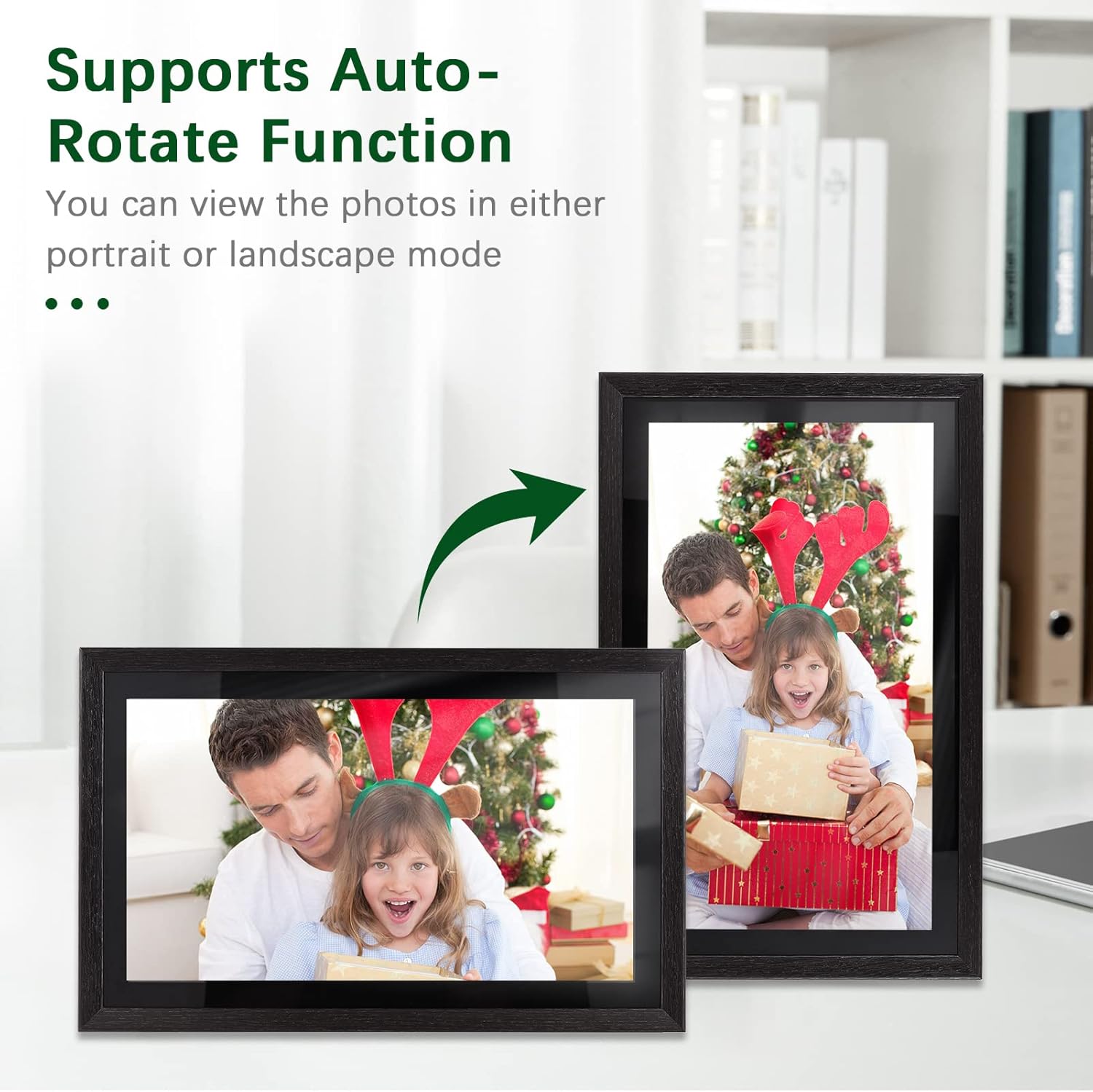
Image: Demonstration of the automatic rotation feature, showing the frame adapting to portrait and landscape orientations.
മെയിൻ്റനൻസ്
ഫ്രെയിം വൃത്തിയാക്കുന്നു
- സ്ക്രീൻ: മൃദുവായ, ലിന്റ് രഹിത തുണി ഉപയോഗിച്ച് സ്ക്രീൻ സൌമ്യമായി തുടയ്ക്കുക. കഠിനമായ പാടുകൾക്ക്, ചെറുതായി dampതുണിയിൽ വെള്ളം തളിക്കുക (സ്ക്രീനിൽ നേരിട്ട് സ്പ്രേ ചെയ്യരുത്).
- ഫ്രെയിം ബോഡി: Use a soft, dry cloth to wipe the frame's body.
- Do not use abrasive cleaners, solvents, or chemical sprays, as these can damage the finish and screen.
സോഫ്റ്റ്വെയർ അപ്ഡേറ്റുകൾ
Periodically check for software updates in the frame's settings menu. Keeping your frame's software up-to-date ensures optimal performance and access to new features.
സ്റ്റോറേജ് മാനേജ്മെൻ്റ്
The frame has 16GB of internal storage. If you find yourself running low on space, consider deleting old photos/videos or utilizing an external TF card (up to 32GB) for additional storage.
ട്രബിൾഷൂട്ടിംഗ്
| പ്രശ്നം | സാധ്യമായ കാരണം | പരിഹാരം |
|---|---|---|
| ഫ്രെയിം പവർ ഓൺ ചെയ്യുന്നില്ല. | പവർ അഡാപ്റ്റർ കണക്റ്റ് ചെയ്തിട്ടില്ല അല്ലെങ്കിൽ തകരാറുണ്ട്; പവർ ഔട്ട്ലെറ്റ് പ്രശ്നം. | പവർ അഡാപ്റ്റർ ഫ്രെയിമിലേക്കും പ്രവർത്തിക്കുന്ന ഒരു ഇലക്ട്രിക്കൽ ഔട്ട്ലെറ്റിലേക്കും സുരക്ഷിതമായി ബന്ധിപ്പിച്ചിട്ടുണ്ടെന്ന് ഉറപ്പാക്കുക. മറ്റൊരു ഔട്ട്ലെറ്റ് പരീക്ഷിക്കുക. |
| Wi-Fi-ലേക്ക് കണക്റ്റ് ചെയ്യാൻ കഴിയില്ല. | തെറ്റായ പാസ്വേഡ്; ദുർബലമായ സിഗ്നൽ; റൂട്ടർ പ്രശ്നം. | വൈഫൈ പാസ്വേഡ് രണ്ടുതവണ പരിശോധിക്കുക. ഫ്രെയിം റൂട്ടറിന് അടുത്തേക്ക് നീക്കുക. നിങ്ങളുടെ റൂട്ടർ പുനരാരംഭിക്കുക. |
| Photos/videos not uploading. | No internet connection; incorrect frame code; app issues. | Verify Wi-Fi connection. Ensure the correct frame code is entered in the Frameo app. Restart the app and try again. Check available storage on the frame. |
| ടച്ച് സ്ക്രീൻ പ്രതികരിക്കുന്നില്ല. | താൽക്കാലിക സോഫ്റ്റ്വെയർ തകരാർ; സ്ക്രീൻ വൃത്തികേടായി. | പവർ അഡാപ്റ്റർ പ്ലഗ് ചെയ്ത് വീണ്ടും പ്ലഗ് ചെയ്തുകൊണ്ട് ഫ്രെയിം പുനരാരംഭിക്കുക. മൃദുവായതും ഉണങ്ങിയതുമായ തുണി ഉപയോഗിച്ച് സ്ക്രീൻ വൃത്തിയാക്കുക. |
സ്പെസിഫിക്കേഷനുകൾ
| ഫീച്ചർ | വിശദാംശങ്ങൾ |
|---|---|
| മോഡൽ നമ്പർ | DRR9822880669739GJ |
| സ്ക്രീൻ വലിപ്പം | 18.5 ഇഞ്ച് |
| ഡിസ്പ്ലേ തരം | ഐപിഎസ് ടച്ച് സ്ക്രീൻ |
| റെസലൂഷൻ | 1920 x 1080 |
| വീക്ഷണാനുപാതം | 16:9 |
| ആന്തരിക മെമ്മറി | 16GB (approx. 8GB usable) |
| ബാഹ്യ സംഭരണം | Supports TF Card (max. 32GB) |
| കണക്റ്റിവിറ്റി | വൈഫൈ |
| പവർ ഇൻപുട്ട് | 12V/2A |
| പവർ അഡാപ്റ്റർ | Input: 100-240V, 50/60Hz; Output: DC 12V, 2A |
| നിയന്ത്രണ രീതി | ടച്ച് സ്ക്രീൻ |
| അനുയോജ്യമായ ഉപകരണങ്ങൾ | ലാപ്ടോപ്പ്, സ്മാർട്ട്ഫോൺ, ടാബ്ലെറ്റ് |
| നിറം | കറുപ്പ് |
| പാക്കേജ് അളവുകൾ | 52.6 x 44.29 x 8.9 സെ.മീ |
| പാക്കേജ് ഭാരം | 2.81 കി.ഗ്രാം |
വാറൻ്റിയും പിന്തുണയും
വാറൻ്റി വിവരങ്ങൾ
Andoer products are manufactured to the highest quality standards. This product is covered by a standard manufacturer's warranty against defects in materials and workmanship. Please refer to your purchase documentation for specific warranty terms and duration.
ഉപഭോക്തൃ പിന്തുണ
If you encounter any issues or have questions regarding your Andoer 18.5-inch Wi-Fi Digital Photo Frame, please contact our customer support team. For the most up-to-date support information, including contact details and FAQs, please visit the official Andoer website or refer to your purchase platform's support section.