
ആമുഖം
This manual provides essential instructions for the safe and effective operation of your Andoer 4K Digital Camera Video Camcorder. Please read this manual thoroughly before use and retain it for future reference.
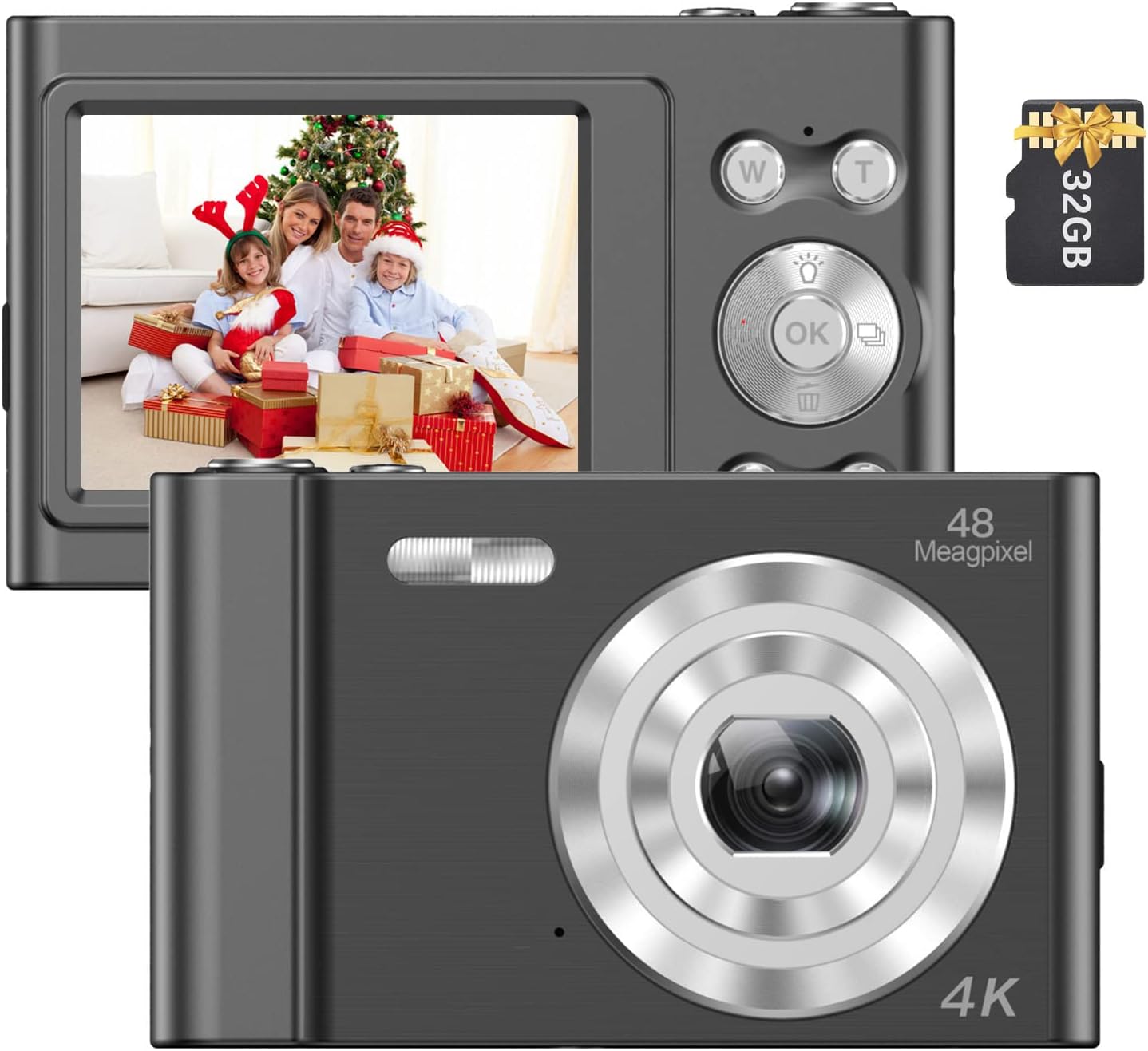
Image: The Andoer 4K Digital Camera, shown with its 2.4-inch IPS screen displaying a family scene and a 32GB memory card.
പാക്കേജ് ഉള്ളടക്കം
താഴെ ലിസ്റ്റ് ചെയ്തിരിക്കുന്ന എല്ലാ ഇനങ്ങളും നിങ്ങളുടെ പാക്കേജിൽ ഉൾപ്പെടുത്തിയിട്ടുണ്ടെന്ന് ഉറപ്പാക്കുക:
- 1 x Andoer Digital Camera
- 1 x USB ചാർജിംഗ് കേബിൾ
- 1 x റിസ്റ്റ് സ്ട്രാപ്പ്
- 1 x ക്യാരി ബാഗ്
- 1 x 32GB മെമ്മറി കാർഡ്
- 1 x ഉപയോക്തൃ മാനുവൽ (ഇംഗ്ലീഷ്)
സജ്ജമാക്കുക
1. ബാറ്ററി ഇൻസ്റ്റാളേഷനും ചാർജിംഗും
The camera features a built-in lithium battery. Before first use, ensure the battery is fully charged.
- Connect the camera to a USB power source (e.g., computer, wall adapter) using the provided USB charging cable.
- The charging indicator light will illuminate. Once charging is complete, the light will typically change color or turn off.
2. മെമ്മറി കാർഡ് ഇൻസ്റ്റാളേഷൻ
A 32GB memory card is included. The camera supports Class-10 external TF (Micro SD) memory cards up to 128GB.
- ക്യാമറയിൽ മെമ്മറി കാർഡ് സ്ലോട്ട് കണ്ടെത്തുക.
- Insert the memory card into the slot with the gold contacts facing the correct direction (refer to the diagram on the camera body if available) until it clicks into place.
- നീക്കം ചെയ്യാൻ, കാർഡ് പുറത്തേക്ക് വരുന്നത് വരെ പതുക്കെ അകത്തേക്ക് അമർത്തുക.
3. പ്രാരംഭ പവർ ഓൺ
Press and hold the power button (usually marked with a power symbol) for a few seconds until the screen illuminates.
പ്രവർത്തന നിർദ്ദേശങ്ങൾ
അടിസ്ഥാന നിയന്ത്രണങ്ങൾ
Familiarize yourself with the camera's buttons and their functions:
- പവർ ബട്ടൺ: ക്യാമറ ഓൺ/ഓഫ് ചെയ്യുന്നു.
- ഷട്ടർ ബട്ടൺ: ഫോട്ടോകൾ എടുക്കുകയോ വീഡിയോ റെക്കോർഡിംഗ് ആരംഭിക്കുകയോ നിർത്തുകയോ ചെയ്യുന്നു.
- W/T Buttons: Control the 16X digital zoom (W for Wide, T for Telephoto).
- ശരി ബട്ടൺ: മെനുകളിലെ തിരഞ്ഞെടുപ്പുകൾ സ്ഥിരീകരിക്കുന്നു.
- മോഡ് (എം) ബട്ടൺ: Switches between different shooting modes (e.g., Photo, Video, Playback).
- മെനു ബട്ടൺ: ക്യാമറ ക്രമീകരണങ്ങൾ ആക്സസ് ചെയ്യുന്നു.

ചിത്രം: വിശദമായ ഒരു ചിത്രം view of the camera's front, highlighting the lens and the '48 Megapixel' marking, indicating its high-resolution capability.
ഫോട്ടോ മോഡ്
നിശ്ചല ചിത്രങ്ങൾ പകർത്താൻ:
- Turn on the camera and ensure it is in Photo Mode (indicated on the 2.4-inch IPS screen).
- Frame your shot using the screen. Use the W/T buttons to adjust the 16X digital zoom.
- Press the Shutter Button halfway to focus, then fully press to take the picture.
വീഡിയോ മോഡ്
വീഡിയോകൾ റെക്കോർഡ് ചെയ്യാൻ:
- Switch to Video Mode using the Mode (M) button.
- Press the Shutter Button to start recording. A recording indicator will appear on the screen.
- Press the Shutter Button again to stop recording.

Image: A hand holding the Andoer camera, displaying a family on a beach on its screen, illustrating its use for capturing memories.
സൂം പ്രവർത്തനം
The camera features 16X digital zoom. Use the 'T' button to zoom in and the 'W' button to zoom out. Digital zoom magnifies the image electronically, which may affect image quality at higher magnifications.

Image: A visual comparison showing the effect of 1x zoom versus 16x digital zoom, demonstrating the camera's magnification capability.
പ്ലേബാക്ക് മോഡ്
വീണ്ടുംview നിങ്ങളുടെ ഫോട്ടോകളും വീഡിയോകളും:
- Switch to Playback Mode using the Mode (M) button.
- Use the navigation buttons (often integrated with the OK button) to scroll through your media.
- ശരി ബട്ടൺ അമർത്തുക view ഒരു ഫോട്ടോ അല്ലെങ്കിൽ ഒരു വീഡിയോ പ്ലേ ചെയ്യുക.
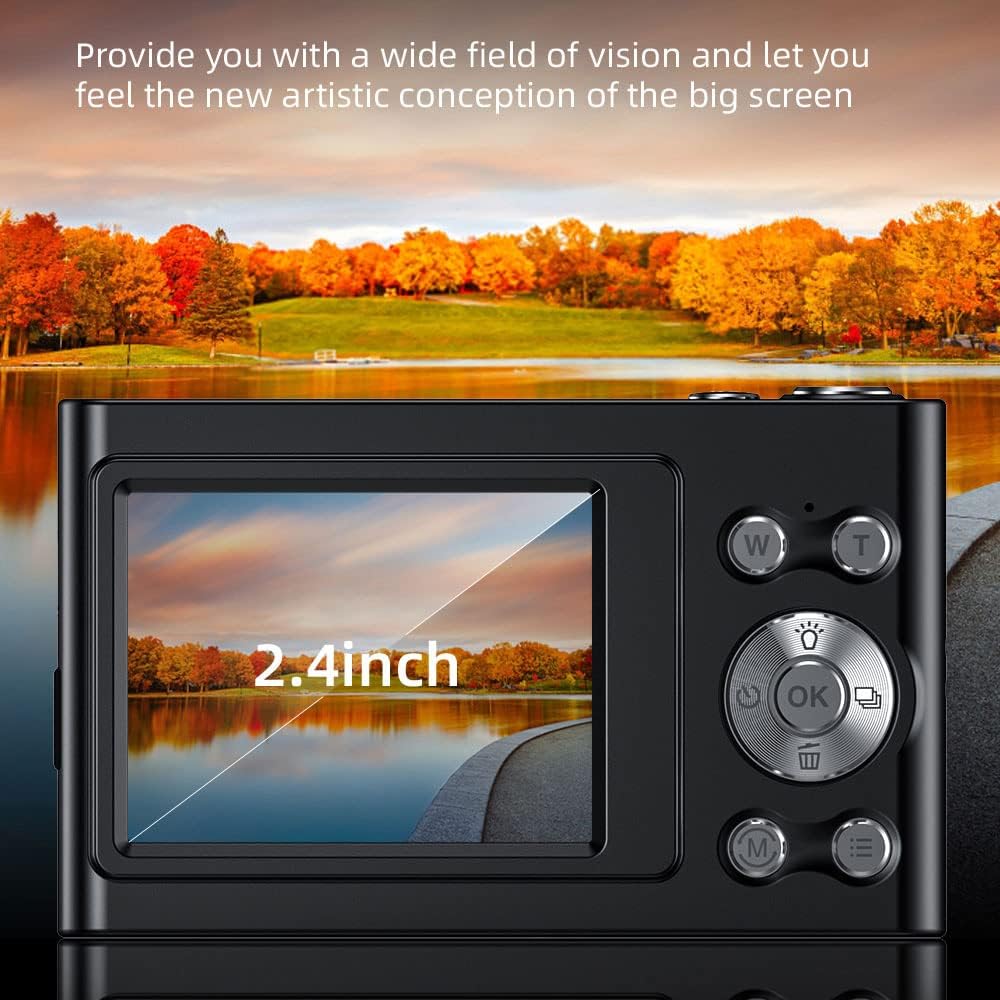
Image: The camera's 2.4-inch IPS screen displaying a vibrant landscape, illustrating the screen size and display quality.
Camera Settings and Features
Access the Menu to adjust various settings:
- റെസലൂഷൻ: Set photo resolution up to 48MP and video resolution up to 4K.
- ഷൂട്ടിംഗ് മോഡുകൾ: Select from Auto, Sport, Night, Portrait, Landscape, Backlight, Party, Beach, High Sensitivity.
- വൈറ്റ് ബാലൻസ്: Adjust for Auto, Daylight, Cloudy, Fluorescent, Tungsten.
- സ്വയം-ടൈമർ: Options for Off, 2 sec, 5 sec, 10 sec.
- ആന്റി-ഷേക്ക്: Digital image stabilization to reduce blur.
- Face Detect & Smile Capture: Features to assist in portrait photography.
- ബിൽറ്റ്-ഇൻ ഫ്ലാഷ്: കുറഞ്ഞ വെളിച്ചത്തിൽ പ്രകാശം നൽകുന്നു.
- ഓട്ടോ പവർ ഓഫ്: Configurable to Off, 1 minute, 3 minutes, 5 minutes, 10 minutes to conserve battery.

Image: A graphic illustrating the camera's image quality enhancement features, including intelligent analysis, color restoration, and fine picture quality.
മെയിൻ്റനൻസ്
ക്യാമറ വൃത്തിയാക്കുന്നു
- ക്യാമറ ബോഡി വൃത്തിയാക്കാൻ മൃദുവായ, ലിന്റ് രഹിത തുണി ഉപയോഗിക്കുക.
- ലെൻസിനും സ്ക്രീനിനും, ഒരു പ്രത്യേക ലെൻസ് ക്ലീനിംഗ് തുണിയും ലായനിയും ഉപയോഗിക്കുക. ഉരച്ചിലുകൾ ഉള്ള വസ്തുക്കൾ ഒഴിവാക്കുക.
ബാറ്ററി കെയർ
- ബാറ്ററി ഇടയ്ക്കിടെ പൂർണ്ണമായും ഡിസ്ചാർജ് ചെയ്യുന്നത് ഒഴിവാക്കുക.
- Charge the battery regularly, even if the camera is not in use for extended periods.
സംഭരണം
- ക്യാമറ തണുത്തതും വരണ്ടതുമായ സ്ഥലത്ത് സൂക്ഷിക്കുക, നേരിട്ടുള്ള സൂര്യപ്രകാശവും ഉയർന്ന താപനിലയും ഏൽക്കാത്ത സ്ഥലത്ത് സൂക്ഷിക്കുക.
- Use the provided carry bag for protection during transport.
ട്രബിൾഷൂട്ടിംഗ്
നിങ്ങളുടെ ക്യാമറയിൽ പ്രശ്നങ്ങൾ നേരിടുകയാണെങ്കിൽ, ഇനിപ്പറയുന്ന പൊതുവായ പ്രശ്നങ്ങളും പരിഹാരങ്ങളും പരിശോധിക്കുക:
| പ്രശ്നം | സാധ്യമായ പരിഹാരം |
|---|---|
| ക്യാമറ പവർ ഓൺ ചെയ്യുന്നില്ല. | ബാറ്ററി ചാർജ്ജ് ചെയ്തിട്ടുണ്ടെന്ന് ഉറപ്പാക്കുക. ഒരു പവർ സ്രോതസ്സിലേക്ക് കണക്റ്റ് ചെയ്ത് വീണ്ടും ശ്രമിക്കുക. |
| മെമ്മറി കാർഡ് പിശക്. | Reinsert the memory card. Ensure it is a Class-10 TF card and formatted correctly. Try a different compatible memory card. |
| ചിത്രങ്ങൾ അവ്യക്തമാണ്. | Ensure the lens is clean. Check lighting conditions. Use the anti-shake function. Hold the camera steady. |
| ഫ്ലാഷ് പ്രവർത്തിക്കുന്നില്ല. | Check flash settings in the menu. Ensure the flash is enabled for the current shooting mode. |
| ക്യാമറ മരവിക്കുന്നു അല്ലെങ്കിൽ പ്രതികരിക്കുന്നില്ല. | Remove and reinsert the battery (if accessible) or press and hold the power button for 10 seconds to force a shutdown. |
സ്പെസിഫിക്കേഷനുകൾ
Detailed technical specifications for your Andoer 4K Digital Camera Video Camcorder:
- ഇമേജ് സെൻസർ: CMOS സെൻസർ
- ഡിസ്പ്ലേ: 2.4 ഇഞ്ച് IPS സ്ക്രീൻ
- ചിത്ര മിഴിവ്: 48MP വരെ
- വീഡിയോ മിഴിവ്: 4K (3840x2160), 2.7K (2688x1520), 1080P (1920x1080), 720P (1280x720)
- ഡിജിറ്റൽ സൂം: 16X
- ഇമേജ് സ്റ്റെബിലൈസേഷൻ: ഡിജിറ്റൽ
- ഫോക്കസ് തരം: Auto Focus (Contrast Detection)
- സംഭരണം: Supports Class-10 TF (Micro SD) card up to 128GB (32GB included)
- കണക്റ്റിവിറ്റി: USB
- വൈദ്യുതി വിതരണം: ബിൽറ്റ്-ഇൻ ലിഥിയം ബാറ്ററി
- ഇനത്തിൻ്റെ വലിപ്പം: 9.5 * 5.8 * 2.5 സെ.മീ / 3.7 * 2.3 * 1 ഇഞ്ച്
- ഇനത്തിൻ്റെ ഭാരം: 115g / 4.1oz
- നിറം: കറുപ്പ്
സുരക്ഷാ വിവരങ്ങൾ
മുന്നറിയിപ്പ്:
To avoid suffocation hazard, keep this plastic bag away from babies and children.

Image: A warning label in multiple languages advising to keep plastic bags away from children to prevent suffocation.
വാറൻ്റിയും പിന്തുണയും
For warranty information, please refer to the documentation included with your purchase or contact your retailer. For technical support or further assistance, please reach out to Andoer customer service through their official webസൈറ്റ് അല്ലെങ്കിൽ നിങ്ങളുടെ ഉൽപ്പന്ന പാക്കേജിംഗിൽ നൽകിയിരിക്കുന്ന ബന്ധപ്പെടാനുള്ള വിവരങ്ങൾ.