
Andoer eefa0e1e-2439-4e97-b124-c6f457feef94
Andoer 4K Digital Camera User Manual
Model: eefa0e1e-2439-4e97-b124-c6f457feef94
ആമുഖം
This manual provides detailed instructions for the safe and effective use of your Andoer 4K Digital Camera. Please read this manual thoroughly before operating the device and keep it for future reference. This camera is designed to capture high-quality photos and videos, featuring a 48MP image sensor, 4K video recording, 16X digital zoom, and a 2.4-inch IPS screen.
സുരക്ഷാ വിവരങ്ങൾ
To ensure safe operation and prevent damage to the device, please observe the following precautions:
- Do not expose the camera to water or moisture. This product is not water resistant.
- ക്യാമറ താഴെയിടുകയോ ശക്തമായ ആഘാതങ്ങൾക്ക് വിധേയമാക്കുകയോ ചെയ്യരുത്.
- Keep the camera away from extreme temperatures, direct sunlight, and dusty environments.
- Do not attempt to disassemble or modify the camera. Repairs should only be performed by qualified personnel.
- Use only the specified charging cable and accessories.
- Dispose of packaging materials properly to avoid choking hazards, especially for children.

ചിത്രം: A warning graphic indicating the importance of proper disposal of packaging materials to prevent choking hazards. Text is provided in multiple languages.
പാക്കേജ് ഉള്ളടക്കം
പാക്കേജ് തുറക്കുമ്പോൾ, എല്ലാ ഇനങ്ങളും ഉണ്ടെന്ന് ഉറപ്പാക്കാൻ അതിന്റെ ഉള്ളടക്കം പരിശോധിക്കുക:
- 1 x Andoer 4K Digital Camera (Pink)
- 1 x USB ചാർജിംഗ് കേബിൾ
- 1 x റിസ്റ്റ് സ്ട്രാപ്പ്
- 1 x ക്യാരി ബാഗ്
- 1 x 32GB മെമ്മറി കാർഡ്
- 1 x ഉപയോക്തൃ മാനുവൽ (ഇംഗ്ലീഷ്)
ഉൽപ്പന്നം കഴിഞ്ഞുview
Familiarize yourself with the main components and controls of your digital camera.

ചിത്രം: മുന്നിലും പിന്നിലും view of the pink Andoer 4K Digital Camera, highlighting the lens, flash, screen, and control buttons. A 32GB memory card is also shown.

ചിത്രം: ഒരു ഓവർview of the digital camera's key features, including its professional sensor, 2.4-inch large screen, 48-megapixel resolution, and 4K HD video capability.

ചിത്രം: Technical diagram illustrating the dimensions of the camera: 95mm length, 58mm height, and 25mm thickness.
പ്രധാന ഘടകങ്ങൾ:
- ലെൻസ്: ചിത്രങ്ങൾ പകർത്തുന്നതിനുള്ള പ്രധാന ഒപ്റ്റിക്കൽ ഘടകം.
- ഫ്ലാഷ്: കുറഞ്ഞ വെളിച്ചത്തിൽ പ്രകാശം നൽകുന്നു.
- 2.4-ഇഞ്ച് IPS സ്ക്രീൻ: വേണ്ടി viewing live feed, playback, and menu navigation.
- നിയന്ത്രണ ബട്ടണുകൾ: Including Power, Shutter, Zoom (W/T), OK, Menu, Mode, and Playback.
- മെമ്മറി കാർഡ് സ്ലോട്ട്: For inserting the TF memory card.
- USB പോർട്ട്: ചാർജിംഗിനും ഡാറ്റ കൈമാറ്റത്തിനും.
സജ്ജമാക്കുക
1 ബാറ്ററി ചാർജ് ചെയ്യുന്നു
The camera has a built-in lithium battery. Before first use, ensure the battery is fully charged.
- Connect the camera to a USB power adapter (not included) or a computer's USB port using the provided USB charging cable.
- ചാർജിംഗ് ഇൻഡിക്കേറ്റർ ലൈറ്റ് പ്രകാശിക്കും. ചാർജിംഗ് പൂർത്തിയായിക്കഴിഞ്ഞാൽ അത് ഓഫാകും അല്ലെങ്കിൽ നിറം മാറും.
2. മെമ്മറി കാർഡ് ചേർക്കുന്നു
A 32GB memory card is included. The camera supports Class-10 external TF memory cards up to 128GB.
- ക്യാമറയുടെ വശത്ത് മെമ്മറി കാർഡ് സ്ലോട്ട് കണ്ടെത്തുക.
- Insert the TF memory card into the slot with the metal contacts facing the correct direction (refer to the diagram near the slot if available) until it clicks into place.
- നീക്കം ചെയ്യാൻ, കാർഡ് പുറത്തേക്ക് വരുന്നത് വരെ സൌമ്യമായി അകത്തേക്ക് തള്ളുക.
3. പ്രാരംഭ പവർ ഓൺ
Press and hold the Power button to turn the camera on. The IPS screen will light up.
പ്രവർത്തന നിർദ്ദേശങ്ങൾ
1. ഫോട്ടോകൾ എടുക്കലും വീഡിയോകൾ റെക്കോർഡുചെയ്യലും

ചിത്രം: A user holding the camera, demonstrating its use for capturing memories. The screen displays a family on a beach.
- ഒരു ഫോട്ടോ എടുക്കാൻ: In photo mode, press the Shutter button halfway to focus, then press fully to capture the image.
- ഒരു വീഡിയോ റെക്കോർഡ് ചെയ്യാൻ: Switch to video mode (if applicable, via Mode button), then press the Shutter button to start recording. Press again to stop.
2. സൂം ഫംഗ്ഷൻ

ചിത്രം: A visual comparison demonstrating the effect of 16X digital zoom. The top image shows a wide view (1x), and the bottom image shows a magnified view (16x) of the same scene.
Use the W (Wide) and T (Telephoto) buttons to adjust the 16X digital zoom. Press W to zoom out and T to zoom in.
3. മോഡ് തിരഞ്ഞെടുക്കൽ
The camera offers various shooting modes to optimize your photos and videos for different scenarios:
- സ്വയമേവ: General purpose shooting.
- കായികം: For capturing fast-moving subjects.
- രാത്രി: Optimized for low-light conditions.
- ഛായാചിത്രം: Ideal for capturing people.
- ലാൻഡ്സ്കേപ്പ്: Best for wide scenic shots.
- ബാക്ക്ലൈറ്റ്: For subjects with strong light behind them.
- പാർട്ടി: For indoor events with mixed lighting.
- ബീച്ച്: For bright, outdoor scenes.
- ഉയർന്ന സംവേദനക്ഷമത: For very low light, increasing ISO.
Navigate through modes using the Mode button and select with the OK button.
4. മറ്റ് പ്രവർത്തനങ്ങൾ
- ആന്റി-ഷെയ്ക്ക്: Helps reduce blur from camera movement.
- Face Detect & Smile Capture: Automatically detects faces and can trigger a shot when a smile is detected.
- Continuous Photography: Takes multiple shots in quick succession.
- സ്വയം-ടൈമർ: Set a delay (2s, 5s, 10s) before the photo is taken.
- വൈറ്റ് ബാലൻസ്: Adjusts color temperature (Auto, Daylight, Cloudy, Fluorescent, Tungsten).
- സമ്പർക്കം: Adjust brightness (EV-3 to EV+3).
- ഓട്ടോ പവർ ഓഫ്: Configurable idle time before camera powers off (1, 3, 5, 10 minutes).
5. പ്ലേബാക്ക്
വീണ്ടും പ്ലേബാക്ക് ബട്ടൺ അമർത്തുകview your captured photos and videos on the 2.4-inch IPS screen.
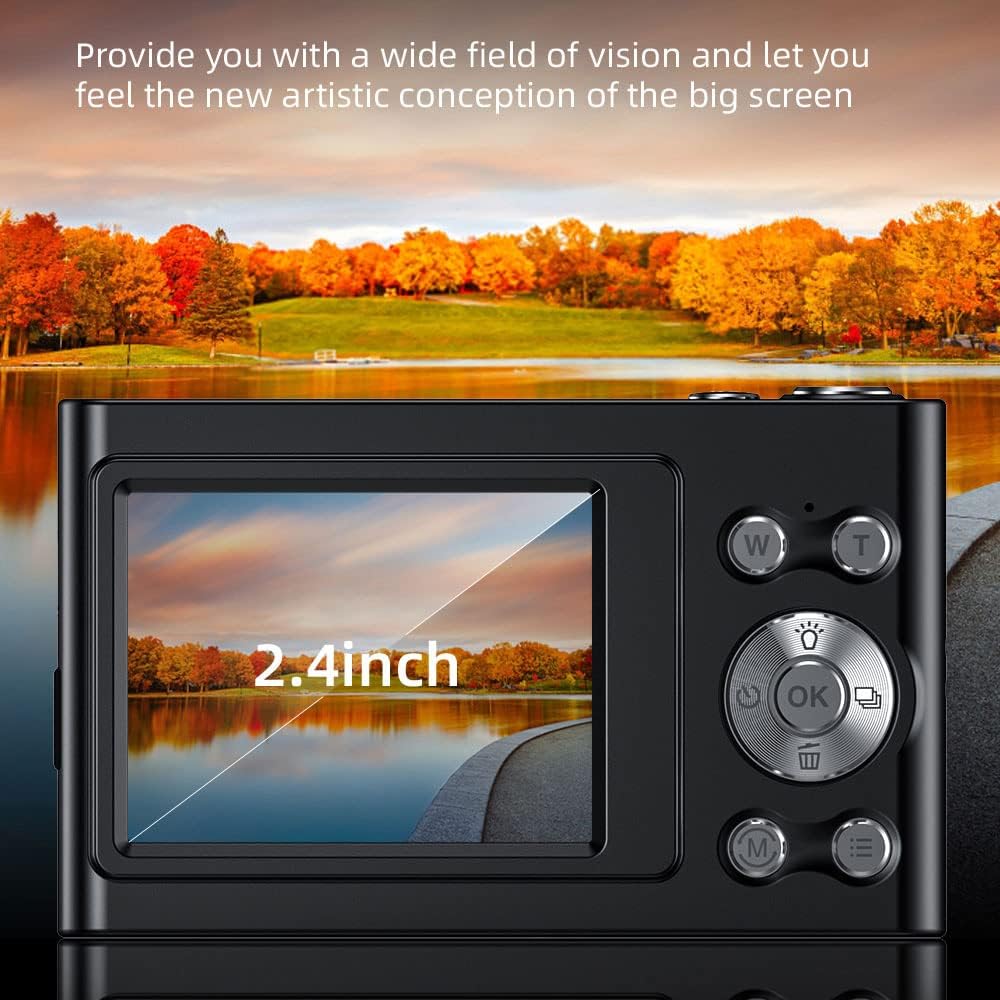
ചിത്രം: ഒരു ക്ലോസപ്പ് view of the camera's 2.4-inch IPS screen, showcasing its display quality with a vibrant landscape image.
6. ഒരു കമ്പ്യൂട്ടറിലേക്ക് ബന്ധിപ്പിക്കുന്നു
You can transfer photos and videos to your computer using the provided USB cable.
- യുഎസ്ബി കേബിൾ ഉപയോഗിച്ച് നിങ്ങളുടെ കമ്പ്യൂട്ടറിലേക്ക് ക്യാമറ ബന്ധിപ്പിക്കുക.
- The camera will appear as a removable disk drive.
- Open the drive to access your files and copy them to your computer.
മെയിൻ്റനൻസ്
- വൃത്തിയാക്കൽ: Use a soft, dry cloth to clean the camera body. For the lens and screen, use a specialized lens cleaning cloth and solution. Do not use abrasive cleaners.
- സംഭരണം: When not in use for extended periods, store the camera in a cool, dry place, away from direct sunlight and moisture. Remove the memory card if storing for very long durations.
- ബാറ്ററി കെയർ: Recharge the battery regularly, even if not using the camera, to maintain its lifespan. Avoid fully discharging the battery frequently.
ട്രബിൾഷൂട്ടിംഗ്
| പ്രശ്നം | സാധ്യമായ കാരണം / പരിഹാരം |
|---|---|
| ക്യാമറ ഓണാകുന്നില്ല. | Battery is depleted. Charge the battery fully. |
| ഫോട്ടോകൾ/വീഡിയോകൾ എടുക്കാൻ കഴിയില്ല. | Memory card is full or not inserted correctly. Check card, delete files, or replace. |
| ചിത്രങ്ങൾ അവ്യക്തമാണ്. | Lens is dirty. Clean the lens. Anti-shake function might be off or insufficient for conditions. Ensure good lighting. |
| ക്യാമറ മരവിക്കുന്നു. | ക്യാമറ പുനഃസജ്ജമാക്കാൻ ബാറ്ററി നീക്കം ചെയ്ത് വീണ്ടും ചേർക്കുക. |
| കമ്പ്യൂട്ടറുമായി ബന്ധിപ്പിക്കാൻ കഴിയില്ല. | Ensure USB cable is properly connected. Try a different USB port or cable. |
സ്പെസിഫിക്കേഷനുകൾ
Detailed technical specifications for the Andoer 4K Digital Camera:
- ഇമേജ് സെൻസർ: CMOS സെൻസർ
- ഡിസ്പ്ലേ: 2.4 ഇഞ്ച് IPS സ്ക്രീൻ
- ചിത്ര മിഴിവ്: 48M, 36M, 30M, 24M, 20M, 18M, 16M, etc. (Max 48MP)
- വീഡിയോ മിഴിവ്: 4K (3840x2160), 2.7K (2688x1520), 1080P (1920x1080), 720P (1280x720)
- സൂം: 16X ഡിജിറ്റൽ സൂം
- സംഭരണം: Supports Class-10 external TF memory card up to 128GB (32GB included)
- വൈദ്യുതി വിതരണം: ബിൽറ്റ്-ഇൻ ലിഥിയം ബാറ്ററി
- ഇനത്തിൻ്റെ വലിപ്പം: 9.5 * 5.8 * 2.5cm (3.7 * 2.3 * 1 inch)
- ഇനത്തിൻ്റെ ഭാരം: 115 ഗ്രാം (4.1 oz)
- കണക്റ്റിവിറ്റി: USB
- പ്രത്യേക സവിശേഷതകൾ: Anti-shake, Face Detect, Smile Capture, Continuous Photography, Self-timer, Built-in Flash

ചിത്രം: എ വിശദമായി view of the camera's lens and sensor area, emphasizing its 48-megapixel capability for high-resolution imaging.

ചിത്രം: An illustration highlighting the professional CMOS photosensitive chip, explaining its role in analyzing and enhancing picture quality, color restoration, and creating clear, three-dimensional images.

ചിത്രം: A graphic illustrating the camera's intelligent image processing capabilities, including intelligent analysis, enhanced clarity, color restoration, and fine picture quality.
വാറൻ്റിയും പിന്തുണയും
For warranty information and technical support, please refer to the official Andoer webസൈറ്റിൽ ബന്ധപ്പെടുക അല്ലെങ്കിൽ അവരുടെ ഉപഭോക്തൃ സേവനവുമായി ബന്ധപ്പെടുക. വാങ്ങിയതിന്റെ തെളിവായി നിങ്ങളുടെ വാങ്ങൽ രസീത് സൂക്ഷിക്കുക.
Andoer Store Link: Visit the Andoer Store on Amazon
Ask a question about this manual
Ask about setup, troubleshooting, compatibility, parts, safety, or missing instructions. Manuals+ will review the question and use this page’s manual context to help answer it.