
1. ആമുഖം
This manual provides essential information for the safe and efficient operation of your BYGD 3000W Power Inverter. Please read these instructions thoroughly before installation and use, and retain them for future reference. This device converts 12V DC power from a battery into 110V/120V AC household power, suitable for various electronic devices and appliances.

Image 1.1: The BYGD 3000W Power Inverter, showcasing its compact design and included battery connection cables.
2. ഉൽപ്പന്ന സവിശേഷതകളും ഘടകങ്ങളും
പ്രധാന സവിശേഷതകൾ:
- ഉയർന്ന പവർ ഔട്ട്പുട്ട്: Provides 3000W continuous DC to AC power and up to 6000W peak power.
- ഒന്നിലധികം ഔട്ട്ലെറ്റുകൾ: Equipped with 4 standard North American AC outlets.
- യുഎസ്ബി & ടൈപ്പ്-സി ചാർജിംഗ്: Includes 5V/3.1A USB ports and 9V/1.67A Type-C ports for charging mobile devices.
- വിപുലമായ സുരക്ഷാ പരിരക്ഷ: Features protection against over voltagഇ, കുറഞ്ഞ വോളിയംtage, overload, short circuit, over heat, and over charge.
- കാര്യക്ഷമമായ തണുപ്പിക്കൽ: Built-in smart silent cooling fans minimize noise and extend product life.
- കോംപാക്റ്റ് ഡിസൈൻ: Easy to carry and store for various applications.
ഉൽപ്പന്ന ഘടകങ്ങൾ:

Image 2.1: Detailed diagram illustrating the various ports, indicators, and controls on the BYGD 3000W Power Inverter.
- എസി ഔട്ട്ലെറ്റുകൾ: 4 standard North American AC outlets.
- USB-A & USB-C പോർട്ടുകൾ: അനുയോജ്യമായ ഉപകരണങ്ങൾ ചാർജ് ചെയ്യുന്നതിന്.
- പവർ സ്വിച്ച് ബട്ടൺ: To turn the inverter on or off.
- Battery Mode Switch: Selects between different battery modes (if applicable).
- പവർ ഇൻഡിക്കേറ്റർ (പച്ച): Illuminates when the inverter is operating correctly.
- Lithium Battery Working Mode (Blue Light): Indicates operation in lithium battery mode.
- Fault Indicator (Red Light): Illuminates to indicate an error or protection mode.
- ഓവർലോഡ് പ്രൊട്ടക്ടർ: Resettable circuit breaker for overload protection.
- Cable Connection Port: Terminals for connecting to the 12V DC power source.
- കൂളിംഗ് ഫാനുകൾ: താപ മാനേജ്മെന്റിനായി സംയോജിത ഫാനുകൾ.
- Ground Connection End: സുരക്ഷാ ഗ്രൗണ്ടിംഗിനായി.
- പോസിറ്റീവ് ടെർമിനൽ: Red terminal for positive battery connection.
- നെഗറ്റീവ് ടെർമിനൽ: Black terminal for negative battery connection.
3 സുരക്ഷാ വിവരങ്ങൾ
WARNING: Failure to follow these safety instructions may result in injury, damage to the inverter, or damage to connected devices.
- ഇൻവെർട്ടർ തുറക്കരുത് casing. ഉള്ളിൽ ഉപയോക്തൃ-സേവനയോഗ്യമായ ഭാഗങ്ങളൊന്നുമില്ല.
- ഇൻവെർട്ടറിന് ചുറ്റും ശരിയായ വായുസഞ്ചാരം ഉറപ്പാക്കുക. കൂളിംഗ് വെന്റുകൾ അടയ്ക്കരുത്.
- വെള്ളം, ഈർപ്പം, കത്തുന്ന വസ്തുക്കൾ, നശിപ്പിക്കുന്ന വസ്തുക്കൾ എന്നിവയിൽ നിന്ന് ഇൻവെർട്ടർ അകറ്റി നിർത്തുക.
- Connect the inverter only to a 12V DC power source. Do not connect to 24V or 48V systems.
- Always connect the inverter to the battery before connecting any AC appliances.
- മൊത്തം വാട്ട് ഉറപ്പാക്കുകtage of connected AC appliances does not exceed the inverter's continuous power rating (3000W).
- Use appropriate gauge cables for battery connection to prevent overheating.
- Properly ground the inverter according to local electrical codes.
- Disconnect the inverter from the battery when not in use to prevent battery drain.
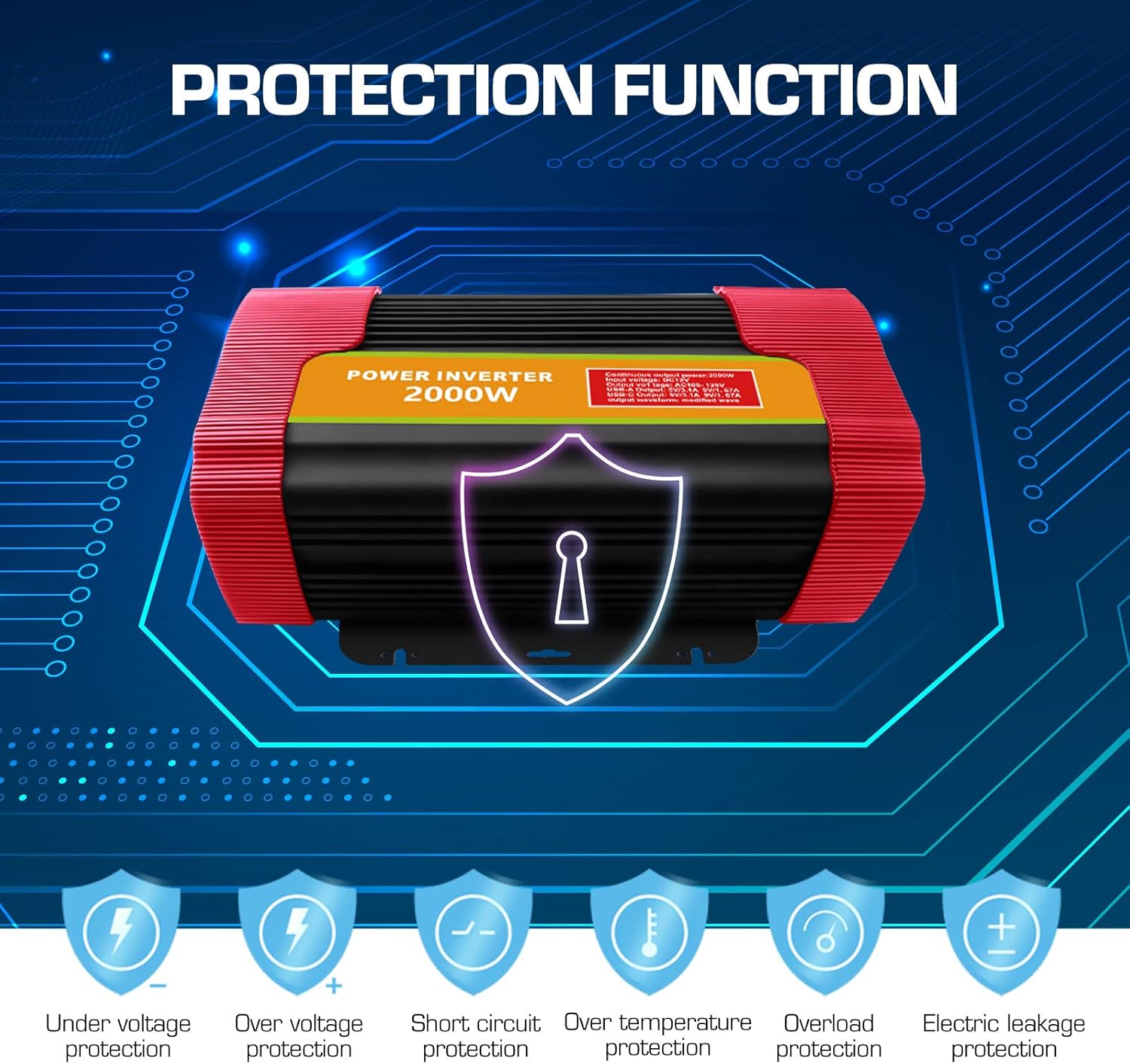
Image 3.1: Visual representation of the comprehensive protection functions integrated into the BYGD Power Inverter.
4. സജ്ജീകരണം
4.1 ബോക്സിൽ എന്താണുള്ളത്:
- BYGD 3000 Watt Power Inverter
- ബാറ്ററി കണക്ഷൻ കേബിളുകൾ (പോസിറ്റീവിന് ചുവപ്പ്, നെഗറ്റീവിന് കറുപ്പ്)
- ഉപയോക്തൃ മാനുവൽ (ഈ പ്രമാണം)
4.2 Connecting the Inverter to a 12V Battery:
- Ensure the inverter's power switch is in the 'OFF' position.
- ബന്ധിപ്പിക്കുക ചുവപ്പ് ബാറ്ററി കേബിൾ പോസിറ്റീവ് (+) ഇൻവെർട്ടറിന്റെ ടെർമിനൽ.
- ബന്ധിപ്പിക്കുക കറുപ്പ് ബാറ്ററി കേബിൾ നെഗറ്റീവ് (-) ഇൻവെർട്ടറിന്റെ ടെർമിനൽ.
- മറ്റേ അറ്റം ബന്ധിപ്പിക്കുക ചുവപ്പ് ലേക്കുള്ള കേബിൾ പോസിറ്റീവ് (+) നിങ്ങളുടെ 12V ബാറ്ററിയുടെ ടെർമിനൽ.
- മറ്റേ അറ്റം ബന്ധിപ്പിക്കുക കറുപ്പ് ലേക്കുള്ള കേബിൾ നെഗറ്റീവ് (-) നിങ്ങളുടെ 12V ബാറ്ററിയുടെ ടെർമിനൽ.
- Ensure all connections are tight and secure to prevent arcing or poor performance.
- Connect the ground wire from the inverter's ground connection end to a suitable chassis ground point (e.g., vehicle chassis or earth ground).

Image 4.1: Illustration of the inverter's dimensions and the components typically included in the package, such as battery clamps and the user manual.
5. പ്രവർത്തന നിർദ്ദേശങ്ങൾ
5.1 പവർ ഓൺ/ഓഫ്:
- After securing all battery connections, press the power switch button on the inverter to turn it 'ON'.
- The green power indicator light should illuminate, indicating the inverter is operational.
- To turn off the inverter, press the power switch button again. The green indicator light will turn off.
5.2 Connecting AC Devices:
- Ensure the AC appliance you wish to power is within the inverter's continuous wattagഇ റേറ്റിംഗ് (3000W).
- Plug the AC appliance into one of the 4 AC outlets on the inverter.
- Turn on the AC appliance.
- If the inverter's fault indicator (red light) illuminates or an audible alarm sounds, immediately disconnect the appliance and refer to the Troubleshooting section.
5.3 Using USB and Type-C Ports:
- Connect your USB or Type-C compatible device to the respective port on the inverter.
- The inverter will automatically provide power for charging.

ചിത്രം 5.1: ഉദാamples of common household and portable electrical appliances that can be powered by the BYGD Power Inverter.
6. പരിപാലനം
- വൃത്തിയാക്കൽ: Periodically clean the exterior of the inverter with a dry, soft cloth. Do not use liquids or abrasive cleaners. Ensure cooling vents are free from dust and debris.
- കണക്ഷനുകൾ: ബാറ്ററി കേബിൾ കണക്ഷനുകളുടെ ഇറുകിയതും നാശവും പതിവായി പരിശോധിക്കുക. ഏതെങ്കിലും നാശമുണ്ടെങ്കിൽ അത് വയർ ബ്രഷും ബേക്കിംഗ് സോഡ ലായനിയും ഉപയോഗിച്ച് വൃത്തിയാക്കുക.
- സംഭരണം: ദീർഘനേരം ഉപയോഗിക്കാത്തപ്പോൾ, ഇൻവെർട്ടർ തണുത്തതും വരണ്ടതുമായ സ്ഥലത്ത് സൂക്ഷിക്കുക, നേരിട്ടുള്ള സൂര്യപ്രകാശത്തിൽ നിന്നും കടുത്ത താപനിലയിൽ നിന്നും അകറ്റി നിർത്തുക. ബാറ്ററിയിൽ നിന്ന് അത് വിച്ഛേദിക്കുക.
- ബാറ്ററി പരിപാലനം: Ensure your 12V battery is properly maintained and charged to prolong its lifespan and the inverter's performance.
7. പ്രശ്നപരിഹാരം
If you encounter issues with your BYGD Power Inverter, refer to the table below for common problems and their solutions.
| പ്രശ്നം | സാധ്യമായ കാരണം | പരിഹാരം |
|---|---|---|
| ഇൻവെർട്ടർ ഓണാകുന്നില്ല. | അയഞ്ഞ ബാറ്ററി കണക്ഷനുകൾ, കുറഞ്ഞ ബാറ്ററി വോളിയംtage, faulty power switch. | Check battery cable connections. Ensure battery voltage is above 11V. Try pressing the power switch firmly. |
| Red fault indicator light is on. | ഓവർലോഡ്, ഓവർ-ടെമ്പറേച്ചർ, താഴ്ന്ന/ഉയർന്ന ഇൻപുട്ട് വോളിയംtage, ഷോർട്ട് സർക്യൂട്ട്. | Reduce load. Allow inverter to cool. Check battery voltage. Disconnect all loads and restart. |
| എസി .ട്ട്പുട്ട് ഇല്ല. | Inverter off, low battery, appliance fault, overload protector tripped. | Turn inverter on. Charge battery. Test appliance directly. Reset overload protector if tripped. |
| Cooling fan is constantly running or very loud. | High internal temperature, heavy load. | Ensure adequate ventilation. Reduce load. This is normal operation under heavy load. |
| യുഎസ്ബി/ടൈപ്പ്-സി പോർട്ടുകൾ ചാർജ് ചെയ്യുന്നില്ല. | Inverter off, device not compatible, cable fault. | Ensure inverter is on. Try a different device or cable. |
8 സ്പെസിഫിക്കേഷനുകൾ
| ഫീച്ചർ | സ്പെസിഫിക്കേഷൻ |
|---|---|
| മോഡൽ നമ്പർ | P3000U-Red |
| തുടർച്ചയായ ശക്തി | 3000 വാട്ട്സ് |
| പീക്ക് പവർ | 6000 വാട്ട്സ് |
| ഇൻപുട്ട് വോളിയംtage | 12V DC |
| Putട്ട്പുട്ട് വോളിയംtage | 110V/120V എസി |
| എസി lets ട്ട്ലെറ്റുകൾ | 4 Standard North American |
| USB ഔട്ട്പുട്ട് | 5V/3.1A |
| ടൈപ്പ്-സി ഔട്ട്പുട്ട് | 9V/1.67A |
| ഉൽപ്പന്ന അളവുകൾ | 15.1 x 9.4 x 5.1 ഇഞ്ച് |
| ഇനത്തിൻ്റെ ഭാരം | 8.52 പൗണ്ട് |
| നിർമ്മാതാവ് | BYGD |
9. വാറൻ്റിയും പിന്തുണയും
9.1 വാറന്റി വിവരങ്ങൾ:
BYGD products are designed and manufactured to high-quality standards. For specific warranty details, including coverage period and terms, please refer to the warranty card included with your product or contact BYGD customer support. Keep your purchase receipt as proof of purchase for warranty claims.
9.2 ഉപഭോക്തൃ പിന്തുണ:
If you have any questions, require technical assistance, or need to report an issue with your BYGD 3000W Power Inverter, please contact BYGD customer support. Contact information can typically be found on the BYGD official webസൈറ്റ് അല്ലെങ്കിൽ ഉൽപ്പന്ന പാക്കേജിംഗിൽ.