
1. ആമുഖം
The iSDT BattAir Plugin BAP4-0.4 is designed to enhance battery management by allowing real-time monitoring of charging status, battery parameters, and usage records. This plugin converts a standard battery into a smart battery, providing valuable data to compatible iSDT chargers.
2 പ്രധാന സവിശേഷതകൾ
- തത്സമയ നിരീക്ഷണം: Provides live data on battery charging status.
- Parameter Recognition: Identifies battery parameters and usage history.
- Balance Port Compatibility: Fully compatible with existing balance port structures.
- Smart Battery Upgrade: Transforms a standard battery into a smart battery.
- Buckle Structure Design: Ensures secure connection.
- XH2.54 Universal Port: Standardized connection.
- Press and Show Function: Allows for quick status check.
- പ്ലഗ് & പ്ലേ: Simple and immediate operation.
3 അനുയോജ്യത
This BattAir Plugin is currently supported by the following iSDT chargers:
- iSDT Air8
- iSDT K4
- iSDT K2Air
Note: Ensure your charger's firmware is up to date for optimal performance.
4. സജ്ജീകരണ നിർദ്ദേശങ്ങൾ
- Identify Battery Balance Port: Locate the balance port on your LiFe, LiPo, LiHv, or ULiHv battery. The BattAir Plugin supports 3-4S batteries.
- Connect BattAir Plugin: Carefully align the BattAir Plugin's XH2.54 universal port with your battery's balance port. Ensure the buckle structure engages securely.
- ചാർജറുമായി ബന്ധിപ്പിക്കുക: Plug the battery (with the BattAir Plugin attached) into a compatible iSDT charger (Air8, K4, or K2Air).
- ആരംഭിക്കൽ: The plugin may require initial calibration or initialization upon first use. Follow any on-screen prompts from your iSDT charger.
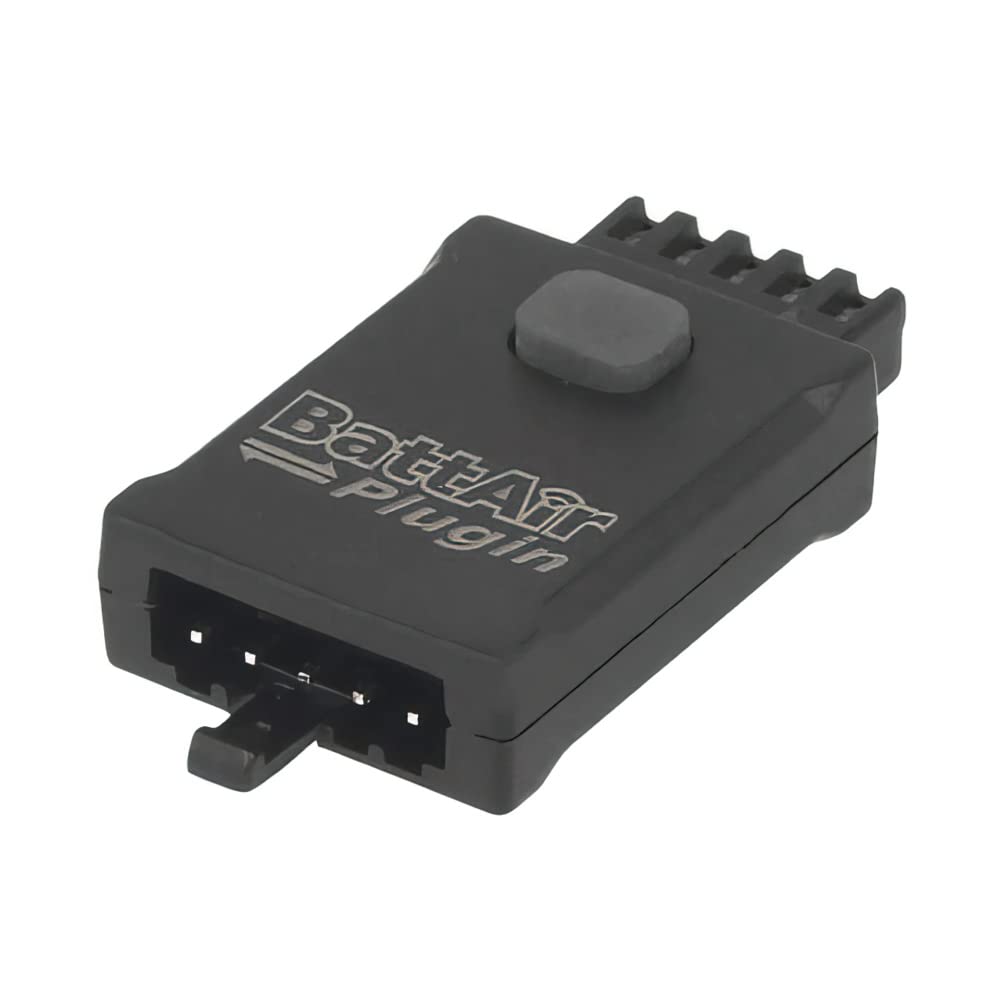
Image 1: The iSDT BattAir Plugin BAP4-0.4, showing its balance port connector. This plugin connects directly to your battery's balance port.
5. Operation and LED Functions
Once connected, the BattAir Plugin operates automatically with compatible iSDT chargers. It will transmit battery data for real-time monitoring.
5.1. Press and Show Function
The plugin features a button for quick status checks without a charger connection. Press the button to activate the LED indicator.
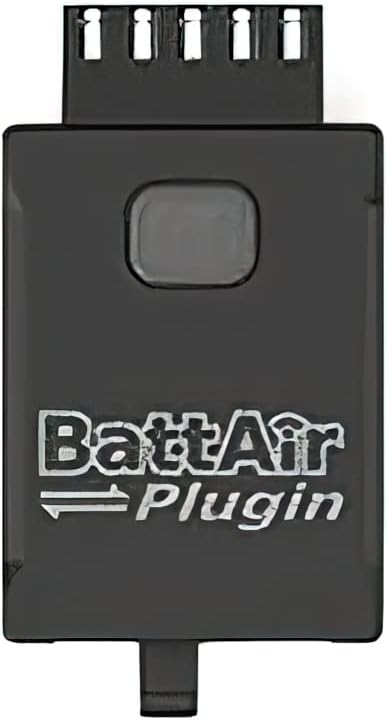
ചിത്രം 2: മുകളിൽ view of the iSDT BattAir Plugin BAP4-0.4, highlighting the central button used for the "Press and Show" function.
5.2. LED ഇൻഡിക്കേറ്റർ പ്രവർത്തനങ്ങൾ
The LED on the BattAir Plugin provides visual feedback on its status:
- വെളിച്ചമില്ല: BattAir Plugin is not calibrated or an error has occurred.
- മന്ദഗതിയിലുള്ള മിന്നൽ: BattAir Plugin is not initialized.
- Solid Light (Green/Blue): Indicates battery power level between 20% and 90%.
- Rapid Blink (Red): Battery power is below 20% or is currently discharging.
Note: Specific LED colors may vary slightly depending on the firmware version. Refer to your charger's manual for detailed interpretations.
6. പരിപാലനം
- വൃത്തിയാക്കൽ: Keep the plugin clean and free from dust and debris. Use a soft, dry cloth for cleaning.
- സംഭരണം: Store the plugin in a dry, cool environment when not in use.
- പരിശോധന: Periodically inspect the connectors for any signs of damage or wear.
- ഫേംവെയർ അപ്ഡേറ്റുകൾ: Ensure your compatible iSDT charger's firmware is updated regularly, as this may include updates for BattAir Plugin functionality.
7. പ്രശ്നപരിഹാരം
| പ്രശ്നം | സാധ്യമായ കാരണം | പരിഹാരം |
|---|---|---|
| Plugin not recognized by charger. | Incorrect connection, incompatible charger, outdated charger firmware. | Ensure plugin is securely connected. Verify charger compatibility (Air8, K4, K2Air). Update charger firmware. |
| LED shows no light. | Plugin not calibrated or error state. | Connect to a compatible iSDT charger for calibration. If error persists, contact support. |
| LED shows slow blink. | Plugin not initialized. | Connect to a compatible iSDT charger to initialize the plugin. |
| Inaccurate battery readings. | Plugin not properly calibrated or battery issue. | Ensure plugin is calibrated. Check the battery's health independently. |
8 സ്പെസിഫിക്കേഷനുകൾ
- പിന്തുണയ്ക്കുന്ന ബാറ്ററി തരം: LiFe, LiPo, LiHv, ULiHv
- Supported Battery Cells: 3-4എസ്
- അളവുകൾ: 36 x 19 x 9 മിമി
- ശാന്തമായ പ്രവാഹം: 50uA
- ഭാരം: 3.8 ഗ്രാം
- കണക്റ്റർ തരം: XH2.54 Universal port
- മെറ്റീരിയൽ: പ്ലാസ്റ്റിക്
9. വാറൻ്റിയും പിന്തുണയും
For warranty information and technical support, please refer to the official ISDT webസൈറ്റിൽ ബന്ധപ്പെടുക അല്ലെങ്കിൽ നിങ്ങളുടെ അംഗീകൃത ഡീലറെ ബന്ധപ്പെടുക. വാറന്റി ക്ലെയിമുകൾക്കായി നിങ്ങളുടെ വാങ്ങലിന്റെ തെളിവ് സൂക്ഷിക്കുക.
For additional resources, you may find the official ISDT BattAir Plugin User Guide video helpful. (Note: Video not embedded due to lack of direct embeddable URL in provided data.)
സന്ദർശിക്കുക ISDT Store on Amazon കൂടുതൽ ഉൽപ്പന്നങ്ങൾക്കും വിവരങ്ങൾക്കും.