
1. ആമുഖവും അവസാനവുംview
This manual provides instructions for the safe and efficient use of your CJP-Geek AC-DC Adapter, model CJP-Geek-PSA-20221025-CA227. This adapter is specifically designed to power and charge the RP-PB054 RAVPower 20100mAh Portable Powerstation.
Key features of this adapter include a wide input voltage range of 100-240V AC, ensuring compatibility with various power outlets worldwide. It is designed for portability and includes multiple safety protections to ensure reliable operation.

Image 1: The CJP-Geek AC-DC Adapter, showing the main power brick, detachable AC input cable, and DC output cable with connector.
2. പാക്കേജ് ഉള്ളടക്കം
നിങ്ങളുടെ പാക്കേജിൽ ഇനിപ്പറയുന്ന ഇനങ്ങൾ അടങ്ങിയിട്ടുണ്ടെന്ന് പരിശോധിക്കുക:
- 1 x AC / DC Power Supply Charger (CJP-Geek AC-DC Adapter)
3. സജ്ജീകരണ നിർദ്ദേശങ്ങൾ
- അനുയോജ്യത പരിശോധിക്കുക: Ensure that the output specifications of this CJP-Geek AC-DC Adapter match the power input requirements of your RP-PB054 RAVPower 20100mAh Portable Powerstation. Refer to your power station's manual for specific input voltagഇയും നിലവിലെ ആവശ്യകതകളും.
- ഉപകരണത്തിലേക്ക് കണക്റ്റുചെയ്യുക: Insert the DC output plug of the adapter firmly into the charging port of your RP-PB054 RAVPower 20100mAh Portable Powerstation.
- പവർ ഔട്ട്ലെറ്റിലേക്ക് ബന്ധിപ്പിക്കുക: എസി ഇൻപുട്ട് കേബിൾ ഒരു സ്റ്റാൻഡേർഡ് 100-240V എസി വാൾ ഔട്ട്ലെറ്റിലേക്ക് പ്ലഗ് ചെയ്യുക.
- ചാർജ് ചെയ്യുന്നത് സ്ഥിരീകരിക്കുക: Observe your power station's charging indicator to confirm that it has begun charging.
4. പ്രവർത്തന നിർദ്ദേശങ്ങൾ
- The adapter is designed for continuous use when charging compatible devices.
- Always operate the adapter in a well-ventilated area to prevent excessive heat buildup.
- Do not cover the adapter with cloths or other materials during operation, as this can impede heat dissipation.
- Disconnect the adapter from the power outlet and your device when it is not in use for extended periods.
5. പരിപാലനം
- വൃത്തിയാക്കൽ: Keep the adapter clean and free from dust. Use a dry, soft cloth for cleaning. Do not use liquid cleaners or solvents.
- സംഭരണം: ഉപയോഗത്തിലില്ലാത്തപ്പോൾ നേരിട്ട് സൂര്യപ്രകാശവും ഈർപ്പവും ഏൽക്കാത്ത ഒരു തണുത്തതും വരണ്ടതുമായ സ്ഥലത്ത് അഡാപ്റ്റർ സൂക്ഷിക്കുക.
- കേബിൾ പരിശോധന: Regularly inspect the power cables for any signs of damage, such as fraying, cuts, or exposed wires. If any damage is observed, discontinue use immediately and replace the adapter.
- പരിസ്ഥിതി വ്യവസ്ഥകൾ: Avoid exposing the adapter to extreme temperatures, high humidity, or corrosive environments.
6 സുരക്ഷാ വിവരങ്ങൾ
പ്രധാനപ്പെട്ട സുരക്ഷാ അറിയിപ്പ്: Before connecting, always double-check that the adapter's output specifications (voltage and current) are compatible with your device's input requirements. Using an incompatible adapter can damage your device or the adapter itself.
This CJP-Geek AC-DC Adapter is CE certified and incorporates multiple protection features to ensure safe operation:
- ഷോർട്ട് സർക്യൂട്ട് സംരക്ഷണം: വൈദ്യുത ഷോർട്ട്സിൽ നിന്നുള്ള കേടുപാടുകൾ തടയുന്നു.
- ഓവർ-കറന്റ് പരിരക്ഷ: അമിതമായ വൈദ്യുത പ്രവാഹത്തിനെതിരായ സംരക്ഷണങ്ങൾ.
- ഓവർ-വോളിയംtagഇ സംരക്ഷണം: വോള്യത്തിൽ നിന്ന് സംരക്ഷിക്കുന്നുtagഇ ഉയരുന്നു.
- ഓവർലോഡ് സംരക്ഷണം: അമിതമായ വൈദ്യുതി ഉപയോഗം മൂലമുണ്ടാകുന്ന കേടുപാടുകൾ തടയുന്നു.
- അമിത ചാർജ് സംരക്ഷണം: Helps prevent overcharging of connected devices.
- താപനില സംരക്ഷണം: ആന്തരിക താപനില നിരീക്ഷിക്കുകയും നിയന്ത്രിക്കുകയും ചെയ്യുന്നു.
പൊതു സുരക്ഷാ മുൻകരുതലുകൾ:
- അഡാപ്റ്റർ ഡിസ്അസംബ്ലിംഗ് ചെയ്യുകയോ പരിഷ്കരിക്കുകയോ ചെയ്യരുത്.
- അഡാപ്റ്റർ കുട്ടികൾക്ക് ലഭ്യമാകാതെ സൂക്ഷിക്കുക.
- ഇൻഡോർ ഉപയോഗത്തിന് മാത്രം. മഴയോ ഈർപ്പമോ ഏൽക്കരുത്.
- അഡാപ്റ്റർ താഴെ വീണാലോ കേടുവന്നാലോ അത് ഉപയോഗിക്കരുത്.
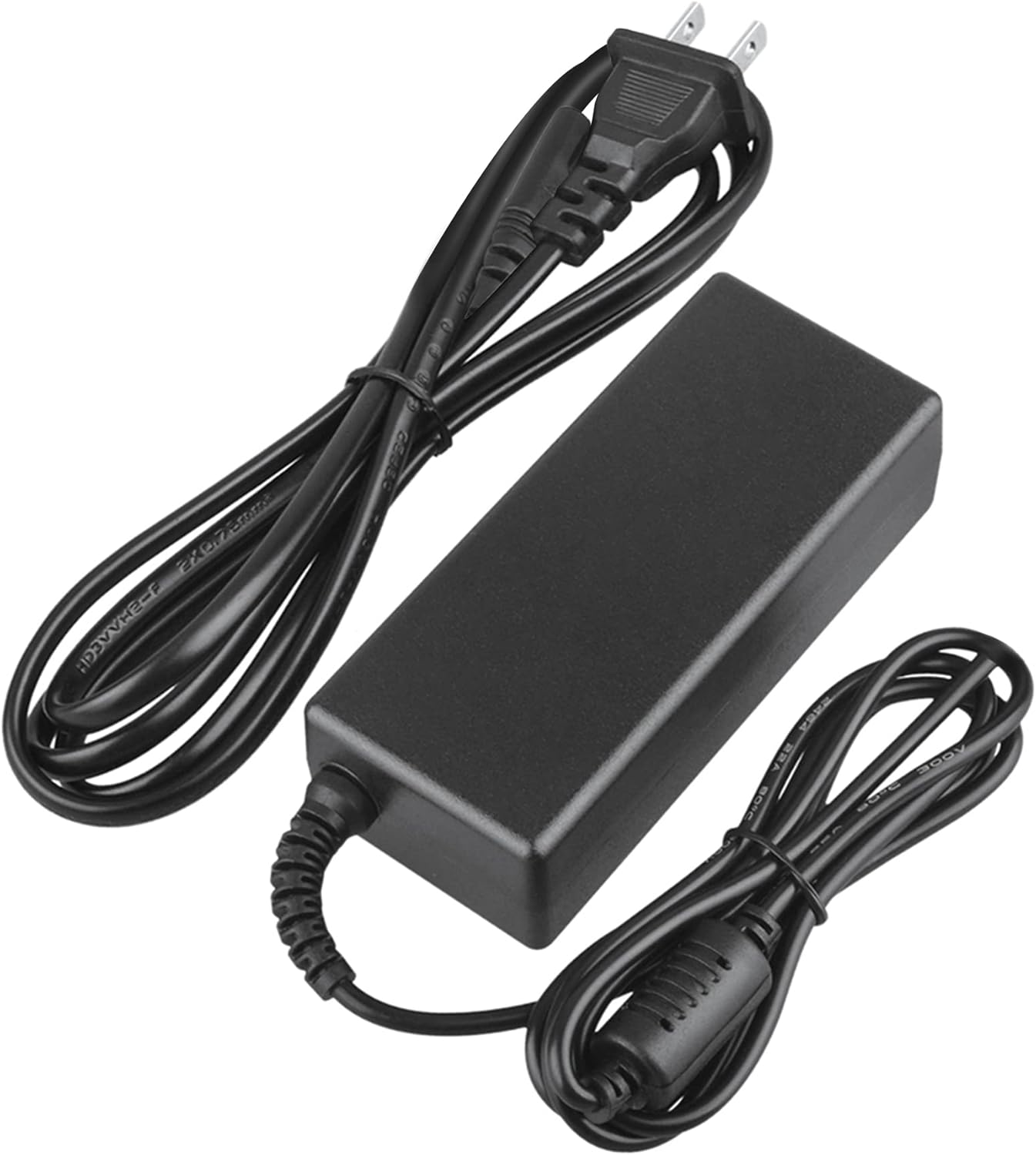
Image 2: Visual representation of the safety features, including overload, over voltage, over charge, over current, short circuit, and temperature protection.
7. പ്രശ്നപരിഹാരം
- ഉപകരണം ചാർജ് ചെയ്യുന്നില്ല:
- Ensure the adapter is securely plugged into both the wall outlet and your device.
- Check if the wall outlet is functional by plugging in another appliance.
- Verify that the adapter's output specifications are correct for your device.
- Inspect the adapter and cables for any visible damage.
- അഡാപ്റ്റർ അമിത ചൂടാക്കൽ:
- അഡാപ്റ്റർ നന്നായി വായുസഞ്ചാരമുള്ള സ്ഥലത്താണെന്നും അത് മൂടിയിട്ടില്ലെന്നും ഉറപ്പാക്കുക.
- Disconnect the adapter and allow it to cool down before resuming use.
- അമിതമായി ചൂടാകുന്നത് തുടരുകയാണെങ്കിൽ, ഉപയോഗം നിർത്തി ഉപഭോക്തൃ പിന്തുണയുമായി ബന്ധപ്പെടുക.
- ഉപകരണത്തിൽ പവർ ഇൻഡിക്കേറ്റർ ഇല്ല:
- Confirm all connections are secure.
- Test with a different wall outlet.
- If possible, test the device with another compatible power source to rule out a device issue.
8 സ്പെസിഫിക്കേഷനുകൾ
| ആട്രിബ്യൂട്ട് | സ്പെസിഫിക്കേഷൻ |
|---|---|
| മോഡൽ നമ്പർ | CJP-Geek-PSA-20221025-CA227 |
| ഇൻപുട്ട് വോളിയംtage | 100-240V എസി, 50/60Hz |
| ഔട്ട്പുട്ട് | Refer to device requirements for RP-PB054 RAVPower 20100mAh Portable Powerstation |
| ഉൽപ്പന്ന അളവുകൾ (L x W x H) | 5 x 3 x 8 ഇഞ്ച് |
| ഇനത്തിൻ്റെ ഭാരം | 9 ഔൺസ് |
| എസി കേബിൾ നീളം | ഏകദേശം 47 ഇഞ്ച് (1.2 മീറ്റർ) |
| DC കേബിൾ നീളം | ഏകദേശം 47 ഇഞ്ച് (1.2 മീറ്റർ) |
| Total Cable Length (approx.) | 7.87 feet (2.4 meters) including adapter body |

ചിത്രം 3: വിശദമായത് view of the adapter's dimensions and features, including cable lengths and a 'Copper interface' for stable output.
9. വാറൻ്റിയും പിന്തുണയും
വാറൻ്റി വിവരങ്ങൾ:
- 30 ദിവസത്തെ മണി ബാക്ക് ഗ്യാരണ്ടി
- 60 Days Free Exchange with Paid Return Label
- 2 Years Worry-Free Warranty
ഉപഭോക്തൃ പിന്തുണ:
For any product-related issues or inquiries, please contact CJP-Geek customer service. We are committed to assisting you in resolving any problems you may encounter. If the item is found to be defective within the 2-year warranty period, a replacement will be provided without the need to return the defective unit.