
C idea CM9100
C idea 10-inch Android 12 Tablet User Manual
Model: CM9100 | Brand: C idea
ആമുഖം
This manual provides essential information for the safe and efficient operation of your C idea 10-inch Android 12 Tablet, model CM9100. Please read this manual thoroughly before using the device to ensure proper functionality and to prevent damage.

ചിത്രം: മുന്നിലും പിന്നിലും view of the C idea 10-inch Android 12 Tablet, showcasing അതിന്റെ മനോഹരമായ രൂപകൽപ്പനയും ഡ്യുവൽ ക്യാമറ സജ്ജീകരണവും.
ആരംഭിക്കൽ: സജ്ജീകരണം
പാക്കേജ് ഉള്ളടക്കം
പാക്കേജിൽ എല്ലാ ഇനങ്ങളും ഉണ്ടെന്ന് ഉറപ്പാക്കുക:
- C idea 10-inch Android 12 Tablet
- യുഎസ്ബി ടൈപ്പ്-സി ചാർജിംഗ് കേബിൾ
- പവർ അഡാപ്റ്റർ (പ്രദേശത്തിനനുസരിച്ച് വ്യത്യാസപ്പെടാം)
- ഉപയോക്തൃ മാനുവൽ (ഈ പ്രമാണം)
ഉപകരണ ലേഔട്ടും പോർട്ടുകളും

Image: Detailed diagram illustrating the location of the TF Card Slot, Front Camera, 3.5mm Audio Jack, Volume buttons, Power ON/OFF button, Type-C port, Speakers, Reset button, and Rear Camera on the tablet.
- ടിഎഫ് കാർഡ് സ്ലോട്ട്: For inserting a Micro SD card to expand storage.
- മുൻ ക്യാമറ: വീഡിയോ കോളുകൾക്കും സെൽഫികൾക്കും ഉപയോഗിക്കുന്നു.
- 3.5mm ഓഡിയോ ജാക്ക്: ഹെഡ്ഫോണുകളോ ബാഹ്യ സ്പീക്കറുകളോ ബന്ധിപ്പിക്കുന്നതിന്.
- വോളിയം + / -: Adjusts the device's volume.
- പവർ ഓൺ/ഓഫ്: Press and hold to power on/off or restart. Short press to turn screen on/off.
- ടൈപ്പ്-സി പോർട്ട്: ടാബ്ലെറ്റ് ചാർജ് ചെയ്യുന്നതിനും കമ്പ്യൂട്ടറുമായി ബന്ധിപ്പിക്കുന്നതിനും.
- സ്പീക്കർ: ഓഡിയോ ഔട്ട്പുട്ട് നൽകുന്നു.
- പുന et സജ്ജമാക്കുക: Small pinhole for force restarting the device if unresponsive.
- പിൻ ക്യാമറ: ഫോട്ടോകളും വീഡിയോകളും എടുക്കുന്നതിന്.
ടാബ്ലെറ്റ് ചാർജ് ചെയ്യുന്നു
Before first use, fully charge the tablet. Connect the USB Type-C cable to the tablet's Type-C port and the other end to the power adapter. Plug the adapter into a wall outlet. The battery indicator on the screen will show charging status. A full charge takes approximately 5 hours.
പവർ ചെയ്യുന്നത് ഓൺ/ഓഫ്
- പവർ ഓണാക്കാൻ: അമർത്തിപ്പിടിക്കുക പവർ ഓൺ/ഓഫ് button until the C idea logo appears.
- പവർ ഓഫ് ചെയ്യാൻ: അമർത്തിപ്പിടിക്കുക പവർ ഓൺ/ഓഫ് button until the power options menu appears, then select "Power off".
- പുനരാരംഭിക്കാൻ: പവർ ഓപ്ഷനുകൾ മെനുവിൽ നിന്ന്, "പുനരാരംഭിക്കുക" തിരഞ്ഞെടുക്കുക.
- സ്ക്രീൻ ഓൺ/ഓഫ്: ഷോർട്ട് അമർത്തുക പവർ ഓൺ/ഓഫ് button to turn the screen on or off (sleep/wake).
പ്രാരംഭ സജ്ജീകരണം
ആദ്യമായി പവർ-ഓൺ ചെയ്യുമ്പോൾ, ടാബ്ലെറ്റ് പ്രാരംഭ സജ്ജീകരണ പ്രക്രിയയിലൂടെ നിങ്ങളെ നയിക്കും:
- നിങ്ങൾ ഇഷ്ടപ്പെടുന്ന ഭാഷ തിരഞ്ഞെടുക്കുക.
- ഒരു Wi-Fi നെറ്റ്വർക്കിലേക്ക് കണക്റ്റുചെയ്യുക.
- നിങ്ങളുടെ ഗൂഗിൾ അക്കൗണ്ട് ഉപയോഗിച്ച് സൈൻ ഇൻ ചെയ്യുകയോ പുതിയൊരെണ്ണം സൃഷ്ടിക്കുകയോ ചെയ്യുക. ഗൂഗിൾ പ്ലേ സ്റ്റോറും മറ്റ് ഗൂഗിൾ സേവനങ്ങളും ആക്സസ് ചെയ്യുന്നതിന് ഇത് ആവശ്യമാണ്.
- Set up screen lock (PIN, pattern, password, or Facial Unlock).
- Review നിബന്ധനകളും വ്യവസ്ഥകളും അംഗീകരിക്കുക.
ഒരു മൈക്രോ എസ്ഡി കാർഡ് ചേർക്കുന്നു
The tablet supports Micro SD cards up to 512GB for expanded storage.
- കണ്ടെത്തുക ടിഎഫ് കാർഡ് സ്ലോട്ട് on the side of the tablet.
- സ്വർണ്ണ കോൺടാക്റ്റുകൾ താഴേക്ക് അഭിമുഖമായി വരുന്ന തരത്തിൽ, അത് സ്ഥലത്ത് ക്ലിക്ക് ചെയ്യുന്നതുവരെ മൈക്രോ എസ്ഡി കാർഡ് സ്ലോട്ടിലേക്ക് സൌമ്യമായി തിരുകുക.
- നീക്കം ചെയ്യാൻ, കാർഡ് പുറത്തേക്ക് വരുന്നത് വരെ സൌമ്യമായി അകത്തേക്ക് തള്ളുക.
നിങ്ങളുടെ ടാബ്ലെറ്റ് പ്രവർത്തിപ്പിക്കുന്നു
അടിസ്ഥാന നാവിഗേഷൻ
The tablet uses a touch-sensitive screen for navigation:
- ടാപ്പ് ചെയ്യുക: ഒരു ഇനം തിരഞ്ഞെടുക്കാനോ ഒരു ആപ്പ് തുറക്കാനോ.
- ടാപ്പ് & ഹോൾഡ്: സന്ദർഭോചിത മെനുകൾ ആക്സസ് ചെയ്യുന്നതിനോ ഐക്കണുകൾ നീക്കുന്നതിനോ.
- സ്വൈപ്പ്: പേജുകളിലൂടെയോ ലിസ്റ്റുകളിലൂടെയോ സ്ക്രോൾ ചെയ്യാൻ.
- പിഞ്ച്: ചിത്രങ്ങൾ സൂം ഇൻ ചെയ്യാനോ ഔട്ട് ചെയ്യാനോ അല്ലെങ്കിൽ web പേജുകൾ.
വൈഫൈയിലേക്ക് കണക്റ്റ് ചെയ്യുന്നു
- പോകുക ക്രമീകരണങ്ങൾ > നെറ്റ്വർക്കും ഇൻ്റർനെറ്റും > വൈഫൈ.
- വൈഫൈ ടോഗിൾ ചെയ്യുക On.
- ലിസ്റ്റിൽ നിന്ന് നിങ്ങൾക്ക് ആവശ്യമുള്ള നെറ്റ്വർക്ക് തിരഞ്ഞെടുക്കുക.
- ആവശ്യപ്പെടുകയാണെങ്കിൽ പാസ്വേഡ് നൽകുക, തുടർന്ന് ടാപ്പുചെയ്യുക ബന്ധിപ്പിക്കുക.
Using the Google Play Store
The tablet is GMS certified, providing full access to the Google Play Store for downloading apps, games, movies, and more.
- ടാപ്പ് ചെയ്യുക പ്ലേ സ്റ്റോർ നിങ്ങളുടെ ഹോം സ്ക്രീനിലോ ആപ്പ് ഡ്രോയറിലോ ഐക്കൺ.
- ആപ്പുകൾ ബ്രൗസ് ചെയ്യുക അല്ലെങ്കിൽ തിരയുക.
- ടാപ്പ് ചെയ്യുക ഇൻസ്റ്റാൾ ചെയ്യുക to download and install an app.
ക്യാമറ പ്രവർത്തനങ്ങൾ
The tablet features an 8 MP rear camera and a 5 MP front camera.
- തുറക്കുക ക്യാമറ അപ്ലിക്കേഷൻ.
- ക്യാമറ സ്വിച്ച് ഐക്കൺ ഉപയോഗിച്ച് മുൻ ക്യാമറയും പിൻ ക്യാമറയും തമ്മിൽ മാറുക.
- ഒരു ഫോട്ടോ എടുക്കാൻ ഷട്ടർ ബട്ടൺ ടാപ്പ് ചെയ്യുക അല്ലെങ്കിൽ വീഡിയോ റെക്കോർഡിംഗ് ആരംഭിക്കുക/നിർത്തുക.
പ്രദർശന, ദൃശ്യാനുഭവം
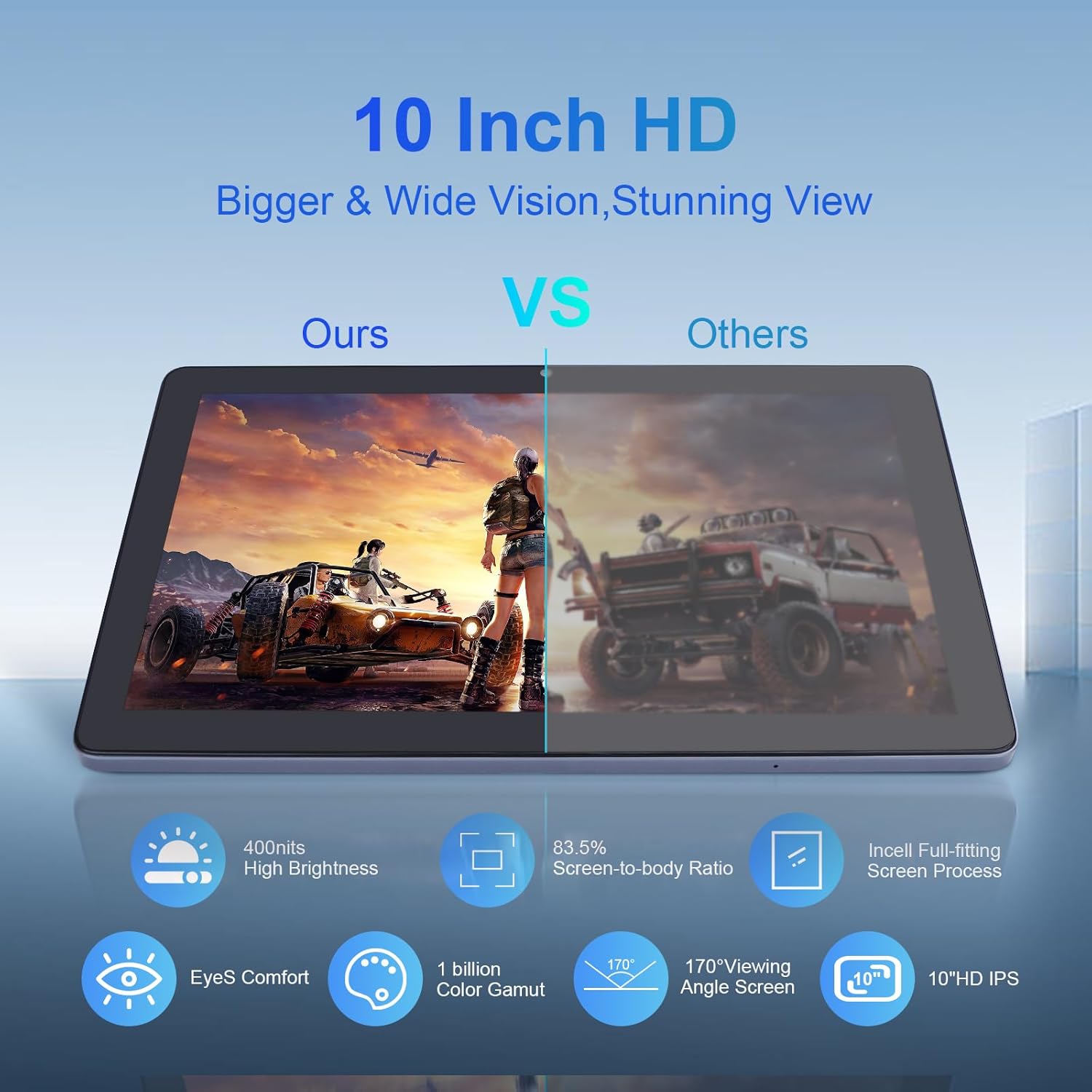
Image: Visual comparison demonstrating the C idea tablet's superior 10-inch HD IPS display with 400 nits brightness, 83.5% screen-to-body ratio, 170° viewing angle, and EyeS Comfort technology.
Your tablet features a 10-inch IPS HD display with 1280x800 resolution, offering vibrant colors and wide viewing angles. Adjust brightness and enable EyeS Comfort mode in ക്രമീകരണങ്ങൾ > പ്രദർശിപ്പിക്കുക ഒപ്റ്റിമലിന് viewകണ്ണിന്റെ ആയാസം കുറയ്ക്കാനും സഹായിക്കുന്നു.
Facial Unlock

Image: Illustration of Android 12 features, including enhanced privacy, security controls, convenient facial unlock, and low bluelight mode for night-time use.
For quick and secure access, set up Facial Unlock. Go to ക്രമീകരണങ്ങൾ > സുരക്ഷയും സ്വകാര്യതയും > ഫെയ്സ് അൺലോക്ക് നിങ്ങളുടെ മുഖം രജിസ്റ്റർ ചെയ്യുന്നതിന് സ്ക്രീനിലെ നിർദ്ദേശങ്ങൾ പാലിക്കുക.
മെയിൻ്റനൻസ്
നിങ്ങളുടെ ടാബ്ലെറ്റ് വൃത്തിയാക്കുന്നു
Use a soft, lint-free cloth to clean the screen and body of the tablet. Do not use liquid cleaners or aerosols directly on the device. Avoid getting moisture into openings.
ബാറ്ററി കെയർ
ബാറ്ററി ആയുസ്സ് വർദ്ധിപ്പിക്കാൻ:
- തീവ്രമായ താപനില ഒഴിവാക്കുക.
- പതിവായി റീചാർജ് ചെയ്യുന്നതിനുമുമ്പ് ബാറ്ററി പൂർണ്ണമായും തീർന്നുപോകാൻ അനുവദിക്കരുത്.
- Use the provided charger or a certified compatible charger.
സോഫ്റ്റ്വെയർ അപ്ഡേറ്റുകൾ
നിങ്ങളുടെ ടാബ്ലെറ്റിൽ ഏറ്റവും പുതിയ സവിശേഷതകളും സുരക്ഷാ പാച്ചുകളും ഉണ്ടെന്ന് ഉറപ്പാക്കാൻ ഇടയ്ക്കിടെ സിസ്റ്റം അപ്ഡേറ്റുകൾക്കായി പരിശോധിക്കുക. പോകുക ക്രമീകരണങ്ങൾ > സിസ്റ്റം > സിസ്റ്റം അപ്ഡേറ്റ്.
സ്റ്റോറേജ് മാനേജ്മെൻ്റ്
Regularly manage your tablet's storage to maintain optimal performance. Delete unnecessary files ഉപയോഗിക്കുക, ഉപയോഗിക്കാത്ത ആപ്പുകൾ അൺഇൻസ്റ്റാൾ ചെയ്യുക, വലിയ മീഡിയ നീക്കുക files to your Micro SD card or cloud storage. The tablet comes with 64GB of internal storage, expandable up to 512GB.

Image: Information detailing the tablet's 1.8 GHz Multifunctional Cortex-A55 processor, 64-Bit architecture, 12nm low power design, Mali-G52 GPU, 3GB RAM, 64GB ROM, and 128GB TF card expandability.
ട്രബിൾഷൂട്ടിംഗ്
നിങ്ങളുടെ ടാബ്ലെറ്റിൽ പ്രശ്നങ്ങൾ നേരിടുകയാണെങ്കിൽ, ഇനിപ്പറയുന്ന പൊതുവായ പരിഹാരങ്ങൾ പരിശോധിക്കുക:
- ടാബ്ലെറ്റ് ഓണാക്കുന്നില്ല: ബാറ്ററി ചാർജ്ജ് ചെയ്തിട്ടുണ്ടെന്ന് ഉറപ്പാക്കുക. ചാർജർ കണക്റ്റ് ചെയ്ത് പവർ ഓൺ ചെയ്യാൻ ശ്രമിക്കുന്നതിന് മുമ്പ് കുറച്ച് മിനിറ്റ് കാത്തിരിക്കുക.
- സ്ക്രീൻ നിശ്ചലമായി അല്ലെങ്കിൽ പ്രതികരിക്കുന്നില്ല: Press and hold the Power ON/OFF button for about 10-15 seconds to force a restart. If that doesn't work, use a thin pin to press the Reset pinhole.
- വൈഫൈ കണക്ഷൻ പ്രശ്നങ്ങൾ: Check if Wi-Fi is enabled in settings. Restart your Wi-Fi router. Forget the network and reconnect.
- Apps crashing or slow performance: Close background apps. Clear app cache (Settings > Apps > [App Name] > Storage > Clear cache). Restart the tablet. Ensure sufficient storage space.
- ബാറ്ററി വേഗത്തിൽ തീർന്നു: Reduce screen brightness. Close unused apps. Turn off Wi-Fi or Bluetooth when not in use. Limit background data usage.
സ്ഥിരമായ പ്രശ്നങ്ങൾക്ക്, ഒരു ഫാക്ടറി റീസെറ്റ് നടത്തുന്നത് പരിഗണിക്കുക (ക്രമീകരണങ്ങൾ > സിസ്റ്റം > റീസെറ്റ് ഓപ്ഷനുകൾ > എല്ലാ ഡാറ്റയും മായ്ക്കുക (ഫാക്ടറി റീസെറ്റ്)). മുന്നറിയിപ്പ്: This will erase all data on your tablet. Back up important data before proceeding.
സ്പെസിഫിക്കേഷനുകൾ
| ഫീച്ചർ | സ്പെസിഫിക്കേഷൻ |
|---|---|
| ബ്രാൻഡ് | സി ആശയം |
| മോഡൽ നമ്പർ | CM9100 |
| ഓപ്പറേറ്റിംഗ് സിസ്റ്റം | ആൻഡ്രോയിഡ് 12 |
| പ്രോസസ്സർ ബ്രാൻഡ് | മീഡിയടെക് |
| പ്രോസസ്സർ വേഗത | 1.6 GHz |
| കോറുകളുടെ എണ്ണം | 8 (Octa-Core) |
| റാം | 3 ജിബി |
| ആന്തരിക സംഭരണം (ROM) | 64 ജിബി |
| വികസിപ്പിക്കാവുന്ന സംഭരണം | 512 ജിബി വരെ (മൈക്രോ എസ്ഡി) |
| സ്ക്രീൻ വലിപ്പം | 10 ഇഞ്ച് |
| ഡിസ്പ്ലേ റെസല്യൂഷൻ | 1280 x 800 പിക്സലുകൾ (HD IPS) |
| ഗ്രാഫിക്സ് ചിപ്സെറ്റ് ബ്രാൻഡ് | ARM (GPU: PowerVR G8322) |
| കണക്റ്റിവിറ്റി | Wi-Fi (802.11a/b/g), Bluetooth (implied by modern tablet, though not explicitly listed in specs, but common), 3.5mm Audio, USB 3.0 Type-C |
| Battery Life (Video Playback) | ഏകദേശം 5.5 മണിക്കൂർ |
| ബാറ്ററി ശേഷി | 6000 mAh (ലിഥിയം-പോളിമർ) |
| അളവുകൾ (L x W x H) | 32 x 8.6 x 3.31 സെ.മീ |
| ഭാരം | 600 ഗ്രാം |
| പ്രത്യേക സവിശേഷതകൾ | Thin metal body, Stereo speakers, USB OTG support, GMS Certified |
വാറൻ്റിയും പിന്തുണയും
For warranty information and technical support, please refer to the documentation provided with your purchase or contact C idea customer service directly. Information regarding spare parts availability and guaranteed software updates is not available in this manual.
For further assistance, visit the official C idea webസൈറ്റ് അല്ലെങ്കിൽ അവരുടെ പിന്തുണാ ചാനലുകളുമായി ബന്ധപ്പെടുക.
Ask a question about this manual
Ask about setup, troubleshooting, compatibility, parts, safety, or missing instructions. Manuals+ will review the question and use this page’s manual context to help answer it.