
1. ആമുഖം
The Potensic ATOM SE is a lightweight and portable GPS drone designed for both beginners and advanced users. It features a 4K camera with advanced stabilization, intelligent flight modes, and extended flight time, making it ideal for capturing aerial footage.
പ്രധാന സവിശേഷതകൾ:
- ഭാരം കുറഞ്ഞതും പോർട്ടബിൾ: Weighs less than 249g, compliant with Class C0 certification, and features a foldable design for easy transport.
- ദീർഘിപ്പിച്ച ഫ്ലൈറ്റ് സമയം: Equipped with two intelligent batteries, each providing 31 minutes of flight, totaling 62 minutes.
- 4K EIS Camera: Features a 1/3" 12 MP CMOS sensor for 12 MP photos and UHD 4K/30fps videos, enhanced by ShakeVanish technology for vibration reduction.
- Intelligent Flight Control: SurgeFly system offers Video, Normal, and Sport flight modes, with Sport mode reaching speeds up to 16 m/s in 2.8 seconds.
- ദീർഘദൂര പ്രക്ഷേപണം: PixSync 2.0 technology provides smooth HD video transmission up to 4 km (13,120 feet) with low latency.
- High-Precision GPS: Enables intelligent return-to-home functions (low battery, signal loss) and advanced flight modes via the PotensicPro app (Follow Me, Waypoint Flight, Circle Flight).
- കാറ്റിൻ്റെ പ്രതിരോധം: Capable of withstanding Level 5 winds for stable flight and clear imaging.
2. പാക്കേജ് ഉള്ളടക്കം
നിങ്ങളുടെ പാക്കേജിൽ എല്ലാ ഇനങ്ങളും ഉണ്ടെന്ന് ഉറപ്പാക്കുക:
- Potensic ATOM SE Drone
- റിമോട്ട് കൺട്രോളർ
- Intelligent Flight Batteries (x2)
- Propellers (Spare Set)
- USB-C ചാർജിംഗ് കേബിൾ
- RC Cables (Micro USB, USB-C, Lightning)
- സ്ക്രൂഡ്രൈവർ
- കസ്റ്റം കാരിയിംഗ് കേസ്
- ഉപയോക്തൃ മാനുവൽ (ഈ പ്രമാണം)

Image: All components of the Potensic ATOM SE package, including the drone, remote controller, two batteries, spare propellers, charging cables, screwdriver, and carrying case.
3. ഡ്രോൺ ഓവർview
Familiarize yourself with the drone's components before operation.
- പ്രൊപ്പല്ലറുകൾ: Provide lift and thrust.
- മോട്ടോറുകൾ: Drive the propellers.
- Camera & Gimbal: Captures photos and videos, with ShakeVanish stabilization.
- ഇന്റലിജന്റ് ഫ്ലൈറ്റ് ബാറ്ററി: Powers the drone.
- നില സൂചകങ്ങൾ: LEDs indicating drone status.
- മടക്കാവുന്ന കൈകൾ: Allow for compact storage.

ചിത്രം: ഒരു ക്ലോസ്-അപ്പ് view of the Potensic ATOM SE drone's camera and gimbal system, highlighting the 12 MP Sony CMOS sensor and ShakeVanish technology for image stabilization.
4. റിമോട്ട് കൺട്രോളർ ഓവർview
The remote controller allows you to control the drone and access its features.
- നിയന്ത്രണ സ്റ്റിക്കുകൾ: For flight direction and altitude.
- ഫോൺ ഉടമ: Secures your smartphone for FPV viewing.
- ആന്റിന: സിഗ്നൽ പ്രക്ഷേപണത്തിനായി.
- പവർ ബട്ടൺ: To turn the controller on/off.
- Return-to-Home Button: Initiates automatic return to takeoff point.
- ഫോട്ടോ/വീഡിയോ ബട്ടൺ: To capture images or start/stop recording.

Image: A user holding the Potensic ATOM SE remote controller with a smartphone mounted, displaying the drone's live FPV feed, illustrating the PixSync 2.0 HD transmission system.
5. ബാറ്ററി വിവരങ്ങൾ
Charging the Intelligent Flight Battery:
- Connect the USB-C charging cable to the battery.
- കേബിളിന്റെ മറ്റേ അറ്റം ഒരു USB പവർ അഡാപ്റ്ററുമായി ബന്ധിപ്പിക്കുക (ഉൾപ്പെടുത്തിയിട്ടില്ല).
- The battery indicator lights will show the charging status. All lights solid indicate a full charge.
Installing the Intelligent Flight Battery:
- ഡ്രോൺ ഓഫ് ചെയ്തിട്ടുണ്ടെന്ന് ഉറപ്പാക്കുക.
- Insert the fully charged battery into the battery compartment on the drone until it clicks securely into place.
6. സജ്ജീകരണം
പ്രൊപ്പല്ലർ ഇൻസ്റ്റാളേഷൻ:
- Identify the correct propellers (marked A or B) for each motor.
- Attach the propellers to the corresponding motor shafts and secure them with the provided screws using the screwdriver. Ensure they are firmly attached but do not overtighten.
ആപ്പ് ഡൗൺലോഡും കണക്ഷനും:
- ഡൗൺലോഡ് ചെയ്യുക PotensicPro app from your device's app store (compatible with iOS 11+ and Android 7.0+).
- Mount your smartphone onto the remote controller's phone holder.
- Use one of the provided adapter cables (Micro USB, USB-C, or Lightning) to connect your smartphone to the remote controller.
- Power on the remote controller, then the drone.
- Open the PotensicPro app and follow the on-screen instructions to connect to the drone.
7. ഓപ്പറേഷൻ
പ്രീ-ഫ്ലൈറ്റ് ചെക്ക്ലിസ്റ്റ്:
- Ensure batteries for both drone and controller are fully charged.
- Check that propellers are correctly installed and undamaged.
- Verify that the drone arms are unfolded and locked.
- Ensure you are in an open area, away from obstacles, people, and restricted airspace.
- Confirm GPS signal acquisition before takeoff for stable flight and RTH functionality.
ടേക്ക് ഓഫും ലാൻഡിംഗും:
- ഓട്ടോമാറ്റിക് ടേക്ക് ഓഫ്: In the PotensicPro app, tap the 'Auto Takeoff' button. The drone will ascend to a safe height and hover.
- മാനുവൽ ടേക്ക് ഓഫ്: Push both control sticks down and outwards to start the motors. Then, push the left stick up to ascend.
- ഓട്ടോമാറ്റിക് ലാൻഡിംഗ്: In the PotensicPro app, tap the 'Auto Landing' button. The drone will descend and land automatically.
- മാനുവൽ ലാൻഡിംഗ്: Gently pull the left control stick down to descend. Once landed, push both control sticks down and inwards to stop the motors.
ഫ്ലൈറ്റ് മോഡുകൾ:
The SurgeFly flight control system offers three modes:
- വീഡിയോ മോഡ്: Optimized for smooth, cinematic footage with reduced speed and responsiveness.
- സാധാരണ മോഡ്: Standard flight mode, balancing speed and stability.
- സ്പോർട്സ് മോഡ്: Provides maximum speed (up to 16 m/s) and agility for dynamic flight.

Image: The Potensic ATOM SE drone in flight, demonstrating its SurgeFly technology and ability to reach speeds of up to 16 m/s in 2.8 seconds.
Intelligent Flight Functions (via PotensicPro App):
- Return to Home (RTH): The drone automatically returns to its takeoff point. This can be activated manually via the controller button or automatically triggered by low battery or signal loss.
- എന്നെ പിന്തുടരുക: The drone tracks and follows the remote controller or connected smartphone.
- വേപോയിന്റ് ഫ്ലൈറ്റ്: Plan a flight path by setting multiple waypoints on the map, and the drone will fly along the designated route.
- സർക്കിൾ ഫ്ലൈറ്റ്: The drone flies in a circular path around a designated point of interest.
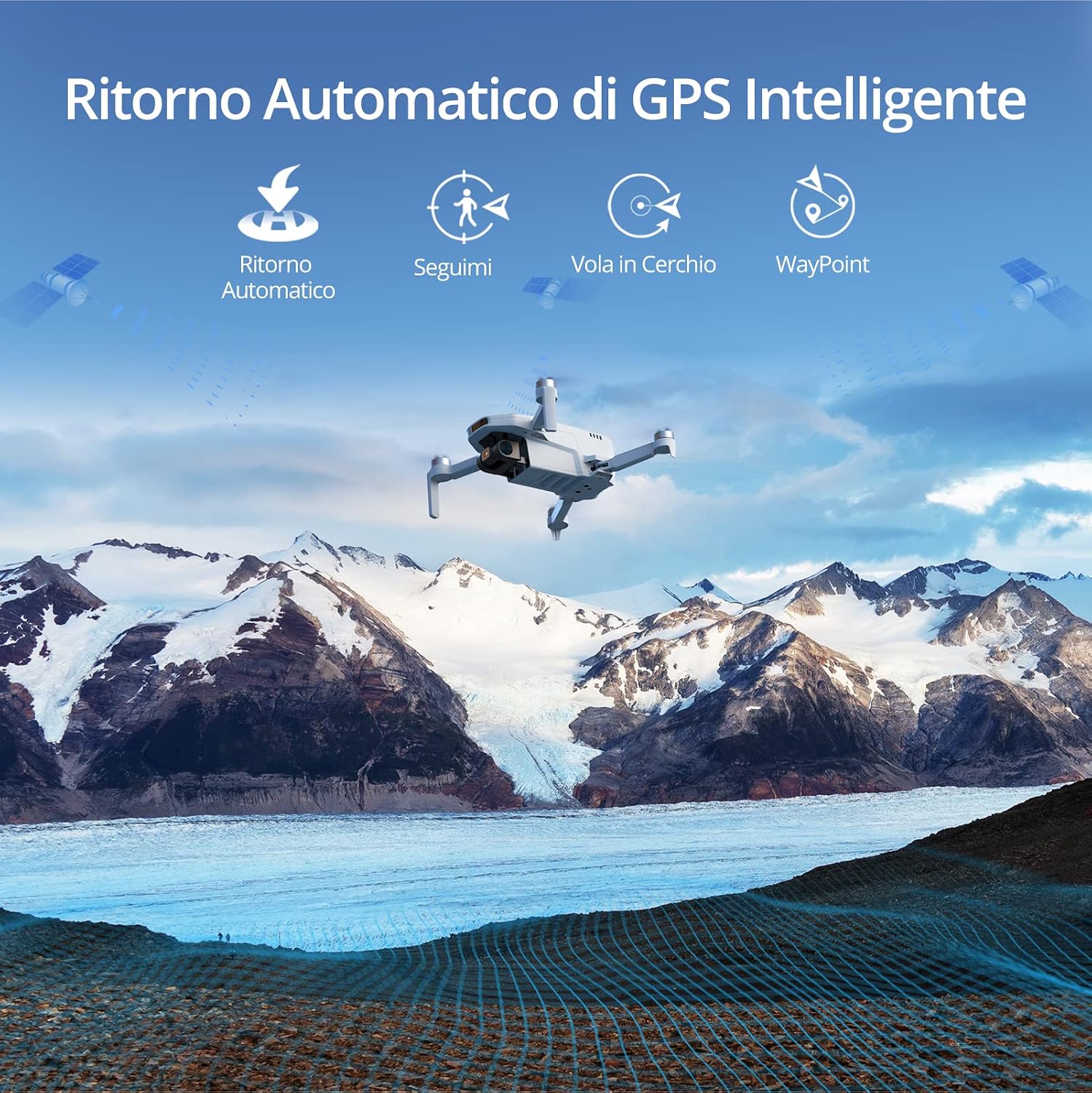
Image: The Potensic ATOM SE drone flying over a scenic mountain landscape, illustrating its intelligent GPS features such as Automatic Return, Follow Me, Circle Flight, and Waypoint navigation.
ക്യാമറ പ്രവർത്തനം:
- ഫോട്ടോ ക്യാപ്ചർ: Press the dedicated photo button on the remote controller or in the app to take a 12 MP photo.
- വീഡിയോ റെക്കോർഡിംഗ്: Press the dedicated video button on the remote controller or in the app to start/stop 4K/30fps video recording.
- ജിംബൽ നിയന്ത്രണം: Use the gimbal dial on the remote controller to adjust the camera's tilt angle.
8. പരിപാലനം
ഫേംവെയർ അപ്ഡേറ്റുകൾ:
The drone and remote controller firmware can be updated via FOTA (Firmware Over-The-Air) using the PotensicPro app. It is recommended to keep the firmware updated for optimal performance and new features.
- Ensure both drone and controller are powered on and connected to the app.
- Follow the app's instructions for firmware updates.
- For camera-related firmware updates, ensure a micro SD card (not included) is inserted into the drone.
വൃത്തിയാക്കലും സംഭരണവും:
- Clean the drone and remote controller with a soft, dry cloth after each use.
- വെള്ളത്തിലോ ഈർപ്പത്തിലോ ഡ്രോണിനെ തുറന്നുകാട്ടുന്നത് ഒഴിവാക്കുക.
- Store the drone and accessories in the provided carrying case in a cool, dry place.
- For long-term storage, charge the batteries to approximately 50-60% to prolong their lifespan.
9. പ്രശ്നപരിഹാരം
പൊതുവായ പ്രശ്നങ്ങളും പരിഹാരങ്ങളും:
- ഡ്രോൺ പ്രവർത്തിക്കുന്നില്ല: ബാറ്ററി പൂർണ്ണമായും ചാർജ്ജ് ചെയ്തിട്ടുണ്ടെന്നും ശരിയായി ഇൻസ്റ്റാൾ ചെയ്തിട്ടുണ്ടെന്നും ഉറപ്പാക്കുക.
- No FPV feed: Check the connection between your smartphone and the remote controller. Ensure the PotensicPro app is open and connected to the drone.
- അസ്ഥിരമായ ഫ്ലൈറ്റ്: Calibrate the drone's compass and IMU as instructed in the app. Ensure you are flying in an open area with strong GPS signal. Check for damaged propellers.
- മോശം ഇമേജ്/വീഡിയോ ഗുണമേന്മ: Ensure the camera lens is clean. Check for sufficient lighting. Update camera firmware if available.
- Drone not responding to controller: Re-pair the remote controller with the drone as per app instructions. Ensure both devices are powered on.
10 സ്പെസിഫിക്കേഷനുകൾ
| ഫീച്ചർ | വിശദാംശങ്ങൾ |
|---|---|
| ബ്രാൻഡ് | പൊട്ടൻസിക് |
| മോഡലിൻ്റെ പേര് | Potensic ATOM SE |
| ടേക്ക് ഓഫ് ഭാരം | <249 ഗ്രാം |
| പരമാവധി ഫ്ലൈറ്റ് സമയം | 31 minutes per battery (62 minutes total with 2 batteries) |
| ക്യാമറ സെൻസർ | 1/3" 12 MP CMOS |
| ഫോട്ടോ റെസല്യൂഷൻ | 12 എം.പി |
| വീഡിയോ റെസല്യൂഷൻ | 4K/30fps UHD |
| ഇമേജ് സ്റ്റെബിലൈസേഷൻ | EIS (ShakeVanish Technology) |
| പരമാവധി ട്രാൻസ്മിഷൻ ശ്രേണി | 4 km (13,120 feet) with PixSync 2.0 |
| Max Speed (Sport Mode) | 16 m/s |
| ജിപിഎസ് | Integrated High-Precision GPS |
| കാറ്റ് പ്രതിരോധം | ലെവൽ 5 |
| അപ്ലിക്കേഷൻ അനുയോജ്യത | iOS 11+, Android 7.0+ |
11. Safety Guidelines and Regulations
Operating a drone requires adherence to local regulations and safety practices. The Potensic ATOM SE is classified as a C0 UAS (Unmanned Aircraft System).
| വിഭാഗം | Requirement/Guideline |
|---|---|
| യുഎഎസ് ക്ലാസ് | C0 |
| ടേക്ക് ഓഫ് ഭാരം | <250 ഗ്രാം |
| Flight Scenario | May fly over people but not over crowds; fly within visual line of sight, with the remote pilot intervening at all times. |
| യോഗ്യത | ഉപയോക്തൃ മാനുവൽ ശ്രദ്ധാപൂർവ്വം വായിക്കുക. |
| ഓപ്പറേറ്റർ രജിസ്ട്രേഷൻ | അതെ |
| ഫ്ലൈറ്റ് ഉയരം | Below 120m above ground level. |
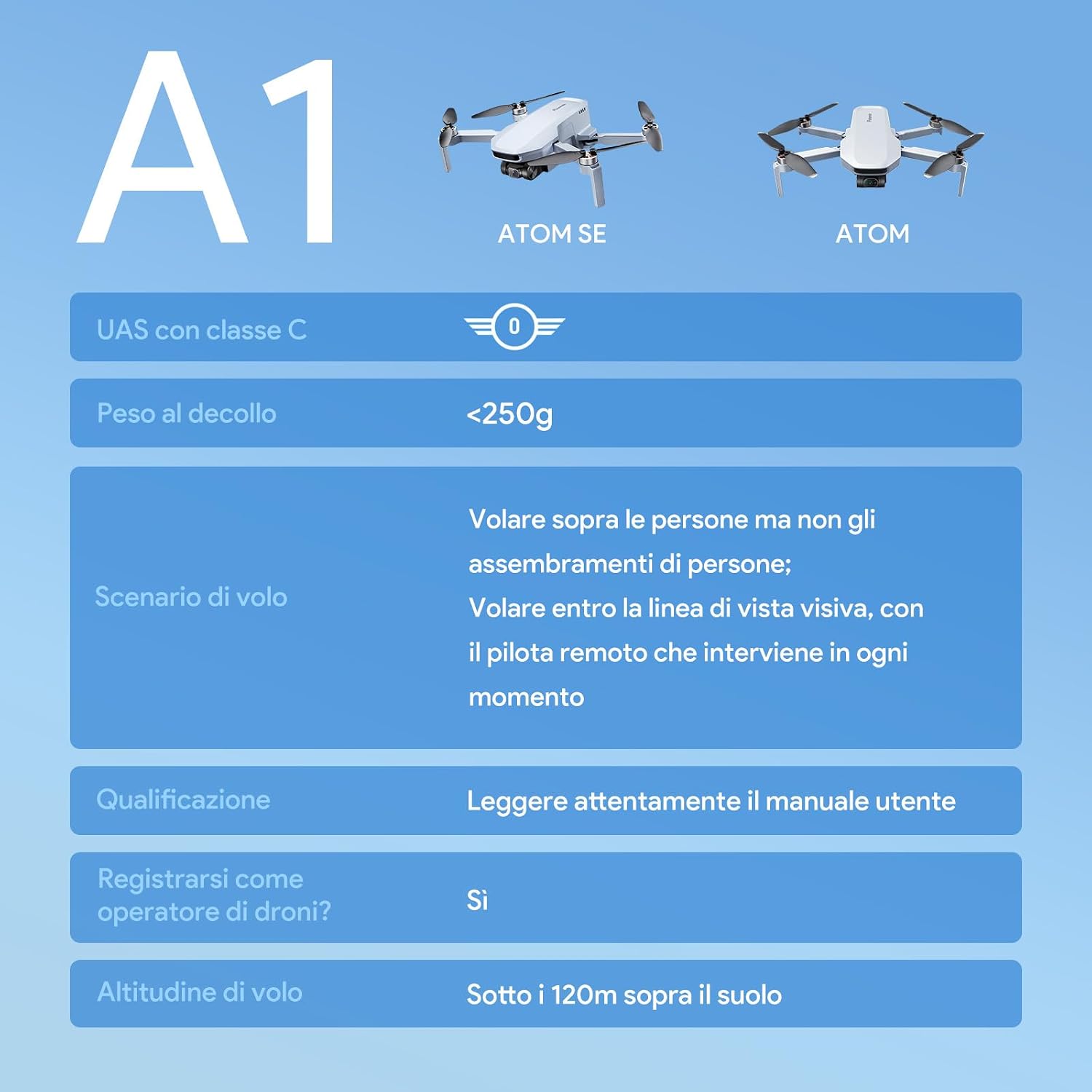
Image: A table detailing the A1 classification for the Potensic ATOM SE, including takeoff weight, flight scenarios, pilot qualification, operator registration, and maximum flight altitude.
പൊതു സുരക്ഷാ നുറുങ്ങുകൾ:
- Always fly in open areas, away from buildings, trees, and power lines.
- Maintain a safe distance from people and animals.
- Do not fly in adverse weather conditions (strong winds, rain, snow).
- Respect privacy and avoid flying over private property without permission.
- Always keep the drone within your visual line of sight.
12. വാറൻ്റിയും പിന്തുണയും
Potensic provides a standard warranty for the ATOM SE drone. For detailed warranty information, please refer to the official Potensic webസൈറ്റ് അല്ലെങ്കിൽ ഉപഭോക്തൃ പിന്തുണയുമായി ബന്ധപ്പെടുക.
If you encounter any issues or have questions regarding your Potensic ATOM SE drone, please contact Potensic customer support through their official channels. Keep your purchase receipt as proof of purchase for warranty claims.