
ആമുഖം
This manual provides detailed instructions for the installation, operation, and maintenance of your eRapta AY7 Backup Camera System. Designed for a wide range of vehicles including cars, pickup trucks, SUVs, RVs, minivans, sedans, and semi-trailers, this system enhances driving safety and parking convenience with its 7-inch HD 2K monitor and IP69K waterproof wired camera.
ബോക്സിൽ എന്താണുള്ളത്
ഇൻസ്റ്റാളേഷൻ ആരംഭിക്കുന്നതിന് മുമ്പ് എല്ലാ ഘടകങ്ങളും നിലവിലുണ്ടെന്ന് ഉറപ്പാക്കുക:
- 1 x 7-inch TFT Color Monitor
- 1 x Wired Camera (with license plate bracket)
- 1 x 33 അടി പവർ കേബിൾ
- 1 x Car Charger (cigarette lighter adapter)
- 2 x Brackets (for monitor mounting)
- 1 x റിമോട്ട് കൺട്രോൾ

Image: All components of the eRapta AY7 Backup Camera System, including the monitor, camera, cables, and mounting accessories.
സജ്ജമാക്കുക
The eRapta AY7 system offers flexible installation options. Follow these steps for a successful setup:
1. ക്യാമറ ഇൻസ്റ്റാളേഷൻ
- മൗണ്ടിംഗ്: The camera is designed to be mounted above your vehicle's license plate using the integrated bracket. Secure it with screws.
- വയറിംഗ്: Route the camera's power cable from the rear of the vehicle to the front cabin. The slim connector allows for easier routing through small openings or weather stripping.

Image: Step-by-step diagram illustrating the wired installation of the camera system, connecting the camera to the monitor via a long cable and powering it through the car charger.
2. ഇൻസ്റ്റലേഷൻ നിരീക്ഷിക്കുക
The 7-inch monitor can be mounted in two primary ways:
- Dashboard Mount: Use the provided adhesive bracket to secure the monitor to a flat surface on your dashboard.
- വിൻഡ്ഷീൽഡ് മൗണ്ട്: Attach the suction cup bracket to the monitor and then to your vehicle's windshield for optimal viewing.

Image: Illustration of the easy and optional installation methods for the monitor, showing both dashboard and windshield mounting options.
3. പവർ കണക്ഷൻ
The system is powered via your vehicle's 12V cigarette lighter socket. Connect the car charger to the monitor's power input. Alternatively, for a more permanent installation, the system can be wired directly to your vehicle's reverse light circuit (professional installation recommended for this method).

Image: Diagram detailing the two power supply methods for the eRapta backup camera system: a simple plug-and-play car charger option and a direct wire connection to the reverse light for automatic activation.
4. Video Connection
Connect the 33ft power cable from the camera to the monitor. Ensure all connections are secure.
Video: This official eRapta video provides a detailed overview of the AY7 Backup Camera system and its installation process.
പ്രവർത്തന നിർദ്ദേശങ്ങൾ
Once installed, the eRapta AY7 system is ready for use. The monitor will automatically display the camera feed when powered on.
1. മോണിറ്റർ നിയന്ത്രണങ്ങൾ
The monitor features several buttons for adjustment:
- വി1/വി2: Switch between video inputs (if multiple cameras are connected).
- മെനു: Access the on-screen display (OSD) menu for settings.
- +/-: Adjust brightness, contrast, saturation, tint, and navigate menu options.
- പവർ ബട്ടൺ: മോണിറ്റർ ഓൺ/ഓഫ് ചെയ്യുക.
2. റിമോട്ട് കൺട്രോൾ
The included remote control provides convenient access to monitor functions and settings without directly touching the screen.
3. DIY Grid Lines
The system allows for customization of parking guide lines to suit your vehicle and preferences. Access the menu to adjust the width, position (up/down, left/right), and height of the guide lines.

Image: The monitor displaying the camera feed with customizable DIY guide lines for parking assistance.
4. Mirror-Flip Function
The camera is equipped with a mirror-flip function, allowing it to be used as either a rear camera (mirror image) or a front camera (normal image). This setting can be adjusted via the monitor's menu.
5. നൈറ്റ് വിഷൻ
The camera features 9 LED lights and a 6-glass lens for enhanced night vision, automatically illuminating to provide clear images in low-light conditions, ensuring safety during nighttime driving or parking.
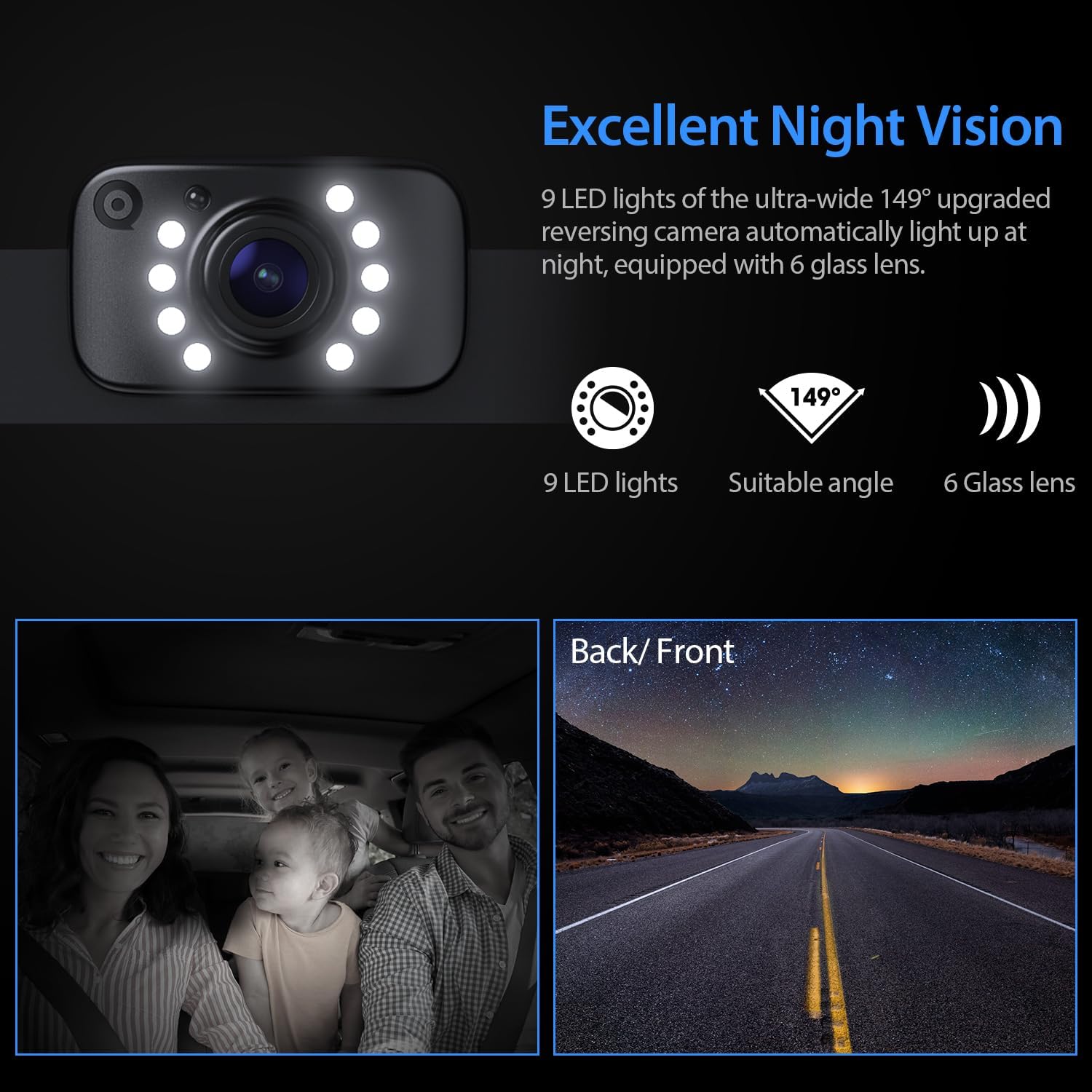
Image: The camera's night vision feature, highlighting the 9 LED lights and 6-glass lens for clear visibility in the dark.
Video: This official eRapta video showcases the 2K image quality and night vision performance of the backup camera kit.
മെയിൻ്റനൻസ്
To ensure the longevity and optimal performance of your eRapta AY7 Backup Camera System, follow these maintenance guidelines:
- വൃത്തിയാക്കൽ: ക്യാമറ ലെൻസും മോണിറ്റർ സ്ക്രീനും ഒരു സോഫ്റ്റ്, ഡി ക്ലീനർ ഉപയോഗിച്ച് പതിവായി വൃത്തിയാക്കുക.amp തുണി. പ്രതലങ്ങളിൽ പോറലുകൾ ഉണ്ടാക്കാൻ സാധ്യതയുള്ള ഉരച്ചിലുകൾ ഉണ്ടാക്കുന്ന ക്ലീനറുകൾ ഒഴിവാക്കുക.
- വാട്ടർപ്രൂഫ് ഡിസൈൻ: The camera housing is IP69K waterproof, ensuring efficient dustproof, shockproof, and waterproof performance. However, avoid directing high-pressure water jets directly at the camera for extended periods.
- കേബിൾ പരിശോധന: Periodically check all cables and connections for any signs of wear, damage, or loose contacts. Secure or replace as necessary.
ട്രബിൾഷൂട്ടിംഗ്
If you encounter any issues with your eRapta AY7 Backup Camera System, refer to the following common troubleshooting steps:
- മോണിറ്ററിൽ ചിത്രമില്ല:
- Ensure the monitor is powered on and the car charger is securely plugged into the 12V socket.
- Check the video cable connection between the camera and the monitor.
- If wired to the reverse light, ensure the vehicle is in reverse gear and the wiring is correct.
- മിന്നിമറയുന്ന അല്ലെങ്കിൽ വികലമായ ചിത്രം:
- Verify all cable connections are tight and free from damage.
- വൈദ്യുതി വിതരണം സുസ്ഥിരമാണെന്ന് ഉറപ്പാക്കുക.
- Check for any strong electromagnetic interference sources near the cables.
- Guide Lines Incorrectly Displayed:
- Access the monitor's menu using the remote control or buttons to adjust the DIY guide line settings.
- നൈറ്റ് വിഷൻ പ്രവർത്തിക്കുന്നില്ല:
- ക്യാമറ ലെൻസ് വൃത്തിയുള്ളതും തടസ്സമില്ലാത്തതുമാണെന്ന് ഉറപ്പാക്കുക.
- Verify the LED lights on the camera are functioning in low light conditions.
For further assistance, please contact eRapta support.
സ്പെസിഫിക്കേഷനുകൾ
| സ്ക്രീനിന്റെ വലിപ്പം നിരീക്ഷിക്കുക | 7 ഇഞ്ച് |
| ഡിസ്പ്ലേ ടെക്നോളജി | എൽസിഡി |
| ക്യാമറ റെസല്യൂഷൻ | 2K HD |
| ഒപ്റ്റിക്കൽ സെൻസർ ടെക്നോളജി | CMOS |
| ലെൻസ് തരം | വൈഡ് ആംഗിൾ |
| യഥാർത്ഥ ആംഗിൾ View | 140 ഡിഗ്രി |
| വാട്ടർപ്രൂഫ് റേറ്റിംഗ് | IP69K |
| വാല്യംtage | 12 വോൾട്ട് |
| ഉൽപ്പന്ന അളവുകൾ | 7.1"L x 0.8"W x 4.51"H |
| ഇനത്തിൻ്റെ ഭാരം | 2.05 പൗണ്ട് |
വാറൻ്റിയും പിന്തുണയും
Your eRapta AY7 Backup Camera System comes with a രണ്ട് വർഷത്തെ വാറൻ്റി ഒപ്പം ആജീവനാന്ത സാങ്കേതിക പിന്തുണ. For any questions, concerns, or technical assistance, the eRapta support department is always available for consultation.