
1. ആമുഖം
This manual provides detailed instructions for the installation, operation, and maintenance of your ieGeek ZS-GX4S 5MP Solar Wireless Outdoor Security Camera. Please read this manual thoroughly before using the product to ensure proper function and safety. Keep this manual for future reference.
2. പാക്കേജ് ഉള്ളടക്കം
പാക്കേജ് ഉള്ളടക്കം ലഭിച്ചുകഴിഞ്ഞാൽ ദയവായി പരിശോധിക്കുക. ഏതെങ്കിലും ഇനങ്ങൾ നഷ്ടപ്പെട്ടാലോ കേടുപാടുകൾ സംഭവിച്ചാലോ, ഉപഭോക്തൃ പിന്തുണയുമായി ബന്ധപ്പെടുക.
- Camera Body (1)
- Solar Panel (1)
- Screws and Anchors (7 sets)
- Body Fixing Screws (4)
- ഉപയോക്തൃ മാനുവൽ (1)
- ടൈപ്പ്-സി കേബിൾ (1)
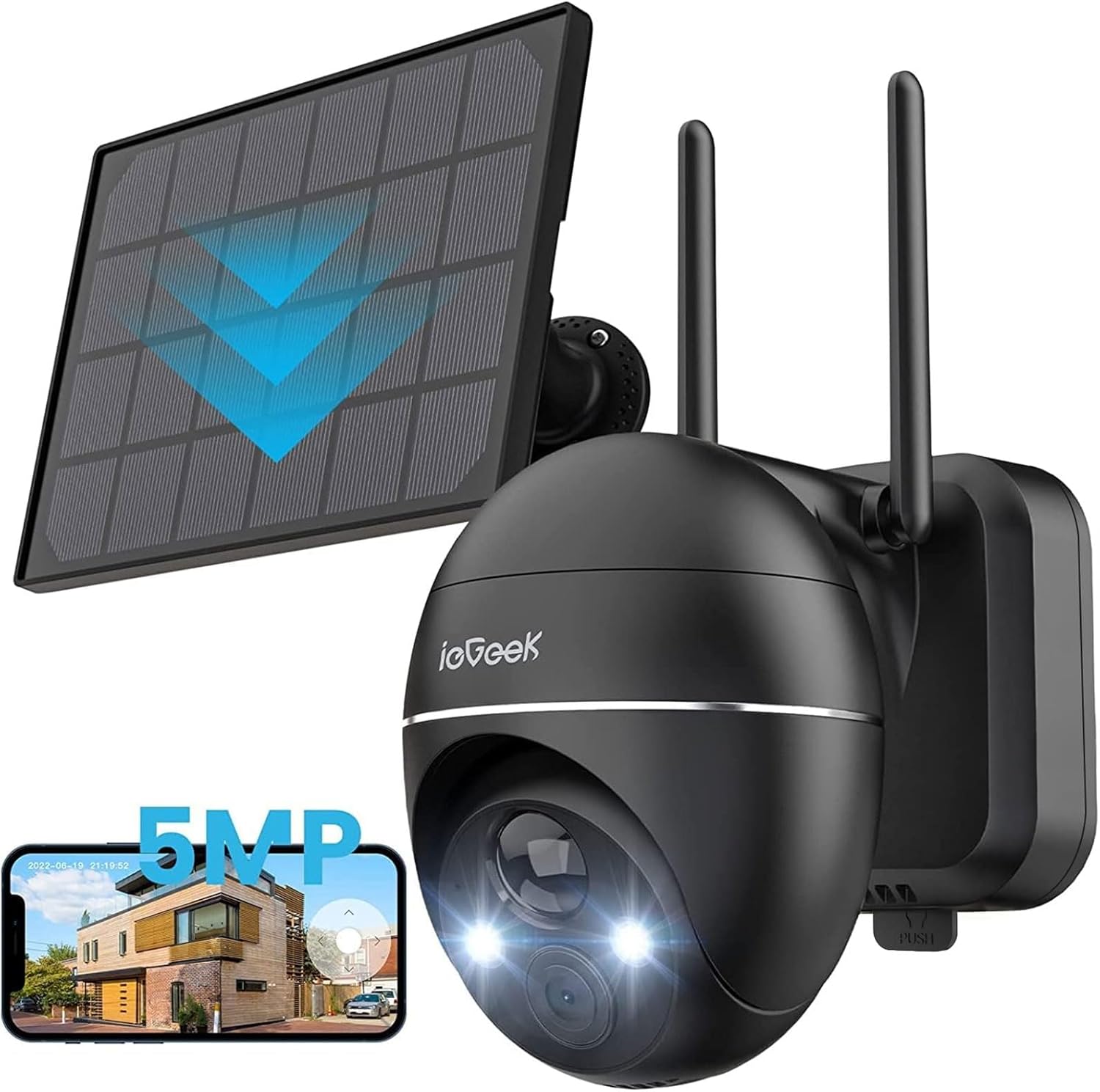
Image: ieGeek ZS-GX4S camera, solar panel, and a smartphone displaying the live feed.
3. ഉൽപ്പന്നം കഴിഞ്ഞുview
The ieGeek ZS-GX4S is a 5-megapixel (2592x1944P) wireless outdoor security camera designed for comprehensive surveillance. It features a high-efficiency solar panel for continuous power, eliminating the need for frequent battery charging. The camera offers 360° pan and 120° tilt functionality, advanced PIR human detection, color night vision, two-way audio, and IP66 weather resistance.
പ്രധാന സവിശേഷതകൾ:
- 5MP സൂപ്പർ HD റെസല്യൂഷൻ: Captures clear and detailed images and videos.
- Solar Powered & Wireless: Equipped with a high-efficiency solar panel and a 15000mAh battery for wire-free operation.
- 360° പാൻ & 120° ചരിവ്: ക്യാമറകൾ വിദൂരമായി നിയന്ത്രിക്കുക viewing angle via the mobile app.
- PIR Human Detection & AI Recognition: Reduces false alarms by accurately detecting human movement.
- കളർ നൈറ്റ് വിഷൻ: കുറഞ്ഞ വെളിച്ചത്തിൽ പോലും വ്യക്തവും പൂർണ്ണ വർണ്ണ വീഡിയോയും നൽകുന്നു.
- ടു-വേ ഓഡിയോ: ബിൽറ്റ്-ഇൻ മൈക്രോഫോണും സ്പീക്കറും ഉപയോഗിച്ച് സന്ദർശകരുമായി ആശയവിനിമയം നടത്തുക അല്ലെങ്കിൽ നുഴഞ്ഞുകയറ്റക്കാരെ തടയുക.
- IP66 കാലാവസ്ഥാ പ്രതിരോധം: വിവിധ ബാഹ്യ കാലാവസ്ഥകളെ നേരിടാൻ രൂപകൽപ്പന ചെയ്തിരിക്കുന്നു.
- Cloud & Local Storage: Offers free 6-second cloud recording (7 days) and supports up to 128GB MicroSD card storage.
- Alexa അനുയോജ്യത: View live feeds on compatible Alexa devices.

Image: Visual comparison demonstrating the enhanced clarity of 5MP resolution over 2K resolution.
4. സജ്ജീകരണം
4.1 പ്രാരംഭ ചാർജിംഗ്
Before first use, it is recommended to fully charge the camera's internal battery using the provided Type-C cable. Connect the cable to the camera and a 5V/2A power adapter (not included). The charging indicator will show the charging status.
4.2 അപ്ലിക്കേഷൻ ഇൻസ്റ്റാളേഷൻ
Download the dedicated ieGeek app from the App Store (iOS) or Google Play Store (Android). ഇതിനായി തിരയുക "ieGeek" and install the application.
4.3 ക്യാമറയും സോളാർ പാനലും സ്ഥാപിക്കൽ
Choose a suitable location for installation. Ensure the solar panel receives adequate direct sunlight throughout the day for optimal charging. The camera is wall-mountable.
- Mark the drilling spots on the wall using the mounting bracket as a template.
- Drill holes and insert the provided anchors.
- സ്ക്രൂകൾ ഉപയോഗിച്ച് മൗണ്ടിംഗ് ബ്രാക്കറ്റ് ഭിത്തിയിൽ ഉറപ്പിക്കുക.
- മൗണ്ടിംഗ് ബ്രാക്കറ്റിൽ ക്യാമറ ഘടിപ്പിക്കുക.
- Mount the solar panel in a location with maximum sun exposure and connect its cable to the camera's charging port.

Image: Step-by-step visual guide for wall-mounting the camera.

Image: The ieGeek ZS-GX4S camera installed outdoors, powered by its connected solar panel.
4.4 വൈഫൈ കണക്ഷൻ
The camera supports 2.4GHz Wi-Fi networks. Ensure your router is within range and broadcasting a 2.4GHz signal.
- Open the ieGeek app and create an account or log in.
- ഒരു പുതിയ ഉപകരണം ചേർക്കാൻ ആപ്പിലെ നിർദ്ദേശങ്ങൾ പാലിക്കുക.
- Power on the camera. The camera will enter pairing mode (indicated by a specific LED light pattern or voice prompt).
- നിങ്ങളുടെ 2.4GHz വൈഫൈ നെറ്റ്വർക്ക് തിരഞ്ഞെടുത്ത് ആപ്പിൽ പാസ്വേഡ് നൽകുക.
- The app will generate a QR code. Point the camera lens at the QR code on your phone screen from a distance of 15-20 cm until you hear a confirmation sound.
- Once connected, the camera will appear in your app's device list.

Image: The ieGeek app displaying Wi-Fi signal strength for the connected camera.
5. പ്രവർത്തന നിർദ്ദേശങ്ങൾ
5.1 തത്സമയം View ഒപ്പം പ്ലേബാക്ക്
From the app's main screen, tap on your camera to access the live view. You can pan and tilt the camera, take screenshots, record manually, and access recorded footage.
5.2 പാൻ, ടിൽറ്റ് നിയന്ത്രണം
ലൈവിൽ view, swipe your finger across the screen to remotely adjust the camera's horizontal (pan) and vertical (tilt) angles. The camera supports 360° horizontal rotation and 120° vertical movement.

Image: A smartphone screen demonstrating remote control of the camera's 360° pan and 120° tilt functions.
5.3 മോഷൻ ഡിറ്റക്ഷനും അലേർട്ടുകളും
The camera uses PIR (Passive Infrared) and AI human detection to accurately identify human movement and minimize false alarms from pets, insects, or swaying branches. When motion is detected, the camera will start recording and send a push notification to your smartphone.
- ഇഷ്ടാനുസൃതമാക്കാവുന്ന ഡിറ്റക്ഷൻ സോണുകൾ: Set specific areas within the camera's view where you want motion to be detected.
- ക്രമീകരിക്കാവുന്ന സംവേദനക്ഷമത: The app allows you to set the motion detection sensitivity across 10 levels to suit your environment.
- Scheduled Detection: Configure specific time periods for motion detection to be active.
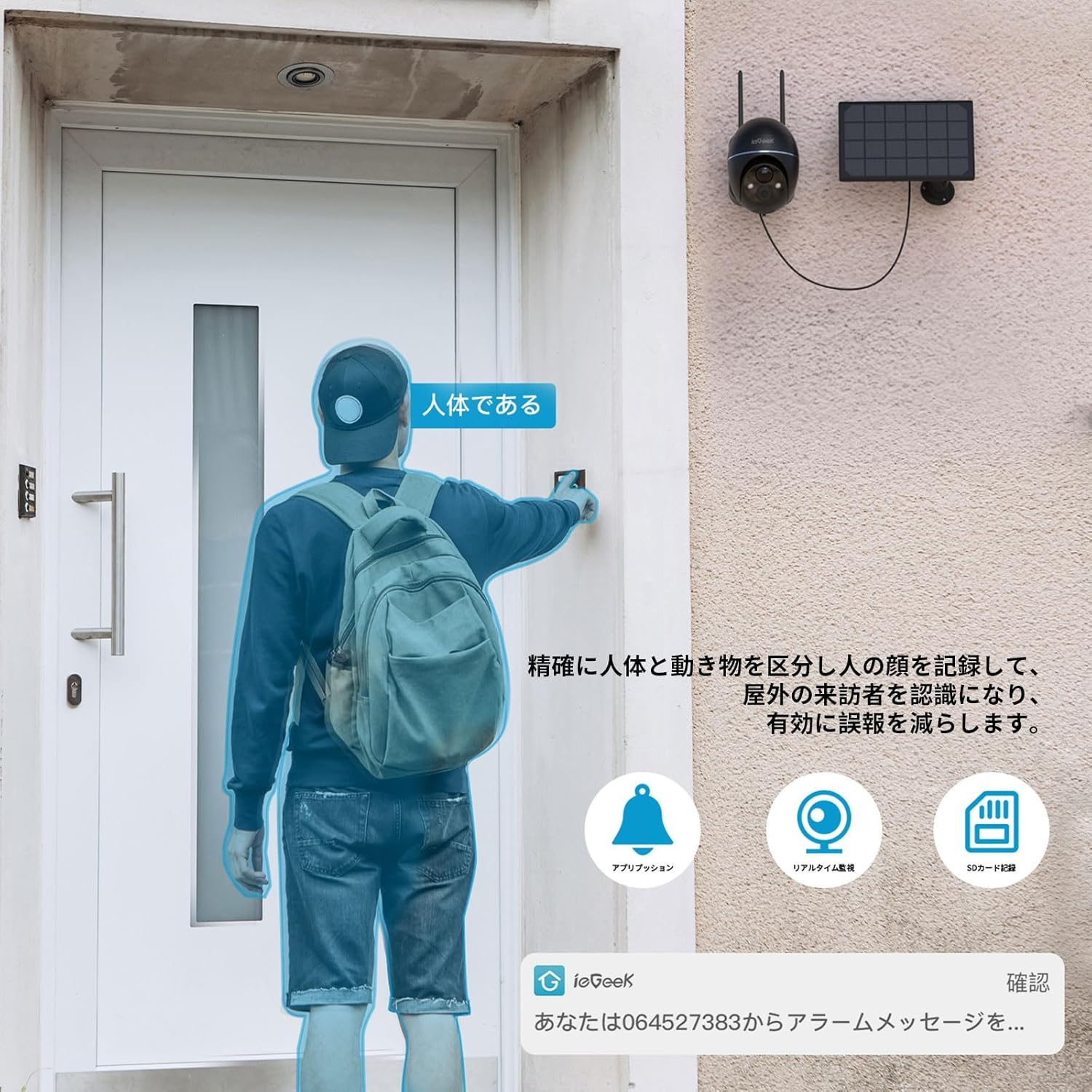
Image: The camera's human detection feature identifying a person and sending an alert to a smartphone.

Image: Adjustable motion detection sensitivity settings in the app, shown with a camera monitoring a driveway.
5.4 നൈറ്റ് വിഷൻ
The camera supports both infrared (black and white) and full-color night vision. In intelligent mode, the camera can automatically switch to color night vision when human motion is detected in the dark, providing clearer identification of individuals.

Image: Demonstrating the camera's night vision capabilities, including color night vision.
5.5 ടു-വേ ഓഡിയോ
The built-in microphone and speaker allow for real-time two-way communication. You can speak through the camera via the app and hear responses from the camera's location.

Image: Illustrating the two-way audio feature, allowing communication with a delivery person at the door.
5.6 റെക്കോർഡിംഗും സംഭരണവും
The camera offers flexible recording and storage options:
- സൗജന്യ ക്ലൗഡ് സംഭരണം: Provides 6 seconds of cloud recording for 7 days upon motion detection.
- മൈക്രോ എസ്ഡി കാർഡ് സംഭരണം: Supports local storage with a MicroSD card up to 128GB (sold separately). The camera features loop recording, automatically overwriting the oldest footagകാർഡ് നിറയുമ്പോൾ.

Image: The camera's cloud storage feature, showing data being uploaded to the cloud via the app.

Image: The app interface demonstrating recorded video playback and the loop recording function.
5.7 അലക്സാ ഇന്റഗ്രേഷൻ
The ieGeek ZS-GX4S is compatible with Alexa. You can use voice commands to view the camera's live feed on compatible Alexa-enabled smart displays.

Image: An Alexa-enabled smart display showing the live feed from the ieGeek camera, demonstrating voice control compatibility.
5.8 കുടുംബ പങ്കിടൽ
You can share access to your camera's live feed and recordings with up to 20 other devices. This allows family members or trusted individuals to monitor the property simultaneously.

Image: Illustration of the family sharing feature, allowing multiple users to view ക്യാമറ വിദൂരമായി ഫീഡ് ചെയ്യുന്നു.
6. പരിപാലനം
6.1 സോളാർ പാനൽ കാര്യക്ഷമത
To ensure optimal charging, regularly clean the surface of the solar panel to remove dust, dirt, or debris that may obstruct sunlight. A dirty panel can significantly reduce charging efficiency.

Image: Diagram illustrating the solar panel's structure and the importance of cleaning for high conversion efficiency.
6.2 ബാറ്ററി നിരീക്ഷണം
The ieGeek app provides real-time battery status monitoring. You will receive a push notification when the battery level drops to 18%, reminding you to check the solar panel's exposure or manually charge the camera if necessary.

Image: The ieGeek app displaying a graph of real-time battery usage and charging status.
6.3 കാലാവസ്ഥാ പ്രതിരോധം
The camera has an IP66 dustproof and waterproof rating, ensuring reliable operation in various weather conditions such as wind, rain, and snow. No specific maintenance is required for weather protection beyond ensuring proper installation.

Image: The ieGeek camera operating outdoors in the rain, highlighting its IP66 waterproof feature.
7. പ്രശ്നപരിഹാരം
- ക്യാമറ വൈഫൈയിലേക്ക് കണക്റ്റ് ചെയ്യുന്നില്ല:
Ensure your Wi-Fi network is 2.4GHz. Check the Wi-Fi signal strength at the camera's installation location using the app. If the signal is weak, consider moving the camera closer to the router or using a Wi-Fi extender. - പതിവ് തെറ്റായ അലാറങ്ങൾ:
Adjust the motion detection sensitivity in the app. Lowering the sensitivity can help reduce triggers from minor movements like swaying branches or small animals. Configure specific detection zones to exclude areas prone to false alarms. - Battery not charging or draining quickly:
Verify that the solar panel is positioned to receive maximum direct sunlight throughout the day. Clean the solar panel surface regularly. If the weather is consistently cloudy or rainy, manual charging via the Type-C cable may be necessary. Monitor battery status in the app. - റെക്കോർഡിംഗുകളില്ല അല്ലെങ്കിൽ foo കാണുന്നില്ല.tage:
Check if a MicroSD card is properly inserted and formatted. Ensure the card is not full (loop recording should prevent this, but check for errors). Verify your cloud storage subscription status if relying on cloud recordings. Check motion detection settings to ensure it's enabled and configured correctly. - മോശം ചിത്ര നിലവാരം:
Ensure the camera lens is clean and free from obstructions. Check your Wi-Fi connection stability, as poor connectivity can affect streaming quality.
8 സ്പെസിഫിക്കേഷനുകൾ
| ഫീച്ചർ | സ്പെസിഫിക്കേഷൻ |
|---|---|
| മോഡലിൻ്റെ പേര് | ZS-GX4S |
| വീഡിയോ ക്യാപ്ചർ റെസല്യൂഷൻ | 5 എംപി (2592x1944 പി) |
| നിറം | കറുപ്പ് |
| മൗണ്ടിംഗ് തരം | മതിൽ മൗണ്ട് |
| വയർലെസ് കമ്മ്യൂണിക്കേഷൻ ടെക്നോളജി | വൈഫൈ (2.4GHz) |
| ഫീൽഡ് View | 360° (Pan), 120° (Tilt) |
| നൈറ്റ് വിഷൻ റേഞ്ച് | 15 മീറ്റർ വരെ |
| മെറ്റീരിയൽ | പ്ലാസ്റ്റിക് |
| വാല്യംtage | 3.7 വോൾട്ട് |
| വാട്ട്tage | 55.5 വാട്ട് മണിക്കൂർ |
| ഉൽപ്പന്ന അളവുകൾ | 18 x 17 x 12.6 സെ.മീ; 1 കി.ഗ്രാം |
| ഒപ്റ്റിക്കൽ സൂം | 4X |
| വാട്ടർപ്രൂഫ് റേറ്റിംഗ് | IP66 |
| പവർ ഉറവിടം | Battery Powered (Solar Rechargeable) |
| അനുയോജ്യമായ ഉപകരണങ്ങൾ | Smartphones (iOS/Android), Alexa devices |
9. വാറൻ്റിയും പിന്തുണയും
Your ieGeek ZS-GX4S camera comes with a 2-year long-term warranty, which includes a 1-year free compensation right and an additional 12-month extended warranty plan. ieGeek products are certified under the Electrical Appliance and Material Safety Act (PSE) and Radio Law (TELEC), ensuring safety and reliability.
പിന്തുണയുമായി ബന്ധപ്പെടുക:
If you encounter any issues or have questions, please contact our support team:
- ഇമെയിൽ: Refer to the official ieGeek email address provided in the printed manual.
- ആമസോൺ പിന്തുണ: Go to your Amazon "Order History," select your purchase, and click "Ask a question." We aim to respond within one business day.
We are committed to protecting your rights and ensuring your satisfaction.