
ആമുഖം
Welcome to your PowerLocus P2 Bluetooth Over-Ear Headphones. This manual provides detailed instructions for setup, operation, maintenance, and troubleshooting to ensure optimal performance and longevity of your device.
ബോക്സിൽ എന്താണുള്ളത്
- PowerLocus P2 Bluetooth Headphones
- യുഎസ്ബി ചാർജിംഗ് കേബിൾ
- 3.5 എംഎം ഓഡിയോ കേബിൾ
- ഹാർഡ് കാരിയിംഗ് കേസ്
- ഉപയോക്തൃ മാനുവൽ (ഈ പ്രമാണം)
ഉൽപ്പന്നം കഴിഞ്ഞുview
Familiarize yourself with the key features and components of your PowerLocus P2 headphones.

Image: PowerLocus P2 Rose Gold Headphones highlighting features like Deep Bass, Bluetooth 5.0, Multi-Point Connection, Extended Battery Life, Quick Charging, and Low Latency.
നിയന്ത്രണങ്ങളും തുറമുഖങ്ങളും
The headphones feature intuitive controls for easy management of audio and calls, along with versatile connectivity options.

ചിത്രം: വിശദമായത് view of the headphone's side, illustrating the control buttons, Micro SD/TF card slot, 3.5mm audio jack, and indicating support for Bluetooth, Aux, Micro SD/TF, and FM Radio modes.
സജ്ജമാക്കുക
ഹെഡ്ഫോണുകൾ ചാർജ് ചെയ്യുന്നു
Before first use, fully charge your headphones to ensure maximum battery life.
- ഹെഡ്ഫോണുകളിലെ ചാർജിംഗ് പോർട്ടിലേക്ക് USB ചാർജിംഗ് കേബിൾ ബന്ധിപ്പിക്കുക.
- USB കേബിളിന്റെ മറ്റേ അറ്റം അനുയോജ്യമായ ഒരു USB പവർ സ്രോതസ്സുമായി (ഉദാ: കമ്പ്യൂട്ടർ, വാൾ അഡാപ്റ്റർ) ബന്ധിപ്പിക്കുക.
- LED ഇൻഡിക്കേറ്റർ ചാർജിംഗ് സ്റ്റാറ്റസ് കാണിക്കും (ഉദാ: ചാർജ് ചെയ്യുന്നതിന് ചുവപ്പ്, പൂർണ്ണമായി ചാർജ് ചെയ്തതിന് നീല).
- ഒരു പൂർണ്ണ ചാർജിന് ഏകദേശം 2.5 മണിക്കൂർ.
ബ്ലൂടൂത്ത് ജോടിയാക്കൽ
Connect your headphones wirelessly to your preferred devices.
- ഹെഡ്ഫോണുകൾ ഓഫാണെന്ന് ഉറപ്പാക്കുക.
- ജോടിയാക്കൽ മോഡ് സൂചിപ്പിക്കുന്ന LED ഇൻഡിക്കേറ്റർ ചുവപ്പും നീലയും നിറങ്ങളിൽ മിന്നുന്നത് വരെ പവർ/മൾട്ടി-ഫംഗ്ഷൻ ബട്ടൺ അമർത്തിപ്പിടിക്കുക.
- നിങ്ങളുടെ ഉപകരണത്തിൽ (സ്മാർട്ട്ഫോൺ, ടാബ്ലെറ്റ്, പിസി), ബ്ലൂടൂത്ത് പ്രവർത്തനക്ഷമമാക്കി ലഭ്യമായ ഉപകരണങ്ങൾക്കായി തിരയുക.
- Select "PowerLocus P2" from the list of devices.
- കണക്ട് ചെയ്തുകഴിഞ്ഞാൽ, LED ഇൻഡിക്കേറ്റർ സാവധാനം കടും നീലയോ ഫ്ലാഷ് നീലയോ ആയി മാറും.
- The headphones support simultaneous connection to two devices.
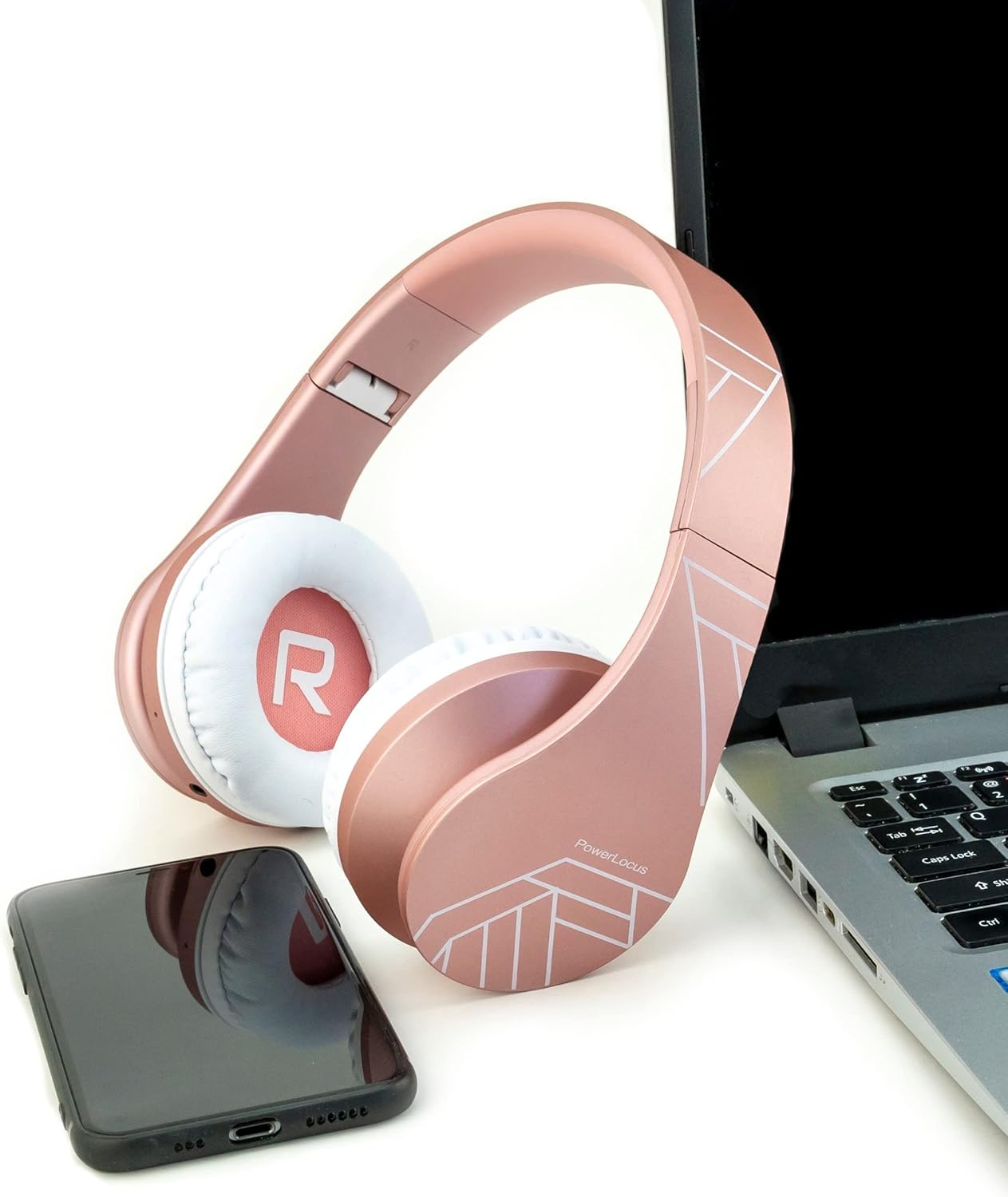
Image: PowerLocus P2 headphones positioned next to a laptop and a smartphone, illustrating their universal compatibility with various devices.
പ്രവർത്തന നിർദ്ദേശങ്ങൾ
പവർ ഓൺ/ഓഫ്
- പവർ ഓൺ ചെയ്യാൻ: പവർ ബട്ടൺ 3 സെക്കൻഡ് അമർത്തിപ്പിടിക്കുക.
- പവർ ഓഫ് ചെയ്യാൻ: പവർ ബട്ടൺ 3 സെക്കൻഡ് അമർത്തിപ്പിടിക്കുക.
വോളിയം നിയന്ത്രണം
- Volume Up: Press the "+" button.
- Volume Down: Press the "-" button.
സംഗീത പ്ലേബാക്ക്
- പ്ലേ/താൽക്കാലികമായി നിർത്തുക: മൾട്ടി-ഫംഗ്ഷൻ ബട്ടൺ ഒരിക്കൽ അമർത്തുക.
- അടുത്ത ട്രാക്ക്: "+" ബട്ടൺ അമർത്തിപ്പിടിക്കുക.
- മുമ്പത്തെ ട്രാക്ക്: "-" ബട്ടൺ അമർത്തിപ്പിടിക്കുക.
കോളുകൾക്ക് മറുപടി നൽകുന്നു
- Answer/End Call: Press the Multi-function button once.
- Reject Call: Press and hold the Multi-function button for 2 seconds.
- Redial Last Number: Double-press the Multi-function button.
Micro SD/TF Card Mode
Insert a Micro SD/TF card into the designated slot. The headphones will automatically switch to Micro SD/TF card playback mode.
എഫ്എം റേഡിയോ മോഡ്
Press the "M" (Mode) button to switch to FM Radio mode. Use the "+" and "-" buttons to scan for stations.
Wired Mode (AUX)
Connect the supplied 3.5mm audio cable to the headphone's AUX port and your audio device. This mode works even if the headphone battery is depleted.

Image: A person wearing PowerLocus P2 headphones, illustrating their universal compatibility with various devices including cellphones, PCs, tablets, laptops, and TVs.
മെയിൻ്റനൻസ്
- മൃദുവായതും ഉണങ്ങിയതുമായ തുണി ഉപയോഗിച്ച് ഹെഡ്ഫോണുകൾ പതിവായി വൃത്തിയാക്കുക.
- ഹെഡ്ഫോണുകൾ തീവ്രമായ താപനിലയിലോ, ഈർപ്പം അല്ലെങ്കിൽ ദ്രാവകങ്ങളിലോ തുറന്നുകാട്ടുന്നത് ഒഴിവാക്കുക.
- Store the headphones in the provided hard carrying case when not in use to prevent damage.
- ഹെഡ്ഫോണുകൾ ഡിസ്അസംബ്ലിംഗ് ചെയ്യാനോ പരിഷ്ക്കരിക്കാനോ ശ്രമിക്കരുത്.
- The ear cushions are made of soft memory foam for comfort and can be gently wiped.

Image: PowerLocus P2 headphones demonstrating their soft memory foam earmuffs, foldable design for portability, and adjustable headband for a comfortable fit.
ട്രബിൾഷൂട്ടിംഗ്
പവർ ഇല്ല
- ഹെഡ്ഫോണുകൾ പൂർണ്ണമായും ചാർജ്ജ് ചെയ്തിട്ടുണ്ടെന്ന് ഉറപ്പാക്കുക.
- ചാർജിംഗ് കേബിളും പവർ സ്രോതസ്സും പരിശോധിക്കുക.
ബ്ലൂടൂത്ത് വഴി ജോടിയാക്കാൻ കഴിയില്ല
- Ensure the headphones are in pairing mode (flashing red and blue LED).
- നിങ്ങളുടെ ഉപകരണത്തിൽ ബ്ലൂടൂത്ത് പ്രവർത്തനക്ഷമമാക്കിയിട്ടുണ്ടെന്ന് ഉറപ്പാക്കുക.
- Move the headphones closer to your device (within 12 feet / approx. 3.6 meters).
- നിങ്ങളുടെ ഉപകരണത്തിലെ മുമ്പത്തെ ബ്ലൂടൂത്ത് കണക്ഷനുകൾ മായ്ച്ച ശേഷം വീണ്ടും ജോടിയാക്കാൻ ശ്രമിക്കുക.
ശബ്ദമില്ല
- ഹെഡ്ഫോണുകളിലും കണക്റ്റുചെയ്തിരിക്കുന്ന ഉപകരണത്തിലും വോളിയം ലെവൽ പരിശോധിക്കുക.
- Ensure the headphones are correctly paired via Bluetooth or the 3.5mm audio cable is securely connected.
- If using Micro SD/TF card, ensure the card is inserted correctly and contains playable audio files.
മോശം സൗണ്ട് ക്വാളിറ്റി
- Move closer to your Bluetooth device to avoid interference.
- മറ്റൊരു ഓഡിയോ ഉറവിടം പരീക്ഷിക്കുക അല്ലെങ്കിൽ file.
- Ensure the earcups are properly seated on your ears for optimal sound isolation.

Image: A person listening to music with PowerLocus P2 headphones, illustrating the amazing sound quality, deep bass, and extended treble for an enjoyable audio experience.
സ്പെസിഫിക്കേഷനുകൾ
| ഫീച്ചർ | സ്പെസിഫിക്കേഷൻ |
|---|---|
| ബ്രാൻഡ് | പവർലോകസ് |
| മോഡലിൻ്റെ പേര് | P2 |
| നിറം | റോസ് ഗോൾഡ് |
| ഫോം ഫാക്ടർ | Over-Ear (Circum-Aural) |
| കണക്റ്റിവിറ്റി ടെക്നോളജി | വയർലെസ്സ് (ബ്ലൂടൂത്ത്), വയർഡ് (3.5mm ജാക്ക്) |
| ബ്ലൂടൂത്ത് പതിപ്പ് | 5.3 |
| ബ്ലൂടൂത്ത് ശ്രേണി | 12 അടി (ഏകദേശം 3.6 മീറ്റർ) |
| ഓഡിയോ ഡ്രൈവർ വലിപ്പം | 40 മില്ലിമീറ്റർ |
| പ്രതിരോധം | 32 ഓം |
| സംവേദനക്ഷമത | 105 ഡി.ബി |
| ഫ്രീക്വൻസി റേഞ്ച് | 20 ഹെർട്സ് - 20,000 ഹെർട്സ് |
| ശബ്ദ നിയന്ത്രണം | സൗണ്ട് ഐസൊലേഷൻ |
| ചാർജിംഗ് സമയം | 2.5 മണിക്കൂർ |
| ശരാശരി ബാറ്ററി ലൈഫ് | 19 മണിക്കൂർ |
| അനുയോജ്യമായ ഉപകരണങ്ങൾ | Gaming Console, Computer, Laptop, Tablet, Phone |
| പ്രത്യേക സവിശേഷതകൾ | Micro SD/TF Card Mode, FM Radio, Built-in Microphone |
| Material (Internal) | വ്യാജമായത് |
| ജല പ്രതിരോധ നില | വാട്ടർപ്രൂഫ് അല്ല |
വാറൻ്റിയും പിന്തുണയും
Your PowerLocus P2 headphones come with a 2 വർഷത്തെ വാറൻ്റി.
For any questions or support regarding your PowerLocus P2 headphones, please contact us via Amazon. We aim to respond within one hour.
For more information, visit the official PowerLocus store on Amazon: PowerLocus Store