
1. ആമുഖം
The ANCEL BD500 is a versatile Bluetooth 5.0 OBD2 scanner designed to provide comprehensive diagnostic capabilities for Volkswagen, Audi, Seat, and Skoda (VAG) vehicles, as well as standard OBD2 functions for most other car brands. This manual provides detailed instructions for setting up, operating, and maintaining your BD500 device to effectively diagnose and resolve vehicle issues.
2. പാക്കേജ് ഉള്ളടക്കം
Upon unboxing your ANCEL BD500, please verify that all items listed below are present:
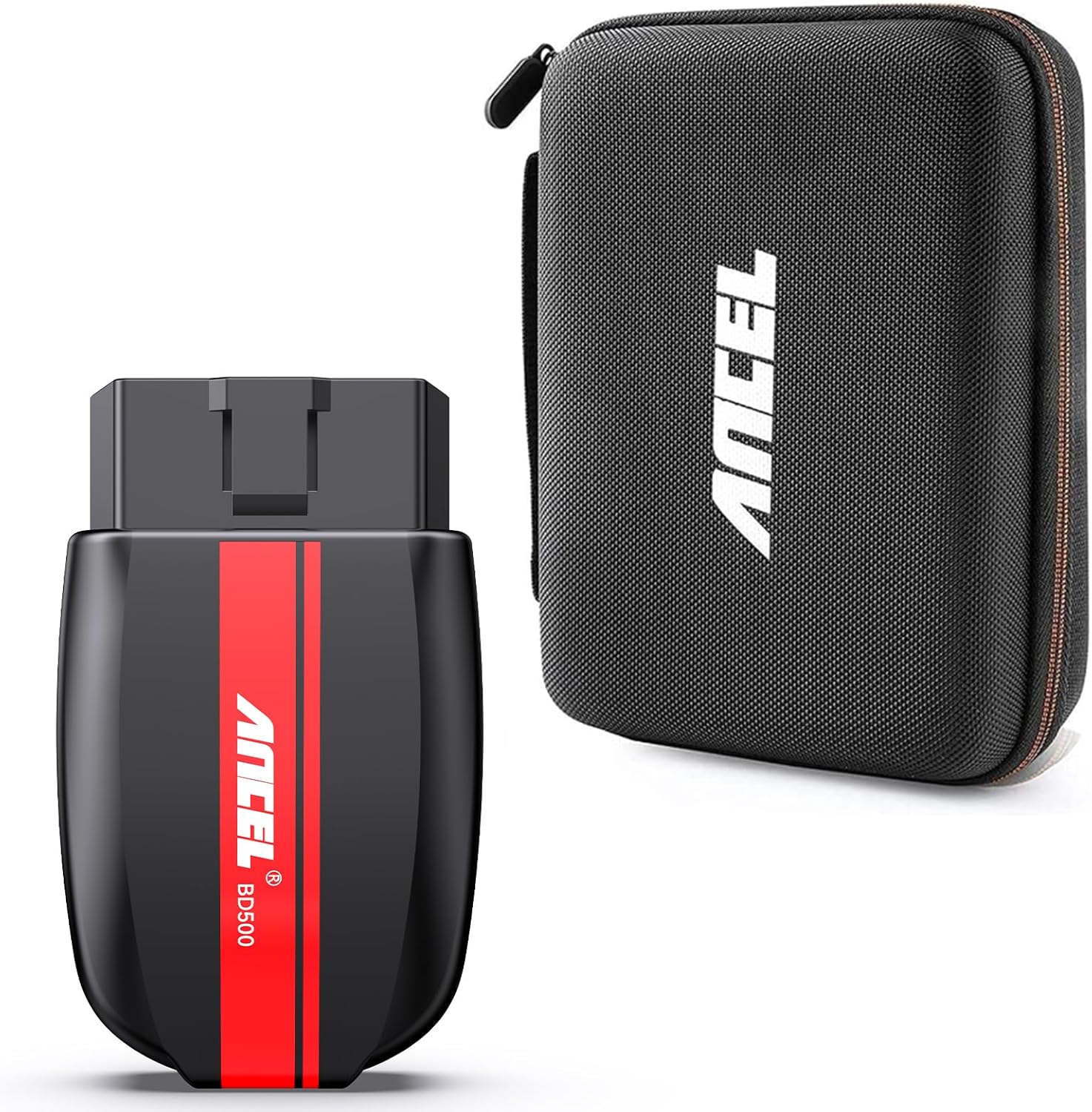
- 1x ANCEL BD500 Bluetooth Code Reader
- 1x സ്റ്റോറേജ് ബാഗ്
3. സജ്ജീകരണം
3.1. ആപ്പ് ഇൻസ്റ്റാളേഷൻ
The ANCEL BD500 operates via a dedicated smartphone application. Please download and install the official ANCEL app from your device's app store:
- iPhone/iPad-ന്: ഇതിനായി തിരയുക "ANCEL" in the Apple App Store.
- Android ഉപകരണങ്ങൾക്കായി: ഇതിനായി തിരയുക "ANCEL" in the Google Play Store.
3.2. ഉപകരണ കണക്ഷൻ
- Locate your vehicle's OBD2 port. This is typically found under the dashboard on the driver's side.
- Ensure your vehicle's ignition is turned to the ON position, but the engine is OFF.
- Plug the ANCEL BD500 device firmly into the OBD2 port. The device will power on automatically.
- നിങ്ങളുടെ സ്മാർട്ട്ഫോണിലോ ടാബ്ലെറ്റിലോ ബ്ലൂടൂത്ത് പ്രവർത്തനക്ഷമമാക്കുക.
- Open the ANCEL app. The app will automatically scan for and connect to the BD500 device via Bluetooth 5.0. Follow any on-screen prompts to establish the connection.

4. Operating - VAG Vehicle Diagnostics
For Volkswagen, Audi, Seat, and Skoda (VAG) vehicles, the ANCEL BD500 offers manufacturer-level diagnostic capabilities. This allows for in-depth analysis beyond standard OBD2 functions.
4.1. Full System Scan
The BD500 can read and clear Diagnostic Trouble Codes (DTCs) from all control modules within your VAG vehicle, including but not limited to:
- എഞ്ചിൻ കൺട്രോൾ മൊഡ്യൂൾ (ECM)
- ട്രാൻസ്മിഷൻ കൺട്രോൾ മൊഡ്യൂൾ (TCM)
- Supplemental Restraint System (SRS) - Airbag
- ടയർ പ്രഷർ മോണിറ്ററിംഗ് സിസ്റ്റം (TPMS)
- ആൻ്റി ലോക്ക് ബ്രേക്കിംഗ് സിസ്റ്റം (എബിഎസ്)
- സ്റ്റിയറിംഗ് ആംഗിൾ സെൻസർ (SAS)
- ഇലക്ട്രോണിക് സ്റ്റെബിലിറ്റി പ്രോഗ്രാം (ഇഎസ്പി)
- Body, Chassis, and Powertrain modules
To perform a full system scan, navigate to the "Diagnostic" section in the app and select the VAG-specific option. The app will guide you through the scanning process, displaying any detected fault codes and their descriptions.

5. Operating - General OBD2 Diagnostics (Non-VAG Vehicles)
For non-VAG vehicle models, the ANCEL BD500 functions as a standard OBD2 scanner, providing essential engine diagnostics.
5.1. Engine Diagnostics
The device can read and erase generic Diagnostic Trouble Codes (DTCs) that cause emission-related issues. Key functions include:
- ഡിടിസികൾ വായിച്ച് മായ്ക്കുക: View and remove engine fault codes.
- Turn Off MIL: Extinguish the Check Engine Light (Malfunction Indicator Lamp).
- I/M സന്നദ്ധത: ഉദ്വമനവുമായി ബന്ധപ്പെട്ട നിരീക്ഷണ സംവിധാനങ്ങളുടെ നില പരിശോധിക്കുക.
- തത്സമയ ഡാറ്റ സ്ട്രീം: Display real-time sensor data from the engine.
- വാഹന വിവരം: Retrieve Vehicle Identification Number (VIN), Calibration ID (CIN), and Calibration Verification Number (CVN).

6. Operating - Special Functions
The ANCEL BD500 includes several special functions to assist with vehicle maintenance and service resets.
6.1. EPB Reset (Electronic Parking Brake)
This function is crucial when replacing brake pads on vehicles equipped with an electronic parking brake. It allows you to safely retract and then reset the electronic parking brake system.
6.2. Service Reset
The device supports various service resets, including:
- ഓയിൽ സർവീസ് റീസെറ്റ്: Reset the oil change reminder light after an oil change.
- Inspection Service Reset: Reset the service interval indicator.
6.3. Throttle Learning (ETC Reset)
This function is used to reset the throttle body's learned values, often performed after cleaning or replacing the throttle body to ensure proper idle speed and engine response.
6.4. ബാറ്ററി പരിശോധന
The BD500 can perform a battery check, specifically supporting 12V vehicle battery voltage detection. This provides a reference for the battery's health.
6.5. Performance Test
The device offers unique features to test brake performance and graphically display voltage changes (start voltage) over time, providing detailed numerical analysis for each trip.
7. പരിപാലനം
7.1. സോഫ്റ്റ്വെയർ അപ്ഡേറ്റുകൾ
To ensure optimal performance and compatibility with the latest vehicle models and diagnostic protocols, it is recommended to regularly update the BD500's software. Updates are typically performed by connecting the device to a computer via USB and downloading the latest firmware from the ANCEL official website. Refer to the ANCEL website for specific instructions and software download tools.
8. പ്രശ്നപരിഹാരം
If you encounter issues while using your ANCEL BD500, please consider the following common troubleshooting steps:
- കണക്ഷൻ പ്രശ്നങ്ങൾ: Ensure the BD500 is firmly plugged into the OBD2 port and the vehicle's ignition is ON. Verify Bluetooth is enabled on your smartphone and the ANCEL app is open.
- ആപ്പ് പ്രതികരിക്കുന്നില്ല: Close and restart the ANCEL app. Ensure your smartphone's operating system is up to date.
- കൃത്യമല്ലാത്ത വായനകൾ: Ensure the device's software is updated to the latest version. For non-VAG vehicles, remember that only engine-related diagnostics are supported.
- വാഹന അനുയോജ്യത: Confirm your vehicle's make, model, and year are supported by the BD500 for the desired diagnostic functions (especially for VAG-specific features).
For further assistance, utilize the "Feedback" or "Help" sections within the ANCEL app, or visit the official ANCEL support webസൈറ്റ്.
9 സ്പെസിഫിക്കേഷനുകൾ
| ഫീച്ചർ | സ്പെസിഫിക്കേഷൻ |
|---|---|
| ബ്രാൻഡ് | ആൻസൽ |
| മോഡൽ | BD500 |
| കണക്റ്റിവിറ്റി | ബ്ലൂടൂത്ത് 5.0 |
| പിന്തുണയ്ക്കുന്ന പ്രോട്ടോക്കോളുകൾ | KWP, TP20, New UDS, All OBD2 Protocols |
| VAG Vehicle Compatibility | VW, Audi, Seat, Skoda, Jetta, Golf, Beetle, Touareg, GTI, Passat, etc. (Full System Diagnostics) |
| Non-VAG Vehicle Compatibility | Most OBD2 compliant cars (Engine Diagnostics Only) |
| പിന്തുണയ്ക്കുന്ന ഭാഷകൾ | Chinese, English, German, Spanish, French, Italian |
10. വാറൻ്റിയും പിന്തുണയും
The ANCEL BD500 comes with a standard manufacturer's warranty. For specific warranty terms, technical support, or service inquiries, please refer to the official ANCEL website or contact ANCEL customer support directly. Contact information can typically be found in the "Help" or "Feedback" sections of the ANCEL app.