
Wireless Mini Waterproof Bluetooth Speaker
ATSOUND Wireless Mini Waterproof Rechargeable Portable Bluetooth Speaker User Manual
Model: Wireless Mini Waterproof Bluetooth Speaker
ആമുഖം
വാങ്ങിയതിന് നന്ദി.asing the ATSOUND Wireless Mini Waterproof Rechargeable Portable Bluetooth Speaker. This manual provides essential information for setting up, operating, and maintaining your speaker to ensure optimal performance and longevity. Please read this manual thoroughly before using the product.
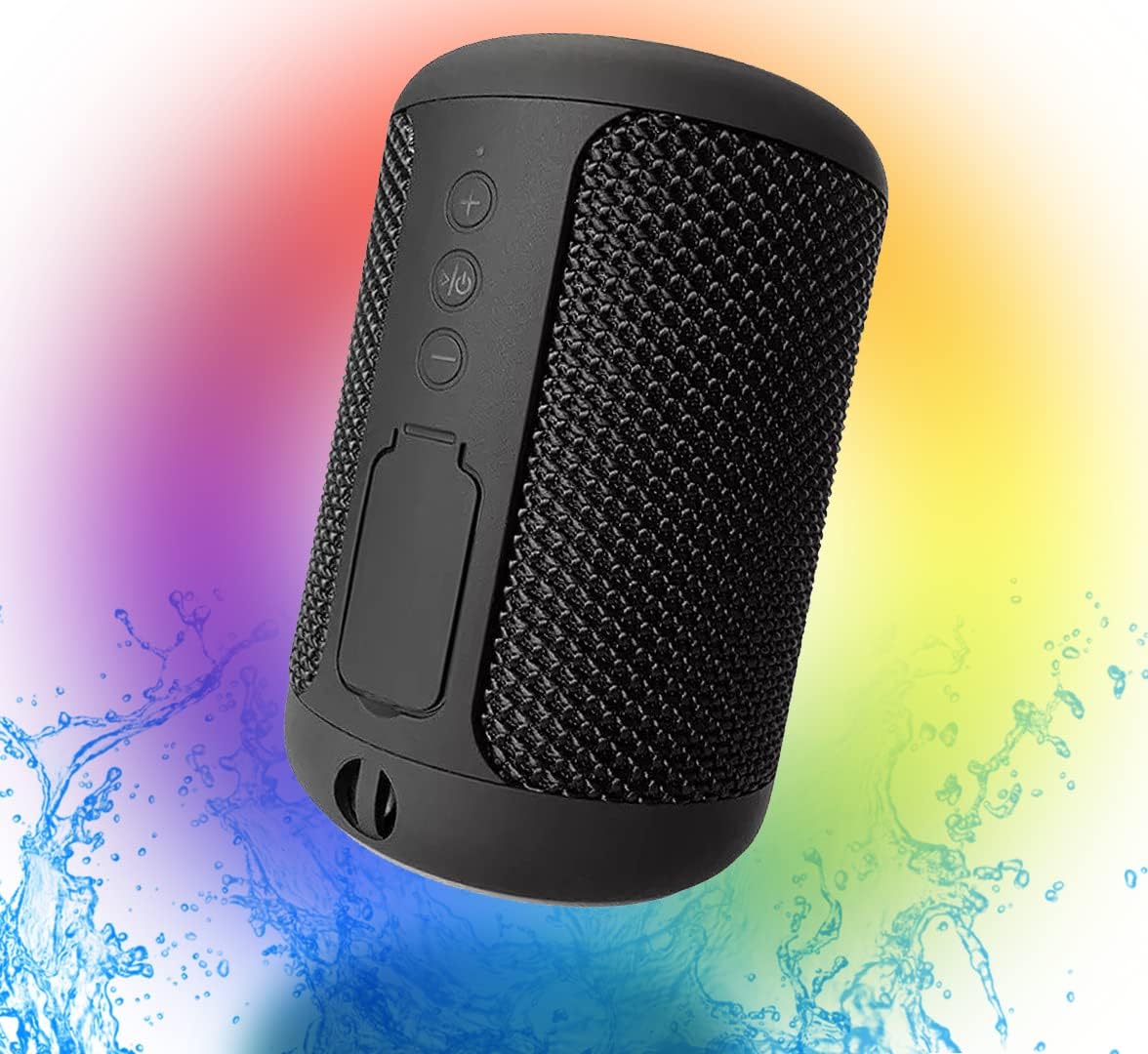
Figure 1: ATSOUND Wireless Mini Waterproof Bluetooth Speaker. This image shows the speaker from an angled perspective, highlighting its compact size and mesh-like exterior, with a colorful background and water splashes indicating its waterproof nature.
ബോക്സിൽ എന്താണുള്ളത്
അൺബോക്സിംഗ് ചെയ്യുമ്പോൾ, ഇനിപ്പറയുന്ന എല്ലാ ഘടകങ്ങളും ഉൾപ്പെടുത്തിയിട്ടുണ്ടെന്ന് ദയവായി ഉറപ്പാക്കുക:
- ATSOUND Wireless Mini Waterproof Bluetooth Speaker
- ചാർജിംഗ് കേബിൾ
- ഉപയോക്തൃ മാനുവൽ (ഈ പ്രമാണം)
ഉൽപ്പന്നം കഴിഞ്ഞുview
സ്പീക്കറിന്റെ നിയന്ത്രണങ്ങളും പോർട്ടുകളും പരിചയപ്പെടുക:

ചിത്രം 2: മുൻഭാഗം view of the speaker showing the control buttons and the sealed port cover. The buttons include Volume Up (+), Play/Pause/Power, and Volume Down (-). Below these, a rubber flap covers the charging and auxiliary ports.
നിയന്ത്രണ ബട്ടണുകൾ:
- + ബട്ടൺ: ശബ്ദം കൂട്ടാൻ അമർത്തുക. അടുത്ത ട്രാക്കിലേക്ക് പോകാൻ അമർത്തിപ്പിടിക്കുക.
- പ്ലേ/താൽക്കാലികമായി നിർത്തുക/പവർ ബട്ടൺ: Press to play or pause audio. Press and hold to power on or off the speaker.
- - ബട്ടൺ: ശബ്ദം കുറയ്ക്കാൻ അമർത്തുക. മുമ്പത്തെ ട്രാക്കിലേക്ക് പോകാൻ അമർത്തിപ്പിടിക്കുക.
തുറമുഖങ്ങൾ:
Under the sealed rubber flap, you will find the USB charging port and the auxiliary (AUX) input port.
സജ്ജമാക്കുക
പ്രാരംഭ ചാർജിംഗ്:
- Open the rubber flap on the speaker to expose the charging port.
- നൽകിയിരിക്കുന്ന ചാർജിംഗ് കേബിൾ സ്പീക്കറിന്റെ USB പോർട്ടുമായി ബന്ധിപ്പിക്കുക.
- ചാർജിംഗ് കേബിളിന്റെ മറ്റേ അറ്റം ഒരു USB പവർ അഡാപ്റ്ററുമായി (ഉൾപ്പെടുത്തിയിട്ടില്ല) അല്ലെങ്കിൽ കമ്പ്യൂട്ടറിന്റെ USB പോർട്ടുമായി ബന്ധിപ്പിക്കുക.
- Allow the speaker to fully charge before first use. The charging indicator light will change color or turn off when charging is complete.
പവർ ഓൺ/ഓഫ്:
- To power on, press and hold the Play/Pause/Power button until you hear an audible prompt or see the indicator light illuminate.
- To power off, press and hold the Play/Pause/Power button again until you hear an audible prompt or the indicator light turns off.
പ്രവർത്തിക്കുന്നു
ബ്ലൂടൂത്ത് ജോടിയാക്കൽ:
- സ്പീക്കർ ഓണാണെന്നും ബ്ലൂടൂത്ത് ജോടിയാക്കൽ മോഡിലാണെന്നും ഉറപ്പാക്കുക (മിന്നുന്ന LED ലൈറ്റ് സൂചിപ്പിക്കുന്നത്).
- നിങ്ങളുടെ ഉപകരണത്തിൽ (സ്മാർട്ട്ഫോൺ, ടാബ്ലെറ്റ്, കമ്പ്യൂട്ടർ), ബ്ലൂടൂത്ത് പ്രവർത്തനക്ഷമമാക്കുക.
- ഇതിനായി തിരയുക available Bluetooth devices. The speaker will appear as "ATSOUND Speaker" or similar.
- Select the speaker from the list to connect. Once connected, you will hear a confirmation sound, and the LED light will become solid.
ഓഡിയോ പ്ലേബാക്ക്:
- Once paired, you can play audio from your connected device.
- Use the speaker's + and - buttons to adjust volume.
- Press the Play/Pause button to pause or resume playback.
- Press and hold + or - to skip tracks.
ട്രൂ വയർലെസ് സ്റ്റീരിയോ (TWS) ജോടിയാക്കൽ:
If you have two ATSOUND Wireless Mini Waterproof Bluetooth Speakers, you can pair them together for a stereo sound experience.

Figure 3: Two ATSOUND speakers positioned to demonstrate True Wireless Stereo (TWS) functionality, with a smartphone displaying music playback, indicating left and right channel separation.
- രണ്ട് സ്പീക്കറുകളും ഓണാക്കിയിട്ടുണ്ടെന്നും മറ്റ് ബ്ലൂടൂത്ത് ഉപകരണങ്ങളുമായി ബന്ധിപ്പിച്ചിട്ടില്ലെന്നും ഉറപ്പാക്കുക.
- On one speaker (this will be the primary speaker), double-press the Play/Pause/Power button. It will enter TWS pairing mode.
- രണ്ട് സ്പീക്കറുകളും പരസ്പരം സ്വയമേവ തിരഞ്ഞ് കണക്റ്റ് ചെയ്യും. കണക്റ്റ് ചെയ്തുകഴിഞ്ഞാൽ നിങ്ങൾക്ക് ഒരു സ്ഥിരീകരണ ശബ്ദം കേൾക്കാനാകും.
- Once TWS paired, connect your device to the primary speaker via Bluetooth as described in the "Bluetooth Pairing" section.
ഓക്സിലറി (AUX) ഇൻപുട്ട്:
For devices without Bluetooth, you can use the AUX input.
- Open the rubber flap and connect a 3.5mm audio cable (not included) from your device's audio output to the speaker's AUX input.
- സ്പീക്കർ സ്വയമേവ AUX മോഡിലേക്ക് മാറും.
മെയിൻ്റനൻസ്
വൃത്തിയാക്കൽ:
- മൃദുവായ സ്പീക്കർ തുടയ്ക്കുക, ഡിamp തുണി. ഉരച്ചിലുകളുള്ള ക്ലീനറുകളോ ലായകങ്ങളോ ഉപയോഗിക്കരുത്.
- Ensure the rubber flap covering the ports is securely closed after charging or using the AUX input to maintain its waterproof rating.
ജല പ്രതിരോധം:
The speaker features an IPX6 waterproof rating, meaning it can withstand powerful water jets. It is suitable for use in wet environments like showers or by the pool. However, it is not designed for submersion in water. Always ensure the port cover is tightly sealed when exposed to water.
സംഭരണം:
Store the speaker in a cool, dry place away from direct sunlight and extreme temperatures when not in use for extended periods. Charge the battery periodically if storing for a long time to maintain battery health.
ട്രബിൾഷൂട്ടിംഗ്
| പ്രശ്നം | സാധ്യമായ കാരണം | പരിഹാരം |
|---|---|---|
| സ്പീക്കർ പവർ ഓൺ ചെയ്യുന്നില്ല. | കുറഞ്ഞ ബാറ്ററി. | സ്പീക്കർ പൂർണ്ണമായും ചാർജ് ചെയ്യുക. |
| ബ്ലൂടൂത്ത് വഴി ജോടിയാക്കാൻ കഴിയില്ല. | സ്പീക്കർ ജോടിയാക്കൽ മോഡിലല്ല; ഉപകരണത്തിന്റെ ബ്ലൂടൂത്ത് ഓഫാണ്; സ്പീക്കർ ഇതിനകം മറ്റൊരു ഉപകരണവുമായി ബന്ധിപ്പിച്ചിരിക്കുന്നു. | Ensure speaker is in pairing mode (flashing LED). Turn device's Bluetooth off and on. Disconnect speaker from other devices. |
| ബന്ധിപ്പിച്ചതിനുശേഷം ശബ്ദമില്ല. | Volume too low on speaker or device; incorrect audio output selected on device. | Increase volume on both speaker and connected device. Check device's audio output settings. |
| TWS ജോടിയാക്കൽ പരാജയപ്പെടുന്നു. | സ്പീക്കറുകൾ വളരെ അകലെയാണ്; ഒരു സ്പീക്കർ ഇതിനകം ഒരു ഉപകരണവുമായി ബന്ധിപ്പിച്ചിരിക്കുന്നു. | സ്പീക്കറുകൾ പരസ്പരം അടുത്താണെന്ന് ഉറപ്പാക്കുക. TWS ജോടിയാക്കൽ ആരംഭിക്കുന്നതിന് മുമ്പ് ഏതെങ്കിലും ബ്ലൂടൂത്ത് ഉപകരണങ്ങളിൽ നിന്ന് രണ്ട് സ്പീക്കറുകളും വിച്ഛേദിക്കുക. |
സ്പെസിഫിക്കേഷനുകൾ
| ഫീച്ചർ | വിശദാംശങ്ങൾ |
|---|---|
| മോഡലിൻ്റെ പേര് | Wireless Mini Waterproof Bluetooth Speaker |
| കണക്റ്റിവിറ്റി ടെക്നോളജി | ബ്ലൂടൂത്ത്, ഓക്സിലറി, യുഎസ്ബി |
| വയർലെസ് കമ്മ്യൂണിക്കേഷൻ | ബ്ലൂടൂത്ത് |
| ബ്ലൂടൂത്ത് ശ്രേണി | 25 അടി (7.6 മീറ്റർ) വരെ |
| ജല പ്രതിരോധ നില | IPX6 (വാട്ടർ റെസിസ്റ്റൻ്റ്) |
| ബാറ്ററി ശേഷി | 1200 മില്ലിamp മണിക്കൂറുകൾ |
| സ്പീക്കർ ഔട്ട്പുട്ട് പവർ | 5 വാട്ട്സ് |
| ഓഡിയോ put ട്ട്പുട്ട് മോഡ് | Mono, Stereo (with TWS pairing) |
| ഉൽപ്പന്ന അളവുകൾ | 4"D x 4"W x 6"H (ഏകദേശം 10cm x 10cm x 15cm) |
| ഇനത്തിൻ്റെ ഭാരം | 9.1 ഔൺസ് (ഏകദേശം 258 ഗ്രാം) |
| മെറ്റീരിയൽ | പ്ലാസ്റ്റിക് |
വാറൻ്റിയും പിന്തുണയും
This product is sold without an explicit manufacturer's warranty. For any issues or inquiries, please contact the seller or retailer from whom you purchased the product. They will be able to provide assistance regarding returns, exchanges, or troubleshooting within their respective policies.
Ask a question about this manual
Ask about setup, troubleshooting, compatibility, parts, safety, or missing instructions. Manuals+ will review the question and use this page’s manual context to help answer it.