
YABER Pro V8
YABER Pro V8 Projector User Manual
Model: Pro V8
1. ആമുഖം
The YABER Pro V8 Projector is a state-of-the-art entertainment device designed to deliver an immersive viewing experience. Featuring native 1080P resolution with support for 4K content, 19000 lumens brightness, and advanced connectivity options like WiFi 6 and Bluetooth 5.2, it is ideal for home theater, gaming, and presentations. Its innovative 4D/4P keystone correction and long-lasting lamp ensure convenience and durability.

Figure 1.1: YABER Pro V8 Projector
2. ബോക്സിൽ എന്താണുള്ളത്?
അൺബോക്സിംഗ് ചെയ്യുമ്പോൾ എല്ലാ ഇനങ്ങളും ഉണ്ടെന്ന് ഉറപ്പാക്കുക:
- ചുമക്കുന്ന ബാഗ്
- എവി കേബിൾ
- ക്ലീനിംഗ് കിറ്റ്
- HDMI കേബിൾ
- പവർ കോർഡ്
- റിമോട്ട് കൺട്രോൾ
3. ഉൽപ്പന്ന സവിശേഷതകൾ
3.1 Enhanced Picture Quality & Brightness
The Pro V8 features 19000 Lumens brightness and native 1080P resolution, supporting 4K content. It offers +50% clarity and +100% contrast for sharp, vivid images. Enjoy a 400" screen in dark environments or a 60-80" screen with excellent visuals under natural light.
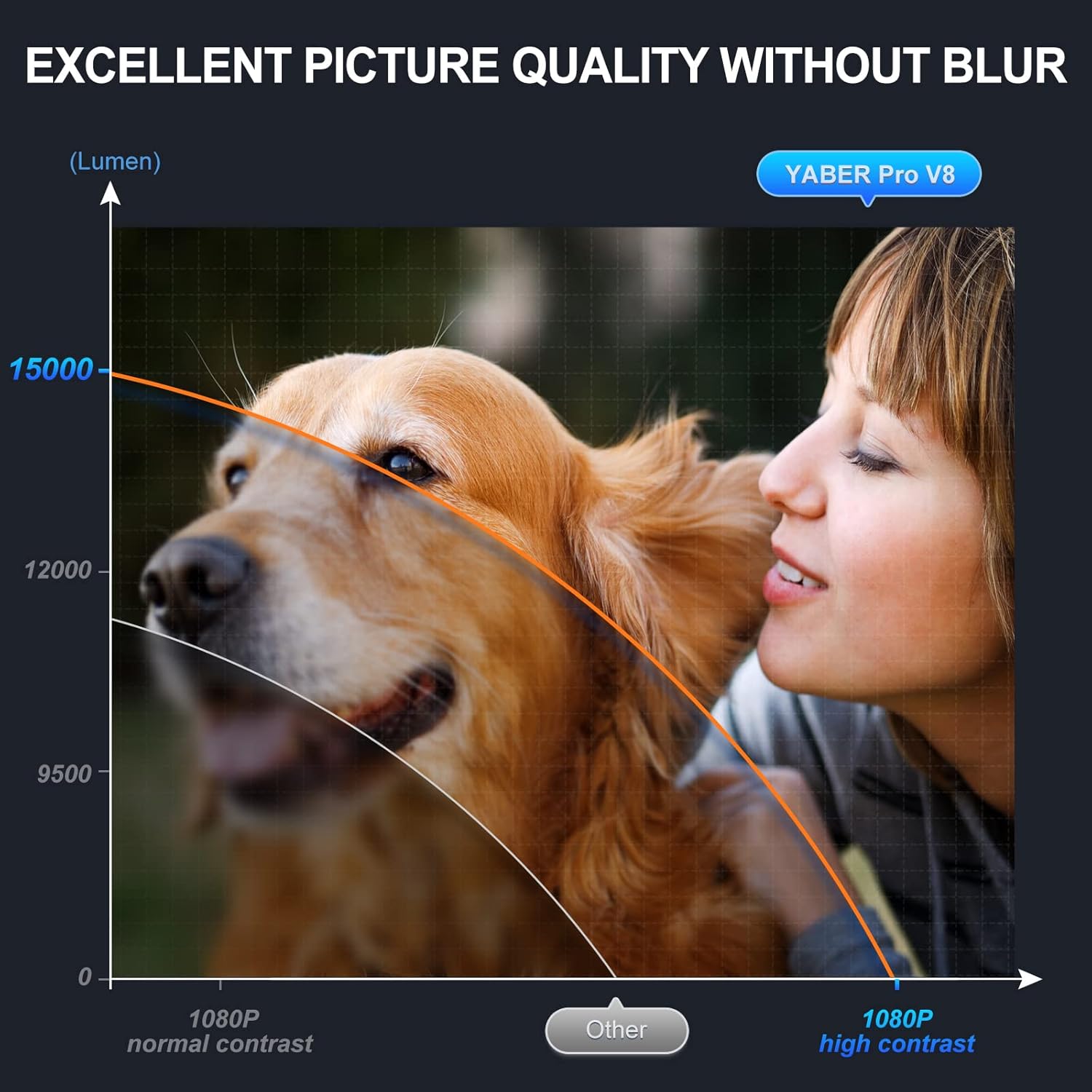
Figure 3.1: Enhanced Picture Quality
3.2 Latest Wi-Fi 6 & Bluetooth 5.2 Technology
Equipped with ultra-fast Wi-Fi 6 (up to 1.8Gbps) and Bluetooth 5.2, the projector ensures smoother, more stable streaming for movies, cartoons, games (including PS5), and live shows. It is also compatible with 2.4G and 5G Wi-Fi routers.

Figure 3.2: Wi-Fi 6 Performance
3.3 Innovative 4D/4P Keystone Correction & Zoom
Adjust the vertical and horizontal projection angle by ±50° with 4D/4P keystone correction. The zoom function allows for flexible screen sizing. Control the projector via dedicated apps with Miracast and remote control functionalities.

Figure 3.3: Keystone Correction in Use
3.4 Shorter Throw, Larger Screen
The upgraded short throw technology provides a 150% larger screen than comparable projectors at the same distance, offering a more immersive experience. Integrated 5W*2 Hi-Fi stereo surround speakers deliver a rich audio-visual feast.

Figure 3.4: Shorter Throw Distance for Larger Screen
3.5 Long Lamp ജീവിതം
Utilizing SmarEco technology, the lamp life is extended up to 160,000 hours, minimizing power consumption and ensuring long-term use.
4. സജ്ജീകരണ ഗൈഡ്
4.1 Initial Placement and Power
Place the projector on a stable, flat surface. Ensure adequate ventilation around the device. Connect the power cord to the projector and then to a power outlet.
Video 4.1: Features and Guide for YABER Pro V8 Projector. This video demonstrates the unboxing, components, and initial setup steps for the projector, including physical placement and power connection.
4.2 Adjusting Projection Angle and Focus
Use the adjustable foot on the bottom of the projector to raise or lower the front. Rotate the focus ring near the lens to achieve a clear image. Utilize the 4D/4P keystone correction feature (accessible via remote or on-device controls) to square the image if the projector is not perfectly aligned with the screen.
4.3 ഉപകരണങ്ങളിലേക്ക് ബന്ധിപ്പിക്കുന്നു
പ്രൊജക്ടർ ഒന്നിലധികം ഇൻപുട്ട് ഉറവിടങ്ങളെ പിന്തുണയ്ക്കുന്നു:
- എച്ച്ഡിഎംഐ: Connect your laptop, gaming console (PS5), TV stick, or other HDMI-enabled devices.
- USB: Insert a USB drive to play movies, music, photos, or view office documents directly.
- ഓഫ്: പഴയ ഉപകരണങ്ങൾ ബന്ധിപ്പിക്കാൻ നൽകിയിരിക്കുന്ന AV കേബിൾ ഉപയോഗിക്കുക.
- വൈഫൈ: Connect to your home Wi-Fi network (2.4G, 5G, or Wi-Fi 6) for online streaming and screen mirroring.
- ബ്ലൂടൂത്ത്: Pair with external Bluetooth speakers, headphones, or other audio devices for enhanced sound.

Figure 4.1: Connecting external audio devices via Bluetooth.
5. പ്രവർത്തന നിർദ്ദേശങ്ങൾ
5.1 നാവിഗേഷനും മെനുവും
Use the included remote control or the buttons on top of the projector to navigate the main menu. Select desired input sources (HD, AV, MHUB) or media types (Movie, Music, Photo, Office Suite).
5.2 Screen Mirroring (Phone Cast)
The projector supports iOS Cast and Android Cast for screen mirroring from your mobile device. Ensure your phone and projector are connected to the same Wi-Fi network. Select the appropriate casting option from the main menu and follow the on-screen instructions on your phone.
Video 5.1: This video demonstrates how to connect your mobile phone to the projector for screen mirroring using Wi-Fi display technology.
6. പരിപാലനം
Regular maintenance ensures optimal performance and extends the projector's lifespan.
- ലെൻസ് ക്ലീനിംഗ്: Use the provided cleaning kit to gently wipe the projector lens. Avoid abrasive materials that could scratch the surface.
- പൊടി നീക്കം: Periodically clean the ventilation vents to prevent dust buildup, which can affect performance and cause overheating.
- സംഭരണം: ഉപയോഗത്തിലില്ലാത്തപ്പോൾ, പൊടിയിൽ നിന്നും കേടുപാടുകളിൽ നിന്നും സംരക്ഷിക്കുന്നതിന് പ്രൊജക്ടർ അതിന്റെ ചുമക്കുന്ന ബാഗിൽ തണുത്തതും വരണ്ടതുമായ സ്ഥലത്ത് സൂക്ഷിക്കുക.
7. പ്രശ്നപരിഹാരം
| പ്രശ്നം | സാധ്യമായ കാരണം | പരിഹാരം |
|---|---|---|
| ചിത്രം ഇല്ല / മങ്ങിയ ചിത്രം | തെറ്റായ ഫോക്കസ്, കീസ്റ്റോൺ അല്ലെങ്കിൽ ഇൻപുട്ട് ഉറവിടം. | Adjust focus ring and keystone correction. Verify correct input source is selected. |
| ശബ്ദമില്ല | വോളിയം വളരെ കുറവാണ്, തെറ്റായ ഓഡിയോ ഔട്ട്പുട്ട് അല്ലെങ്കിൽ ജോടിയാക്കാത്ത ബ്ലൂടൂത്ത് ഉപകരണം. | Increase volume. Check audio settings. Re-pair Bluetooth device if applicable. |
| വൈഫൈ/ബ്ലൂടൂത്ത് കണക്ഷൻ പ്രശ്നങ്ങൾ | Out of range, interference, or incorrect network settings. | Ensure devices are within range. Restart projector and router. Re-enter Wi-Fi password. |
| പ്രൊജക്ടർ അമിത ചൂടാക്കൽ | Blocked ventilation or prolonged use. | Ensure vents are clear. Allow projector to cool down after extended use. |
8 സ്പെസിഫിക്കേഷനുകൾ
| ഫീച്ചർ | വിശദാംശങ്ങൾ |
|---|---|
| ഉൽപ്പന്ന അളവുകൾ | 9.5 x 7.7 x 3.7 ഇഞ്ച് |
| ഇനത്തിൻ്റെ ഭാരം | 6.21 പൗണ്ട് |
| ഡിസ്പ്ലേ റെസല്യൂഷൻ | നേറ്റീവ് 1920 x 1080P |
| പരമാവധി ഡിസ്പ്ലേ റെസല്യൂഷൻ | 4096 x 2160 (4K പിന്തുണയുള്ളത്) |
| തെളിച്ചം | 19000 ല്യൂമെൻസ് |
| കണക്റ്റിവിറ്റി ടെക്നോളജി | Bluetooth 5.2, WiFi 6 (2.4G/5G compatible) |
| Lamp ജീവിതം | 160,000 മണിക്കൂർ വരെ |
| സ്പീക്കറുകൾ | 5W*2 Hi-Fi Stereo Surround |
9. വാറൻ്റിയും പിന്തുണയും
The YABER Pro V8 Projector comes with a 6-month backup warranty and 3-year maintenance support. Lifetime professional technical support is also provided.
For any questions or assistance, please contact YABER customer support.
Ask a question about this manual
Ask about setup, troubleshooting, compatibility, parts, safety, or missing instructions. Manuals+ will review the question and use this page’s manual context to help answer it.