
ആമുഖം
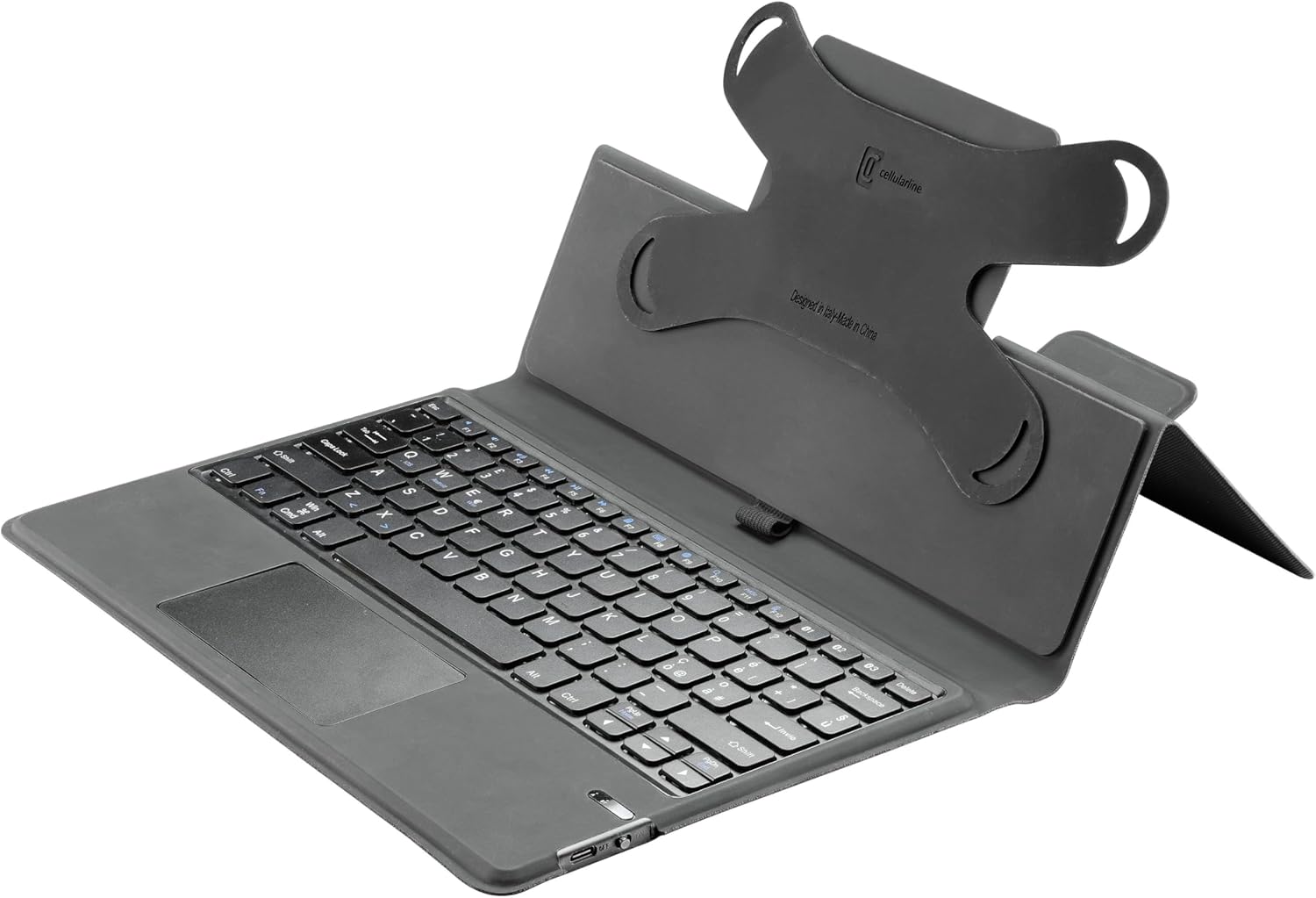
The cellularline Keyboard Case is a versatile accessory designed for tablets up to 11 inches. It integrates a wireless keyboard and a touchpad, enhancing productivity and user experience. The case also features a robust stand function and a dedicated loop for a stylus, making it an ideal companion for various activities from typing to media consumption.
പ്രധാന സവിശേഷതകൾ
- Universal protective case compatible with tablets up to 11 inches.
- Integrated wireless keyboard for fast and smooth typing.
- Built-in touchpad for intuitive navigation.
- Elastic loop and magnetic closure to securely hold and protect your stylus.
- Foldable design that converts into a convenient stand for typing, watching movies, and web ബ്രൗസിംഗ്.
- Internal silicone mounting system that adapts to the four corners of your device for a secure fit.
സജ്ജമാക്കുക
അൺപാക്ക് ചെയ്യുന്നു
Carefully remove the Keyboard Case from its packaging. Ensure all components are present.
- cellularline Keyboard Case (Pack of 1)
Inserting Your Tablet
The case features an internal silicone mounting system designed to securely hold tablets of various sizes up to 11 inches. Gently stretch the silicone corner straps over the four corners of your tablet until it is firmly seated.
ചിത്രം: View of the case's interior, showing the flexible silicone corner mounts that secure the tablet.
Connecting the Wireless Keyboard
- കീബോർഡ് ചാർജ് ചെയ്തിട്ടുണ്ടെന്ന് ഉറപ്പാക്കുക.
- Turn on the keyboard using the power switch, usually located on the side or back of the keyboard.
- Activate Bluetooth on your tablet.
- ഇതിനായി തിരയുക available Bluetooth devices. The keyboard should appear as 'cellularline Keyboard' or similar.
- Select the keyboard from the list to pair. Follow any on-screen prompts to complete the pairing process.
പ്രവർത്തന നിർദ്ദേശങ്ങൾ
കീബോർഡ് ഉപയോഗിക്കുന്നത്
The integrated QWERTY keyboard provides a familiar typing experience. It includes standard function keys and special keys for tablet control. Refer to your tablet's operating system for specific keyboard shortcuts.

ചിത്രം: വിശദമായത് view of the QWERTY keyboard and touchpad.
ടച്ച്പാഡ് ഉപയോഗിക്കുന്നു
The integrated touchpad allows for precise cursor control and gesture-based navigation, similar to a laptop. Basic functions include single-finger tap for click, two-finger scroll, and pinch-to-zoom. Consult your tablet's settings for advanced touchpad gestures.
Utilizing the Stand Function
The case is designed to fold into a stable stand, offering optimal viewing angles for multimedia consumption or comfortable typing positions. Simply fold the back cover of the case to create a triangular support structure.

Image: The Keyboard Case in its stand configuration, ready for use.
Stylus Loop
An elastic loop is provided to securely hold your stylus. This loop, combined with a magnetic closure, ensures your stylus is protected and always accessible.
മെയിൻ്റനൻസ്
To ensure the longevity and optimal performance of your cellularline Keyboard Case, follow these maintenance guidelines:
- വൃത്തിയാക്കൽ: Use a soft, dry, lint-free cloth to wipe the exterior of the case and keyboard. For stubborn marks, a slightly damp cloth with mild soap can be used, ensuring no moisture enters the keyboard or electronic components.
- സംഭരണം: ഉപയോഗത്തിലില്ലാത്തപ്പോൾ, നേരിട്ടുള്ള സൂര്യപ്രകാശവും കടുത്ത താപനിലയും ഏൽക്കാത്ത ഒരു തണുത്തതും വരണ്ടതുമായ സ്ഥലത്ത് കേസ് സൂക്ഷിക്കുക.
- ദ്രാവകങ്ങൾ ഒഴിവാക്കുക: Do not expose the keyboard case to liquids, as this can damage the internal electronics.
- ശ്രദ്ധയോടെ കൈകാര്യം ചെയ്യുക: Avoid dropping the case or placing heavy objects on it, which could cause structural damage.
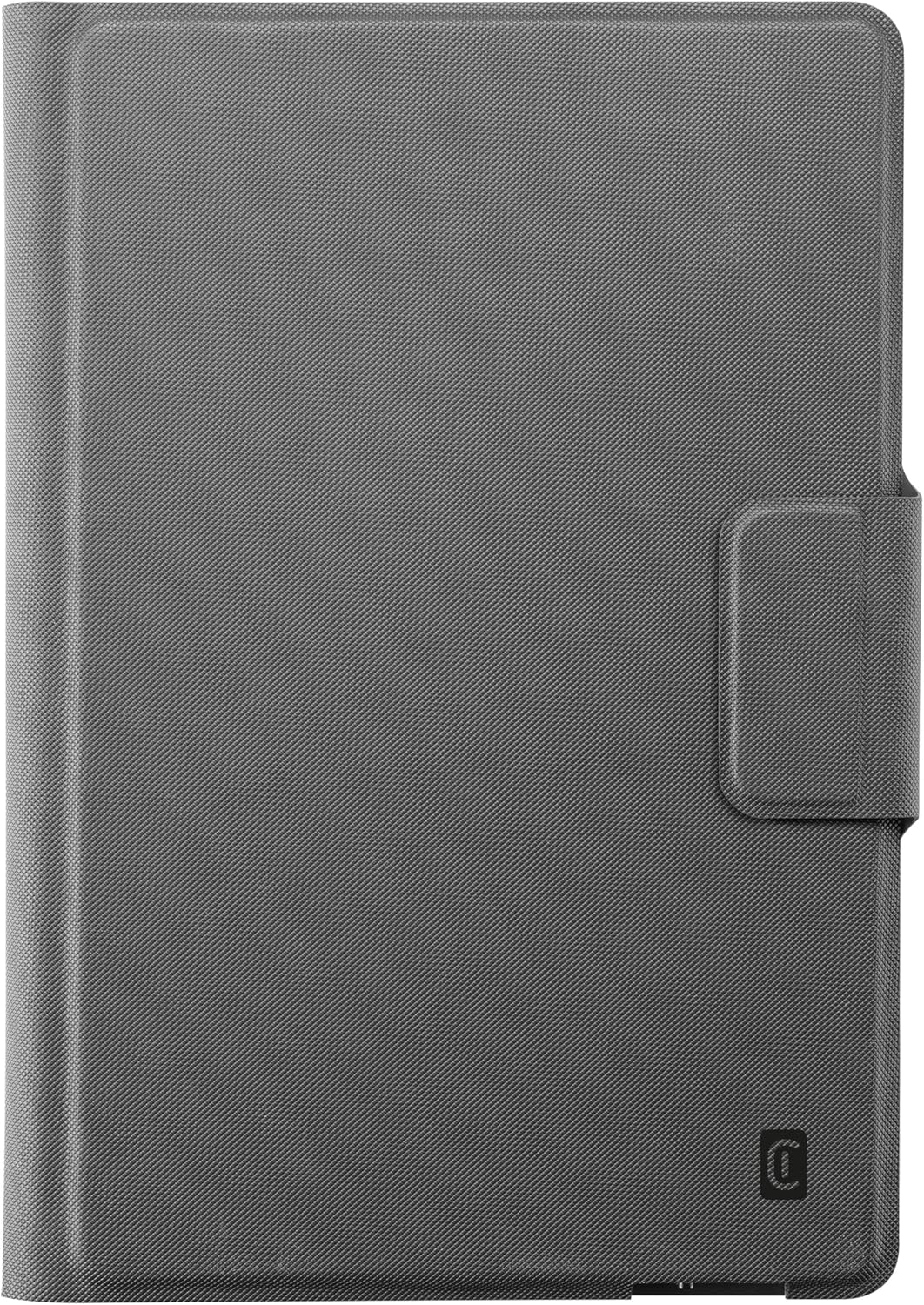
Image: The Keyboard Case in its closed, protective state.
ട്രബിൾഷൂട്ടിംഗ്
കീബോർഡ് കണക്റ്റുചെയ്യുന്നില്ല
- ബാറ്ററി പരിശോധിക്കുക: കീബോർഡിൽ ആവശ്യത്തിന് ബാറ്ററി ചാർജ് ഉണ്ടെന്ന് ഉറപ്പാക്കുക. ആവശ്യമെങ്കിൽ റീചാർജ് ചെയ്യുക.
- ബ്ലൂടൂത്ത് വീണ്ടും ജോടിയാക്കുക: Go to your tablet's Bluetooth settings, forget the keyboard device, and then attempt to re-pair it following the 'Connecting the Wireless Keyboard' steps.
- ഉപകരണങ്ങൾ പുനരാരംഭിക്കുക: Try restarting both your tablet and the keyboard.
- സാമീപ്യം: Ensure the keyboard and tablet are within close proximity (typically within 10 meters) for a stable Bluetooth connection.
Tablet Not Fitting Securely
- Adjust Silicone Mounts: Gently stretch and position the silicone corner mounts to ensure they are snugly fitted around all four corners of your tablet.
- Check Tablet Size: Confirm your tablet's dimensions are within the specified range (up to 11 inches) for this universal case.
സ്പെസിഫിക്കേഷനുകൾ
| ആട്രിബ്യൂട്ട് | വിശദാംശങ്ങൾ |
|---|---|
| ബ്രാൻഡ് | സെല്ലുലാർലൈൻ |
| നിർമ്മാതാവ് | സെല്ലുലാർലൈൻ SpA |
| മോഡൽ നമ്പർ | KEYBOARDCASETABK |
| നിറം | കറുപ്പ് |
| അനുയോജ്യമായ ഉപകരണങ്ങൾ | Tablet (up to 11 inches) |
| കണക്റ്റിവിറ്റി ടെക്നോളജി | വയർലെസ് (ബ്ലൂടൂത്ത്) |
| കീബോർഡ് വിവരണം | QWERTY |
| കീകളുടെ എണ്ണം | 104 |
| മെറ്റീരിയൽ | Leather look |
| ഉൽപ്പന്ന അളവുകൾ | 20.5 x 1.8 x 28.5 സെ.മീ |
| ഇനത്തിൻ്റെ ഭാരം | 600 ഗ്രാം |
| പ്രത്യേക സവിശേഷതകൾ | Built-in wireless keyboard, magnetic pen holder |
വാറൻ്റിയും പിന്തുണയും
വാറൻ്റി വിവരങ്ങൾ
This cellularline product is covered by a manufacturer's warranty against defects in materials and workmanship. Please retain your proof of purchase for warranty claims. Specific warranty terms and duration may vary by region. For detailed warranty information, please refer to the documentation included with your purchase or visit the official cellularline webസൈറ്റ്.
ഉപഭോക്തൃ പിന്തുണ
Should you encounter any issues or have questions regarding your cellularline Keyboard Case that are not addressed in this manual, please contact cellularline customer support. Contact details can typically be found on the cellularline official webസൈറ്റ് അല്ലെങ്കിൽ ഉൽപ്പന്ന പാക്കേജിംഗിൽ.