
ആമുഖം
This manual provides essential information for the safe and effective use of your ProForm Treadmill t8.5. Please read all instructions carefully before assembly and operation. Keep this manual for future reference.
പ്രധാനപ്പെട്ട സുരക്ഷാ വിവരങ്ങൾ
Before using this equipment, ensure you understand all safety precautions. Consult a physician before beginning any exercise program. Always use the safety key during operation.
- ഓപ്പറേഷൻ സമയത്ത് ട്രെഡ്മില്ലിൽ നിന്ന് കുട്ടികളെയും വളർത്തുമൃഗങ്ങളെയും അകറ്റി നിർത്തുക.
- ട്രെഡ്മില്ലിന് ചുറ്റും മതിയായ ക്ലിയറൻസുള്ള ഒരു നിരപ്പായ പ്രതലത്തിൽ വയ്ക്കുക.
- ട്രെഡ്മിൽ കേടായാലോ തകരാറിലായാലും അത് പ്രവർത്തിപ്പിക്കരുത്.
- ഉചിതമായ വ്യായാമ വസ്ത്രങ്ങളും അത്ലറ്റിക് ഷൂകളും ധരിക്കുക.
- Always hold the handrails when starting or stopping the treadmill.
സജ്ജീകരണവും അസംബ്ലിയും
അൺപാക്ക് ചെയ്യുന്നു
Carefully remove all components from the packaging. Place the packaging materials aside for potential future transport or disposal. Ensure all parts listed in the assembly guide (not included in this manual) are present.
പ്ലേസ്മെൻ്റ്
Position the treadmill on a flat, stable surface. Ensure there is at least 2 meters (6.5 feet) of clear space behind the treadmill and 0.5 meters (1.6 feet) on each side for safe operation and access.
പവർ കണക്ഷൻ
Connect the power cord to a grounded electrical outlet. Do not use extension cords unless absolutely necessary and ensure they are rated for the treadmill's power requirements.

Image: The ProForm Treadmill t8.5 fully assembled, showcasing അതിന്റെ രൂപകൽപ്പനയും കൺസോളും.
മടക്കുന്നതും തുറക്കുന്നതും
The ProForm Treadmill t8.5 features a SpaceSaver design for convenient storage. To fold, lift the running deck until it locks into an upright position. To unfold, gently push the release mechanism and lower the deck to the floor.
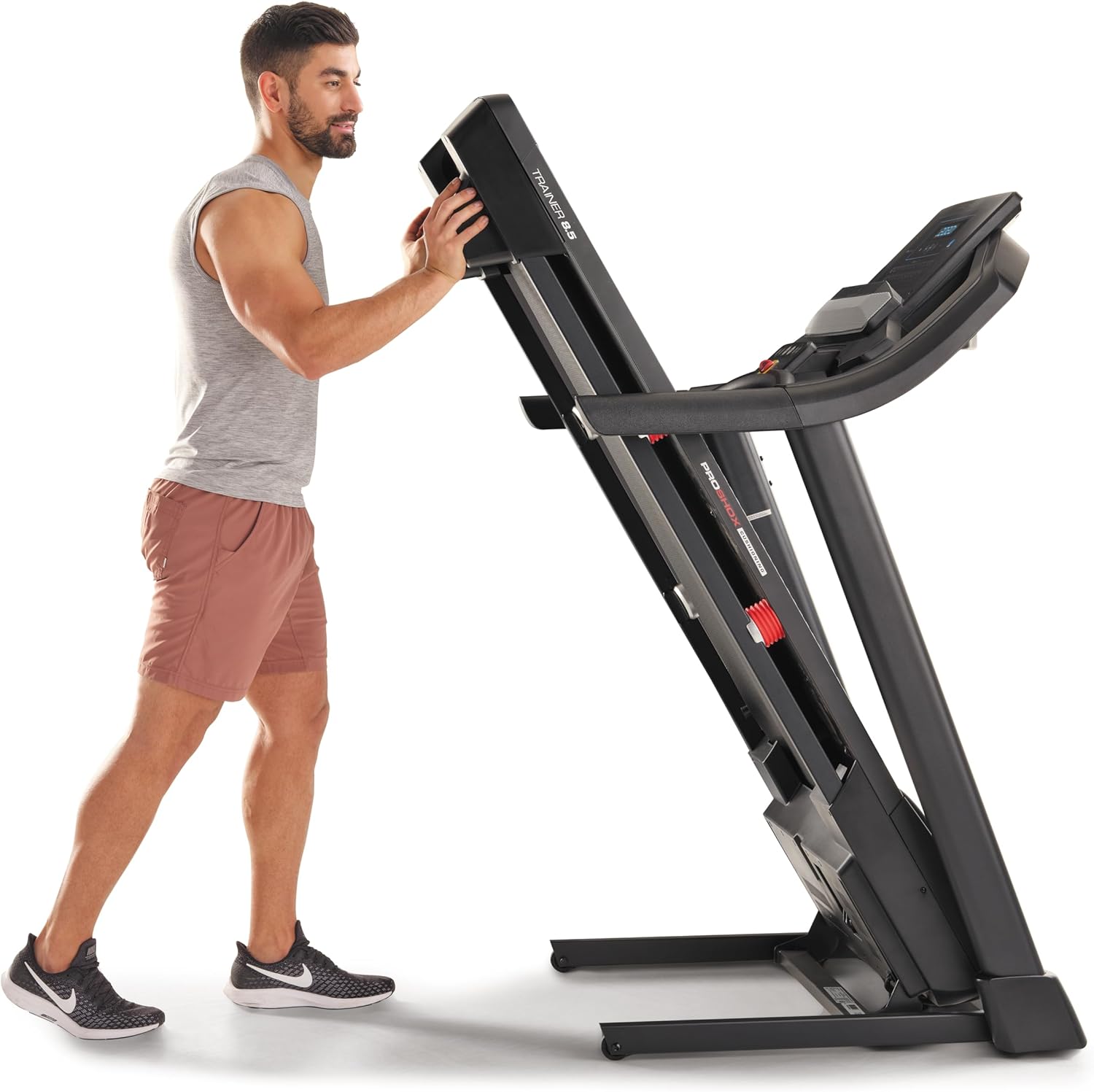
Image: A user demonstrating the folding mechanism of the treadmill for storage.

Image: A user demonstrating the unfolding process of the treadmill, preparing it for use.
പ്രവർത്തന നിർദ്ദേശങ്ങൾ
കൺസോൾ കഴിഞ്ഞുview
The console features a display for workout metrics, digital quick speed and incline controls, and dual 2-inch speakers. Familiarize yourself with the button layout before starting your workout.

ചിത്രം: വിശദമായത് view of the treadmill's console, highlighting the display and control panel.
ഒരു വർക്ക്ഔട്ട് ആരംഭിക്കുന്നു
- Attach the Safety Key: Clip the safety key to your clothing and insert the other end into the console's designated slot. The treadmill will not operate without the safety key.
- മാനുവൽ മോഡ്: Press the 'Start' button to begin a manual workout. The belt will start moving at a low speed.
- പ്രോഗ്രാം മോഡ്: Select a pre-set workout program from the console. Follow the on-screen prompts to begin.
വേഗതയും ചരിവും ക്രമീകരിക്കൽ
- വേഗത: Use the 'QuickSpeed' buttons or the '+' and '-' buttons to adjust the belt speed from 0 to 16 kph.
- ചരിവ്: Use the 'Quick Incline' buttons or the '+' and '-' buttons to adjust the incline from 0% to 10%.

Image: A user actively running on the treadmill, illustrating its operational use.
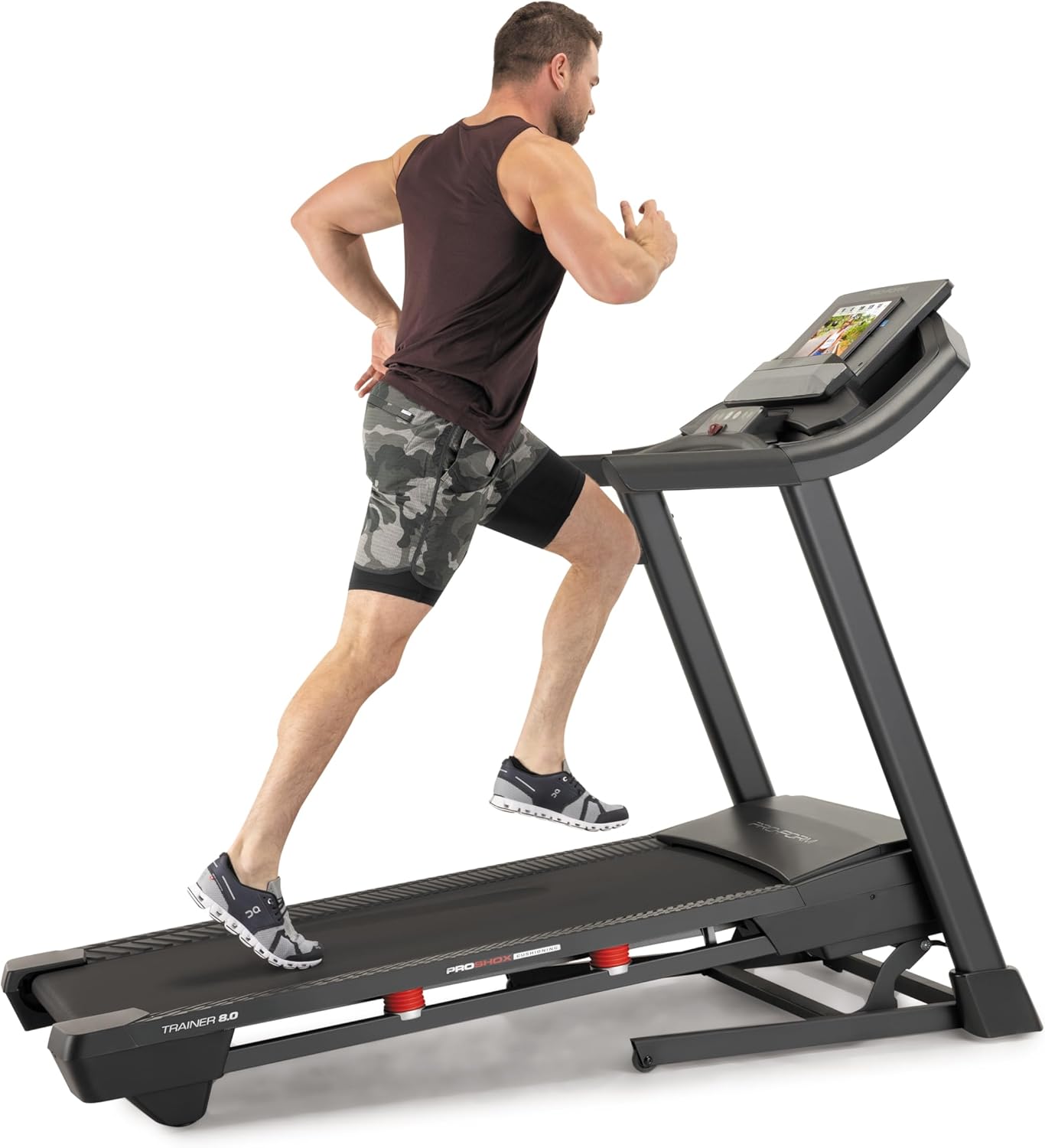
Image: Another perspective of a user running on the treadmill, highlighting the running surface.
ട്രെഡ്മിൽ നിർത്തുന്നു
To stop the treadmill, press the 'Stop' button on the console. For an emergency stop, pull the safety key from the console. The treadmill will immediately cease operation.
മെയിൻ്റനൻസ്
പതിവ് അറ്റകുറ്റപ്പണികൾ നിങ്ങളുടെ ട്രെഡ്മില്ലിന്റെ ദീർഘായുസ്സും മികച്ച പ്രകടനവും ഉറപ്പാക്കുന്നു.
വൃത്തിയാക്കൽ
- കൺസോൾ: Wipe the console with a damp തുണി. ഉരച്ചിലുകളുള്ള ക്ലീനറുകളോ അമിതമായ ഈർപ്പമോ ഒഴിവാക്കുക.
- റണ്ണിംഗ് ഡെക്കും ബെൽറ്റും: Periodically clean the running deck and belt with a damp പൊടിയും അവശിഷ്ടങ്ങളും നീക്കം ചെയ്യാനുള്ള തുണി.
ബെൽറ്റ് ലൂബ്രിക്കേഷൻ
The running belt may require lubrication after extended use. Refer to the specific lubrication instructions provided with your treadmill or contact customer service for guidance. Use only approved treadmill lubricant.
Belt Tension and Alignment
If the running belt slips or drifts to one side, it may need adjustment. Consult the detailed assembly guide or contact customer service for instructions on how to properly tension and align the belt. Incorrect adjustment can damage the treadmill.
ട്രബിൾഷൂട്ടിംഗ്
This section addresses common issues you might encounter with your ProForm Treadmill t8.5.
| പ്രശ്നം | സാധ്യമായ കാരണം | പരിഹാരം |
|---|---|---|
| ട്രെഡ്മിൽ ആരംഭിക്കുന്നില്ല | പവർ കോർഡ് പ്ലഗ് ഇൻ ചെയ്തിട്ടില്ല; സുരക്ഷാ കീ ചേർത്തിട്ടില്ല; സർക്യൂട്ട് ബ്രേക്കർ ട്രിപ്പ് ചെയ്തു. | Ensure power cord is securely plugged in; Insert safety key fully; Check household circuit breaker. |
| ബെൽറ്റ് സ്ലിപ്പുകൾ പ്രവർത്തിക്കുന്നു | Belt tension too loose. | Adjust belt tension (refer to maintenance section or assembly guide). |
| Console display is blank | Power issue; Console cable disconnected. | Check power connection; Ensure all console cables are securely connected (refer to assembly guide). |
| പ്രവർത്തന സമയത്ത് അസാധാരണമായ ശബ്ദം | Loose parts; Belt friction; Motor issue. | Inspect for loose bolts and tighten; Lubricate belt if needed; If noise persists, contact customer service. |
സ്പെസിഫിക്കേഷനുകൾ
Key technical specifications and features of the ProForm Treadmill t8.5:
| ഫീച്ചർ | വിശദാംശങ്ങൾ |
|---|---|
| മോഡൽ | t8.5 |
| ബ്രാൻഡ് | പ്രോഫോം |
| Digital Quick Incline Control | 0% - 10% |
| Digital QuickSpeed Control | 0 – 16 kph (0 – 11.2 Miles per Hour) |
| ട്രെഡ് ബെൽറ്റ് അളവുകൾ | 51 x 140 സെ.മീ |
| പരമാവധി ഭാരം ശേഷി | 135 കി.ഗ്രാം |
| സ്പീക്കറുകൾ | Dual 2” Speakers |
| ഇനത്തിൻ്റെ ഭാരം | 81 കിലോഗ്രാം |
| മെറ്റീരിയൽ | അലുമിനിയം |
| പ്രത്യേക സവിശേഷതകൾ | Portable (SpaceSaver Design) |
| ടാർഗെറ്റ് പ്രേക്ഷകർ | മുതിർന്നവർ, യുവാക്കൾ |
| പരമാവധി കുതിരശക്തി | 2.6 കുതിരശക്തി |
വാറൻ്റിയും പിന്തുണയും
For detailed warranty information, please refer to the warranty card included with your product or visit the official ProForm webസൈറ്റ്. വാറന്റി നിബന്ധനകളും വ്യവസ്ഥകളും പ്രദേശത്തിനനുസരിച്ച് വ്യത്യാസപ്പെടാം.
കസ്റ്റമർ സർവീസ്
If you have questions, require technical assistance, or need to order replacement parts, please contact ProForm customer service. Contact details can typically be found on the ProForm webസൈറ്റിലോ നിങ്ങളുടെ ഉൽപ്പന്നത്തിന്റെ പാക്കേജിംഗിലോ.