
ആമുഖം
This manual provides detailed instructions for the setup, operation, and maintenance of your Safire SF-MIFI-4G-UPS Portable 4G Wi-Fi Router. This device allows you to create a portable Wi-Fi hotspot using a 4G cellular connection and also features an RJ45 port for wired connectivity. It is designed for outdoor and travel use, compatible with gaming consoles, PCs, laptops, smartphones, and tablets. Please read this manual thoroughly before using the device to ensure optimal performance and safety.
പാക്കേജ് ഉള്ളടക്കം
അൺബോക്സ് ചെയ്യുമ്പോൾ പാക്കേജ് ഉള്ളടക്കങ്ങൾ പരിശോധിക്കുക. ഏതെങ്കിലും ഇനങ്ങൾ നഷ്ടപ്പെട്ടാലോ കേടായാലോ, നിങ്ങളുടെ റീട്ടെയിലറെ ബന്ധപ്പെടുക.
- Safire SF-MIFI-4G-UPS Portable 4G Wi-Fi Router
- പവർ അഡാപ്റ്റർ
- (Potentially) User Manual or Warranty Card
ഉൽപ്പന്നം കഴിഞ്ഞുview
The Safire SF-MIFI-4G-UPS is a versatile portable router designed for mobile internet access. It supports 4G connectivity, allowing you to share a cellular data connection via Wi-Fi (802.11n, single-band) or through its 10/100 RJ45 Ethernet port. It is suitable for various applications, including outdoor use and travel, and is compatible with devices such as gaming consoles, PCs, laptops, smartphones, and tablets.
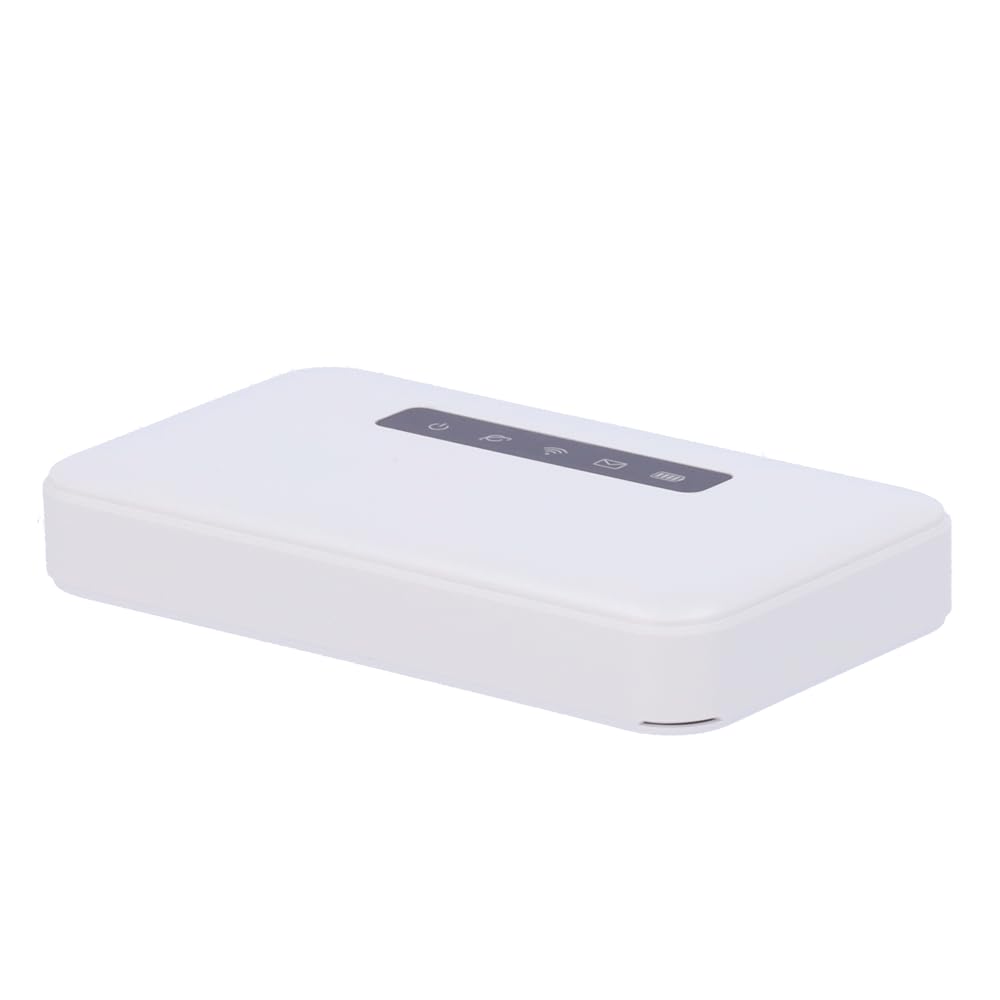
ചിത്രം: മുൻഭാഗം view of the Safire SF-MIFI-4G-UPS Portable 4G Wi-Fi Router, showing its compact design and indicators.
സജ്ജമാക്കുക
Follow these steps to set up your Safire SF-MIFI-4G-UPS router:
- സിം കാർഡ് ചേർക്കുക: Locate the SIM card slot (usually under a cover or battery). Insert your activated 4G SIM card into the slot, ensuring it is correctly oriented.
- പവർ ബന്ധിപ്പിക്കുക: Connect the provided power adapter to the router's power input and then plug it into a wall outlet.
- പവർ ഓൺ: Press and hold the power button (location may vary, refer to device markings) until the indicator lights illuminate. Wait for the device to boot up and establish a 4G connection (indicated by a specific LED, typically blue or green).
- Connect Devices (Wi-Fi): On your Wi-Fi enabled device (smartphone, laptop, etc.), search for available Wi-Fi networks. Select the network name (SSID) broadcast by your Safire router (e.g., "Safire_XXXX"). Enter the default Wi-Fi password (usually found on a sticker inside the battery compartment or on the device itself).
- Connect Devices (Ethernet): For wired connections, connect an Ethernet cable from the router's RJ45 port to the Ethernet port on your computer or other network device.
പ്രവർത്തന നിർദ്ദേശങ്ങൾ
ഇൻ്റർനെറ്റിലേക്ക് കണക്റ്റുചെയ്യുന്നു
- Wi-Fi കണക്ഷൻ: Once powered on and connected to 4G, the router will broadcast its Wi-Fi network. Connect your devices using the SSID and password.
- ഇഥർനെറ്റ് കണക്ഷൻ: Devices connected via the RJ45 port will automatically obtain an IP address and access the internet once the router has an active 4G connection.
ആക്സസ് ചെയ്യുന്നു Web മാനേജ്മെന്റ് ഇന്റർഫേസ്
വിപുലമായ ക്രമീകരണങ്ങൾ കോൺഫിഗർ ചെയ്യുന്നതിന്, നിങ്ങൾക്ക് റൂട്ടറിന്റെ web മാനേജ്മെന്റ് ഇന്റർഫേസ്:
- നിങ്ങളുടെ ഉപകരണം Wi-Fi അല്ലെങ്കിൽ ഇതർനെറ്റ് വഴി റൂട്ടറുമായി ബന്ധിപ്പിച്ചിട്ടുണ്ടെന്ന് ഉറപ്പാക്കുക.
- എ തുറക്കുക web ബ്രൗസർ (ഉദാ. ക്രോം, ഫയർഫോക്സ്, എഡ്ജ്).
- വിലാസ ബാറിൽ, റൂട്ടറിന്റെ ഡിഫോൾട്ട് ഐപി വിലാസം ടൈപ്പ് ചെയ്യുക (സാധാരണയായി 192.168.0.1 or 192.168.1.1) and press Enter. Refer to the device's label for the exact IP address.
- Enter the default username and password (commonly അഡ്മിൻ/അഡ്മിൻ or അഡ്മിൻ/പാസ്വേഡ്). It is highly recommended to change the default password for security reasons.
- From the interface, you can modify Wi-Fi name (SSID), password, network mode, and other advanced settings.
മെയിൻ്റനൻസ്
ശരിയായ അറ്റകുറ്റപ്പണി നിങ്ങളുടെ റൂട്ടറിന്റെ ദീർഘായുസ്സും മികച്ച പ്രകടനവും ഉറപ്പാക്കുന്നു.
- ഫേംവെയർ അപ്ഡേറ്റുകൾ: നിർമ്മാതാവിന്റെ website for firmware updates. Keeping your firmware up-to-date can improve performance, add new features, and enhance security.
- വൃത്തിയാക്കൽ: ഉപകരണത്തിന്റെ പുറംഭാഗം വൃത്തിയാക്കാൻ മൃദുവായതും ഉണങ്ങിയതുമായ തുണി ഉപയോഗിക്കുക. ലിക്വിഡ് ക്ലീനറുകളോ എയറോസോളുകളോ ഉപയോഗിക്കരുത്.
- സംഭരണം: When not in use for extended periods, store the router in a cool, dry place away from direct sunlight and extreme temperatures.
- ബാറ്ററി കെയർ (ബാധകമെങ്കിൽ): If the device has a removable battery, follow guidelines for battery charging and storage to maximize its lifespan. Avoid fully discharging the battery frequently.
ട്രബിൾഷൂട്ടിംഗ്
If you encounter issues with your Safire SF-MIFI-4G-UPS router, refer to the following common problems and solutions:
| പ്രശ്നം | സാധ്യമായ കാരണം | പരിഹാരം |
|---|---|---|
| ഇൻ്റർനെറ്റ് കണക്ഷനില്ല |
|
|
| വൈഫൈയിലേക്ക് കണക്റ്റുചെയ്യാൻ കഴിയില്ല |
|
|
| കുറഞ്ഞ ഇന്റർനെറ്റ് വേഗത |
|
|
സ്പെസിഫിക്കേഷനുകൾ
| ഫീച്ചർ | വിശദാംശങ്ങൾ |
|---|---|
| ബ്രാൻഡ് | Safire |
| മോഡലിൻ്റെ പേര് | SF-MIFI-4G-UPS |
| പ്രത്യേക ഫീച്ചർ | 4G പിന്തുണ |
| ഫ്രീക്വൻസി ബാൻഡ് ക്ലാസ് | സിംഗിൾ-ബാൻഡ് |
| വയർലെസ് കമ്മ്യൂണിക്കേഷൻ സ്റ്റാൻഡേർഡ് | 802.11n |
| അനുയോജ്യമായ ഉപകരണങ്ങൾ | Gaming Console, Personal Computer, Laptop, Smartphone, Tablet |
| ശുപാർശ ചെയ്യുന്ന ഉപയോഗങ്ങൾ | Outdoor/Travel |
| കണക്റ്റിവിറ്റി ടെക്നോളജി | വൈഫൈ |
| ആൻ്റിന തരം | പരിഹരിച്ചു |
| ഇഥർനെറ്റ് പോർട്ട് | 10/100 RJ45 |
വാറൻ്റിയും പിന്തുണയും
Your Safire SF-MIFI-4G-UPS router is covered by a manufacturer's warranty. Please refer to the warranty card included in your package for specific terms and conditions, including the warranty period and coverage details. For technical support, product inquiries, or warranty claims, please contact Safire customer service through their official webസൈറ്റ് അല്ലെങ്കിൽ നിങ്ങളുടെ ഉൽപ്പന്നത്തിനൊപ്പം നൽകിയിരിക്കുന്ന ബന്ധപ്പെടാനുള്ള വിവരങ്ങൾ.
കുറിപ്പ്: വാറന്റി ആവശ്യങ്ങൾക്കായി വാങ്ങിയതിന്റെ തെളിവായി നിങ്ങളുടെ വാങ്ങൽ രസീത് സൂക്ഷിക്കുക.


