
ആമുഖം
Thank you for choosing the AODSK AA-05 Digital Guitar Amplifier. This compact and portable 5W amplifier is designed for electric guitar practice and features Bluetooth connectivity for audio playback. This manual provides essential information for safe and effective use of your ampജീവൻ.
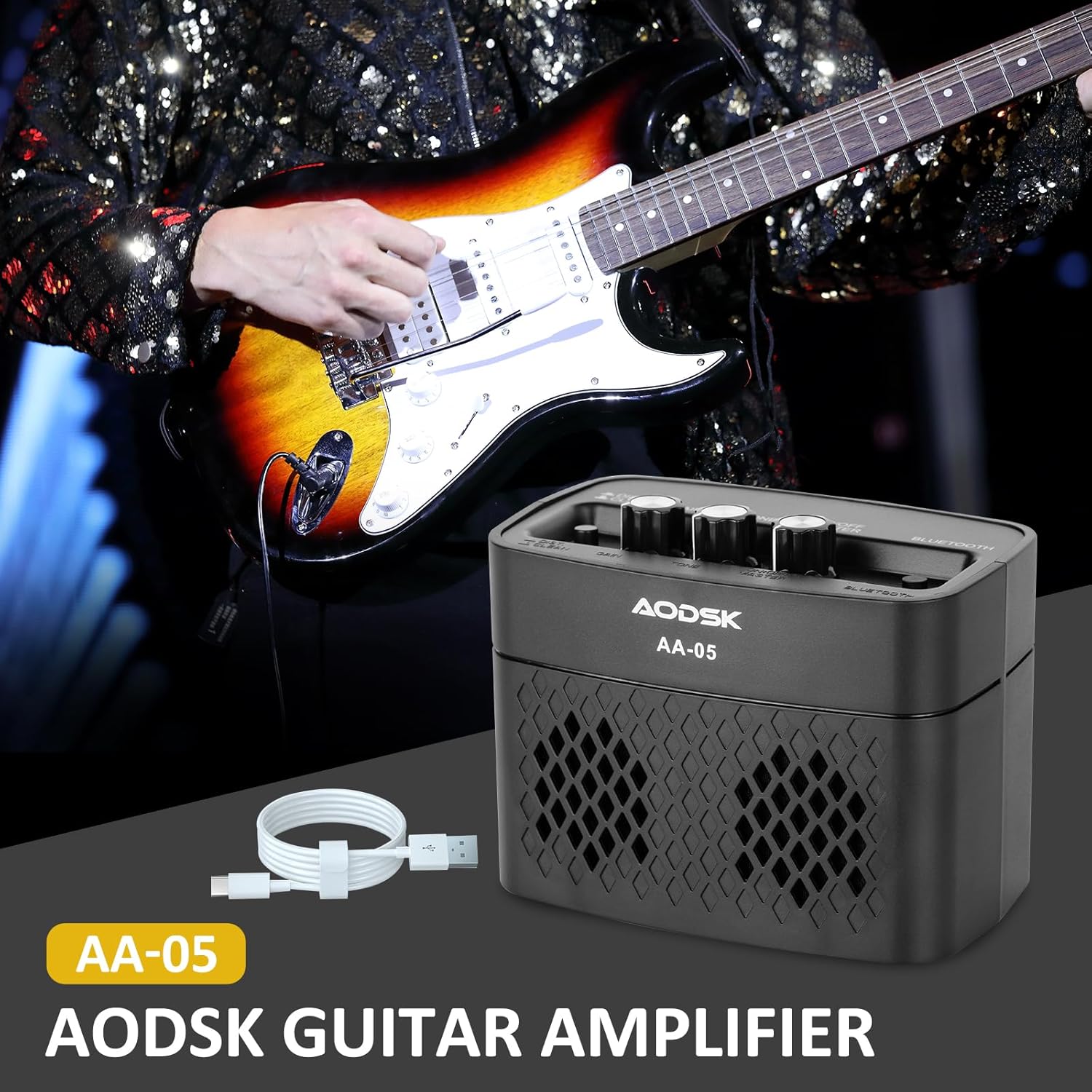
Image: The AODSK AA-05 Digital Guitar Amplifier, a compact black unit, shown with a Type-C charging cable. A guitar player is visible in the background, demonstrating its use.
സുരക്ഷാ വിവരങ്ങൾ
- തുറന്നുകാട്ടരുത് ampവെള്ളം അല്ലെങ്കിൽ അമിതമായ ഈർപ്പം എന്നിവയിലേക്ക് ലിഫയർ.
- സ്ഥാപിക്കുന്നത് ഒഴിവാക്കുക ampതാപ സ്രോതസ്സുകൾക്ക് സമീപമോ നേരിട്ടുള്ള സൂര്യപ്രകാശത്തിലോ ലിഫയർ.
- ചാർജ് ചെയ്യുന്നതിന് നൽകിയിരിക്കുന്ന ചാർജിംഗ് കേബിളോ സാക്ഷ്യപ്പെടുത്തിയ ടൈപ്പ്-സി കേബിളോ മാത്രം ഉപയോഗിക്കുക.
- ഡിസ്അസംബ്ലിംഗ് ചെയ്യാനോ പരിഷ്ക്കരിക്കാനോ ശ്രമിക്കരുത് amplifier. This will void the warranty and may cause damage.
- കുട്ടികൾക്ക് ലഭ്യമാകാതെ സൂക്ഷിക്കുക.
പാക്കേജ് ഉള്ളടക്കം
പാക്കേജിൽ എല്ലാ ഇനങ്ങളും ഉണ്ടെന്ന് ഉറപ്പാക്കുക:
- AODSK AA-05 Digital Guitar Ampജീവപര്യന്തം
- ടൈപ്പ്-സി യുഎസ്ബി ചാർജിംഗ് കേബിൾ
- ഉപയോക്തൃ മാനുവൽ
ഉൽപ്പന്നം കഴിഞ്ഞുview
Familiarize yourself with the controls and ports of your AA-05 ampജീവപര്യന്തം:

Image: A detailed diagram showing the top and rear panels of the AODSK AA-05 amplifier, labeling each button, knob, and port with corresponding numbers and descriptions.
- Effect Switch: Toggles between Clean and Distortion channels.
- നോബ് നേടുക: Adjusts the input signal level, affecting the amount of overdrive/distortion.
- ടോൺ നോബ്: Controls the tonal characteristics, from darker to brighter sounds.
- പവർ/വോളിയം നോബ്: തിരിയുന്നു amplifier on/off and adjusts the overall output volume.
- പവർ സൂചകം: എപ്പോൾ പ്രകാശിക്കുന്നു ampലൈഫയർ ഓണാണ്.
- ബ്ലൂടൂത്ത് ബട്ടൺ: ബ്ലൂടൂത്ത് ജോടിയാക്കൽ മോഡ് സജീവമാക്കുന്നു.
- Earphone Output Jack: For connecting headphones for silent practice.
- ഗിറ്റാർ ഇൻപുട്ട് ജാക്ക്: നിങ്ങളുടെ ഇലക്ട്രിക് ഗിത്താർ ഇവിടെ ബന്ധിപ്പിക്കുക.
- ചാർജ് സൂചകം: ചാർജിംഗ് സ്റ്റാറ്റസ് കാണിക്കുന്നു.
- ചാർജ് ജാക്ക്: Type-C port for charging the ampജീവൻ.
സജ്ജമാക്കുക
1. ചാർജ് ചെയ്യുന്നു Ampജീവപര്യന്തം
ആദ്യ ഉപയോഗത്തിന് മുമ്പ്, പൂർണ്ണമായും ചാർജ് ചെയ്യുക amplifier. Connect the supplied Type-C USB cable to the amplifier's Charge Jack (10) and the other end to a USB power adapter (not included) or a computer USB port. The Charge Indicator (9) will show the charging status.

Image: An illustration of the AODSK AA-05 amplifier highlighting its battery life, indicating up to 8 hours of use on a full charge.
2. പ്രാരംഭ കണക്ഷൻ
- ഉറപ്പാക്കുക ampലൈഫയർ ചുമത്തിയിട്ടുണ്ട്.
- Turn the Power/Volume knob (4) clockwise to power on the amplifier. The Power Indicator (5) will light up.
- Connect your electric guitar to the Guitar Input Jack (8) using a standard 1/4-inch instrument cable.
പ്രവർത്തന നിർദ്ദേശങ്ങൾ
1. Adjusting Guitar Sound
- വോളിയം: Use the Power/Volume knob (4) to adjust the overall output volume.
- ചാനലുകൾ: Press the Effect Switch (1) to toggle between വൃത്തിയാക്കുക ഒപ്പം വളച്ചൊടിക്കൽ ചാനലുകൾ.
- നേട്ടം: In വളച്ചൊടിക്കൽ mode, rotate the Gain knob (2) to control the amount of distortion.
- ടോൺ: Adjust the Tone knob (3) to shape the frequency response of your guitar sound.

Image: The AODSK AA-05 amplifier with visual cues indicating its two channels: Clean and Distortion, which can be switched with a single button. The image also mentions using all-analog audio processing.
2. Using Bluetooth Function
The AA-05 amplifier features integrated Bluetooth 5.0 for playing music from external devices.
- ഓണാക്കുക amplifier using the Power/Volume knob (4).
- Press the Bluetooth Button (6). The Bluetooth indicator will flash, indicating it's in pairing mode.
- On your Bluetooth-enabled device (phone, tablet, PC), search for "AODSK AA-05" in the Bluetooth settings.
- Select "AODSK AA-05" to pair. Once connected, the Bluetooth indicator will stop flashing and remain solid.
- You can now play music through the ampജീവപര്യന്തം. ദി amplifier can play both music and electric guitar sounds simultaneously.
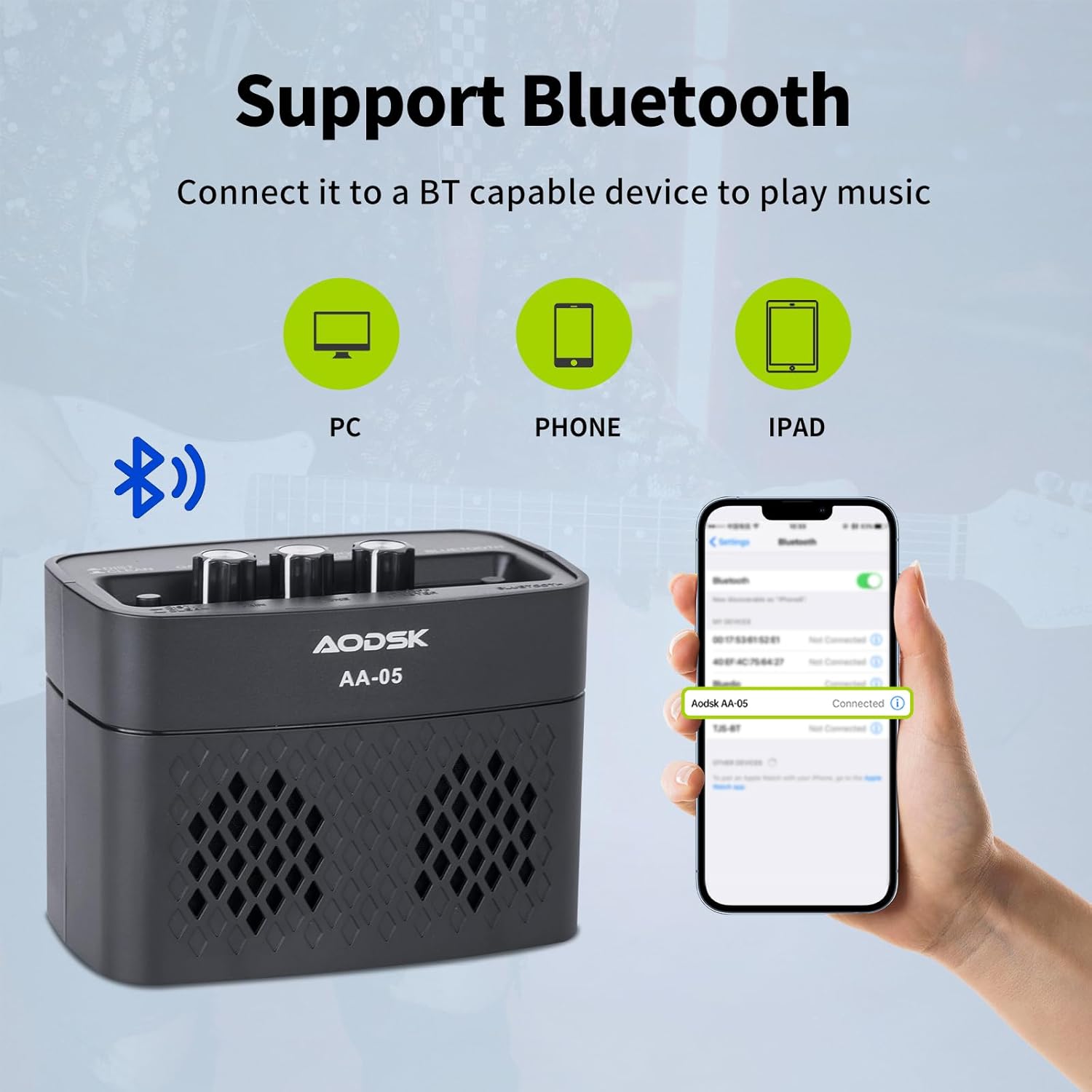
Image: An illustration demonstrating the AODSK AA-05 amplifier's Bluetooth connectivity, showing it can connect to PCs, phones, and iPads to play music.
3. ഹെഡ്ഫോൺ ഉപയോഗം
For private practice, connect standard 3.5mm headphones to the Earphone Output Jack (7). This will mute the main speaker output.
മെയിൻ്റനൻസ്
- വൃത്തിയാക്കൽ: തുടയ്ക്കുക amplifier with a soft, dry cloth. Do not use liquid cleaners or abrasive materials.
- സംഭരണം: സംഭരിക്കുക ampനേരിട്ടുള്ള സൂര്യപ്രകാശത്തിൽ നിന്നും കടുത്ത താപനിലയിൽ നിന്നും അകലെ തണുത്തതും വരണ്ടതുമായ സ്ഥലത്ത് ലിഫയർ വയ്ക്കുക.
- ബാറ്ററി കെയർ: For optimal battery life, avoid fully discharging the battery frequently. Charge the amplifier regularly, even if not in use for extended periods.
ട്രബിൾഷൂട്ടിംഗ്
| പ്രശ്നം | സാധ്യമായ കാരണം | പരിഹാരം |
|---|---|---|
| No sound from guitar | Amplifier not powered on; Volume too low; Guitar cable faulty; Guitar volume off. | ഓൺ ചെയ്യുക amplifier and increase volume; Check guitar cable and guitar volume. |
| ബ്ലൂടൂത്തിൽ നിന്ന് ശബ്ദമില്ല | Bluetooth not paired; Device volume too low; Ampലിഫയറിന്റെ ശബ്ദം വളരെ കുറവാണ്. | Ensure Bluetooth is paired (solid indicator); Increase volume on both device and ampജീവൻ. |
| വികലമായ ശബ്ദം (അപ്രതീക്ഷിതമായി) | Gain too high; Effect switch in Distortion mode; Faulty cable. | Reduce Gain; Switch to Clean channel; Try a different guitar cable. |
| Amplifier not charging | Charging cable faulty; Power adapter faulty; Charge port damaged. | Try a different Type-C cable and power adapter. If issue persists, contact support. |
സ്പെസിഫിക്കേഷനുകൾ
| ഫീച്ചർ | വിശദാംശങ്ങൾ |
|---|---|
| മോഡലിൻ്റെ പേര് | എഎ-05 |
| ബ്രാൻഡ് | AODSK |
| പവർ ഔട്ട്പുട്ട് | 5 വാട്ട്സ് |
| ഔട്ട്പുട്ട് ചാനലുകൾ | 2 (വൃത്തിയുള്ളത്, വികലമാക്കൽ) |
| പവർ ഉറവിടം | ബാറ്ററി പവർ (റീചാർജ് ചെയ്യാവുന്ന ലിഥിയം ബാറ്ററി) |
| ബാറ്ററി ലൈഫ് | 8 മണിക്കൂർ വരെ (പൂർണ്ണ ചാർജിൽ) |
| ബ്ലൂടൂത്ത് പതിപ്പ് | 5.0 |
| അനുയോജ്യമായ ഉപകരണങ്ങൾ | Guitar, Bluetooth-enabled audio devices |
| മെറ്റീരിയൽ | Plastic, Metal, Battery |
| നിറം | കറുപ്പ് |
| ഉൽപ്പന്ന അളവുകൾ | 20.32 x 10.16 x 11.94 സെ.മീ (8 x 4 x 4.7 ഇഞ്ച്) |
| ഇനത്തിൻ്റെ ഭാരം | 567 ഗ്രാം (1.25 പൗണ്ട്) |
വാറൻ്റിയും പിന്തുണയും
AODSK is committed to customer satisfaction. We offer an unconditional refund for quality issues. You can purchase our products with confidence.
For any questions, concerns, or support needs, please refer to your purchase platform or contact AODSK customer service directly. Please have your model number (AA-05) and purchase details ready when contacting support.