
1. ആമുഖം
വാങ്ങിയതിന് നന്ദി.asing the SYLVOX Elf S2 Soundbar. This 60W Bluetooth soundbar is designed to enhance your audio experience with 3D surround sound and multiple EQ modes (Movie, Music, News). Its IP65 waterproof rating ensures durability for various environments. This manual provides essential information for safe and optimal use, including setup, operation, maintenance, and troubleshooting.
2 സുരക്ഷാ വിവരങ്ങൾ
ഉൽപ്പന്നം ഉപയോഗിക്കുന്നതിന് മുമ്പ് ദയവായി എല്ലാ സുരക്ഷാ നിർദ്ദേശങ്ങളും ശ്രദ്ധാപൂർവ്വം വായിക്കുക. ഭാവി റഫറൻസിനായി ഈ മാനുവൽ സൂക്ഷിക്കുക.
- Do not expose the soundbar to extreme temperatures or direct sunlight for prolonged periods.
- യൂണിറ്റിന് ചുറ്റും ശരിയായ വായുസഞ്ചാരം ഉറപ്പാക്കുക.
- ഉപകരണത്തിനൊപ്പം നൽകിയിട്ടുള്ള പവർ അഡാപ്റ്റർ മാത്രം ഉപയോഗിക്കുക.
- Do not attempt to disassemble or modify the soundbar. Refer all servicing to qualified personnel.
- സൗണ്ട്ബാർ ശക്തമായ കാന്തികക്ഷേത്രങ്ങളിൽ നിന്ന് അകറ്റി നിർത്തുക.
- Despite its IP65 rating, avoid submerging the soundbar in water.
3. പാക്കേജ് ഉള്ളടക്കം
താഴെ ലിസ്റ്റ് ചെയ്തിരിക്കുന്ന എല്ലാ ഇനങ്ങളും നിങ്ങളുടെ പാക്കേജിൽ ഉൾപ്പെടുത്തിയിട്ടുണ്ടെന്ന് ഉറപ്പാക്കുക:

- സൗണ്ട്ബാർ x1
- Remote Control (AAA Batteries x2) x1
- HDMI കേബിൾ x1
- ഒപ്റ്റിക്കൽ കേബിൾ x1
- കോക്സിയൽ കേബിൾ x1
- എസി പവർ കോർഡ് x1
- USB Transfer Cable x1
- വാൾ മൗണ്ട് കിറ്റ് x1
- ഉപയോക്തൃ മാനുവൽ x1
- വാറന്റി കാർഡ് x1
Image: The SYLVOX Elf S2 Soundbar and its accessories, including various cables, remote control, and wall mounting hardware.
4. ഉൽപ്പന്നം കഴിഞ്ഞുview
4.1 ഫ്രണ്ട് View

Image: The front of the SYLVOX Elf S2 Soundbar, featuring a minimalist design with the brand logo.
4.2 പിൻ പാനൽ കണക്ഷനുകൾ

Image: The rear panel of the soundbar, detailing the various input ports for connectivity.
- കോക്സിയൽ: കോക്സിയൽ ഡിജിറ്റൽ ഓഡിയോ ഇൻപുട്ട്.
- ഓപ്ടിക്കൽ: ഒപ്റ്റിക്കൽ ഡിജിറ്റൽ ഓഡിയോ ഇൻപുട്ട്.
- എച്ച്ഡിഎംഐ ആർസി: HDMI Audio Return Channel input for TV connection.
- USB (5V=500mA): മീഡിയ പ്ലേബാക്കിനുള്ള യുഎസ്ബി പോർട്ട്.
- എസി ഇൻ: വൈദ്യുതി ഇൻപുട്ട്.
4.3 വിദൂര നിയന്ത്രണം

Image: The remote control for the soundbar, showing buttons for power, volume, input selection, and dedicated sound modes.
- പവർ ബട്ടൺ: സൗണ്ട്ബാർ ഓണാക്കുകയോ ഓഫാക്കുകയോ ചെയ്യുന്നു.
- ഇൻപുട്ട് തിരഞ്ഞെടുക്കൽ: Cycles through available input sources (HDMI ARC, Optical, Coaxial, Bluetooth, USB).
- വോളിയം കൂട്ടുക/താഴ്ത്തുക: മാസ്റ്റർ വോളിയം ക്രമീകരിക്കുന്നു.
- നിശബ്ദമാക്കുക: ശബ്ദം നിശബ്ദമാക്കുകയോ അൺമ്യൂട്ടുചെയ്യുകയോ ചെയ്യുന്നു.
- Sound Mode Buttons (SPORT, MUSIC, NEWS, MOVIE): Selects preset equalizer modes.
5. സജ്ജീകരണം
5.1 പ്ലേസ്മെൻ്റ്
Place the soundbar on a stable, flat surface in front of your TV, or mount it on the wall below your TV. Ensure there are no obstructions blocking the soundbar's speakers.
5.2 നിങ്ങളുടെ ടിവിയിലേക്ക് കണക്റ്റുചെയ്യുന്നു
ഇനിപ്പറയുന്ന കണക്ഷൻ രീതികളിൽ ഒന്ന് തിരഞ്ഞെടുക്കുക:
- HDMI ARC (ശുപാർശ ചെയ്യുന്നത്): Connect one end of the HDMI cable to the HDMI ARC port on the soundbar and the other end to the HDMI ARC port on your TV. This allows for audio return and control via your TV remote.
- ഒപ്റ്റിക്കൽ: Connect one end of the optical cable to the OPTICAL port on the soundbar and the other end to the optical output port on your TV.
- ഏകോപനം: Connect one end of the coaxial cable to the COAXIAL port on the soundbar and the other end to the coaxial output port on your TV.
5.3 പവർ കണക്ഷൻ
Connect the AC power cord to the AC IN port on the soundbar, then plug the other end into a power outlet.
6. പ്രവർത്തന നിർദ്ദേശങ്ങൾ
6.1 പവർ ഓൺ/ഓഫ്
അമർത്തുക ശക്തി button on the remote control or on the side panel of the soundbar to turn the unit on or off.
6.2 വോളിയം നിയന്ത്രണം
ഉപയോഗിക്കുക വോളിയം കൂട്ടുക (+) ഒപ്പം വോളിയം താഴേക്ക് (-) ശബ്ദ നില ക്രമീകരിക്കുന്നതിന് റിമോട്ട് കൺട്രോളിലെ ബട്ടണുകൾ.
6.3 ഇൻപുട്ട് തിരഞ്ഞെടുക്കൽ
അമർത്തുക ഇൻപുട്ട് button on the remote control to cycle through the available input sources (HDMI ARC, Optical, Coaxial, Bluetooth, USB).
6.4 സൗണ്ട് മോഡുകൾ
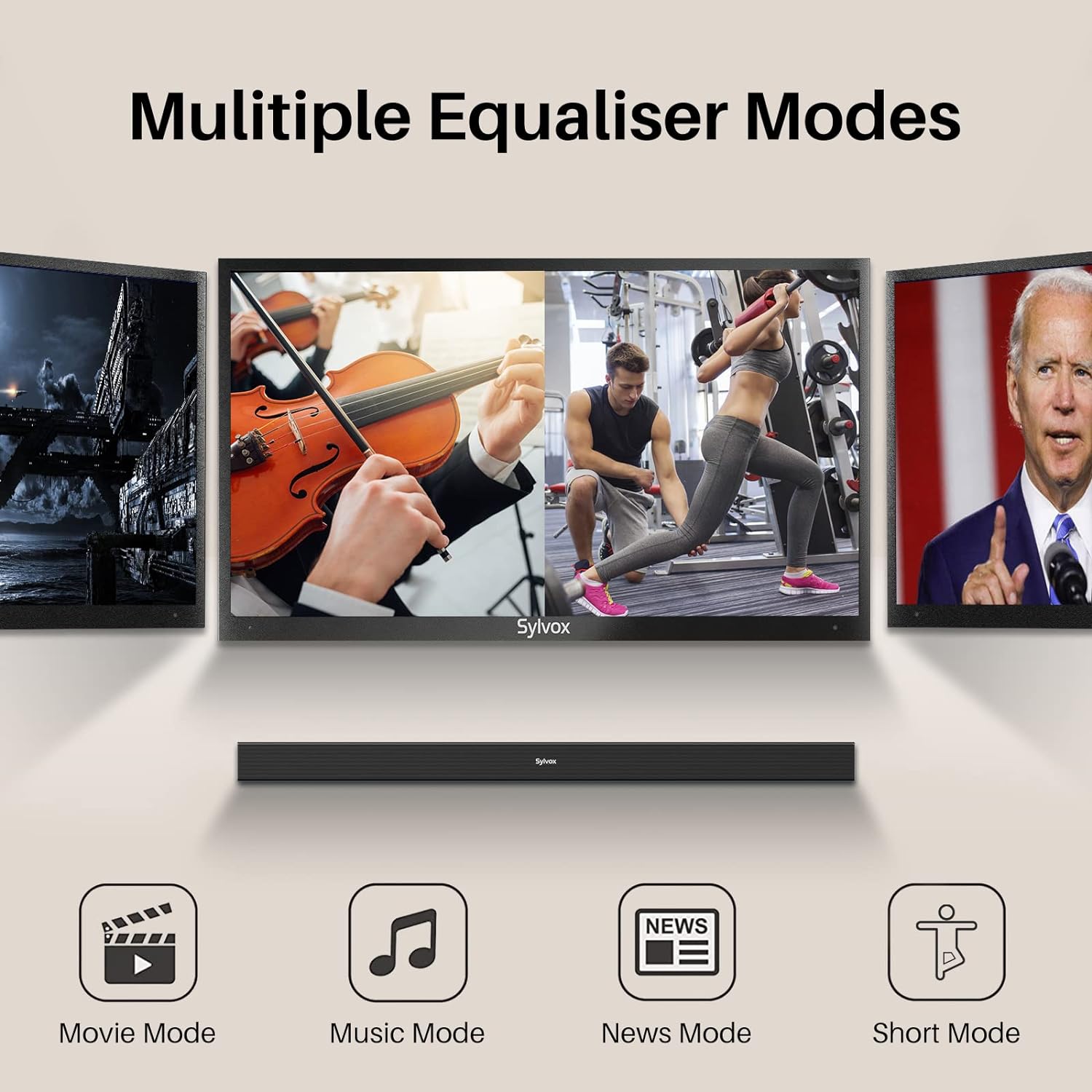
Image: Visual representation of the soundbar's multiple equalizer modes.
The soundbar features three preset equalizer modes to optimize your audio experience:
- മൂവി മോഡ്: സംഭാഷണ വ്യക്തത വർദ്ധിപ്പിക്കുകയും വിശാലമായ ശബ്ദങ്ങൾ നൽകുകയും ചെയ്യുന്നുtagസിനിമാറ്റിക് ഉള്ളടക്കത്തിന് ഇ.
- സംഗീത മോഡ്: Optimizes audio for music playback, offering balanced highs, mids, and lows.
- വാർത്താ മോഡ്: ശബ്ദ വ്യക്തതയിൽ ശ്രദ്ധ കേന്ദ്രീകരിക്കുന്നു, അതുവഴി സംഭാഷണ ഉള്ളടക്കം എളുപ്പത്തിൽ മനസ്സിലാക്കാൻ കഴിയും.
അനുബന്ധം അമർത്തുക സിനിമ, സംഗീതം, അല്ലെങ്കിൽ വാർത്തകൾ button on the remote control to select your desired mode.
7. കണക്റ്റിവിറ്റി
7.1 ബ്ലൂടൂത്ത് ജോടിയാക്കൽ

Image: Illustration of devices wirelessly connecting to the soundbar via Bluetooth for music streaming.
നിങ്ങളുടെ ബ്ലൂടൂത്ത് ഉപകരണം ബന്ധിപ്പിക്കുന്നതിന്:
- Turn on the soundbar and select Bluetooth input mode. The Bluetooth indicator will flash.
- നിങ്ങളുടെ ഉപകരണത്തിൽ (സ്മാർട്ട്ഫോൺ, ടാബ്ലെറ്റ് മുതലായവ) ബ്ലൂടൂത്ത് പ്രവർത്തനക്ഷമമാക്കി ലഭ്യമായ ഉപകരണങ്ങൾക്കായി തിരയുക.
- Select "SYLVOX Elf S2" from the list. Once connected, the Bluetooth indicator will stop flashing and remain solid.
- You can now stream audio from your device to the soundbar.
7.2 യുഎസ്ബി പ്ലേബാക്ക്
Insert a USB drive into the USB port on the rear panel. The soundbar will automatically switch to USB input mode and begin playing compatible audio files.
8. വാൾ മൗണ്ടിംഗ്
The SYLVOX Elf S2 Soundbar can be wall-mounted using the included wall mount kit. Follow these steps for secure installation:
- Determine the desired mounting location below your TV. Ensure the wall can support the weight of the soundbar.
- Use the provided template (if applicable) or measure the distance between the mounting holes on the soundbar.
- Mark the drilling points on the wall.
- Drill pilot holes at the marked points. Insert wall anchors if necessary (for drywall).
- Secure the wall brackets to the wall using screws.
- Carefully attach the soundbar to the installed wall brackets. Ensure it is securely fastened before releasing.
9. പരിപാലനം
9.1 വൃത്തിയാക്കൽ
Wipe the soundbar with a soft, dry cloth. Do not use liquid cleaners or abrasive materials, as they may damage the finish.
9.2 IP65 വാട്ടർപ്രൂഫ് റേറ്റിംഗ്

Image: The soundbar shown outdoors in the rain, highlighting its IP65 waterproof capability.
The SYLVOX Elf S2 Soundbar has an IP65 waterproof rating, meaning it is protected against dust ingress and low-pressure water jets from any direction. This makes it suitable for outdoor use and environments where it may be exposed to splashes or light rain. However, it is not designed for submersion in water.
10. പ്രശ്നപരിഹാരം
നിങ്ങളുടെ സൗണ്ട്ബാറിൽ പ്രശ്നങ്ങൾ നേരിടുകയാണെങ്കിൽ, ഇനിപ്പറയുന്ന പൊതുവായ പ്രശ്നങ്ങളും പരിഹാരങ്ങളും പരിശോധിക്കുക:
| പ്രശ്നം | സാധ്യമായ കാരണം | പരിഹാരം |
|---|---|---|
| ശക്തിയില്ല | പവർ കോർഡ് ബന്ധിപ്പിച്ചിട്ടില്ല; പവർ ഔട്ട്ലെറ്റ് സജീവമല്ല. | പവർ കോർഡ് സുരക്ഷിതമായി ബന്ധിപ്പിച്ചിട്ടുണ്ടെന്ന് ഉറപ്പാക്കുക. മറ്റൊരു ഉപകരണം ഉപയോഗിച്ച് ഔട്ട്ലെറ്റ് പരിശോധിക്കുക. |
| ശബ്ദമില്ല | Incorrect input selected; Volume too low; Cable not connected properly. | ശരിയായ ഇൻപുട്ട് ഉറവിടം തിരഞ്ഞെടുക്കുക. വോളിയം വർദ്ധിപ്പിക്കുക. എല്ലാ ഓഡിയോ കേബിൾ കണക്ഷനുകളും പരിശോധിക്കുക. |
| ബ്ലൂടൂത്ത് ജോടിയാക്കൽ പരാജയപ്പെട്ടു | സൗണ്ട്ബാർ ജോടിയാക്കൽ മോഡിൽ ഇല്ല; ഉപകരണം വളരെ അകലെയാണ്; ഇടപെടൽ. | Ensure soundbar is in Bluetooth mode and indicator is flashing. Move device closer. Avoid other wireless devices. |
| റിമോട്ട് കൺട്രോൾ പ്രവർത്തിക്കുന്നില്ല | Batteries are dead; Obstruction between remote and soundbar. | Replace batteries (2x AAA). Ensure clear line of sight to the soundbar's sensor. |
11 സ്പെസിഫിക്കേഷനുകൾ
| ഫീച്ചർ | വിശദാംശങ്ങൾ |
|---|---|
| ബ്രാൻഡ് | സിൽവോക്സ് |
| മോഡൽ നമ്പർ | OTA1ELFS2 |
| സ്പീക്കർ പരമാവധി ഔട്ട്പുട്ട് പവർ | 60 വാട്ട്സ് |
| ഫ്രീക്വൻസി പ്രതികരണം | 20 KHz |
| കണക്റ്റിവിറ്റി ടെക്നോളജി | ബ്ലൂടൂത്ത് |
| ഓഡിയോ put ട്ട്പുട്ട് മോഡ് | ചുറ്റുക |
| മൗണ്ടിംഗ് തരം | മതിൽ മൗണ്ട് |
| എൻക്ലോഷർ മെറ്റീരിയൽ | പ്ലാസ്റ്റിക് |
| അധിക സവിശേഷതകൾ | വാട്ടർപ്രൂഫ് |
| വാട്ടർപ്രൂഫ് ആണ് | TRUE (IP65) |
| നിയന്ത്രണ രീതി | റിമോട്ട് |
| സ്പീക്കർ വലിപ്പം | 76 മില്ലിമീറ്റർ |
| ബ്ലൂടൂത്ത് ശ്രേണി | 10 മീറ്റർ |
| ഓഡിയോ ചാനലുകളുടെ എണ്ണം | 2.0 |
| പ്രതിരോധം | 8 ഓം |
| പവർ ഉറവിടം | കോർഡഡ് ഇലക്ട്രിക് |
| ഇൻപുട്ട് വോളിയംtage | 240 വോൾട്ട് |
| ഇനത്തിൻ്റെ അളവുകൾ (D x W x H) | 3.62"D x 38.38"W x 2.44"H |
| ഇനത്തിൻ്റെ ഭാരം | 2000 ഗ്രാം |
| അനുയോജ്യമായ ഉപകരണങ്ങൾ | ടെലിവിഷൻ |
12. വാറൻ്റിയും പിന്തുണയും
12.1 ഉൽപ്പന്ന വാറന്റി
The SYLVOX Elf S2 Soundbar comes with a hassle-free 12 മാസ വാറൻ്റി. This warranty covers manufacturing defects and ensures product quality.
12.2 റിട്ടേൺ പോളിസി
An easy return policy is available, including 30 ദിവസത്തെ തടസ്സരഹിത റിട്ടേണുകൾ for quality issues. Original packaging is typically required for returns.
12.3 ഉപഭോക്തൃ സേവനം
For any questions, technical assistance, or warranty claims, please contact SYLVOX customer service. Friendly 7x24 customer service is available to assist you.