
1. ആമുഖം
Thank you for choosing the Inwa Bluetooth Portable Speaker MZ509. This manual provides essential information for setting up, operating, and maintaining your speaker to ensure optimal performance.
ഉൽപ്പന്ന സവിശേഷതകൾ
- ഒതുക്കമുള്ളതും പോർട്ടബിൾ ഡിസൈൻ: Weighing approximately 244g (0.4 lbs) with dimensions of 7.62 x 7.62 x 7.62 cm, designed for easy transport.
- Subwoofer Enhancement Technology: Delivers deep bass and clear treble with a frequency response range of 20Hz-20kHz.
- ബ്ലൂടൂത്ത് 5.1 കണക്റ്റിവിറ്റി: 33 അടി (10 മീറ്റർ) വരെ സ്ഥിരതയുള്ള വയർലെസ് കണക്ഷൻ നൽകുന്നു.
- Wireless Stereo Pairing (TWS): Link two MZ509 speakers for an enhanced stereophonic sound experience.
- ബിൽറ്റ്-ഇൻ മൈക്രോഫോൺ: ഹാൻഡ്സ്-ഫ്രീ കോളിംഗ് പ്രവർത്തനക്ഷമമാക്കുന്നു.
- TF കാർഡ് പിന്തുണ: Play music directly from a TF (MicroSD) card up to 32GB.
- IP67 വാട്ടർപ്രൂഫ് റേറ്റിംഗ്: Designed to withstand immersion in water up to 1 meter for 30 minutes, making it suitable for various environments.
- ടൈപ്പ്-സി ചാർജിംഗ്: ആധുനികവും സൗകര്യപ്രദവുമായ ചാർജിംഗ് ഇന്റർഫേസ്.

Image: The Inwa MZ509 speaker demonstrating its compact size and versatility for use in different environments, including outdoor activities and wet areas.

Image: The Inwa MZ509 speaker showcasing its IP67 waterproof capability, suitable for use near water.
2. സജ്ജീകരണം
2.1 സ്പീക്കർ ചാർജ് ചെയ്യുന്നു
- Connect the provided USB-A to USB-C charging cable to the speaker's Type-C port.
- Connect the USB-A end of the cable to a compatible USB power adapter (DC 5V/1A recommended).
- A red indicator light near the charging port will illuminate, indicating that the speaker is charging.
- The red indicator light will turn off once the speaker is fully charged. A full charge typically takes 2-4 hours.
കുറിപ്പ്: The speaker is designed to charge only with a USB-A to USB-C cable. USB-C to USB-C cables may not initiate charging.
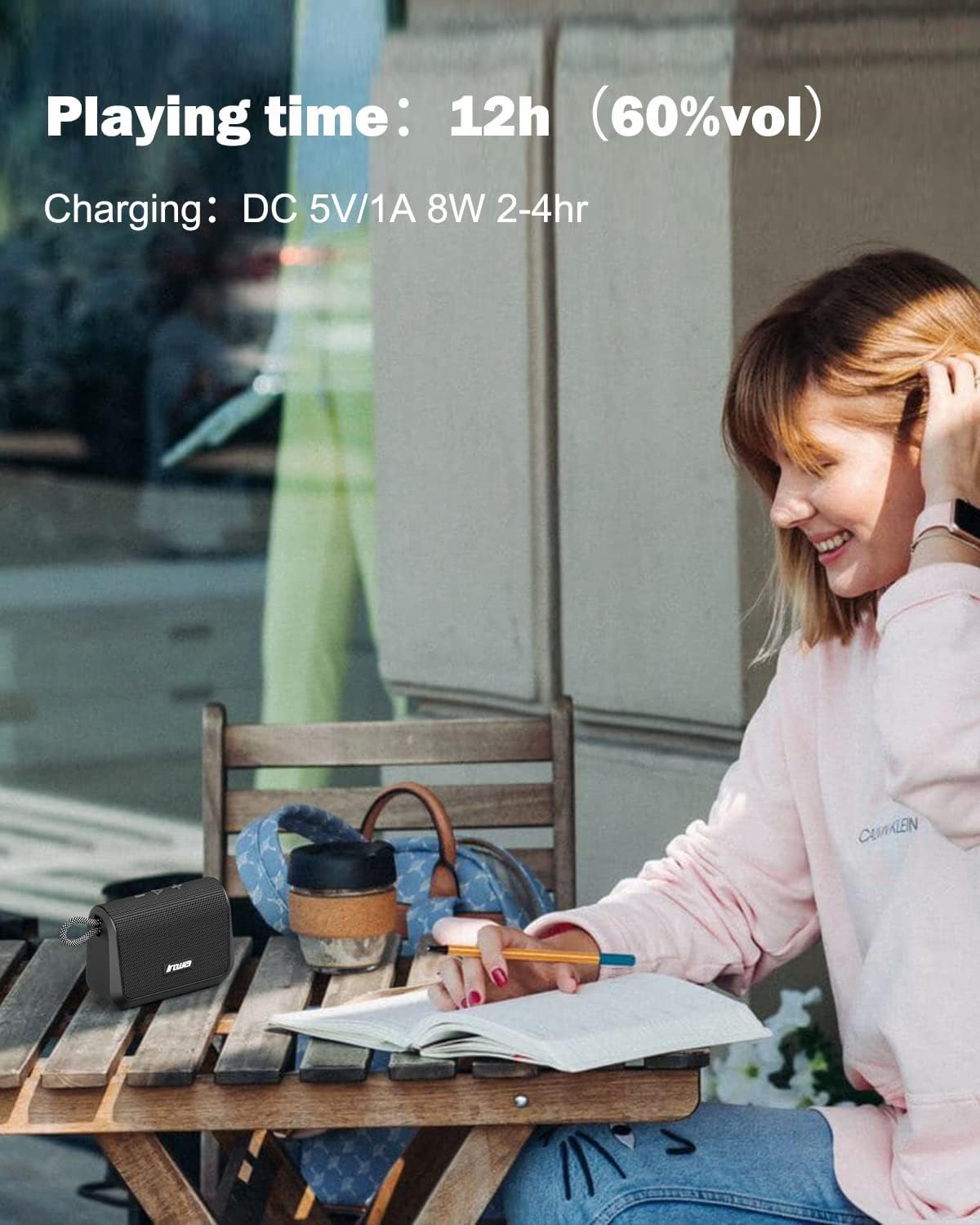
Image: Visual representation of the speaker's battery performance, indicating 12 hours of playing time at 60% volume and a charging duration of 2-4 hours.
2.2 പവർ ഓൺ/ഓഫ്
- To power on, press and hold the power button (usually the play/pause button) until you hear an audible "power on" prompt, followed by "Bluetooth mode".
- പവർ ഓഫ് ചെയ്യാൻ, സ്പീക്കർ ഓഫാകുന്നതുവരെ പവർ ബട്ടൺ വീണ്ടും അമർത്തിപ്പിടിക്കുക.
2.3 ബ്ലൂടൂത്ത് ജോടിയാക്കൽ
- Ensure the speaker is powered on and in "Bluetooth mode". The indicator light will typically flash, indicating it's ready for pairing.
- നിങ്ങളുടെ മൊബൈൽ ഉപകരണത്തിൽ (സ്മാർട്ട്ഫോൺ, ടാബ്ലെറ്റ് മുതലായവ), ബ്ലൂടൂത്ത് പ്രവർത്തനക്ഷമമാക്കി ലഭ്യമായ ഉപകരണങ്ങൾക്കായി തിരയുക.
- Select "Inwa MZ509" from the list of found devices.
- Once paired, you will hear a confirmation tone or voice prompt, and the indicator light will typically become solid.
- The speaker will attempt to automatically reconnect to the last paired device when powered on. If you move out of range and return, manual reconnection may be required.
2.4 Wireless Stereo Pairing (TWS Function)
To achieve a stereophonic sound experience, you can pair two Inwa MZ509 speakers together.
- Ensure both MZ509 speakers are powered off.
- Power on both speakers simultaneously. They will enter Bluetooth pairing mode.
- On one of the speakers, double-press the power/play button. The speakers will attempt to connect to each other.
- Once successfully paired, you will hear a confirmation. One speaker will act as the master (left channel) and the other as the slave (right channel).
- ഇപ്പോൾ, വിഭാഗം 2.3-ൽ വിവരിച്ചിരിക്കുന്നതുപോലെ ബ്ലൂടൂത്ത് വഴി നിങ്ങളുടെ മൊബൈൽ ഉപകരണം മാസ്റ്റർ സ്പീക്കറുമായി ബന്ധിപ്പിക്കുക.
The TWS function allows for a maximum range of 33 feet (10 meters) between the two linked speakers.

Image: Two Inwa MZ509 speakers demonstrating wireless stereo pairing with a laptop and smartphone, also highlighting the built-in microphone.

Image: The TWS feature in action, with two speakers providing stereophonic sound in an outdoor setting.
3. ഓപ്പറേഷൻ
3.1 ബട്ടൺ പ്രവർത്തനങ്ങൾ
The Inwa MZ509 speaker features intuitive buttons for controlling playback and functions.
| ബട്ടൺ/ആക്ഷൻ | ഫംഗ്ഷൻ |
|---|---|
| Power/Play/Pause Button (Long Press) | പവർ ഓൺ/ഓഫ് |
| Power/Play/Pause Button (Short Press) | സംഗീതം പ്ലേ ചെയ്യുക/താൽക്കാലികമായി നിർത്തുക; കോളുകൾക്ക് മറുപടി നൽകുക/അവസാനിപ്പിക്കുക |
| Volume Up (+) Button (Short Press) | വോളിയം കൂട്ടുക |
| Volume Up (+) Button (Long Press) | അടുത്ത ട്രാക്ക് |
| Volume Down (-) Button (Short Press) | വോളിയം കുറയ്ക്കുക |
| Volume Down (-) Button (Long Press) | മുമ്പത്തെ ട്രാക്ക് |
| Mode Button (if available) | Switch between Bluetooth mode and TF card mode. |
3.2 ഹാൻഡ്സ്-ഫ്രീ കോളിംഗ്
With the built-in microphone, you can answer calls directly through the speaker when connected via Bluetooth to your smartphone.
- മറുപടി കോൾ: Short press the Play/Pause button when a call comes in.
- കോൾ അവസാനിപ്പിക്കുക: ഒരു കോൾ സമയത്ത് പ്ലേ/പോസ് ബട്ടൺ ഹ്രസ്വമായി അമർത്തുക.
- കോൾ നിരസിക്കുക: Long press the Play/Pause button when a call comes in.
3.3 TF കാർഡ് പ്ലേബാക്ക്
Insert a TF (MicroSD) card with your music files into the designated slot. The speaker will automatically switch to TF card mode and begin playing music. Use the control buttons to manage playback.
4. പരിപാലനം
4.1 വൃത്തിയാക്കൽ
- മൃദുവായ സ്പീക്കർ തുടയ്ക്കുക, ഡിamp തുണി.
- അബ്രാസീവ് ക്ലീനറുകൾ, ആൽക്കഹോൾ, കെമിക്കൽ ലായകങ്ങൾ എന്നിവ ഉപയോഗിക്കരുത്, കാരണം ഇവ ഉപരിതലത്തിന് കേടുവരുത്തും.
- ചാർജിംഗ് പോർട്ട് കവർ വൃത്തിയാക്കുന്നതിനോ വെള്ളത്തിൽ പുരട്ടുന്നതിനോ മുമ്പ് സുരക്ഷിതമായി അടച്ചിട്ടുണ്ടെന്ന് ഉറപ്പാക്കുക.
4.2 സംഭരണം
- നേരിട്ടുള്ള സൂര്യപ്രകാശത്തിൽ നിന്നും കടുത്ത താപനിലയിൽ നിന്നും മാറി തണുത്തതും വരണ്ടതുമായ സ്ഥലത്ത് സ്പീക്കർ സൂക്ഷിക്കുക.
- ദീർഘനേരം സൂക്ഷിക്കുകയാണെങ്കിൽ, ബാറ്ററി ആയുസ്സ് വർദ്ധിപ്പിക്കുന്നതിന് ഓരോ കുറച്ച് മാസത്തിലും ഏകദേശം 50% വരെ ബാറ്ററി ചാർജ് ചെയ്യുക.
4.3 Waterproof Care (IP67)
- The speaker is IP67 rated, meaning it is protected from dust and can withstand immersion in water up to 1 meter for 30 minutes.
- Always ensure the charging port cover is fully sealed before exposing the speaker to water.
- After exposure to water, dry the speaker thoroughly, especially the charging port, before charging.
- Do not intentionally submerge the speaker in saltwater or other liquids, as this may cause damage not covered by warranty.
5. പ്രശ്നപരിഹാരം
| പ്രശ്നം | സാധ്യമായ കാരണം | പരിഹാരം |
|---|---|---|
| സ്പീക്കർ പവർ ഓൺ ചെയ്യുന്നില്ല. | കുറഞ്ഞ ബാറ്ററി. | Charge the speaker for 2-4 hours using a USB-A to USB-C cable and a 5V/1A adapter. |
| ബ്ലൂടൂത്ത് വഴി ജോടിയാക്കാൻ കഴിയില്ല. | Speaker not in pairing mode; Device Bluetooth off; Out of range. | Ensure speaker is powered on and flashing (pairing mode). Enable Bluetooth on your device. Move device closer to speaker (within 33ft). Forget device and re-pair. |
| ശബ്ദമില്ല അല്ലെങ്കിൽ കുറഞ്ഞ ശബ്ദമില്ല. | Volume too low on speaker or device; Paused playback; Incorrect source. | Increase volume on both speaker and connected device. Ensure music is playing. Check if TF card is inserted if trying to play from card. |
| TWS ജോടിയാക്കൽ പരാജയപ്പെടുന്നു. | Speakers not in TWS pairing mode; Too far apart. | Ensure both speakers are powered off, then power them on and double-press the power button on one speaker to initiate TWS pairing. Keep speakers within 33ft of each other. |
| Charging not working with USB-C to USB-C cable. | Speaker design requires specific cable type. | നൽകിയിരിക്കുന്ന USB-A മുതൽ USB-C വരെ ചാർജിംഗ് കേബിൾ ഉപയോഗിക്കുക. |
6 സ്പെസിഫിക്കേഷനുകൾ
| ഫീച്ചർ | വിശദാംശങ്ങൾ |
|---|---|
| മോഡൽ നമ്പർ | MZ509 |
| ബ്രാൻഡ് | ഇൻവ |
| കണക്റ്റിവിറ്റി ടെക്നോളജി | ബ്ലൂടൂത്ത് 5.1 |
| ബ്ലൂടൂത്ത് ശ്രേണി | 33 അടി വരെ (10 മീറ്റർ) |
| ഓഡിയോ put ട്ട്പുട്ട് മോഡ് | സ്റ്റീരിയോ (TWS ജോടിയാക്കൽ ഉള്ളത്) |
| ഫ്രീക്വൻസി പ്രതികരണം | 20Hz-20kHz |
| കളിക്കുന്ന സമയം | 12 മണിക്കൂർ വരെ (60% വോളിയത്തിൽ) |
| ഇൻപുട്ട് ചാർജ് ചെയ്യുന്നു | ഡിസി 5V/1A (ടൈപ്പ്-സി) |
| ചാർജിംഗ് സമയം | 2-4 മണിക്കൂർ |
| വാട്ടർപ്രൂഫ് റേറ്റിംഗ് | IP67 |
| അളവുകൾ (L x W x H) | 7.62 x 7.62 x 7.62 സെ.മീ (3 x 3 x 3 ഇഞ്ച്) |
| ഭാരം | 244 ഗ്രാം (0.4 പൗണ്ട്) |
| TF കാർഡ് പിന്തുണ | 32 ജിബി വരെ |
| പ്രത്യേക സവിശേഷതകൾ | Built-in Mic, TWS (True Wireless Stereo) Function |

ചിത്രം: ഒരു ആന്തരികം view of the Inwa MZ509 speaker, illustrating the components responsible for its subwoofer enhancement technology and wide frequency response.
7. വാറൻ്റിയും പിന്തുണയും
Inwa provides a 1 വർഷത്തെ വാറൻ്റി covering parts and labor for the MZ509 Bluetooth Portable Speaker, ensuring high quality and reliability.
For customer service and support, please contact Inwa through the following platforms:
- ആമസോൺ
- ഫേസ്ബുക്ക്
- YouTube
- ട്വിറ്റർ
- ഇൻസ്tagആട്ടുകൊറ്റൻ
Our customer service team is available to assist with any inquiries or issues you may encounter.