
1. ആമുഖം
This manual provides essential information for the proper setup, operation, and maintenance of your Beetel F2K GSM Fixed Cordless Landline Phone. Please read it thoroughly before using the device to ensure optimal performance and longevity.

Figure 1: Beetel F2K GSM Fixed Cordless Landline Phone. This image shows the main unit with the handset, keypad, LCD display, and antenna.
2. പാക്കേജ് ഉള്ളടക്കം
പാക്കേജിൽ എല്ലാ ഇനങ്ങളും ഉണ്ടെന്ന് ഉറപ്പാക്കുക:
- Beetel F2K Main Unit
- ഹാൻഡ്സെറ്റ്
- ഹാൻഡ്സെറ്റ് കോർഡ്
- പവർ അഡാപ്റ്റർ
- Detachable TNC Antenna
- റീചാർജ് ചെയ്യാവുന്ന ലിഥിയം-അയൺ ബാറ്ററി
- ഉപയോക്തൃ മാനുവൽ (ഈ പ്രമാണം)
3. സജ്ജീകരണം
- Install SIM Cards:
Carefully remove the battery cover on the back of the main unit. Insert up to two standard-sized GSM SIM cards into the designated slots. Ensure they are correctly oriented as indicated by the diagrams.

Figure 2: Dual SIM card slots for enhanced connectivity.
- ബാറ്ററി ഇൻസ്റ്റാൾ ചെയ്യുക:
Insert the provided Lithium-Ion battery into its compartment, ensuring the contacts align. Replace the battery cover securely.
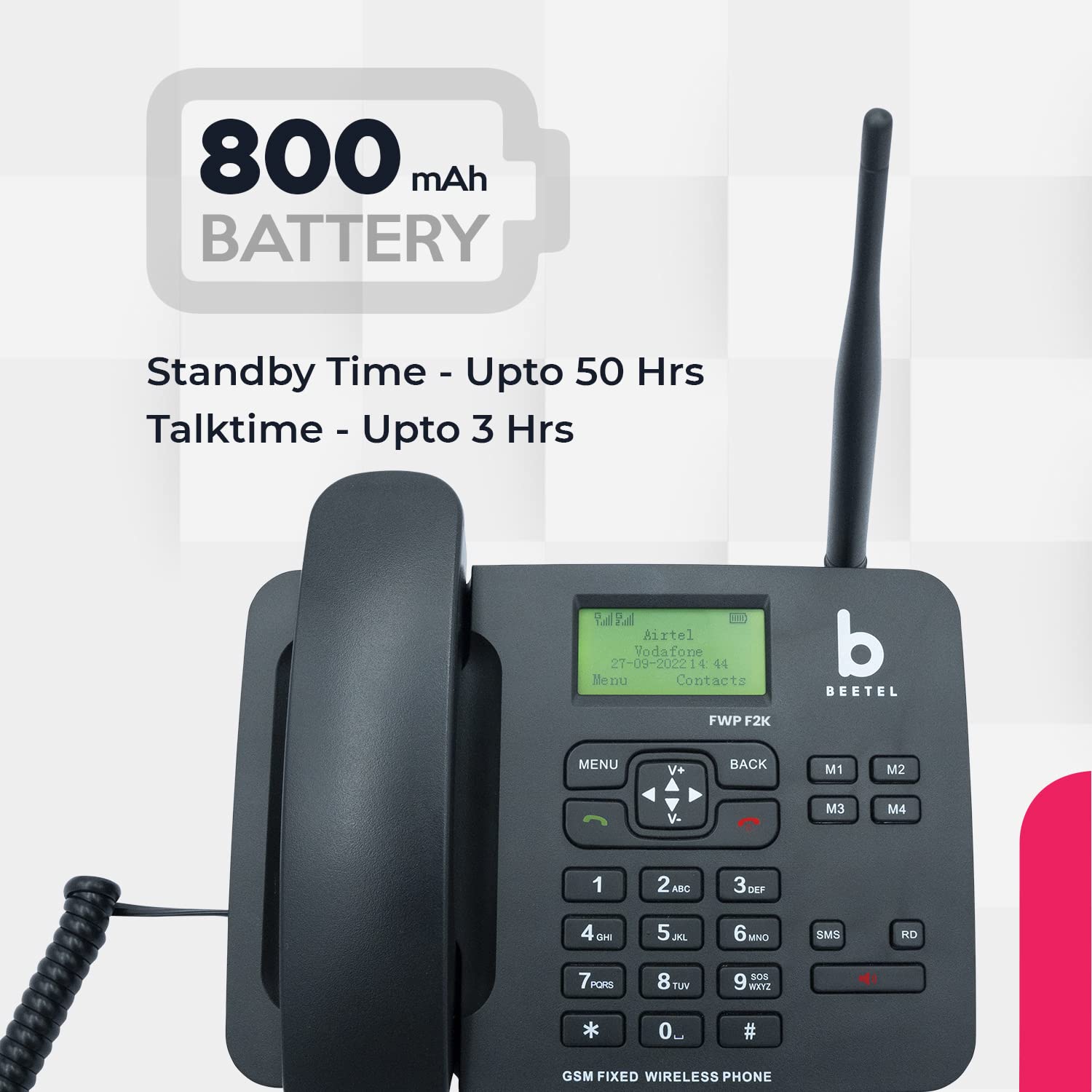
Figure 3: Battery compartment with the 800mAh Lithium-Ion battery.
- ആന്റിന ഘടിപ്പിക്കുക:
Screw the detachable TNC antenna onto the antenna port located on the back of the main unit. Ensure it is firmly attached for optimal signal reception.

Figure 4: Detachable TNC antenna for improved signal strength.
- Connect Handset:
Plug one end of the coiled handset cord into the handset and the other end into the designated port on the main unit.
- പവർ അഡാപ്റ്റർ ബന്ധിപ്പിക്കുക:
Connect the power adapter to the DC IN port on the main unit and then plug it into a standard electrical outlet. The phone will power on automatically or can be powered on using the power button.
Video 1: A short demonstration of the Beetel F2K phone's unboxing and initial setup steps.
4. പ്രവർത്തന നിർദ്ദേശങ്ങൾ
4.1 അടിസ്ഥാന പ്രവർത്തനങ്ങൾ
- പവർ ഓൺ/ഓഫ്: Press and hold the power button (if available) or connect/disconnect the power adapter.
- ഒരു കോൾ ചെയ്യുന്നു: Dial the number using the keypad and press the green call button.
- ഒരു കോളിന് മറുപടി നൽകുന്നു: Lift the handset or press the green call button.
- ഒരു കോൾ അവസാനിപ്പിക്കുന്നു: Place the handset back on the cradle or press the red end call button.
- വോളിയം ക്രമീകരിക്കുന്നു: Use the volume up/down buttons during a call to adjust handset receive volume.
- സ്പീക്കർഫോൺ: Press the speakerphone button to activate or deactivate the two-way speakerphone function.
4.2 വിപുലമായ സവിശേഷതകൾ
- LCD ഡിസ്പ്ലേ: The backlit LCD displays caller ID, signal strength, battery capacity, date, and time.
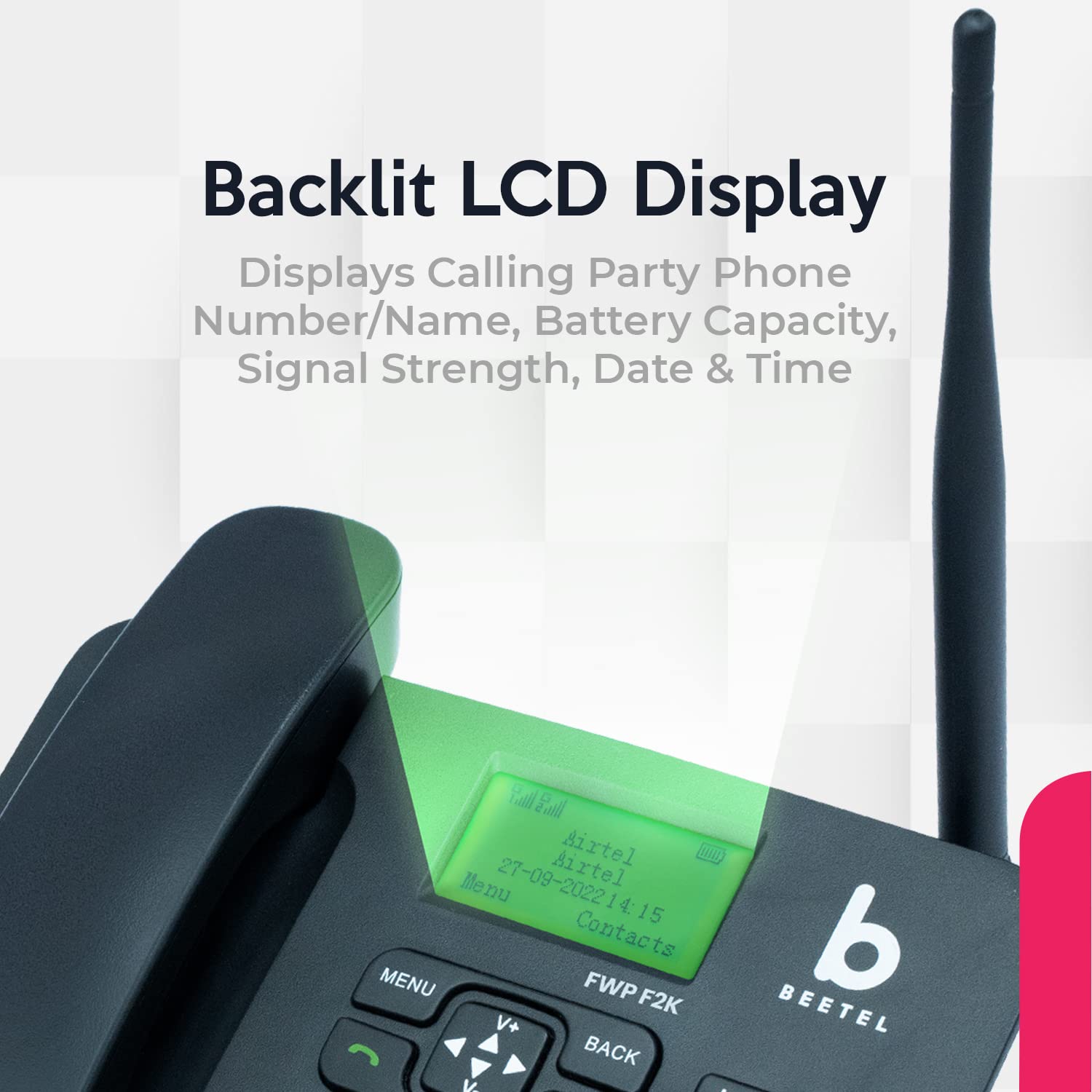
Figure 5: Backlit LCD display showing call details and phone status.
- ഡ്യുവൽ സിം പിന്തുണ: The phone supports two GSM SIM cards, allowing for flexible network usage.
- SMS പ്രവർത്തനം: Send and receive text messages. The phone can store up to 200 SMS messages.
- ഫോണ്നമ്പറുകള് അടങ്ങിയ പുസ്തകം: Store up to 100 contacts with names and numbers for quick dialing.

Figure 6: Phonebook feature for storing contacts.
- Hotline with Auto Keypad Lock: Utilize the hotline feature for quick access to a pre-programmed number and benefit from automatic keypad locking.

Figure 7: Hotline function for streamlined call transfers.
- Dedicated Memory Keys (M1-M4): Program these keys for speed dialing frequently called numbers. Refer to the phone's on-screen menu for programming instructions.
- കലണ്ടറും കാൽക്കുലേറ്ററും: Access the built-in calendar and calculator functions via the menu.
- കുറഞ്ഞ ബാറ്ററി അലേർട്ട്: The phone provides an alert when the battery level is low, indicating it needs to be charged.
- Call Waiting, 3-Way Call Conferencing & Call Divert: These network-dependent features can be managed through the phone's menu settings.
വീഡിയോ 2: ഒരു ഓവർview of the key features and functionalities of the Beetel F2K GSM Fixed Wireless Phone.
5. പരിപാലനം
- വൃത്തിയാക്കൽ: ഫോണിന്റെ ഉപരിതലം വൃത്തിയാക്കാൻ മൃദുവായതും ഉണങ്ങിയതുമായ തുണി ഉപയോഗിക്കുക. ലിക്വിഡ് ക്ലീനറുകളോ ഉരച്ചിലുകളുള്ള വസ്തുക്കളോ ഉപയോഗിക്കരുത്.
- ബാറ്ററി കെയർ: Charge the battery fully before first use. Avoid overcharging or completely draining the battery frequently to prolong its lifespan.
- ആൻ്റിന: Ensure the antenna is securely attached. Do not bend or force the antenna, as this may damage it.
- സംഭരണം: If storing the phone for an extended period, remove the battery and store it in a cool, dry place.
6. പ്രശ്നപരിഹാരം
| പ്രശ്നം | സാധ്യമായ കാരണം | പരിഹാരം |
|---|---|---|
| പവർ ഇല്ല | Battery drained or not installed correctly; Power adapter not connected. | Ensure battery is installed and charged. Check power adapter connection to phone and wall outlet. |
| സിഗ്നൽ ഇല്ല | Antenna not attached; Out of network coverage; SIM card issue. | Attach antenna securely. Move to an area with better network coverage. Reinsert SIM card(s) or try a different SIM. |
| കോളുകൾ വിളിക്കാനോ സ്വീകരിക്കാനോ കഴിയില്ല | No signal; SIM card not active; Incorrect dialing. | Check signal strength. Verify SIM card is active with your service provider. Ensure correct number is dialed. |
| Low Call Volume | Volume setting too low; Poor network quality. | Adjust handset receive volume using the V+/V- buttons. Try moving to an area with better signal. |
| കീപാഡ് പൂട്ടി | Auto Keypad Lock activated. | Unlock the keypad as per on-screen instructions or phone settings. |
7 സ്പെസിഫിക്കേഷനുകൾ
| ഫീച്ചർ | വിശദാംശങ്ങൾ |
|---|---|
| ബ്രാൻഡ് | ബീറ്റൽ |
| മോഡൽ | F2K |
| നിറം | കറുപ്പ് |
| ടെലിഫോൺ തരം | Cordless (Fixed Wireless Phone) |
| നെറ്റ്വർക്ക് പിന്തുണ | Quad Band GSM (850MHz/900MHz/1800MHz/1900MHz) |
| സിം പിന്തുണ | ഡ്യുവൽ സിം |
| പ്രദർശിപ്പിക്കുക | ബാക്ക്ലൈറ്റിനൊപ്പം എൽസിഡി ഡിസ്പ്ലേ |
| ബാറ്ററി തരം | 1 ലിഥിയം അയോൺ ബാറ്ററി (ഉൾപ്പെടുത്തിയിരിക്കുന്നു) |
| ബാറ്ററി ടോക്ക് ടൈം | 3 മണിക്കൂർ വരെ |
| ബാറ്ററി സ്റ്റാൻഡ്ബൈ സമയം | 50 മണിക്കൂർ വരെ |
| മെറ്റീരിയൽ | എബിഎസ് പ്ലാസ്റ്റിക് |
| ഫോൺ ബുക്ക് ശേഷി | 100 Numbers with Name |
| എസ്എംഎസ് സംഭരണം | Maximum 200 SMS |
| കോളർ ഐഡി | അതെ |
| സ്പീക്കർഫോൺ | Two-Way Speakerphone with Adjustable Receive Volume |
| അധിക സവിശേഷതകൾ | Hotline with Auto Keypad Lock, Alarm, Calculator, Calendar, 4 Dedicated Memory Keys, Speed Dialling, Conference Call Capability (2), Multiline Operation |
| ഇനത്തിന്റെ അളവുകൾ (L x W x H) | 21 x 19 x 6 സെൻ്റീമീറ്റർ |
| ഇനത്തിൻ്റെ ഭാരം | 700 ഗ്രാം |
| മാതൃരാജ്യം | ചൈന |
8. വാറൻ്റിയും പിന്തുണയും
Your Beetel F2K GSM Fixed Cordless Landline Phone comes with a 1 വർഷത്തെ നിർമ്മാതാവിൻ്റെ വാറൻ്റി വാങ്ങിയ തീയതി മുതൽ.
For warranty claims, technical support, or service inquiries, please contact Beetel customer service. Keep your purchase receipt as proof of purchase.
Manufacturer Contact Information: Beetel Teletech Limited