
1. ആമുഖം
This manual provides essential information for the safe and efficient installation, operation, and maintenance of your VIMAR 30008.G Aligned Illuminated Replaceable Button. This product is a 1P NO 10A 250V button designed for electrical control applications. Please read these instructions carefully before use and retain them for future reference.
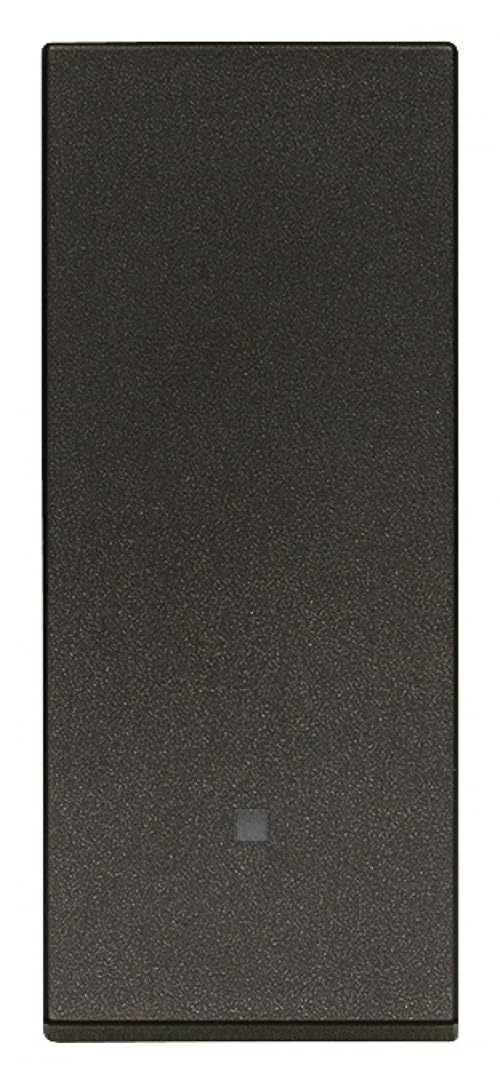
Figure 1: VIMAR 30008.G Aligned Illuminated Replaceable Button in black.
പ്രധാന സവിശേഷതകൾ:
- Absolute Flatness and Alignment: Designed for seamless integration with the plate, featuring minimal protrusion and increased dimensions for easy tactile identification.
- ഡ്യൂറബിൾ ഫിനിഷ്: Special laser manufacturing provides a tactile velvet finish that is resistant to scratches and dirt over time.
- Patented Attachment Mechanism: Ensures maximum installation precision and facilitates easy removal of the front panel.
- Illuminated Design: Offers backlighting options for enhanced visibility and aesthetic appeal.
2. സജ്ജീകരണവും ഇൻസ്റ്റാളേഷനും
Installation should be performed by a qualified electrician in accordance with local electrical codes and regulations. Ensure power is disconnected at the main circuit breaker before beginning any installation work.
- വൈദ്യുതി വിച്ഛേദിക്കൽ: Turn off the main power supply to the circuit where the button will be installed. Verify that the power is off using a voltagഇ ടെസ്റ്റർ.
- മൗണ്ടിംഗ്: The VIMAR 30008.G features a patented attachment mechanism designed for precise installation. Secure the button module into the appropriate mounting frame or box.
- വയറിംഗ്: Connect the electrical wires to the terminals of the button. This is a 1P NO (Normally Open) button, rated for 10A at 250V. Ensure correct polarity and secure connections.
- Front Panel Attachment: Align the front panel with the button module and press firmly until it clicks into place. The patented mechanism ensures a secure and flush fit.
- വൈദ്യുതി പുനഃസ്ഥാപിക്കൽ: Once installation is complete and all connections are secure, restore power to the circuit.

ചിത്രം 2: ഉദാample of VIMAR aligned illuminated keys, demonstrating the flush design for installation.
3. പ്രവർത്തന നിർദ്ദേശങ്ങൾ
The VIMAR 30008.G button operates as a momentary switch. Pressing the button will activate the connected circuit, and releasing it will deactivate the circuit (for Normally Open configuration).
- സജീവമാക്കൽ: Gently press the button to engage its function.
- പ്രകാശം: The button features integrated backlighting. This illumination provides visibility in low-light conditions and serves as a visual indicator. The specific behavior of the backlighting (e.g., always on, on when active) depends on the wiring configuration and the type of LED used.

Figure 3: VIMAR axial keys with LED lighting, illustrating the illuminated feature of the button.
4. പരിപാലനം
Regular maintenance ensures the longevity and proper functioning of your VIMAR button.
- വൃത്തിയാക്കൽ: To clean the button surface, use a soft, damp cloth. Avoid abrasive cleaners, solvents, or harsh chemicals, as these can damage the tactile velvet finish.
- ബട്ടൺ മാറ്റിസ്ഥാപിക്കൽ: The VIMAR 30008.G is designed with a replaceable button. If replacement is necessary, ensure power is disconnected. The patented attachment mechanism allows for easy removal of the front panel for access to the button module.
- പരിശോധന: Periodically inspect the button for any signs of wear, damage, or loose connections. If any issues are observed, disconnect power and consult a qualified electrician.
5. പ്രശ്നപരിഹാരം
If you encounter issues with your VIMAR 30008.G button, consider the following:
- ബട്ടൺ പ്രതികരിക്കുന്നില്ല:
- സർക്യൂട്ടിലേക്കുള്ള പ്രധാന പവർ സപ്ലൈ സജീവമാണോ എന്ന് പരിശോധിക്കുക.
- എല്ലാ വയറിംഗ് കണക്ഷനുകളും സുരക്ഷിതവും കൃത്യവുമാണെന്ന് ഉറപ്പാക്കുക.
- Verify that the button module is properly seated in its frame.
- ഇല്യൂമിനേഷൻ പ്രവർത്തിക്കുന്നില്ല:
- Confirm that the power supply is active.
- Check the wiring for the illumination circuit.
- The LED might be faulty; consider replacing the button module if necessary (ensure power is off).
- ശാരീരിക ക്ഷതം: If the button or front panel is physically damaged, it should be replaced to ensure safe operation.
For persistent issues, contact a qualified electrician or VIMAR customer support.
6 സ്പെസിഫിക്കേഷനുകൾ
| ആട്രിബ്യൂട്ട് | മൂല്യം |
|---|---|
| നിർമ്മാതാവ് | വിമർശനം |
| മോഡൽ നമ്പർ | 30008.ജി |
| ഉൽപ്പന്ന അളവുകൾ (L x W x H) | 2.23 x 5.27 x 5.27 സെ.മീ |
| ഭാരം | 20 ഗ്രാം |
| നിറം | കറുപ്പ് |
| ശൈലി | ആധുനികം |
| പൂർത്തിയാക്കുക | സാറ്റിൻ |
| മെറ്റീരിയൽ | പ്ലാസ്റ്റിക് |
| ആകൃതി | Round (referring to the button mechanism, not the visible plate) |
| ഇനങ്ങളുടെ അളവ് | 1 |
| പ്രത്യേക പ്രവർത്തനങ്ങൾ | Sensory effect, patented coupling mechanism, illumination |
| ഉൾപ്പെടുത്തിയ ഘടകങ്ങൾ | Vimar 30008.G Aligned Illuminated Replaceable Button, Black |
| ബാറ്ററികൾ ആവശ്യമാണ് | ഇല്ല |
| ASIN | B0BTDL5P1X |
| ആദ്യ തീയതി ലഭ്യമാണ് | 30 ജനുവരി 2023 |
7. വാറൻ്റിയും പിന്തുണയും
Information regarding specific warranty terms for the VIMAR 30008.G button is not available in the provided product details. For warranty claims or technical support, please contact VIMAR directly or refer to their official website. Spare parts availability information is also not provided.