
ആമുഖം
The PROHEAR 030 Bluetooth Electronic Hearing Protection Earmuffs are designed to provide effective noise reduction while allowing for wireless audio streaming and environmental sound amplification. These earmuffs are suitable for various loud environments, including shooting ranges, hunting, woodworking, mowing, and other high-noise tasks.

Figure 1: PROHEAR 030 Bluetooth Electronic Hearing Protection Earmuffs with accessories.
പ്രധാന സവിശേഷതകൾ:
- ബിൽറ്റ്-ഇൻ ബ്ലൂടൂത്ത്: Seamless wireless streaming for music, calls, and podcasts.
- ശ്രവണ സംരക്ഷണം: NRR 22dB / SNR 27dB for effective noise reduction.
- ശബ്ദ പ്രകടനം: Recessed dual microphones capture subtle environmental sounds under 82 dB, minimizing wind interference.
- Firearm-Friendly Design: മെലിഞ്ഞ, കുറഞ്ഞ പ്രോfile cups with cutouts for comfortable firearm stock clearance.
- ആശ്വാസം: Ultra-soft cushioned ear pads and a padded headband for extended wear.
- ഈട്: Premium rubberized coating for improved tactile feel and longevity.
- ക്രമീകരിക്കാവുന്ന ഫിറ്റ്: Telescopic sliders ensure a perfect fit for various head sizes.
- പോർട്ടബിലിറ്റി: Compact folding design for easy storage and transport.
സജ്ജമാക്കുക
1. ബാറ്ററി ഇൻസ്റ്റാളേഷൻ
The PROHEAR 030 earmuffs require 2 AAA batteries (not included) for operation. Locate the battery compartment on one of the ear cups, open it, insert the batteries according to the polarity indicators, and securely close the compartment.

Figure 2: Illustration of battery compartment and ear cushions.
2. ഫിറ്റ് ക്രമീകരിക്കൽ
Adjust the telescopic sliders on both sides of the headband to ensure a snug yet comfortable fit over your ears. The earmuffs should fully cover your ears without excessive pressure. The padded headband and ultra-soft ear cushions are designed for all-day wear.

Figure 3: Close-up of the soft, skin-friendly silicone ear cushions.
പ്രവർത്തന നിർദ്ദേശങ്ങൾ
1. പവർ ഓൺ/ഓഫ്
Locate the power button on one of the ear cups. Press and hold the button for a few seconds to power the earmuffs on or off. An audible cue or indicator light will confirm the status.
2. ബ്ലൂടൂത്ത് ജോടിയാക്കൽ
- ഇയർമഫുകൾ ഓണാക്കിയിട്ടുണ്ടെന്ന് ഉറപ്പാക്കുക.
- Activate Bluetooth on your mobile device (phone, tablet, etc.).
- ഇതിനായി തിരയുക available Bluetooth devices and select "PROHEAR 030" from the list.
- ജോടിയാക്കിക്കഴിഞ്ഞാൽ, നിങ്ങൾക്ക് വയർലെസ് ആയി ഓഡിയോ സ്ട്രീം ചെയ്യാൻ കഴിയും.
3. വോളിയം നിയന്ത്രണം
The earmuffs feature independent volume controls for ambient sound amplification and Bluetooth audio. Adjust the respective controls to your preferred listening levels. It is recommended to keep ambient sound amplification at a level that allows you to hear important environmental cues while protecting against harmful loud noises.
4. Hearing Protection & Environmental Awareness
The NRR 22dB / SNR 27dB rating ensures significant noise reduction. The dual microphones are designed to amplify low-level sounds (under 82 dB) to enhance situational awareness, while instantly suppressing loud impulse noises (like gunshots) within 0.01 seconds to protect your hearing.
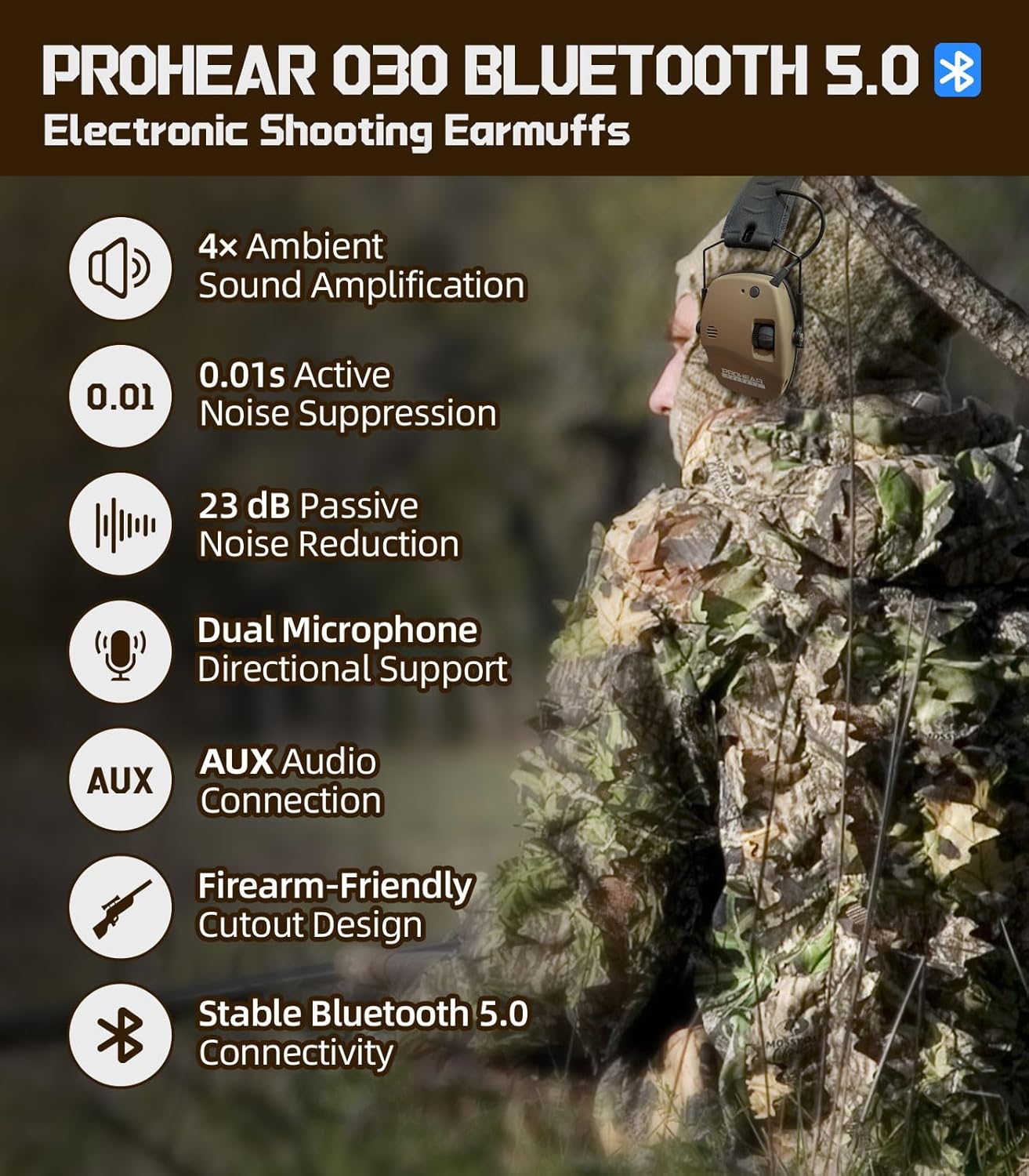
ചിത്രം 4: ഓവർview of PROHEAR 030 features including sound amplification and noise suppression.

Figure 5: Enhanced environmental awareness through 4x ambient sound ampലിഫിക്കേഷൻ.

Figure 6: PROHEAR 030 earmuffs in use during shooting activities.
മെയിൻ്റനൻസ്
1. വൃത്തിയാക്കൽ
മൃദുവായ ഒരു ഡി ഉപയോഗിച്ച് ഇയർമഫുകൾ തുടയ്ക്കുക.amp cloth. Avoid using harsh chemicals or abrasive cleaners. Ensure the ear cushions are clean and free of debris to maintain an effective seal.
2. സംഭരണം
When not in use, fold the earmuffs into their compact form and store them in a dry, clean place away from extreme temperatures. This helps preserve the integrity of the materials and electronics.

Figure 7: The compact folding design of the earmuffs for easy storage.
ട്രബിൾഷൂട്ടിംഗ്
ശക്തിയില്ല:
- Check if the AAA batteries are inserted correctly with the correct polarity.
- പഴയ ബാറ്ററികൾ പുതിയവ ഉപയോഗിച്ച് മാറ്റിസ്ഥാപിക്കുക.
ബ്ലൂടൂത്ത് കണക്ഷൻ പ്രശ്നങ്ങൾ:
- Ensure the earmuffs are in pairing mode.
- നിങ്ങളുടെ ഉപകരണത്തിന്റെ ബ്ലൂടൂത്ത് പ്രവർത്തനക്ഷമമാക്കിയിട്ടുണ്ടെന്നും പരിധിക്കുള്ളിലാണെന്നും ഉറപ്പാക്കുക.
- നിങ്ങളുടെ ഫോണിന്റെ ബ്ലൂടൂത്ത് ക്രമീകരണങ്ങളിൽ ഉപകരണം മറന്ന് വീണ്ടും ജോടിയാക്കാൻ ശ്രമിക്കുക.
Poor Sound Quality/No Ambient Sound:
- Adjust the volume controls for both Bluetooth and ambient sound.
- മൈക്രോഫോണുകൾ തടസ്സപ്പെട്ടിട്ടില്ലെന്ന് ഉറപ്പാക്കുക.
- ബാറ്ററി ലെവലുകൾ പരിശോധിക്കുക.
സ്പെസിഫിക്കേഷനുകൾ
| നിർമ്മാതാവ് | പ്രോഹിയർ |
| മോഡൽ നമ്പർ | PROHEAR 030 |
| ഇനത്തിൻ്റെ ഭാരം | 15.5 ഔൺസ് |
| പാക്കേജ് അളവുകൾ | 5.31 x 5.04 x 4.57 ഇഞ്ച് |
| നിറം | ബ്രൗൺ |
| ശൈലി | Bluetooth Brown |
| ബാറ്ററികൾ ആവശ്യമാണ് | Yes (2 AAA batteries, not included) |
| നോയ്സ് റിഡക്ഷൻ റേറ്റിംഗ് (NRR) | 22dB |
| സിഗ്നൽ-ടു-നോയിസ് റേഷ്യോ (എസ്എൻആർ) | 27dB |
| ബ്ലൂടൂത്ത് പ്ലേടൈം | 30 മണിക്കൂർ വരെ |
| AUX Playtime | 120 മണിക്കൂർ വരെ |
വാറൻ്റിയും പിന്തുണയും
PROHEAR is committed to customer satisfaction. If you have any questions or suggestions regarding your PROHEAR 030 earmuffs, please contact our support team. We are available 24/7 to assist you.
For further assistance, please visit the official PROHEAR Store: PROHEAR Store on Amazon