
1. ആമുഖം
Thank you for choosing the HIACINTO ES502 Industrial Endoscope. This manual provides essential information for the safe and effective operation, maintenance, and troubleshooting of your device. Please read this manual thoroughly before use and retain it for future reference.
The HIACINTO ES502 is a versatile inspection camera designed for examining hard-to-reach areas. It features a 10-meter detachable cable, a triple-lens system for a 180-degree field of view, a 5-inch IPS display, 1080P resolution, and IP68 waterproofing, making it suitable for various industrial and household inspection tasks.
2. ഉൽപ്പന്നം കഴിഞ്ഞുview
2.1 പാക്കേജ് ഉള്ളടക്കം
- HIACINTO ES502 Industrial Endoscope Unit
- 10m Detachable Probe Cable with Triple Lens Camera
- 32 ജിബി ടിഎഫ് കാർഡ്
- യുഎസ്ബി ചാർജിംഗ് കേബിൾ
- Accessory Kit (Magnets, Hooks)
- ചുമക്കുന്ന കേസ്
- ഉപയോക്തൃ മാനുവൽ
2.2 പ്രധാന സവിശേഷതകൾ
- Triple Lens System: Equipped with a main camera and two side cameras, providing a 180-degree field of view സമഗ്രമായ പരിശോധനയ്ക്കായി.
- Detachable 10m Cable: Flexible and durable IP68 waterproof snake cable, easily detachable for replacement or storage.
- 5-ഇഞ്ച് IPS ഡിസ്പ്ലേ: Large, high-definition IPS screen for clear, real-time viewing of images and videos at 1080P resolution.
- ക്രമീകരിക്കാവുന്ന LED ഇല്യൂമിനേഷൻ: 10 integrated LEDs with adjustable brightness levels to ensure clear visibility in dark environments.
- നീണ്ട ബാറ്ററി ലൈഫ്: Built-in 3000mAh rechargeable battery provides up to 4 hours of continuous operation.
- എർഗണോമിക് ഡിസൈൻ: Designed for comfortable, single-handed operation.
2.3 ഉൽപ്പന്ന ഡയഗ്രം
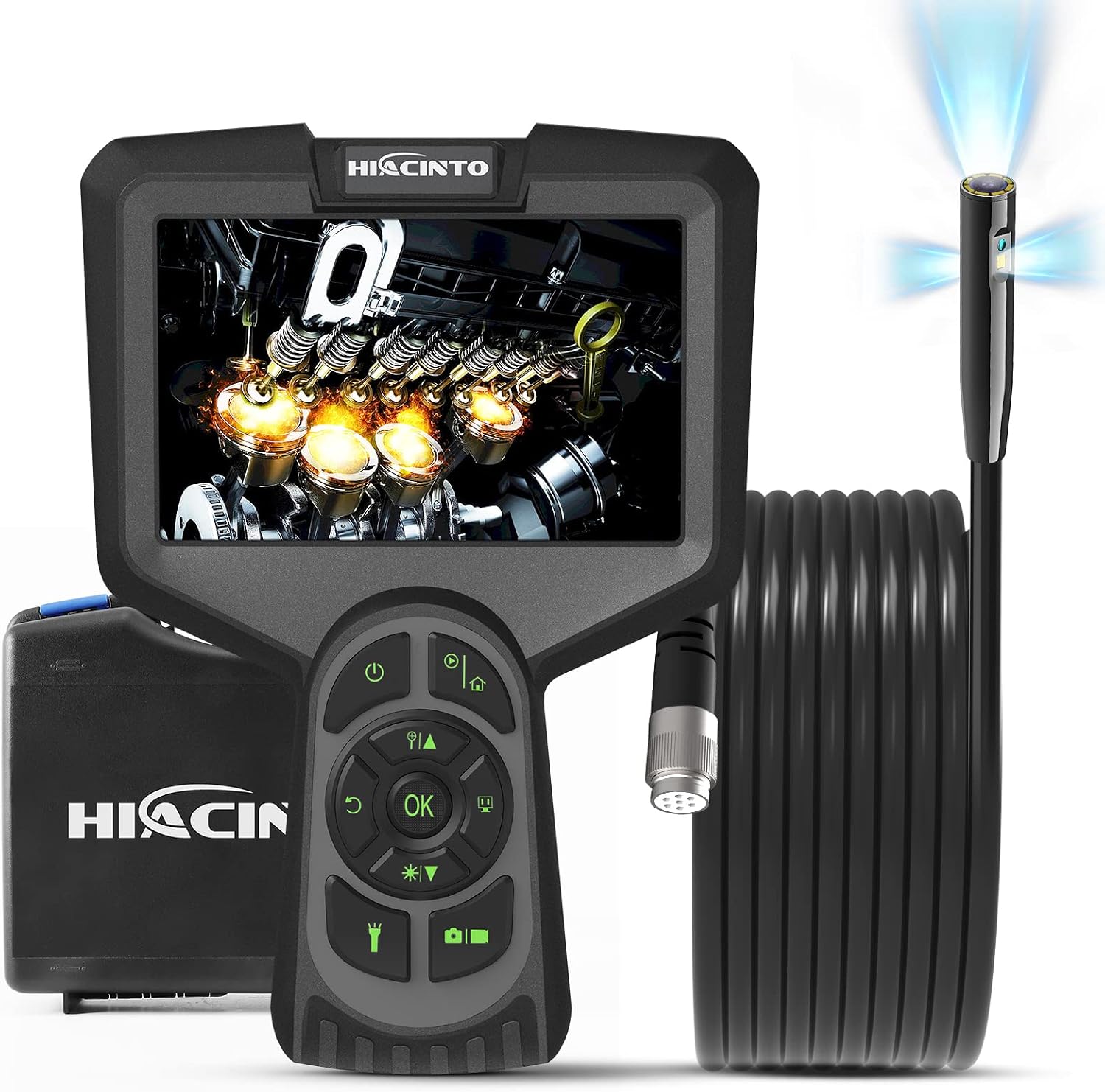
Figure 1: HIACINTO ES502 Industrial Endoscope. Shows the main unit with a 5-inch display, control buttons, and the coiled 10-meter probe cable.

Figure 2: ES502 Triple Lens Inspection Camera. An exploded view illustrating the main camera (A) and two side cameras (B and C) built into the end of the endoscope probe, providing a wider 180-degree clear field of view.
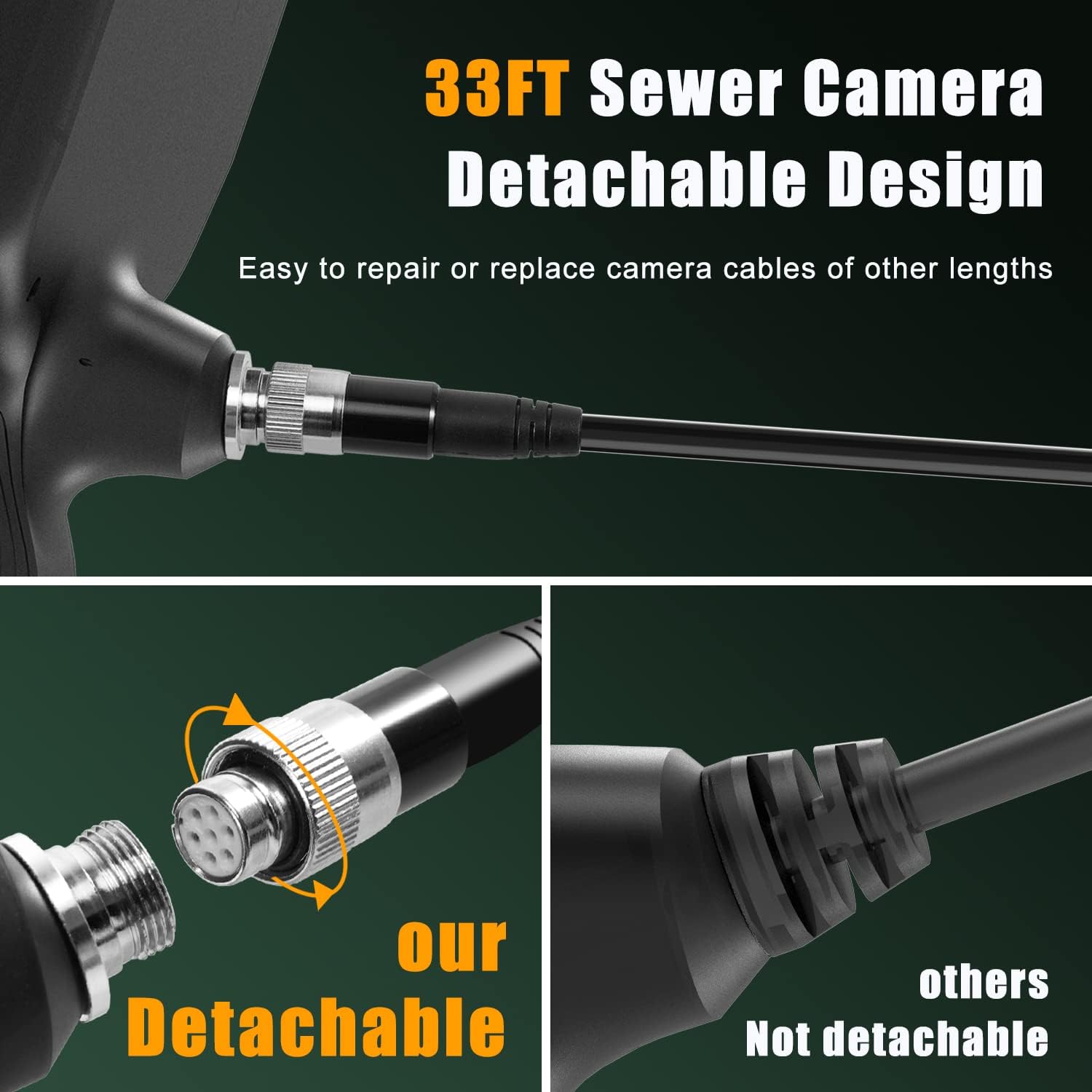
Figure 3: Detachable Cable Design. This image highlights the easy-to-connect and disconnect mechanism of the endoscope cable, allowing for simple repair or replacement with cables of different lengths.

Figure 4: IP68 Snake Camera Cable. The image shows the waterproof camera head with 10 adjustable LED lights, demonstrating three levels of light adjustment for optimal visibility in dark or wet conditions.

Figure 5: Large IPS Display. This image emphasizes the 5-inch HD screen, showcasing its features like 1080p resolution, 3x zoom, 3-10cm focal length, 30 FPS, and 3-camera switching capability.
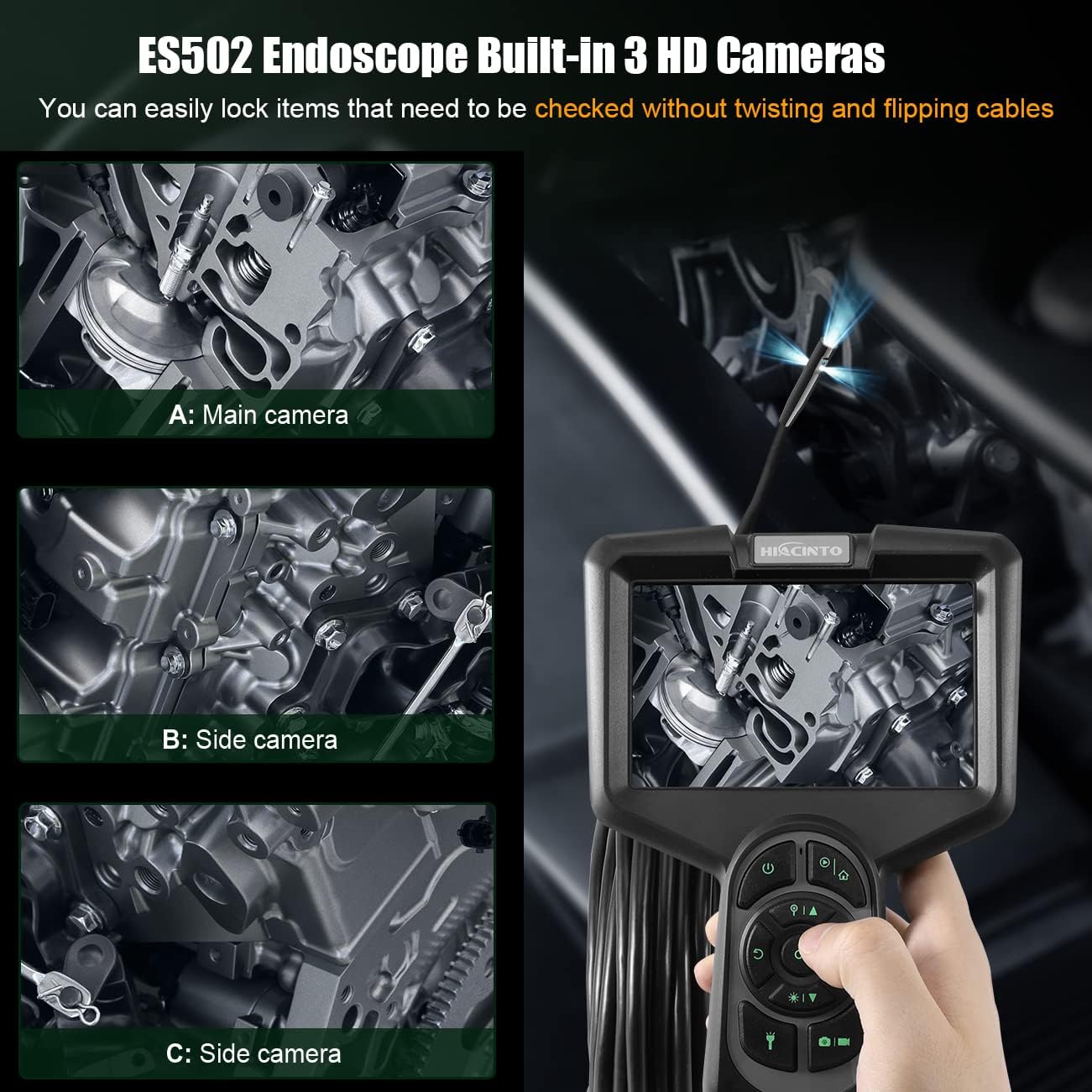
Figure 6: ES502 Endoscope Built-In 3 HD Cameras. The image displays the main unit with its screen showing an engine component, alongside three smaller inset images demonstrating the views from the main camera (A) and two side cameras (B and C).
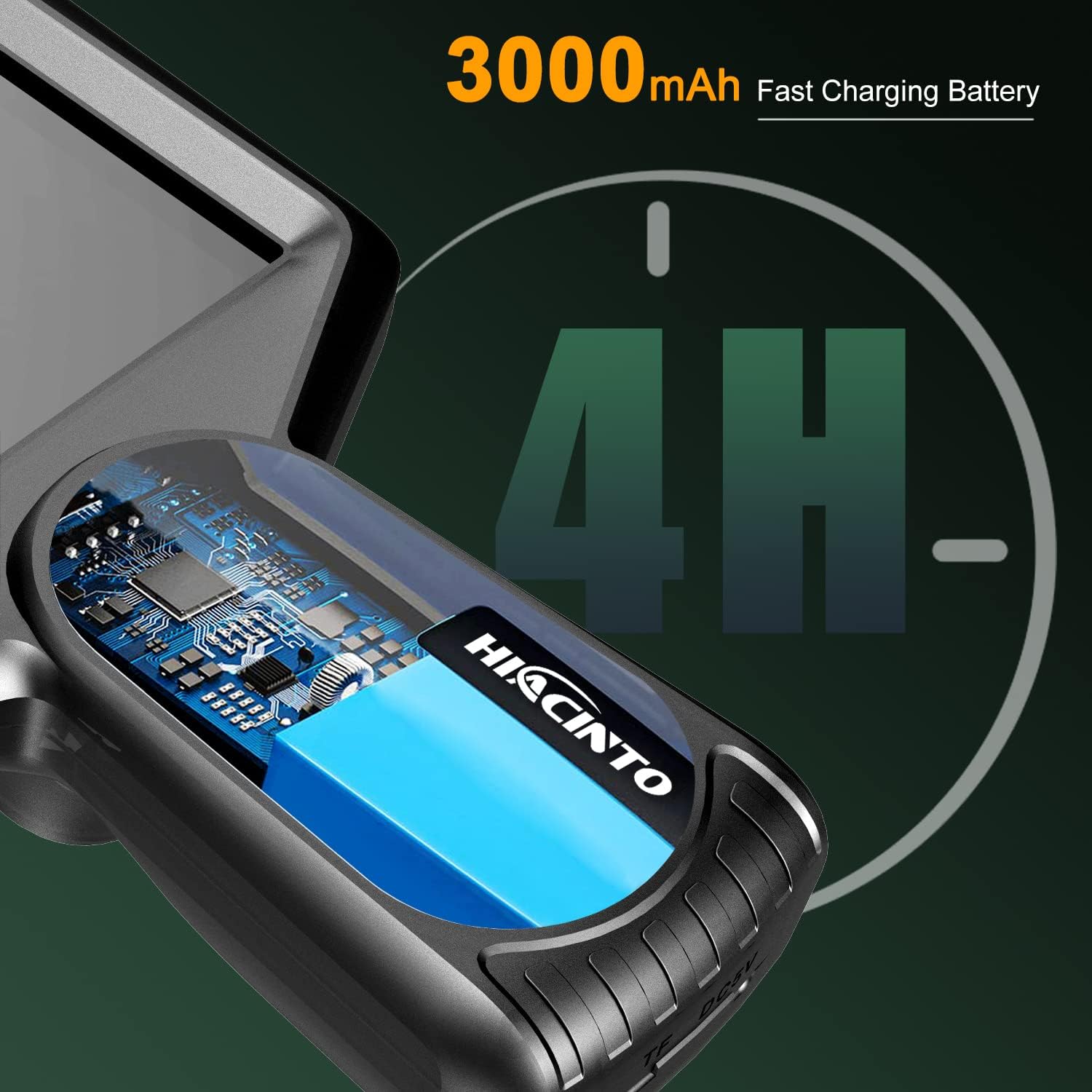
Figure 7: 3000mAh Fast Charging Battery. An illustration showing the internal battery of the endoscope, indicating a 4-hour operating time on a full charge.
3. സജ്ജീകരണം
3.1 ഉപകരണം ചാർജ് ചെയ്യുന്നു
- Connect the provided USB charging cable to the charging port on the endoscope unit.
- Plug the other end of the USB cable into a standard 5V/1A USB power adapter (not included) or a computer's USB port.
- The charging indicator light will illuminate during charging and turn off when fully charged. A full charge typically takes approximately 3-4 hours.
3.2 TF കാർഡ് ചേർക്കൽ
- Locate the TF card slot on the side of the endoscope unit.
- Gently insert the provided 32GB TF card into the slot with the gold contacts facing down until it clicks into place.
- നീക്കം ചെയ്യാൻ, കാർഡ് പുറത്തേക്ക് വരുന്നത് വരെ ചെറുതായി ഉള്ളിലേക്ക് തള്ളുക.
3.3 Attaching the Probe Cable
- Align the connector of the probe cable with the port on the main unit.
- Push the connector firmly into the port and twist the locking ring clockwise to secure it.
- Ensure the connection is secure to maintain waterproofing and stable signal transmission.
4. പ്രവർത്തന നിർദ്ദേശങ്ങൾ
4.1 പവർ ഓൺ/ഓഫ്
- പവർ ഓൺ: പവർ ബട്ടൺ അമർത്തിപ്പിടിക്കുക (⏻) for 2-3 seconds until the screen illuminates.
- പവർ ഓഫ്: പവർ ബട്ടൺ അമർത്തിപ്പിടിക്കുക (⏻) for 2-3 seconds until the screen turns off.
4.2 മെനു നാവിഗേറ്റ് ചെയ്യുന്നു
- മെനു ഓപ്ഷനുകളിലൂടെ നാവിഗേറ്റ് ചെയ്യാൻ ദിശാസൂചന ബട്ടണുകൾ (മുകളിലേക്ക്, താഴേക്ക്, ഇടത്, വലത്) ഉപയോഗിക്കുക.
- അമർത്തുക OK ഒരു തിരഞ്ഞെടുപ്പ് സ്ഥിരീകരിക്കുന്നതിനുള്ള ബട്ടൺ.
- അമർത്തുക മെനു button to access settings or return to the previous screen.
4.3 Switching Between Lenses
The ES502 features a triple-lens system. To switch between the main camera and the side cameras:
- ലൈവിൽ ആയിരിക്കുമ്പോൾ view, അമർത്തുക OK button to cycle through the available camera views (Main, Side 1, Side 2, or combined viewഎസ്).
4.4 LED കളുടെ തെളിച്ചം ക്രമീകരിക്കൽ
The camera probe is equipped with 10 adjustable LED lights.
- Press the LED brightness adjustment button (often marked with a light bulb icon or up/down arrows) to increase or decrease the illumination level. There are typically 3 levels of brightness.
4.5 ഫോട്ടോകളും വീഡിയോകളും പകർത്തൽ
- ഒരു പടം എടുക്കു: ലൈവിൽ view, press the Photo button (often marked with a camera icon) to capture an image.
- വീഡിയോ റെക്കോർഡ് ചെയ്യുക: Press the Video button (often marked with a video camera icon) once to start recording. Press it again to stop recording.
- All captured media will be saved to the inserted TF card.
4.6 സൂം പ്രവർത്തനം
- ലൈവിൽ ആയിരിക്കുമ്പോൾ view, use the zoom buttons (often marked with '+' and '-' or magnifying glass icons) to digitally zoom in or out on the image. The ES502 supports up to 3x digital zoom.
4.7 റീviewമീഡിയ
- Press the Playback button (often marked with a play icon) to enter the media gallery.
- Use the directional buttons to browse through your photos and videos.
- അമർത്തുക OK വരെ view ഒരു ഫോട്ടോ അല്ലെങ്കിൽ ഒരു വീഡിയോ പ്ലേ ചെയ്യുക.
- Press the Playback button again or the Menu button to exit the gallery.
5. പരിപാലനം
5.1 Cleaning the Lens and Cable
- After each use, especially in dirty or wet environments, gently wipe the camera lens with a soft, lint-free cloth. For stubborn dirt, use a small amount of lens cleaning solution.
- Clean the probe cable with a damp cloth. Ensure no debris is left on the cable, which could hinder future inspections.
- ഉപകരണത്തിന്റെ ഒരു ഭാഗത്തും അബ്രാസീവ് ക്ലീനറുകളോ ലായകങ്ങളോ ഉപയോഗിക്കരുത്.
5.2 സംഭരണം
- Store the endoscope and its accessories in the provided carrying case when not in use.
- ഉപകരണം തണുത്തതും വരണ്ടതുമായ സ്ഥലത്ത് സൂക്ഷിക്കുക, നേരിട്ടുള്ള സൂര്യപ്രകാശത്തിൽ നിന്നും കടുത്ത താപനിലയിൽ നിന്നും അകറ്റി നിർത്തുക.
- Ensure the cable is neatly coiled to prevent kinks or damage.
5.3 ബാറ്ററി കെയർ
- ബാറ്ററി ലൈഫ് വർദ്ധിപ്പിക്കാൻ, ബാറ്ററി ഇടയ്ക്കിടെ പൂർണ്ണമായും ഡിസ്ചാർജ് ചെയ്യുന്നത് ഒഴിവാക്കുക.
- If storing the device for an extended period, charge the battery to approximately 50% every 3-6 months.
6. പ്രശ്നപരിഹാരം
| പ്രശ്നം | സാധ്യമായ കാരണം | പരിഹാരം |
|---|---|---|
| ഉപകരണം പവർ ഓണാക്കുന്നില്ല | ബാറ്ററി കുറവാണ്; ഉപകരണത്തിന്റെ തകരാറ് | ഉപകരണം പൂർണ്ണമായും ചാർജ് ചെയ്യുക; പ്രശ്നം നിലനിൽക്കുകയാണെങ്കിൽ ഉപഭോക്തൃ പിന്തുണയുമായി ബന്ധപ്പെടുക. |
| സ്ക്രീനിൽ ചിത്രമൊന്നുമില്ല | Cable not connected properly; Camera lens blocked; Software error | Ensure probe cable is securely connected; Clean the camera lens; Restart the device. |
| Image is blurry or unclear | Lens is dirty; Insufficient lighting; Object too close/far | Clean the camera lens; Adjust LED brightness; Ensure object is within 3-10cm focal range. |
| Cannot save photos/videos | TF card full; TF card not inserted; TF card error | പഴയത് ഇല്ലാതാക്കുക files or replace TF card; Insert TF card correctly; Format TF card (backup data first). |
| ചെറിയ ബാറ്ററി ലൈഫ് | Battery not fully charged; Aging battery | Ensure full charge before use; Contact customer support for battery replacement if necessary. |
7 സ്പെസിഫിക്കേഷനുകൾ
| ഫീച്ചർ | സ്പെസിഫിക്കേഷൻ |
|---|---|
| ബ്രാൻഡ് | ഹയാസിന്റോ |
| മോഡൽ നമ്പർ | ES502 |
| പ്രദർശിപ്പിക്കുക | 5 ഇഞ്ച് ഐപിഎസ് എച്ച്ഡി സ്ക്രീൻ |
| ക്യാമറ റെസല്യൂഷൻ | 1080P |
| ലെൻസുകൾ | Triple Lens (Main + 2 Side Cameras) |
| ഫീൽഡ് View | 180 ഡിഗ്രി |
| കേബിൾ നീളം | 10 meters (detachable) |
| ജല പ്രതിരോധം | IP68 (Camera Probe) |
| പ്രകാശം | 10 ക്രമീകരിക്കാവുന്ന LED ലൈറ്റുകൾ |
| ബാറ്ററി | 3000mAh ലിഥിയം-പോളിമർ |
| പ്രവർത്തന സമയം | 4 മണിക്കൂർ വരെ |
| ഡിജിറ്റൽ സൂം | 3x |
| ഫോക്കൽ റേഞ്ച് | 3-10 സെ.മീ |
| ഫ്രെയിം റേറ്റ് | 30 FPS |
| സംഭരണം | Supports TF Card (32GB included) |
| കണക്റ്റിവിറ്റി | USB |
| ഉൽപ്പന്ന അളവുകൾ | 26.67 x 7.62 x 22.86 സെ.മീ |
| ഇനത്തിൻ്റെ ഭാരം | 1.07 കിലോഗ്രാം |
8. വാറൻ്റിയും പിന്തുണയും
8.1 വാറൻ്റി വിവരങ്ങൾ
The HIACINTO ES502 Industrial Endoscope comes with a 24-month money-back guarantee from the date of purchase. This warranty covers manufacturing defects and ensures product quality. Please retain your proof of purchase for warranty claims.
8.2 ഉപഭോക്തൃ പിന്തുണ
For any questions, technical assistance, or warranty claims, please contact HIACINTO customer support through the platform where you purchased the product. Our support team is available to assist you with any issues you may encounter.