
CelsusSound S100
CelsusSound S100 Bone Conduction Headphones User Manual
Model: S100-GreyUS
Brand: CelsusSound
ആമുഖം
This manual provides detailed instructions for the safe and effective use of your CelsusSound S100 Bone Conduction Headphones. Please read this manual thoroughly before operating the device and retain it for future reference.
ബോക്സിൽ എന്താണുള്ളത്
പാക്കേജിൽ എല്ലാ ഇനങ്ങളും ഉണ്ടെന്ന് ഉറപ്പാക്കുക:
- 1 x CelsusSound S100 Bone Conduction Headphones
- 1 x ടൈപ്പ്-സി ചാർജിംഗ് കേബിൾ
- 1 x ഇൻസ്ട്രക്ഷൻ മാനുവൽ (ഈ ഡോക്യുമെന്റ്)
- 1 x Headphone Box (Carrying Case)

Image: The CelsusSound S100 Bone Conduction Headphones, showcasing their sleek, over-ear design.
സജ്ജമാക്കുക
1. ഹെഡ്ഫോണുകൾ ചാർജ് ചെയ്യുന്നു
Before first use, fully charge your S100 headphones. The headphones feature a Type-C charging port.
- നൽകിയിരിക്കുന്ന ടൈപ്പ്-സി ചാർജിംഗ് കേബിൾ ഹെഡ്ഫോണുകളിലെ ചാർജിംഗ് പോർട്ടുമായി ബന്ധിപ്പിക്കുക.
- Connect the other end of the cable to a compatible USB power source (e.g., computer USB port, wall adapter).
- ഒരു ഫുൾ ചാർജിന് ഏകദേശം 2 മണിക്കൂർ എടുക്കും.
- The LED indicator will change color or turn off once charging is complete.

Image: Close-up of the CelsusSound S100 headphones showing the Type-C charging port and an indicator light, illustrating the charging process.
2. ബ്ലൂടൂത്ത് ജോടിയാക്കൽ
The S100 headphones utilize Bluetooth 5.2 for a fast and stable connection up to 33 feet (10 meters).
- ഹെഡ്ഫോണുകൾ ഓഫാണെന്ന് ഉറപ്പാക്കുക.
- ജോടിയാക്കൽ മോഡ് സൂചിപ്പിക്കുന്ന LED ഇൻഡിക്കേറ്റർ നീലയും ചുവപ്പും നിറങ്ങളിൽ മിന്നുന്നത് വരെ പവർ ബട്ടൺ അമർത്തിപ്പിടിക്കുക.
- On your device (smartphone, tablet, PC, smart watch), enable Bluetooth and search for available devices.
- Select "S100" from the list of found devices.
- കണക്റ്റ് ചെയ്തുകഴിഞ്ഞാൽ, LED ഇൻഡിക്കേറ്റർ സാധാരണയായി ഒരു കടും നീല വെളിച്ചം കാണിക്കും അല്ലെങ്കിൽ സാവധാനത്തിൽ ഫ്ലാഷ് ചെയ്യും.
- The headphones are compatible with iOS and Android phones, tablets, PCs, and TVs.

Image: A graphic illustrating the Bluetooth 5.2 connection process between the S100 headphones and a mobile phone, highlighting the wireless signal.
പ്രവർത്തന നിർദ്ദേശങ്ങൾ
നിയന്ത്രണങ്ങൾ
The S100 headphones feature multi-function buttons for easy control:
- പവർ ബട്ടൺ: പവർ ഓൺ/ഓഫ് ചെയ്യാൻ അമർത്തിപ്പിടിക്കുക. സംഗീതം പ്ലേ ചെയ്യാൻ/താൽക്കാലികമായി നിർത്താൻ അല്ലെങ്കിൽ കോളുകൾക്ക് മറുപടി നൽകാൻ/അവസാനിപ്പിക്കാൻ ഹ്രസ്വമായി അമർത്തുക.
- വോളിയം കൂട്ടുക (+): ശബ്ദം കൂട്ടാൻ ഷോർട്ട് പ്രസ് ചെയ്യുക. അടുത്ത ട്രാക്കിനായി ദീർഘനേരം അമർത്തുക.
- വോളിയം ഡൗൺ (-): ശബ്ദം കുറയ്ക്കാൻ ഷോർട്ട് പ്രസ് ചെയ്യുക. മുമ്പത്തെ ട്രാക്കിനായി ദീർഘനേരം അമർത്തുക.
- ശബ്ദ നിയന്ത്രണം: Double-tap the Power button to activate your device's voice assistant.

Image: A diagram showing the location and function of the control buttons on the CelsusSound S100 headphones, including volume, power, and Type-C charging port.
Open-Ear Comfort and Awareness
Designed with an innovative open-ear structure, the S100 headphones allow you to enjoy high-quality audio while remaining aware of your surroundings. This is particularly beneficial for outdoor activities like running, cycling, or working, where situational awareness is crucial for safety.

Image: A person wearing the CelsusSound S100 headphones, demonstrating the open-ear design that allows for environmental awareness, along with icons for lightweight, stable design, built-in mic, and 360° foldable.
Waterproof and Sweatproof Design
The S100 headphones are IP54 rated, making them resistant to sweat and light rain. This design ensures durability and reliable performance during various sports and outdoor activities such as fitness, running, cycling, rock climbing, and yoga.

Image: The CelsusSound S100 headphones shown with water droplets, emphasizing their IP54 waterproof and sweatproof capabilities, suitable for various outdoor sports.
Audio Quality and Microphone
Experience high-fidelity stereo audio with the S100's bone conduction technology and speaker unit. The sound profile is balanced with clear highs, soft mids, and deeper bass. The built-in dual microphones feature advanced ENC (Environmental Noise Cancellation) technology, reducing ambient noise for clear high-definition voice calls.
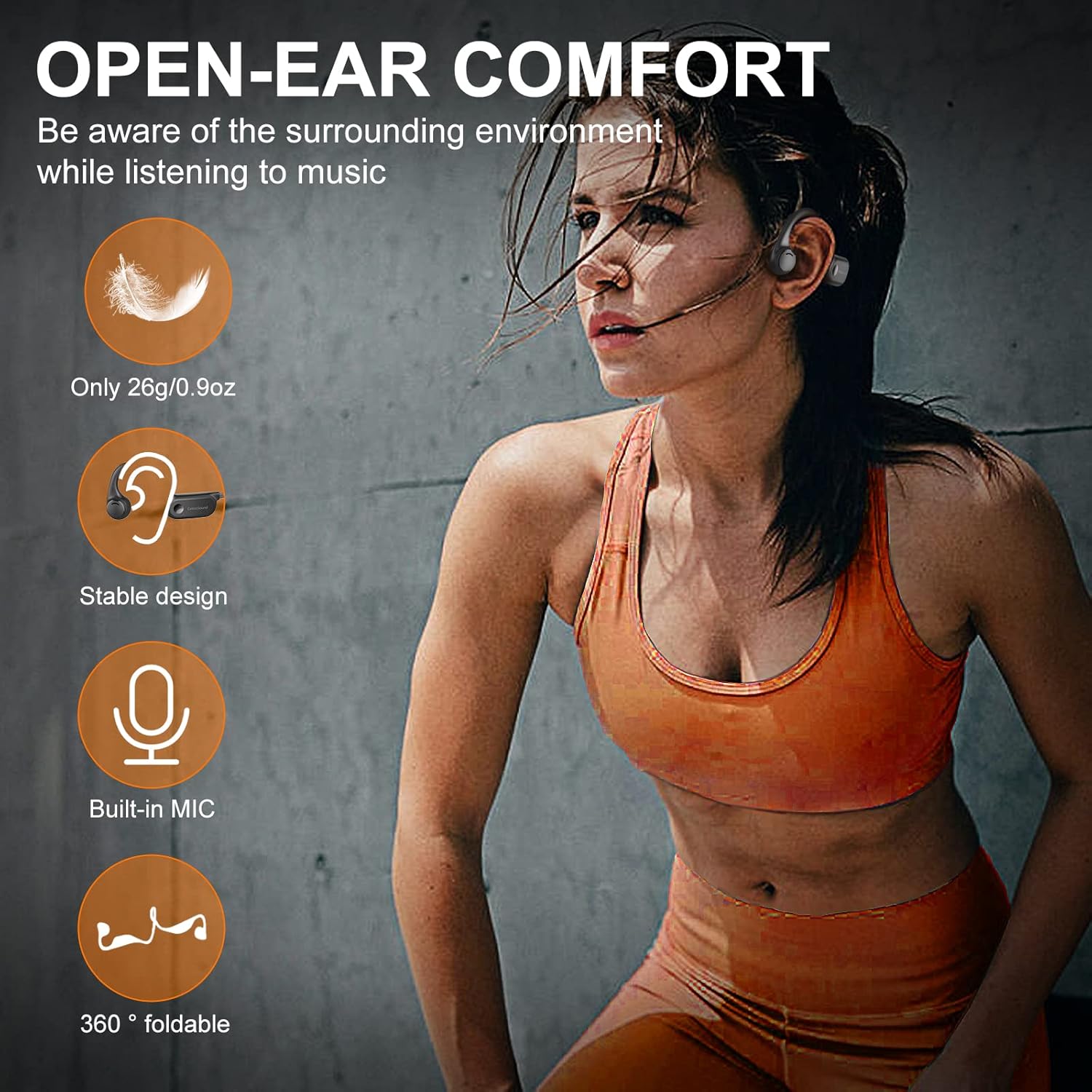
Image: A visual representation of the internal components of the CelsusSound S100 headphones, highlighting the innovative combination of bone conduction technology and speaker unit for Hi-Fi stereo sound, with a graph showing "Better Sound Effects" compared to others.
ബാറ്ററി പ്രകടനം
The S100 headphones are equipped with a 220mAh high-quality lithium battery, providing up to 10 hours of continuous music playback and call time. The standby time is up to 360 hours.
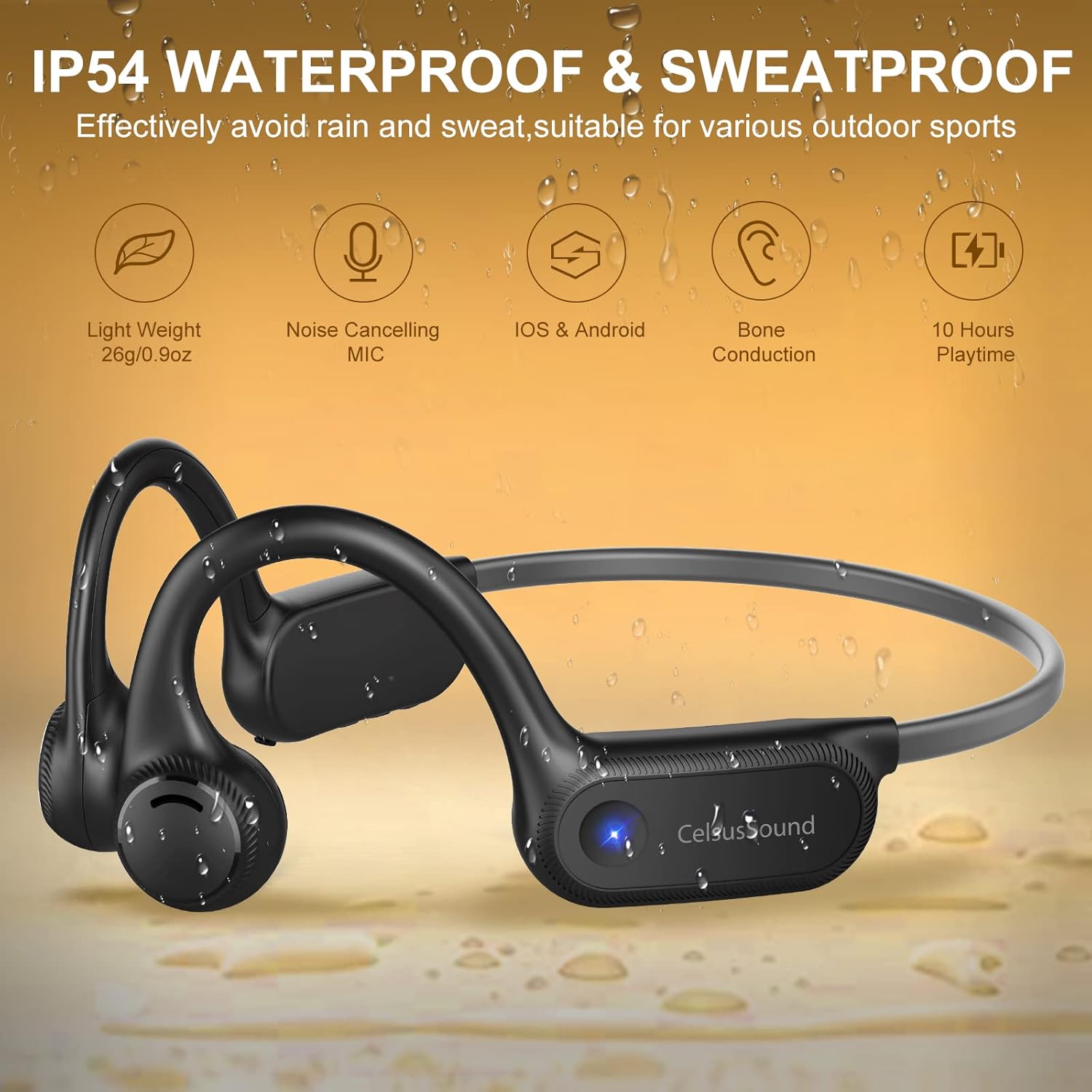
Image: A graphic illustrating the battery performance of the CelsusSound S100 headphones, showing 360 hours standby, 10 hours playtime, and 2 hours charging time, with a battery icon indicating 10H Music Play.
മെയിൻ്റനൻസ്
- മൃദുവായതും ഉണങ്ങിയതുമായ തുണി ഉപയോഗിച്ച് ഹെഡ്ഫോണുകൾ പതിവായി വൃത്തിയാക്കുക.
- ഉരച്ചിലുകളോ ലായകങ്ങളോ ഉപയോഗിക്കുന്നത് ഒഴിവാക്കുക.
- Ensure the charging port cover is securely closed when not charging to maintain IP54 water resistance.
- ഹെഡ്ഫോണുകൾ തണുത്തതും വരണ്ടതുമായ സ്ഥലത്ത് സൂക്ഷിക്കുക, തീവ്രമായ താപനിലയിൽ നിന്നും നേരിട്ടുള്ള സൂര്യപ്രകാശത്തിൽ നിന്നും അകറ്റി നിർത്തുക.
- The memory titanium material allows for 360° bending; however, avoid excessive force to prevent damage.
ട്രബിൾഷൂട്ടിംഗ്
| പ്രശ്നം | സാധ്യമായ കാരണം | പരിഹാരം |
|---|---|---|
| പവർ ഓണാക്കാൻ കഴിയില്ല | കുറഞ്ഞ ബാറ്ററി | ഹെഡ്ഫോണുകൾ പൂർണ്ണമായും ചാർജ് ചെയ്യുക. |
| ഉപകരണവുമായി ജോടിയാക്കാൻ കഴിയില്ല | ഹെഡ്ഫോണുകൾ ജോടിയാക്കൽ മോഡിൽ ഇല്ല; ഉപകരണത്തിൽ ബ്ലൂടൂത്ത് ഓഫാണ്; ഉപകരണം വളരെ അകലെയാണ്. | ഹെഡ്ഫോണുകൾ ജോടിയാക്കൽ മോഡിലാണെന്ന് ഉറപ്പാക്കുക (ഫ്ലാഷിംഗ് നീല/ചുവപ്പ്). നിങ്ങളുടെ ഉപകരണത്തിൽ ബ്ലൂടൂത്ത് ഓണാക്കുക. ഉപകരണം ഹെഡ്ഫോണുകൾക്ക് അടുത്തേക്ക് നീക്കുക. |
| ശബ്ദമോ കുറഞ്ഞ വോളിയമോ ഇല്ല | ശബ്ദം വളരെ കുറവാണ്; ഹെഡ്ഫോണുകൾ കണക്റ്റ് ചെയ്തിട്ടില്ല; ഉപകരണത്തിൽ തെറ്റായ ഓഡിയോ ഔട്ട്പുട്ട് തിരഞ്ഞെടുത്തു. | ഹെഡ്ഫോണുകളിലും ഉപകരണത്തിലും ശബ്ദം വർദ്ധിപ്പിക്കുക. ഹെഡ്ഫോണുകൾ വീണ്ടും ജോടിയാക്കുക. ഉപകരണത്തിന്റെ ഓഡിയോ ഔട്ട്പുട്ട് ക്രമീകരണങ്ങൾ പരിശോധിക്കുക. |
| മോശം മൈക്രോഫോൺ നിലവാരം | Environmental noise; microphone obstructed. | മൈക്രോഫോൺ വ്യക്തമാണെന്ന് ഉറപ്പാക്കുക. സാധ്യമെങ്കിൽ ശാന്തമായ ഒരു അന്തരീക്ഷത്തിലേക്ക് മാറുക. |
സ്പെസിഫിക്കേഷനുകൾ
| ഫീച്ചർ | വിശദാംശങ്ങൾ |
|---|---|
| മോഡലിൻ്റെ പേര് | എസ് 100 |
| കണക്റ്റിവിറ്റി ടെക്നോളജി | വയർലെസ്സ് (ബ്ലൂടൂത്ത് 5.2) |
| ബ്ലൂടൂത്ത് ശ്രേണി | 33 അടി വരെ (10 മീറ്റർ) |
| ബാറ്ററി ലൈഫ് | 10 മണിക്കൂർ വരെ പ്ലേ ടൈം |
| സ്റ്റാൻഡ്ബൈ സമയം | 360 മണിക്കൂർ വരെ |
| ചാർജിംഗ് സമയം | ഏകദേശം 2 മണിക്കൂർ |
| ജല പ്രതിരോധ നില | IP54 (Sweatproof) |
| ഓഡിയോ ഡ്രൈവർ തരം | ബോൺ കണ്ടക്ഷൻ ഡ്രൈവർ |
| മൈക്രോഫോൺ | Built-in with ENC Noise Reduction |
| മെറ്റീരിയൽ | Silicone and Memory Titanium |
| ഇനത്തിൻ്റെ ഭാരം | 0.9 z ൺസ് (26 ഗ്രാം) |
| ചെവി പ്ലേസ്മെൻ്റ് | തുറന്ന ചെവി |
വാറൻ്റിയും പിന്തുണയും
CelsusSound stands behind the quality of its products. For warranty information, technical support, or any inquiries, please refer to the contact details provided on the product packaging or visit the official CelsusSound webസൈറ്റ്.
വാറൻ്റി ക്ലെയിമുകൾക്കായി നിങ്ങളുടെ വാങ്ങിയതിൻ്റെ തെളിവ് സൂക്ഷിക്കുക.
Ask a question about this manual
Ask about setup, troubleshooting, compatibility, parts, safety, or missing instructions. Manuals+ will review the question and use this page’s manual context to help answer it.