
1. ആമുഖവും അവസാനവുംview
The Lewitt MTP W950 is a premium handheld condenser microphone designed to deliver studio-quality sound in live performance and recording environments. It features a 1-inch true condenser capsule, offering exceptional clarity and detail. Engineered for versatility, the MTP W950 provides robust feedback and bleed rejection, ensuring your vocals remain clear and prominent even in challenging acoustic settings. This manual provides essential information for setting up, operating, maintaining, and troubleshooting your MTP W950 microphone.
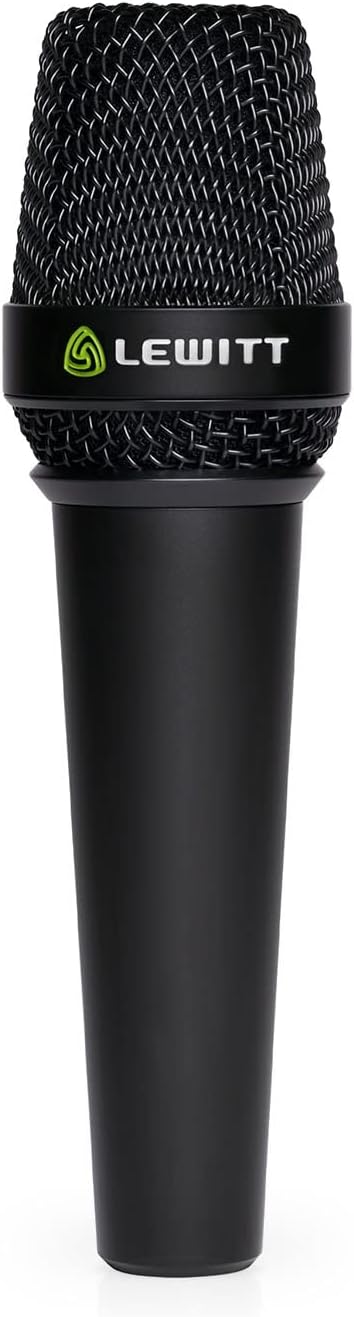
Figure 1: The Lewitt MTP W950 Handheld Microphone, showcasing its sleek design and prominent Lewitt branding.
2 പ്രധാന സവിശേഷതകൾ
- Studio Sound on Stage: Equipped with a 1-inch true condenser capsule for high-end sound quality, minimizing feedback and bleed.
- Wired and Wireless Compatibility: Designed for both XLR wired connections and seamless integration with industry-standard wireless transmitters by detaching the capsule.
- Superior Rear Rejection: Achieves an industry-leading 90% rear rejection to effectively minimize unwanted stage noise from drums, instruments, and crowd.
- ഇരട്ട-പാളി സംരക്ഷണം: Innovative design reduces plosives without an external pop filter, protects the capsule from moisture, and eliminates wind noise.
- Flexible Sound Settings: Offers switchable cardioid and supercardioid polar patterns, a 12 dB attenuation setting, and a 120 Hz low-cut filter for adaptable sound shaping.
- പ്രീമിയം നിർമ്മാണം: Features a durable full-metal housing and gold-plated XLR connectors for high signal integrity and longevity.

Figure 2: The MTP W950 delivers studio-quality sound for live performances, capturing vocal nuances with clarity.
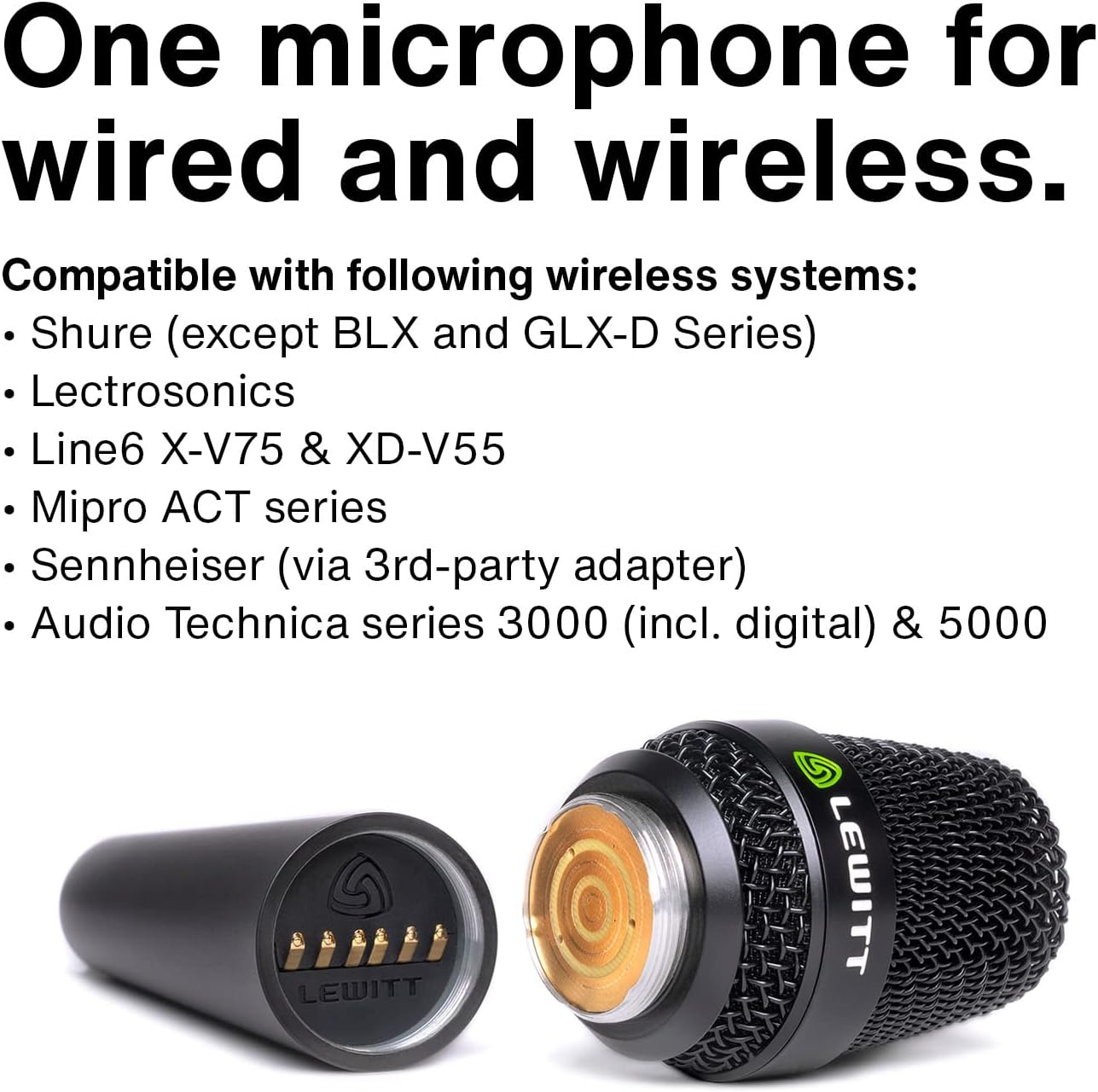
Figure 3: The MTP W950's modular design allows for easy transition between wired and wireless setups by detaching the capsule.

Figure 4: Adjustable settings on the MTP W950 capsule, including polar pattern selection, attenuation, and low-cut filter.
3. ബോക്സ് ഉള്ളടക്കം
Upon unboxing your Lewitt MTP W950, please ensure all the following items are present:
- Lewitt MTP W950 Microphone
- ഗതാഗത കേസ്
- വിൻഡ് സ്ക്രീൻ
- മൈക്ക് ക്ലിപ്പ്

Figure 5: The MTP W950 microphone, mic clip, and windscreen neatly stored within the included durable transport case.
4. സജ്ജീകരണം
4.1 വയർഡ് കണക്ഷൻ
- Attach the MTP W950 microphone to the included mic clip.
- Secure the mic clip onto a standard microphone stand.
- മൈക്രോഫോണിന്റെ അടിഭാഗത്തുള്ള XLR കണക്ടറിലേക്ക് ഒരു സ്റ്റാൻഡേർഡ് XLR കേബിൾ (ഉൾപ്പെടുത്തിയിട്ടില്ല) ബന്ധിപ്പിക്കുക.
- Connect the other end of the XLR cable to your audio interface, mixer, or preamplifier. Ensure phantom power (+48V) is enabled on your device, as the MTP W950 is a condenser microphone.
4.2 വയർലെസ് സജ്ജീകരണം
- Gently unscrew the microphone capsule from the main body of the MTP W950.
- Carefully attach the MTP W950 capsule to a compatible industry-standard wireless handheld transmitter (not included). Refer to your wireless system's manual for specific attachment instructions.
- Ensure the wireless transmitter is powered on and properly paired with its receiver.
4.3 Adjusting Microphone Settings
The MTP W950 offers versatile sound shaping options directly on the capsule:
- പോളാർ പാറ്റേൺ: Unscrew the windscreen to access the switches. Select between Cardioid (wider pickup, good for general vocals) and Supercardioid (tighter pickup, excellent for feedback rejection and isolating vocals).
- അറ്റൻവേഷൻ പാഡ്: Engage the -12 dB pad switch if you are experiencing signal clipping or distortion with very loud sound sources.
- ലോ-കട്ട് ഫിൽട്ടർ: Activate the 120 Hz low-cut filter switch to reduce unwanted low-frequency rumble or proximity effect.
5. പ്രവർത്തന നിർദ്ദേശങ്ങൾ
To achieve optimal performance from your Lewitt MTP W950 microphone, consider the following:
- മൈക്രോഫോൺ പ്ലേസ്മെൻ്റ്: For most vocal applications, hold the microphone 2-6 inches from your mouth. Experiment with distance to control proximity effect (increased bass response when close to the mic).
- എസ് നേടുകtaging: Set the input gain on your mixer or audio interface to an appropriate level. The signal should be strong without clipping (distortion).
- പ്രതികരണം തടയൽ: Utilize the MTP W950's excellent rear rejection by positioning stage monitors and loudspeakers strategically. The supercardioid pattern offers maximum feedback suppression.
- പ്ലോസീവ് നിയന്ത്രണം: The dual-layer protection is designed to minimize plosives (harsh 'P' and 'B' sounds). For extreme cases, the included windscreen can be used.
- വയർലെസ് പ്രവർത്തനം: When using the MTP W950 capsule with a wireless transmitter, ensure clear line-of-sight between the transmitter and receiver to prevent signal dropouts.
6. പരിപാലനം
Proper care will ensure the longevity and performance of your MTP W950 microphone:
- വൃത്തിയാക്കൽ: Use a soft, dry cloth to wipe down the microphone body. For the grille, a soft brush can be used to remove debris. Do not use liquid cleaners directly on the microphone.
- സംഭരണം: Always store the microphone in its provided transport case when not in use. This protects it from dust, moisture, and physical damage.
- ഈർപ്പം: While the dual-layer protection offers resistance to moisture, avoid exposing the microphone to excessive humidity or direct liquids.
- താപനില: Store and operate the microphone within recommended temperature ranges to prevent damage to internal components.
7. പ്രശ്നപരിഹാരം
If you encounter issues with your MTP W950, try the following common troubleshooting steps:
- ശബ്ദമില്ല:
- Ensure phantom power (+48V) is enabled on your mixer/interface.
- Check all XLR cable connections for secure fit.
- Verify input gain is turned up on your mixer/interface.
- If using wirelessly, confirm transmitter is powered, charged, and paired correctly.
- വികലമായ ശബ്ദം:
- Engage the -12 dB attenuation pad on the microphone capsule.
- Reduce the input gain on your mixer/interface.
- മൈക്രോഫോൺ ശബ്ദ സ്രോതസ്സിനോട് വളരെ അടുത്തല്ലെന്നും, ഇത് ഓവർലോഡിന് കാരണമാകുന്നില്ലെന്നും ഉറപ്പാക്കുക.
- Excessive Feedback:
- Switch the polar pattern to Supercardioid for maximum rejection.
- Reposition stage monitors or performers relative to the microphone.
- Reduce overall system volume or specific frequency ranges causing feedback.
- Muffled or Boomy Sound:
- Engage the 120 Hz low-cut filter on the microphone capsule.
- Increase distance from the sound source to reduce proximity effect.
If issues persist after attempting these steps, please contact Lewitt customer support.
8 സ്പെസിഫിക്കേഷനുകൾ
| സ്പെസിഫിക്കേഷൻ | മൂല്യം |
|---|---|
| ബ്രാൻഡ് | Lewitt |
| മോഡലിൻ്റെ പേര് | MTP W950 |
| മൈക്രോഫോൺ ഫോം ഫാക്ടർ | ഹാൻഡ്ഹെൽഡ് |
| കണക്റ്റിവിറ്റി ടെക്നോളജി | XLR |
| കണക്റ്റർ തരം | XLR |
| പോളാർ പാറ്റേൺ | Unidirectional (Cardioid/Supercardioid switchable) |
| ഓഡിയോ സെൻസിറ്റിവിറ്റി | 12 dB (attenuation pad) |
| സിഗ്നൽ-ടു-നോയിസ് അനുപാതം | 73 ഡി.ബി |
| ശബ്ദ നില | 21 ഡി.ബി |
| പവർ ഉറവിടം | കോർഡഡ് ഇലക്ട്രിക് (ഫാന്റം പവർ) |
| ഇനത്തിൻ്റെ ഭാരം | 1.27 കിലോഗ്രാം (2.79 പൗണ്ട്) |
| ശുപാർശ ചെയ്യുന്ന ഉപയോഗങ്ങൾ | Live Vocal Performances, Studio Recordings |
9. വാറൻ്റിയും പിന്തുണയും
The Lewitt MTP W950 Handheld Microphone comes with a 2 വർഷത്തെ വാറൻ്റി, ensuring peace of mind regarding manufacturing defects and performance. Additionally, a 30 ദിവസത്തെ പണം തിരികെ നൽകാനുള്ള ഗ്യാരണ്ടി is offered from the date of purchase.
For technical support, warranty claims, or further inquiries, please visit the official Lewitt webസൈറ്റിൽ നൽകിയിരിക്കുന്ന കോൺടാക്റ്റ് വിവരങ്ങൾ വഴി അവരുടെ ഉപഭോക്തൃ സേവന വിഭാഗവുമായി ബന്ധപ്പെടുക അല്ലെങ്കിൽ ബന്ധപ്പെടുക. webസൈറ്റ്. വാറന്റി സാധൂകരണത്തിനായി നിങ്ങളുടെ വാങ്ങലിന്റെ തെളിവ് സൂക്ഷിക്കുക.