
1. ആമുഖം
This manual provides essential information for setting up, operating, and maintaining your Sony BRAVIA XR A80L Series 65-inch 4K OLED Smart Google TV. The A80L series delivers an exceptional OLED picture with rich sound, powered by the intelligent Cognitive Processor XR. Experience accurate colors, deep blacks, and high peak brightness for a lifelike viewing experience. The Acoustic Surface Audio+™ technology integrates the screen as a multi-channel speaker for immersive audio.

ചിത്രം 1.1: മുൻഭാഗം view of the Sony BRAVIA XR A80L 65-inch OLED TV, showcasing അതിന്റെ മെലിഞ്ഞ ഡിസൈൻ.
2. സജ്ജീകരണം
2.1 അൺബോക്സിംഗും ഘടക പരിശോധനയും
ടിവി അതിന്റെ പാക്കേജിംഗിൽ നിന്ന് ശ്രദ്ധാപൂർവ്വം നീക്കം ചെയ്യുക. എല്ലാ ഘടകങ്ങളും ഉണ്ടെന്ന് ഉറപ്പാക്കുക:
- പവർ കേബിൾ
- റിമോട്ട് കൺട്രോൾ
- AAA batteries (2 required for remote)
- Stand for A80L OLED TV
2.2 സ്റ്റാൻഡ് ഇൻസ്റ്റലേഷൻ
Attach the included stand to the television according to the diagrams provided in the separate installation manual. Ensure all screws are securely fastened to prevent instability. The stand offers multiple position options for optimal placement.

Image 2.1: Illustration of the Sony A80L OLED TV with various stand configurations, including a soundbar-friendly position.
2.3 പ്രാരംഭ പവർ ഓണും ഗൂഗിൾ ടിവി സജ്ജീകരണവും
Connect the power cable to the TV and a power outlet. Press the power button on the remote control. Follow the on-screen instructions to complete the initial setup, including connecting to your Wi-Fi network and logging into your Google account to activate Google TV features.
2.4 കണക്റ്റിവിറ്റി
ടിവിയിൽ വിവിധ ഉപകരണങ്ങൾക്കായി ഒന്നിലധികം ഇൻപുട്ട് പോർട്ടുകൾ ഉണ്ട്:
- HDMI പോർട്ടുകൾ: Four HDMI ports are available, supporting 4K/120Hz, VRR (Variable Refresh Rate), and ALLM (Auto Low Latency Mode) for enhanced gaming.
- USB പോർട്ടുകൾ: Two USB 2.0 ports for media playback or connecting peripherals.
- വയർലെസ് കണക്റ്റിവിറ്റി: നെറ്റ്വർക്ക് ആക്സസിനും വയർലെസ് ആക്സസറികൾ ബന്ധിപ്പിക്കുന്നതിനുമായി ബിൽറ്റ്-ഇൻ വൈ-ഫൈയും ബ്ലൂടൂത്തും.

Image 2.2: Rear panel of the Sony A80L OLED TV, detailing the location of HDMI, USB, and other connectivity ports.
3. നിങ്ങളുടെ ടിവി പ്രവർത്തിപ്പിക്കുന്നു
3.1 അടിസ്ഥാന നിയന്ത്രണങ്ങൾ
Use the provided remote control to navigate the TV's interface. Common functions include power on/off, volume adjustment, channel selection, and input switching. The remote also features dedicated buttons for popular streaming services.

Image 3.1: The remote control for the Sony A80L OLED TV, highlighting its layout and dedicated app buttons.
3.2 സ്മാർട്ട് ടിവി സവിശേഷതകൾ (ഗൂഗിൾ ടിവി)
Your A80L TV runs on Google TV, providing access to over 700,000 movies and TV episodes across more than 10,000 apps. The interface organizes content based on your preferences and subscriptions.

Image 3.2: The Google TV home screen, displaying various streaming content and app icons.
3.3 ശബ്ദ നിയന്ത്രണം
Utilize Google Assistant or an Alexa-enabled device for hands-free control. You can search for content, adjust volume, change channels, and power the TV on or off using voice commands.

Image 3.3: A user interacting with the TV using voice commands, demonstrating the hands-free entertainment feature.
3.4 ഗെയിമിംഗ് സവിശേഷതകൾ
The A80L is optimized for gaming, especially with the PlayStation 5. It includes exclusive features like Auto HDR Tone Mapping and Auto Genre Picture Mode. The Game Menu provides a centralized interface for all your gaming picture settings and assist features.
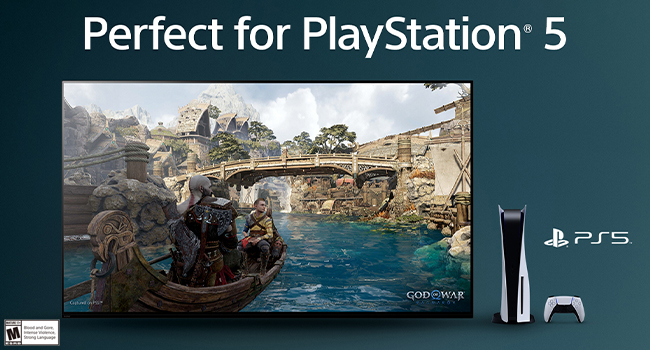
Image 3.4: The Sony A80L TV showcasing a PlayStation 5 game, with the Game Menu overlay visible for quick adjustments.
Video 3.1: An official Sony overview of the BRAVIA XR A80L OLED 4K HDR Google TV, highlighting its features and performance.
3.5 BRAVIA CORE App
The BRAVIA CORE app offers access to high-bitrate, high-quality 4K UHD movies. Your purchase includes 5 credits for new release movies and a 12-month subscription to a library of classic films.
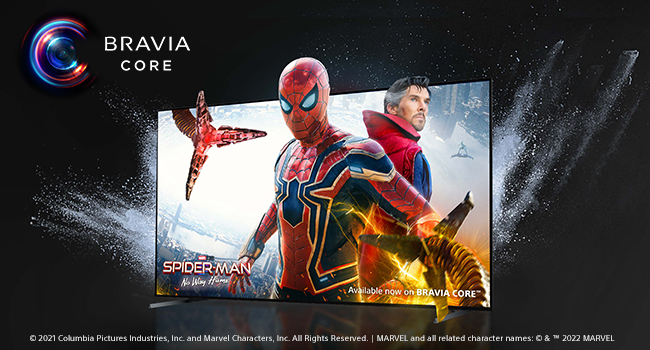
Image 3.5: The BRAVIA CORE app interface, showing available movies like Spider-Man: No Way Home.
3.6 Acoustic Surface Audio+
Experience immersive sound where the screen itself acts as a speaker. Acoustic Surface Audio+ delivers audio that precisely matches the action on screen, providing clear dialogue and a truly engaging listening experience with Dolby Atmos support.

Image 3.6: A visual representation of Acoustic Surface Audio+ technology, showing sound waves originating from the TV screen.
4. ചിത്ര, ശബ്ദ മെച്ചപ്പെടുത്തലുകൾ
4.1 Cognitive Processor XR
The Cognitive Processor XR intelligently analyzes and optimizes picture and sound in real-time, replicating how the human brain processes visual and auditory information. This results in enhanced contrast, vibrant colors, and clear sound.

Image 4.1: A close-up of the Sony XR Cognitive Processor chip, emphasizing its role in picture quality.
4.2 XR OLED Contrast Pro and XR Triluminos Pro
These technologies work together to deliver pure blacks, lifelike brightness, and billions of accurate colors, ensuring every scene is displayed with incredible depth and realism.

Image 4.2: A split-screen comparison demonstrating the superior contrast and color reproduction of OLED technology.
4.3 XR OLED Motion
For fast-moving action, sports, and games, XR OLED Motion ensures blur-free picture quality, maintaining clarity and smoothness even in dynamic scenes.

Image 4.3: A side-by-side comparison illustrating the reduction of motion blur with XR OLED Motion technology.
5. പരിപാലനം
5.1 Cleaning the Screen and TV Body
To clean the screen, gently wipe with a soft, dry microfiber cloth. For stubborn smudges, lightly dampen the cloth with water or a screen-safe cleaning solution. Avoid harsh chemicals or abrasive materials. For the TV body, use a soft, dry cloth to remove dust. Ensure the TV is powered off and unplugged before cleaning.
5.2 സോഫ്റ്റ്വെയർ അപ്ഡേറ്റുകൾ
Your TV will periodically receive software updates to improve performance and add new features. Ensure your TV is connected to the internet to receive these updates automatically. You can also manually check for updates through the TV's settings menu.
6. പ്രശ്നപരിഹാരം
If you encounter issues with your Sony BRAVIA XR A80L TV, refer to the following common solutions:
- TV Freezing or Unresponsive Apps: If the TV or an app becomes unresponsive, try restarting the TV by unplugging it from the power outlet for a few minutes, then plugging it back in. This often resolves temporary software glitches.
- ചിത്രം/ശബ്ദം ഇല്ല: Check all cable connections (HDMI, power). Ensure the correct input source is selected. Verify that the volume is not muted or set too low.
- റിമോട്ട് കൺട്രോൾ പ്രവർത്തിക്കുന്നില്ല: AAA ബാറ്ററികൾ മാറ്റിസ്ഥാപിക്കുക. റിമോട്ടിനും ടിവിയുടെ IR സെൻസറിനും ഇടയിൽ തടസ്സങ്ങളൊന്നുമില്ലെന്ന് ഉറപ്പാക്കുക.
- വൈഫൈ കണക്റ്റിവിറ്റി പ്രശ്നങ്ങൾ: Restart your router and modem. Check the TV's network settings to ensure it's connected to the correct Wi-Fi network and the password is entered correctly.
- ചിത്ര ഗുണനിലവാര ആശങ്കകൾ: Adjust picture settings (brightness, contrast, color) in the TV's menu. Ensure the content source is high quality (e.g., 4K content for 4K display).
For more detailed troubleshooting, consult the comprehensive digital user manual available through the TV's help menu or on the Sony support webസൈറ്റ്.
7 സ്പെസിഫിക്കേഷനുകൾ
Below are the key technical specifications for the Sony BRAVIA XR A80L 65-inch OLED TV (Model XR65A80L):
| ഫീച്ചർ | സ്പെസിഫിക്കേഷൻ |
|---|---|
| സ്ക്രീൻ വലിപ്പം | 65 ഇഞ്ച് |
| ബ്രാൻഡ് | സോണി |
| ഡിസ്പ്ലേ ടെക്നോളജി | OLED |
| റെസലൂഷൻ | 4K |
| പുതുക്കിയ നിരക്ക് | 120 Hz |
| പ്രത്യേക സവിശേഷതകൾ | Acoustic Surface Audio+, Dolby Vision, Exclusive features for PlayStation® 5, BRAVIA CORE (5 credits/12 months), Eco Dashboard, Game Menu, Works with Google/Alexa assistant |
| ഉൾപ്പെടുത്തിയ ഘടകങ്ങൾ | Power Cable, Remote Control, AAA batteries, Stand for A80L OLED TV |
| കണക്റ്റിവിറ്റി ടെക്നോളജി | വയർഡ്, വയർലെസ്സ് (ബ്ലൂടൂത്ത്, വൈ-ഫൈ) |
| വീക്ഷണാനുപാതം | 16:9 |
| ഉൽപ്പന്ന അളവുകൾ (DxWxH) | 13"D x 57.13"W x 34"H |
| Maximum Display Brightness | 1000 നിറ്റ് |
| Screen Finish | ഫ്ലാറ്റ് |
| HDR ഫോർമാറ്റ് പിന്തുണയ്ക്കുന്നു | അതെ |
| Motion Enhancement Technology | XR OLED മോഷൻ |
| Picture Quality Enhancement | XR OLED Contrast Pro, XR Triluminos Pro, Cognitive Processor XR |
| Display Backlight Technology | Self-Luminous |
| ഇനത്തിൻ്റെ ഭാരം | 24.2 കിലോഗ്രാം |
| സ്പീക്കർ വിവരണം | അക്കോസ്റ്റിക് ഉപരിതല ഓഡിയോ + |
| സ്പീക്കർ പരമാവധി ഔട്ട്പുട്ട് പവർ | 193 വാട്ട്സ് |
| Integrated Surround Sound Format | ഡോൾബി അറ്റ്മോസ് |
| ഓപ്പറേറ്റിംഗ് സിസ്റ്റം | Google TV |
| നിയന്ത്രണ രീതി | Voice, Remote Control |
| നിറം | കറുപ്പ് |
| ട്യൂണർ തരം | ATSC |
| Total Number of HDMI Ports | 4 |
| മൊത്തം USB പോർട്ടുകൾ | 2 |
| VESA മൗണ്ട് സ്റ്റാൻഡേർഡ് | 300 x 300 മി.മീ |
8. വാറൻ്റിയും പിന്തുണയും
8.1 വാറൻ്റി വിവരങ്ങൾ
The Sony BRAVIA XR A80L TV comes with a 1 വർഷത്തെ നിർമ്മാതാവിന്റെ പരിമിത വാറന്റി. സാധാരണ ഉപയോഗത്തിലുള്ള മെറ്റീരിയലുകളിലെയും നിർമ്മാണത്തിലെയും വൈകല്യങ്ങൾ ഈ വാറന്റി ഉൾക്കൊള്ളുന്നു. വാറന്റി ക്ലെയിമുകൾക്കായി നിങ്ങളുടെ വാങ്ങലിന്റെ തെളിവ് സൂക്ഷിക്കുക.
8.2 ഉപഭോക്തൃ പിന്തുണ
For technical assistance, troubleshooting, or warranty service, please contact Sony Customer Support. You can find contact information on the official Sony website or within the TV's help menu. Online resources, including FAQs and digital manuals, are also available.
9. ഉൽപ്പന്നം കഴിഞ്ഞുview വീഡിയോ
വീഡിയോ 9.1: വിശദമായ ഒരു ഉൽപ്പന്നംview from Sony Electronics, explaining the key features and benefits of the BRAVIA XR A80L OLED 4K Google TV.